grug-far is one buffer, one search tool, and one admitted exception
Find And Replace plugin for neovim
At a glance
- What is it?
- grug-far.nvim is a Neovim find-and-replace buffer built on ripgrep or ast-grep. It blocks certain ripgrep flags from reaching replace, needs your localleader configured, and keeps a Makefile that runs headless screenshot tests.
- Who is it for?
- grug-far suits an editor user who wants project-wide replace without leaving Neovim and without learning a second search dialect, and it keeps your regex knowledge in one tool. It does not suit someone on Neovim 0.10 who expects current features, since those need 0.11.0 and the 1.6.3 tag, nor someone whose replacements must understand types rather than text.
- Can I use it commercially?
- Yes. MIT is a permissive licence: you can use, modify and sell software built on it, as long as you keep its copyright and licence notices.
- Is it still maintained?
- Yes. The repository last received commits 2 days ago.
- What is it written in?
- Mainly Lua, according to GitHub's language statistics.
Answers come from the project's GitHub data, last synced on October 24, 2026, and from our analysis. They are not legal advice.
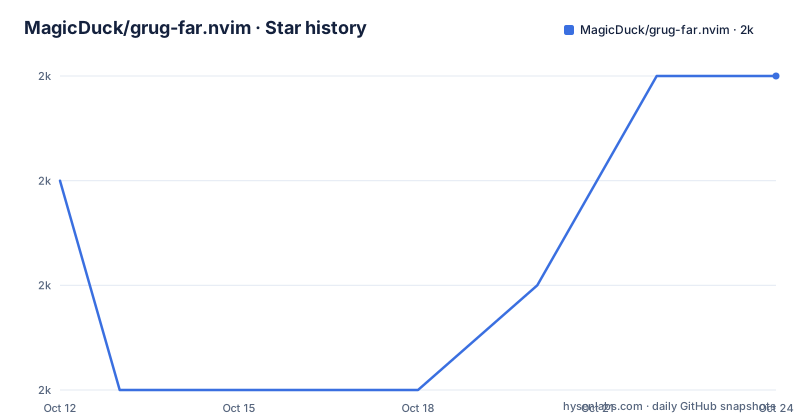
Star history
- MagicDuck/grug-far.nvim2,024 ★ · +1
| Repository | 2026-10-12 | 2026-10-24 |
|---|---|---|
| MagicDuck/grug-far.nvim | 2k | 2k |
1 Stars in the last 12 days, measured from the daily GitHub snapshot. Compare with other projects
Editorial analysis
Uniformity over convenience, and the one place it breaks
The fourth item in the philosophy section is the design decision that explains most of the plugin's behavior. grug-far uses one tool for both searching and applying a replacement, so it does not pair ripgrep with sed or any other tool, even though ripgrep has no replacement mode of its own. The stated reason is that mixing tools means writing regexes under compatibility constraints, and that a single tool also opens the door to ripgrep flags that would be impossible in a mixed setup. The author is candid that this rule already has one exception: ast-grep has no --glob flag, so file selection is filtered through ripgrep instead, with the hope that this gets fixed. That is the honest shape of the design. You get consistent regex semantics across search and replace, and in the ast-grep case you get a pipeline where the tool deciding which files to search is not the tool parsing them. Whether that trade matters depends on how much you rely on glob patterns.
Blacklisted ripgrep flags stop the replace, not just the search
Search passes almost the full power of the underlying tool through, and replace passes almost all of it too. The exception is a blacklist: for ripgrep, flags such as --binary and --json are blocked because they would produce output the plugin cannot turn into edits. The handling is worth noting. The UI warns you and prevents the replace when one of those flags is present, rather than running the search and failing later or silently writing broken output. So a flag that is perfectly valid for searching becomes a hard stop for replacing. That is a deliberate guard rather than an accident, and it also means a muscle-memory flag can block a replace you expected to work. The other half of the transparency principle is on show in the same feature list: you can type --help and get the full ripgrep help inside the plugin, and --debug-query=ast to inspect an ast-grep query. Errors from ripgrep are passed through as they are rather than rewritten, on the grounds that the original messages are readable when a regex is wrong.
The search surface is a normal buffer you can edit badly
Opening the plugin is one command, :GrugFar, which creates a new vertical split. It accepts the usual command modifiers such as botright and aboveleft, and it accepts visual ranges. In visual mode the command pre-fills the search string with the current selection, and :GrugFarWithin is the variant to search and replace strictly inside the selection rather than treating it as the search term. Since the interface is just a buffer, you can edit it directly, delete lines, and break the layout, and the plugin deliberately does not block that. The reasoning in the philosophy section is that blocking buffer edits is easy to get wrong, and when it goes wrong the plugin loses the ability to modify text in the middle of writing a large regex. Recovery is where extmarks come in: the UI restores basic integrity, and a single undo is meant to take you back. Going to a match with <Enter> in normal mode moves to the file, line, and column, and the keybinding is configurable. Result lines can be edited inline and synced back to their original locations, also on a configurable key.
Install through lazy.nvim and check your localleader first
The plugin is distributed as a normal Neovim plugin and the lazy.nvim configuration is the only install snippet given:
{
  'MagicDuck/grug-far.nvim',
  config = function()
    require('grug-far').setup({
      -- there are no required options atm
    });
  end
},
The setup call is optional, since options can also be set through vim.g.grug_far, and the commented note explains why no extra lazy loading configuration is needed: grug-far.lua defers all of its requires, so it loads lazily by default. The step people miss comes after the install. Buffer local keymaps use <localleader>, and the README makes it a requirement rather than a preference, so if your config does not set one, check what the maps resolve to before blaming the plugin. For anything beyond the defaults, the help tag :h grug-far is where the configuration surface lives; the README does not duplicate it.
Neovim 0.11 and ripgrep 14 are the real version constraints
The requirements section is specific in a way that saves a debugging session. Neovim must be 0.11.0 or newer, and the guidance for older versions is to use tag 1.6.3 if you are on 0.10. Ripgrep is required, with version 14 supported and 15 recommended. ast-grep is optional and only needed if you want the ast-grep search engine, with version 0.36 recommended. A Nerd Font is optional and so are file icons, which can come from either nvim-web-devicons or mini.icons. Two of the optional dependencies are worth noting as design choices rather than decoration. The Nerd Font is what makes the interface readable, since the plugin puts its controls on screen, and the file icon plugin is what makes a long result list scannable. If either is missing the plugin still runs. The diagnostic entry point is :checkhealth grug-far, and the README points at it first when something looks wrong.
Tests are headless Neovim runs compared against screenshots
The Makefile shows how this plugin is verified, and the approach is unusual enough to name. The test target does not run a Lua test framework directly. It launches Neovim headless with --noplugin and a minimal init file, then runs a test CLI script, with the executable overridable through nvim_path so a specific Neovim build can be targeted. Individual runs can be narrowed with dir, file and line variables, and update_screenshot=true refreshes the stored screenshots. A second target, launch-test-nvim, opens an interactive Neovim with the same plugin configuration the tests get, which exists for the case where a headless child process hangs with no output. Screenshots live under tests/screenshots, and update-screenshots deletes them all before re-running the suite. The supporting pieces are small and specific: selene and stylua --check for linting lua and tests, selene.toml and .stylua.toml as their configs, and a dependencies target that clones mini.nvim at tag v0.15.0 to provide mini.test and mini.doc. The documentation target regenerates the help files, which is why docs-and-gitadd can stage doc afterward. The last push to this repository was on 2026-08-13.
Where grug-far is the wrong tool
The first limit is version-gated. On Neovim 0.10 you are on tag 1.6.3, which means the feature set described in the README, including ast-grep rules and the debug-query flag, is not what you get. If your editor is pinned by a team config, that decision is made for you. The second limit is the dependency weight for what it replaces. Search needs ripgrep installed as a separate binary, and the ast-grep engine needs another one, so this is not a self-contained pure-Lua plugin. The third is the exception in the uniformity principle: with ast-grep selected, file filtering runs through ripgrep because ast-grep has no --glob, which means glob-based search over a large tree is doing its filtering in a tool that knows nothing about the parse tree. The fourth is scope. This is a find-and-replace buffer with search history, multiline support, folding, syntax highlighting and range-scoped search, and the feature list ends there. There is nothing in it for refactoring across files using a language server, no rename symbol workflow, and nothing for structural transformation beyond what ast-grep rules already give you. If your replacements need to understand types or references rather than text, this is the wrong layer.
Editorial conclusion
grug-far suits an editor user who wants project-wide replace without leaving Neovim and without learning a second search dialect, and it keeps your regex knowledge in one tool. It does not suit someone on Neovim 0.10 who expects current features, since those need 0.11.0 and the 1.6.3 tag, nor someone whose replacements must understand types rather than text. Before adopting, confirm ripgrep is at least version 14, run :checkhealth grug-far, and decide which keymaps you bind to :GrugFar and :GrugFarWithin.
Frequently asked questions
What does grug-far.nvim need installed to work?
Neovim 0.11.0 or higher, ripgrep with version 14 supported and 15 recommended, and optionally ast-grep 0.36 or newer, a Nerd Font, and either nvim-web-devicons or mini.icons. Run :checkhealth grug-far if something behaves unexpectedly.
How do I search only inside a visual selection with grug-far?
Use :GrugFarWithin for a search and replace restricted to the selection range. The plain :GrugFar command in visual mode only pre-fills the search string with the selection.
Which ripgrep flags are blocked from replacing in grug-far?
Flags such as --binary and --json are blacklisted. The UI warns you and prevents the replace when one is used, while search still passes most ripgrep flags through.
Can I use grug-far.nvim on Neovim 0.10?
Use tag 1.6.3, which is what the requirements section points 0.10 users at. Version 0.11.0 or higher is required for the current code.
How are grug-far.nvim tests run?
The Makefile test target launches Neovim headless with a minimal init file and a test CLI script, comparing output against stored screenshots in tests/screenshots. Variables like nvim_path, dir, file and line narrow a run, and lint runs selene and stylua --check.
Official sources
Add this badge to your README
If you maintain this project, the badge below links readers to this analysis and shows its maintenance status from the daily GitHub snapshot. Paste the markdown into your README; add ?metric=license or ?metric=stars to the image URL for a different field.

[](https://hysenlabs.com/projects/magicduck-grug-far-nvim)Star history chart for your README
[](https://hysenlabs.com/projects/magicduck-grug-far-nvim)Was this useful?