Mapsui for .NET: Multi-Platform Map Component Choices
Mapsui is a .NET Map component for: MAUI, Avalonia, Uno Platform, Blazor, WPF, WinUI, Windows Forms, Eto Forms, .NET for Android and .NET for iOS
At a glance
- What is it?
- Mapsui is an MIT-licensed C# mapping component distributed through framework-specific and core NuGet packages for desktop, mobile, MAUI, Avalonia, Uno Platform, and Blazor applications. It is a reasonable fit when one .NET codebase needs an embedded map across several UI frameworks, although the README does not describe its internal data flow or tile-loading behavior in detail.
- Who is it for?
- Mapsui should be adopted by .NET teams that want one map-component approach across several supported UI frameworks and are prepared to validate rendering, interaction, and map-data requirements early. It is less suitable when the team needs documented guarantees about rendering internals, tile lifecycle, performance, or rollback behavior.
- Can I use it commercially?
- Yes. MIT is a permissive licence: you can use, modify and sell software built on it, as long as you keep its copyright and licence notices.
- Is it still maintained?
- Yes. The repository last received commits 4 days ago.
- What is it written in?
- Mainly C#, according to GitHub's language statistics.
Answers come from the project's GitHub data, last synced on October 23, 2026, and from our analysis. They are not legal advice.
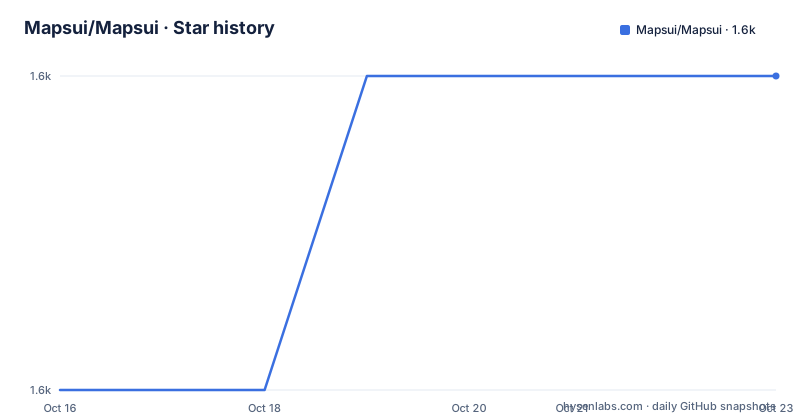
Star history
- Mapsui/Mapsui1,578 ★ · +1
| Repository | 2026-10-16 | 2026-10-23 |
|---|---|---|
| Mapsui/Mapsui | 1.6k | 1.6k |
1 Stars in the last 7 days, measured from the daily GitHub snapshot. Compare with other projects
Editorial analysis
Mapsui's Cross-Platform .NET Scope
Mapsui addresses the problem of embedding interactive mapping into applications built with several .NET UI stacks. Its supported targets include MAUI, Avalonia, Uno Platform, Blazor, WPF, WinUI, Windows Forms, Eto Forms, .NET for Android, and .NET for iOS. That makes it relevant to teams that want to retain C# while sharing application logic across desktop and mobile forms, or teams that want a map component rather than maintaining separate mapping integrations for every interface.
The repository is organized around a core `Mapsui` project, separate rendering and map-data related packages, and UI-specific projects such as `Mapsui.UI.Blazor`, `Mapsui.UI.Wpf`, `Mapsui.UI.WindowsForms`, `Mapsui.UI.Maui`, and `Mapsui.UI.Avalonia`. This layout points to a common component with framework adapters rather than ten unrelated implementations. However, the README does not document the interfaces between those layers, lifecycle behavior, threading model, or supported map interaction sequence, so the degree of behavioral consistency cannot be confirmed from the README.
Mapsui is therefore aimed at application developers rather than map-data specialists seeking a desktop GIS analysis suite. The repository describes an application map component and provides OpenStreetMap among its topics, but it does not claim to provide editing workflows, spatial analysis tools, geocoding services, or a complete GIS data management package.
Mapsui Packages and Layer Boundaries
Package selection is the clearest architectural decision exposed by the repository. A UI developer normally begins with a framework package such as `Mapsui.Blazor`, `Mapsui.Wpf`, `Mapsui.Maui`, or `Mapsui.Avalonia`. The README also lists `Mapsui.Android` and `Mapsui.iOS` for applications targeting those operating systems. These package names identify the intended UI host without requiring the reader to infer support from source directories.
Other packages define narrower capabilities. `Mapsui.Rendering.Skia` names the Skia rendering package, while `Mapsui.Tiling`, `Mapsui.Nts`, `Mapsui.ArcGIS`, and `Mapsui.Extensions` identify separate concerns. The repository contains corresponding project directories, which supports the conclusion that these packages are not merely documentation labels. The README does not explain which of them a basic application must install in addition to its UI package, and it does not document transitive dependencies. Package dependency selection therefore remains a job for the linked quickstart and NuGet package metadata.
Two packages are explicitly labeled experimental: `Mapsui.Experimental` and `Mapsui.Experimental.VectorTiles`. That label is a meaningful boundary. An application can use the stable package family for its UI surface while treating experimental vector tile support as a separate adoption decision. The README does not define an experimental API stability policy, migration process, or compatibility guarantee.
Blazor, WPF, and Avalonia Integration Choices
The most direct Mapsui adoption decision is the target UI framework. Avalonia has multiple sample directories, including `Samples/Avalonia/` and `Samples/Avalonia12/`. Those entries suggest that developers should select the sample matching their Avalonia setup rather than assume that every sample applies unchanged.
Windows applications also require an explicit choice. The README lists distinct packages for WinUI and Windows Forms, and the repository contains corresponding UI projects and sample applications. The package selection therefore follows the actual application shell rather than using a universal package name for all Microsoft desktop interfaces.
For mobile and cross-platform applications, the choice includes MAUI,.NET for Android, and.NET for iOS. The repository contains `Samples/Mapsui.Samples.Maui`, `Samples/Mapsui.Samples.Droid`, and `Samples/Mapsui.Samples.iOS`. This gives adopters concrete examples to consult, but the README does not include their source code or explain platform-specific setup, so it cannot support claims about gesture behavior, native interop, lifecycle handling, or packaging requirements.
The right framework guide matters because Mapsui's package table sends users to a different quickstart anchor for every UI target. Reading a Blazor example before choosing a WPF package would hide the host-specific setup rather than clarify it.
Installing Mapsui from the Documented Quickstarts
The README does not provide a `dotnet add package` command, project-file entry, version argument, or other copy-and-run installation command. It directs users to the Mapsui v5 documentation and maps each framework package to a quickstart. Inventing an installation command here would risk selecting the wrong package or omitting dependencies that the actual guide requires.
Start by opening the quickstart linked for the UI framework used by the application. For a Blazor project, the README points to its Blazor quickstart and the `Mapsui.Blazor` NuGet package. For Avalonia, it points to the Avalonia quickstart and `Mapsui.Avalonia`. The remaining targets follow the same package-to-guide mapping in the README. The reader should see setup instructions for that exact framework before adding a core or experimental package.
After setup, the README says to inspect the samples. It also provides online Blazor samples for version 5. Those samples are the most concrete first-use resource because the README says they work the same way across platforms. A first real use should begin with the smallest sample for the chosen host, add it to that host, and verify that the map view appears according to that quickstart. The README does not state the expected visual output, required map source, startup behavior, or sample API calls, so those details cannot be reproduced safely.
Mapsui and NTS Experimental Vector Tiles
Mapsui's package catalog indicates a composable design rather than one all-in-one dependency. A UI package supplies the application-facing component for one host. Core packages cover the shared mapping area, while separate packages cover Skia rendering, tiling, NTS, ArcGIS, and extensions. Vector tiles sit in the experimental package set.
That separation creates a clear upgrade boundary. Teams can adopt a framework adapter without treating every optional data or rendering package as mandatory. It also allows an application to align its map-data integration with the package intended for that source. The limitation is equally important: the README does not explain whether `Mapsui.Tiling` handles raster tiles, vector tiles, or both, and it provides no configuration example for `Mapsui.ArcGIS`, `Mapsui.Nts`, or `Mapsui.Experimental.VectorTiles`.
A web-only GIS application is the principal architectural alternative. Instead of embedding a component into MAUI, Avalonia, Uno Platform, Blazor, WPF, WinUI, Windows Forms, Eto Forms, Android, or iOS, the team can build the mapping interface for the browser and keep the .NET application focused on services or data. The difference is placement and deployment: Mapsui centers the map inside a supported .NET UI host, while a web application centers it in the browser. The README does not compare feature depth, offline behavior, rendering performance, or licensing with that alternative.
Mapsui Limitations and Maintenance Boundaries
The main limitation here is not a documented defect but missing operational documentation. The README does not explain tile attribution requirements, offline map storage, caching, proxy configuration, map-source credentials, background refresh, rendering performance, thread safety, or rollback procedures. It also does not provide API examples showing panning, zooming, markers, layers, or event handling. A team evaluating production mapping cannot use the README alone to answer those questions.
Mapsui is distributed under the MIT license. That permits use and modification under the license's conditions, but this article does not interpret those legal terms. Teams still need to review the repository `LICENSE` file and account for separate terms associated with map servers, data sources, SDKs, and operating systems used by their applications.
The repository is not archived, and its last push was on 2026-10-16. Recent releases include `5.1.0` on 2026-05-27, `5.1.0-beta.10` on 2026-05-27, and `pages-v4-frozen-2026-07-26`. The documentation links point to Mapsui v5, while the presence of a frozen v4 website and a beta release shows that version and channel awareness matter during upgrades. The README does not define a migration guide, support window, or compatibility matrix, so package adoption should account for those unresolved questions.
Editorial conclusion
Mapsui should be adopted by .NET teams that want one map-component approach across several supported UI frameworks and are prepared to validate rendering, interaction, and map-data requirements early. It is less suitable when the team needs documented guarantees about rendering internals, tile lifecycle, performance, or rollback behavior. Before adoption, open the quickstart for the selected UI framework and verify that its documented setup produces the required map interaction in that target application.
Frequently asked questions
Which Mapsui NuGet package should a new .NET application choose?
Choose the package listed for the application's UI framework, such as `Mapsui.Blazor`, `Mapsui.Wpf`, `Mapsui.Maui`, or `Mapsui.Avalonia`. The README links each package to its corresponding quickstart.
Does the Mapsui README include a complete installation command?
No. It directs users to the Mapsui v5 quickstarts and lists the framework-specific NuGet packages, but the README contains no copy-and-run package installation command.
Which Mapsui packages are experimental?
The README explicitly lists `Mapsui.Experimental` and `Mapsui.Experimental.VectorTiles` under experimental NuGet packages. It does not define an experimental API stability policy.
Official sources
Add this badge to your README
If you maintain this project, the badge below links readers to this analysis and shows its maintenance status from the daily GitHub snapshot. Paste the markdown into your README; add ?metric=license or ?metric=stars to the image URL for a different field.

[](https://hysenlabs.com/projects/mapsui-mapsui)Star history chart for your README
[](https://hysenlabs.com/projects/mapsui-mapsui)Was this useful?