GAIGE: A Python/Pygame MOBA Teaching Engine for Game AI Courses
Game AI Game Engine
At a glance
- What is it?
- GAIGE is a 2D game engine built on PyGame and NumPy, designed for a Georgia Tech course to teach game AI through a series of MOBA-style assignments. It is a teaching tool, not a production engine, and its dated Python 2.7 and 32-bit requirements are its biggest hurdles.
- Who is it for?
- GAIGE is for instructors and students who want a hands-on, assignment-driven approach to game AI, specifically in a MOBA-like 2D context. It is not for anyone building a commercial or modern game, nor for those unwilling to work with Python 2.7 and 32-bit dependencies.
- Can I use it commercially?
- Yes. MIT is a permissive licence: you can use, modify and sell software built on it, as long as you keep its copyright and licence notices.
- Is it still maintained?
- Probably not. The repository last received commits 94 months ago, on January 13, 2019.
- What is it written in?
- Mainly Python, according to GitHub's language statistics.
Answers come from the project's GitHub data, last synced on October 4, 2026, and from our analysis. They are not legal advice.
Star history
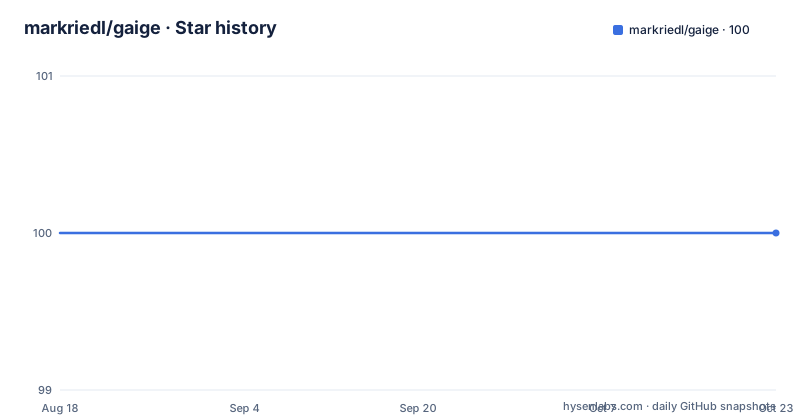
- markriedl/gaige100 ★ · +0
| Repository | 2026-08-18 | 2026-10-04 |
|---|---|---|
| markriedl/gaige | 100 | 100 |
0 Stars in the last 47 days, measured from the daily GitHub snapshot. Compare with other projects
Editorial analysis
A Teaching Engine, Not a Product
The engine is built on PyGame and NumPy, which are the only dependencies. The README does not describe any internal architecture, so you must infer from the repository name and the description. The assignments likely guide students through implementing AI components, but the README does not list them. This lack of detail is a significant gap for an external adopter. You would have to clone the repository and inspect the code to understand what the assignments actually require. For a course, that might be fine. For an independent learner, it is a barrier.
The MOBA Genre as a Learning Vehicle
The use of PyGame and NumPy suggests the engine handles rendering and basic math, but the AI logic is what students write. The assignments are the core of the engine, not the game itself. That is a different model from a typical game engine, where the engine provides features and the game is the product. Here, the engine is a scaffold for learning. If you are an instructor, you might appreciate that the engine is minimal, leaving room for students to implement their own solutions. If you are a student, you will get hands-on experience, but you will also have to deal with the engine's limitations.
Installation: A Walk Back to Python 2.7
The installation process is a real barrier. If you are on a modern 64-bit system, you will need to find a 32-bit Python 2.7 installer and manage dependencies manually. The README does not mention virtual environments or any workaround for 64-bit systems. This suggests the project was built for a specific course environment, not for general distribution. For a student in that course, the instructions might work. For anyone else, the setup is a chore. You might be able to use a virtual machine or a container, but the README does not suggest that. This is a case where the tool's age shows.
What the Engine Does (and What It Does Not)
The lack of documentation is a limitation. There is no API reference, no tutorial beyond the installation, and no description of the game's rules. The repository layout is not shown in the README, so you cannot see how the code is organized. This means you have to clone the repository and read the source to understand what you are working with. For a course, that is acceptable because the instructor can provide context. For an independent user, it is a steep learning curve. The README's brevity suggests the project was never intended for external use, which is a fair point to keep in mind.
Limitations and Failure Modes
There is also a risk that the engine has bugs or incomplete features, but the README does not mention any known issues. The project is not archived, but the last push is unknown, and there are no releases. That suggests the project may be dormant. If you adopt it, you should expect to maintain it yourself. The MIT license gives you freedom to modify and redistribute, but you will have to do the work. The lack of a community or support channel means you are on your own if you hit a problem.
Alternatives: What Else Is Out There
A real alternative is to build your own game AI assignments using PyGame directly, without a pre-built engine. That gives you full control over the game and the assignments, but it requires more upfront work. Another alternative is to use a modern game engine like Unity or Godot, which have built-in AI tools and support Python-like scripting (though not Python itself). The difference is that GAIGE is specifically designed for teaching AI in a MOBA context, so it provides a ready-made game that you can focus on AI. With a general-purpose engine, you have to build the game first, which can distract from the AI lessons. However, a general-purpose engine is more likely to be maintained and have a community. If you want a lightweight, Python-based teaching tool, GAIGE is one option, but you must accept its age. If you want a modern, supported system, you should look elsewhere.
Maintenance and License
The maintenance cost is high if you want to use GAIGE on a current system. You will need to port the code to Python 3 and possibly find a way to use 64-bit PyGame, which may require modifying the engine. The README does not provide any guidance on that. The license does not prevent you from doing so, but it is a significant engineering effort. If you are not prepared to do that, you should avoid this project.
Editorial conclusion
GAIGE is for instructors and students who want a hands-on, assignment-driven approach to game AI, specifically in a MOBA-like 2D context. It is not for anyone building a commercial or modern game, nor for those unwilling to work with Python 2.7 and 32-bit dependencies. Before adopting, verify that your course infrastructure can support 32-bit Python and PyGame, and check whether the assignments are still available or if you must design your own. If you need a maintained engine, look elsewhere.
Frequently asked questions
What is gaige, the Game AI Game Engine?
GAIGE is a set of instructional programming assignments for the Game Artificial Intelligence course taught at Georgia Tech. It is a 2-D game engine built in Python on top of PyGame, and the assignments build the AI components that let agents play a game based roughly on the MOBA genre.
Which Python version does gaige need, and why does the architecture matter?
The engine uses Python 2.7, and you need a 32-bit version of Python because Pygame is a 32-bit package. Windows installs are described as Python 2.7.x, and the Mint recipe asks for Python 2.7.6 by name.
How do I install the gaige dependencies on Linux?
On Fedora run sudo yum install numpy and sudo yum install pygame pygame-devel. On Mint, get Python 2.7.6 first, then run sudo apt-get install python-pygame and sudo apt-get install python numpy.
How do I install the gaige dependencies on macOS?
For Macintosh 10.7 and above the steps are brew install python, pip install numpy, pip install --upgrade pip setuptools, and pip install pygame.
What is inside the gaige repository?
The tree holds homework1 through homework6 plus homework7 and homework7-simple, alongside competition/, quadtree/, rl/, squad/, installation/, and images/ directories, with the LICENSE file and README at the root.
Official sources
Add this badge to your README
If you maintain this project, the badge below links readers to this analysis and shows its maintenance status from the daily GitHub snapshot. Paste the markdown into your README; add ?metric=license or ?metric=stars to the image URL for a different field.

[](https://hysenlabs.com/projects/markriedl-gaige)Star history chart for your README
[](https://hysenlabs.com/projects/markriedl-gaige)