NBitcoin for .NET: Installing and Using the Bitcoin Library
Comprehensive Bitcoin library for the .NET framework.
At a glance
- What is it?
- NBitcoin is a C# library for building Bitcoin applications across .NET, Xamarin, Unity, Windows, macOS, and Linux. It provides transaction construction, script handling, key management, networking clients, and selected BIP implementations through NuGet.
- Who is it for?
- NBitcoin fits .NET developers who need direct access to Bitcoin transaction, script, key, and protocol primitives, including applications built with Unity, Xamarin, or legacy .NET Framework. It is less suitable for developers who need a hosted Bitcoin service rather than a local library, or for projects whose custom blockchain requirements exceed what the documented `NBitcoin.Altcoins` package addresses.
- Can I use it commercially?
- Yes. MIT is a permissive licence: you can use, modify and sell software built on it, as long as you keep its copyright and licence notices.
- Is it still maintained?
- Yes. The repository last received commits 4 days ago.
- What is it written in?
- Mainly C#, according to GitHub's language statistics.
Answers come from the project's GitHub data, last synced on October 23, 2026, and from our analysis. They are not legal advice.
Star history
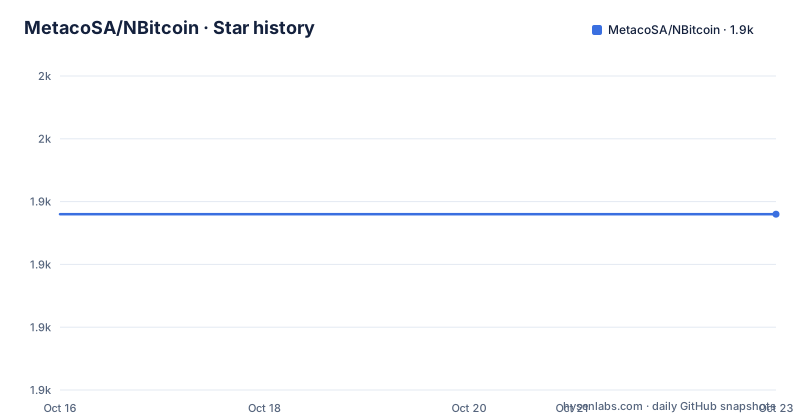
- MetacoSA/NBitcoin1,938 ★ · +0
| Repository | 2026-10-16 | 2026-10-23 |
|---|---|---|
| MetacoSA/NBitcoin | 1.9k | 1.9k |
0 Stars in the last 7 days, measured from the daily GitHub snapshot. Compare with other projects
Editorial analysis
NBitcoin's C# Scope and Intended Users
NBitcoin addresses a specific problem for C# developers: implementing Bitcoin behavior without assembling every protocol component from separate low-level libraries. The README describes access to Bitcoin primitives, relevant Bitcoin Improvement Proposals, transaction construction, script parsing and evaluation, key signing, blocks, and peer networking. Its intended users are developers working directly with Bitcoin data structures rather than users looking for a hosted payment API.
The repository is aimed at application developers using .NET, legacy .NET Framework, Xamarin, or Unity. The documented platform matrix distinguishes full-feature packages on .NET Standard 1.3 targets from limited-feature packages on .NET Standard 1.1 targets. That distinction matters because broad operating-system support does not mean identical functionality on every target. A developer targeting an older platform must check whether the required API falls inside the limited-feature group.
NBitcoin also serves developers who need Bitcoin-specific formats and protocol behavior in C#. Its listed capabilities include block and transaction serialization, custom and standard scripts, compact signatures, hierarchical deterministic wallets, mnemonic keys, payment URLs, Bech32 SegWit addresses, Bloom filters, partial Merkle trees, and an RPC client. Unity has a separate documented workflow, while applications based on custom blockchains or altcoins are directed to the `NBitcoin.Altcoins` package.
Transaction, Script, Key, and Network Data Flow
The README presents NBitcoin as a library with several layers. At the data layer, it parses and serializes blocks, transactions, and scripts. Above that layer, `TransactionBuilder` supports standard transactions plus Stealth and Open Asset transactions. Script parsing and evaluation allow application code to inspect or enforce Bitcoin script conditions, while key and signature APIs support ownership proofs using private keys and compact signatures.
The introductory example exposes a simple C# object flow. Application code imports `NBitcoin`, constructs a `Key`, asks that key for its WIF representation with `GetWif(Network.Main)`, and passes the result to `Console.WriteLine`. This example does not contact a Bitcoin node or perform a network request. It demonstrates direct construction and serialization of a cryptographic key value instead.
The repository layout separates the principal package from `NBitcoin.Altcoins`, `NBitcoin.Secp256k1`, tests, benchmarks, and a test framework. Based on that structure, cryptographic implementation, primary Bitcoin support, custom-chain support, and verification code are not all placed in one runtime component. The networking layer includes a Bitcoin peer-to-peer implementation with SOCKS5 support for connecting through Tor, as well as RPC and REST clients. Local object construction, node interaction, and direct peer communication are separate paths.
Installing NBitcoin for .NET Core
For a .NET Core project, the README gives a direct NuGet installation command. Run it from the directory containing the project file so that the package reference is added to that project.
dotnet add package NBitcoinThe package is distributed through NuGet. The README says that full-feature support applies to platforms supported by .NET Standard 1.3, including .NET Core, Xamarin iOS, Xamarin Android, and UWP. Platforms supported only by .NET Standard 1.1 are listed as having limited features.
Legacy .NET Framework applications installed from Visual Studio use a different documented command:
Install-Package NBitcoinThe README also directs users to the NuGet website and mentions the Visual Studio `Manage NuGet Package` window. It does not provide a compatibility matrix for individual NBitcoin APIs and target frameworks, so an engineer should treat the target framework, required Bitcoin feature, and restored package version as separate compatibility checks.
Creating and Printing a Bitcoin Private Key
The following first use follows the repository's .NET Core tutorial. It creates a console project, adds NBitcoin, restores dependencies, and opens the application entry point in `Program.cs`.
mkdir MyProject
cd MyProject
dotnet new console
dotnet add package NBitcoin
dotnet restore
Replace the generated `Program.cs` content with the README example. The `using NBitcoin;` directive makes `Key` available, while `Network.Main` selects the Bitcoin main network context for WIF output.
using System;
using NBitcoin;

namespace _125350929
{
    class Program
    {
        static void Main(string[] args)
        {
            Console.WriteLine("Hello World! " + new Key().GetWif(Network.Main));
        }
    }
}
Run the console project with the documented command:
dotnet runBased on the source, the program should print the greeting followed by the WIF representation of a newly generated `Key`. It does not submit anything to the Bitcoin network. The README does not describe persistence, secure key storage, deterministic derivation, or error handling for this example, so production applications need separate handling for those concerns.
BIP Coverage, Script Execution, and Client Boundaries
NBitcoin's coverage is broad but itemized rather than presented as blanket support for every Bitcoin proposal. The README explicitly names BIP 39 mnemonic code, BIP 32 hierarchical deterministic wallets, BIP 21 payment URLs, BIP 141 and BIPs 143 and 144 for Segregated Witness, and BIP 173 Bech32 SegWit addresses with error detection. Those claims describe implemented areas that can be investigated through the linked documentation and unit tests.
Beyond wallet formats, NBitcoin includes full script evaluation and parsing, standard script parsing and creation, and custom script creation. This makes the library relevant when an application must construct transactions or inspect script rules. `TransactionBuilder` is the documented construction component, while the signing APIs accept private keys and support compact signatures. RPC and REST clients are also present for applications that communicate through those interfaces.
The peer-to-peer implementation has a different boundary. The README states that it supports SOCKS5 connections through Tor, but it does not provide a Tor setup tutorial or claim that the library configures a Tor daemon. Likewise, the feature list does not establish support for every proposal, script edge case, or network policy that an application may encounter. The correct evaluation unit is the exact API and Bitcoin behavior required by the application, not the library's overall feature count.
Legacy, Xamarin, and Unity Build Constraints
NBitcoin has a documented Unity workflow, but it requires manual source compilation and a platform configuration. The README specifies at least `Unity 2018.2`, the `.NET 4.x Equivalent` script runtime version, and the `.NET Standard 2.0` API compatibility level. It then gives this sequence:
git clone https://github.com/MetacoSA/NBitcoin/
cd NBitcoin/NBitcoin
dotnet publish -c Release -f netstandard2.0
Remove-Item -Force -Recurse .\bin\Release\netstandard2.0\publish\runtimes\
The resulting libraries from `.\bin\Release\netstandard2.0` are copied into the Unity asset folder. If altcoin support is required, the README directs the developer to use the same process with `cd NBitcoin/NBitcoin.Altcoins` instead.
This workflow creates a maintenance cost specific to Unity adoption. The application must retain compatible source-build inputs, compile the library for `netstandard2.0`, and manage copied artifacts rather than relying only on the ordinary package installation path. The README also documents symbol packages with SourceLink from version `4.1.1.73`. Visual Studio and Visual Studio Code can fetch source during debugging, but developers must adjust debugger settings, which makes source-level diagnosis possible at the cost of a more involved debugging setup.
NBitcoin Versus the NBitcoin.Altcoins Extension
The main `NBitcoin` package is the relevant choice for Bitcoin applications. It exposes Bitcoin transactions, scripts, signing, serialization, wallet formats, clients, and peer networking. Installing `NBitcoin` alone does not make the repository's custom-chain support part of the application.
For an altcoin or a private blockchain, the documented alternative is `NBitcoin.Altcoins`. The difference is the target protocol and reusable model set. The primary package implements Bitcoin behavior, while the companion package is the repository's designated place for altcoin and own-blockchain support. The README names Stealth and Open Asset support under the primary package's `TransactionBuilder`, but it still directs broader custom-chain work to `NBitcoin.Altcoins`.
This is an architectural choice rather than a simple replacement. If an application speaks Bitcoin, adding the altcoin package introduces an abstraction that may not be required. If the application needs a chain with different transaction or network rules, choosing only the primary package risks missing the intended extension point. The README does not state that every altcoin is automatically supported, so a developer must verify that the required network and transaction types are represented by that package.
License, Maintenance, and Upgrade Boundaries
NBitcoin is distributed under the MIT license. Repository users must retain the license and satisfy its conditions, but this review does not provide legal advice. No separate commercial license or paid edition is identified in the README.
The repository is not archived, and its last push was on 2026-10-16. That is recent activity, but it does not by itself guarantee compatibility with a particular application or establish a release cadence. The repository has no GitHub releases. New versions can still be published through NuGet, as the README discusses new `NBitcoin`, `NBitcoin.Altcoins`, and `NBitcoin.TestFramework` versions and their symbol packages, but it does not document a version support policy or a stable-release guarantee.
Upgrade planning therefore depends on the restored NuGet version and target framework. The README provides installation commands but no documented rollback procedure or explicit migration guide for breaking versions. The linked eBook, NBitcoin documentation, API reference, and unit tests are the stated sources for deeper usage and verification. An adopting team should use those project-specific resources to confirm behavior before changing a production package version.
Editorial conclusion
NBitcoin fits .NET developers who need direct access to Bitcoin transaction, script, key, and protocol primitives, including applications built with Unity, Xamarin, or legacy .NET Framework. It is less suitable for developers who need a hosted Bitcoin service rather than a local library, or for projects whose custom blockchain requirements exceed what the documented `NBitcoin.Altcoins` package addresses. Before adoption, verify the required NuGet package and target framework, confirm that every transaction, script, or BIP behavior needed by the application is supported, and run the project on the intended platform. For NBitcoin specifically, the first concrete check is whether `dotnet add package NBitcoin` restores a version that builds and behaves correctly in the target application.
Frequently asked questions
How do I install NBitcoin in a .NET Core project?
From the project directory, run `dotnet add package NBitcoin`. The README also documents `dotnet restore` as part of its console-project setup.
Does NBitcoin support Xamarin and Unity?
The README lists Xamarin targets and provides a separate Unity build process. Unity requires at least `Unity 2018.2`, `.NET 4.x Equivalent`, and `.NET Standard 2.0` compatibility.
Which package should I use for an altcoin or my own blockchain?
The README directs developers to `NBitcoin.Altcoins`. It does not claim that this package automatically supports every custom chain, so the required transaction and network behavior still needs verification.
Official sources
Add this badge to your README
If you maintain this project, the badge below links readers to this analysis and shows its maintenance status from the daily GitHub snapshot. Paste the markdown into your README; add ?metric=license or ?metric=stars to the image URL for a different field.

[](https://hysenlabs.com/projects/metacosa-nbitcoin)Star history chart for your README
[](https://hysenlabs.com/projects/metacosa-nbitcoin)Was this useful?