ng2-flatpickr: A Thin Angular Wrapper That Stays Out of flatpickr's Way
Angular 2+ wrapper for flatpickr (https://github.com/chmln/flatpickr)
At a glance
- What is it?
- ng2-flatpickr binds flatpickr to Angular reactive forms with a single component and a config input. It is minimal by design, but that minimalism comes with trade-offs in maintenance and feature coverage.
- Who is it for?
- Adopt ng2-flatpickr if you need a minimal, reactive-forms-compatible date picker and you are comfortable managing flatpickr's CSS and locale files yourself. Skip it if you require active maintenance, built-in theming, or a component that hides flatpickr's quirks.
- Can I use it commercially?
- Not without permission. GitHub finds no licence file in the repository, and without a licence all rights are reserved by default: you may read the code but not reuse it. Check the README, or ask the authors, before using it.
- Is it still maintained?
- Probably not. The repository last received commits 47 months ago, on December 7, 2022.
- What is it written in?
- Mainly TypeScript, according to GitHub's language statistics.
Answers come from the project's GitHub data, last synced on October 23, 2026, and from our analysis. They are not legal advice.
Star history
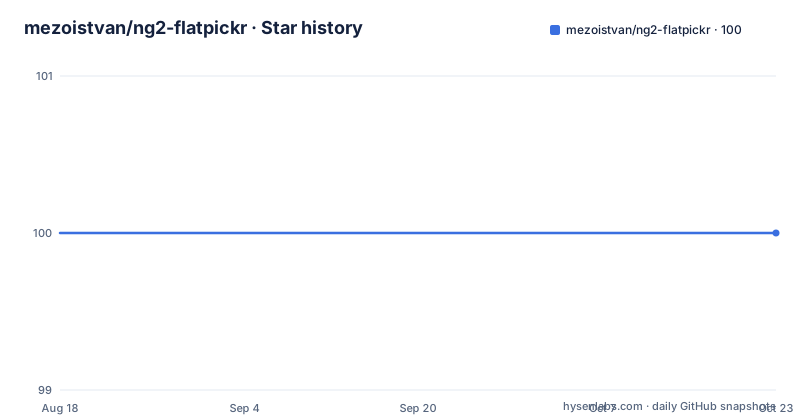
- mezoistvan/ng2-flatpickr100 ★ · +0
| Repository | 2026-08-18 | 2026-10-23 |
|---|---|---|
| mezoistvan/ng2-flatpickr | 100 | 100 |
0 Stars in the last 66 days, measured from the daily GitHub snapshot. Compare with other projects
Editorial analysis
What This Wrapper Actually Does
ng2-flatpickr solves a narrow problem: it lets you use flatpickr, a standalone JavaScript date picker, inside Angular reactive forms without writing your own glue code. The README shows a single component, ng2-flatpickr, that you drop into a template with formControlName. The wrapper then keeps the form control and the flatpickr instance in sync. This is for Angular developers who already know flatpickr and want the smallest possible integration layer. It is not a date picker framework, and it does not add features on top of flatpickr. The entire project is a thin bridge, and the README makes that clear by pointing you to flatpickr's own options documentation rather than maintaining its own.
How the Data Flows: Config In, Date Out
The mechanism is straightforward. You import Ng2FlatpickrModule into your NgModule, then use the component in a template. The component accepts a config input of type FlatpickrOptions, which is just a typed passthrough to flatpickr's options object. You can set a default date, a locale, a placeholder, or any other flatpickr option. The setDate input takes either a string or a Date object, and the README gives examples of both. When the user picks a date, the wrapper writes the value back to the Angular form control. The reverse also works: if you set the control's value programmatically, the flatpickr instance updates. This two-way binding is the core of the wrapper, and it is the reason you would choose it over raw flatpickr in an Angular form. The data flow is simple: template to component, component to flatpickr, and back through the form control.
Getting It Running: Commands and Configuration
Installation is two packages, not one. The README shows npm install --save flatpickr ng2-flatpickr, and the equivalent yarn add. You need flatpickr itself because the wrapper is a peer dependency, not a bundled copy. Then you import Ng2FlatpickrModule into your app module. In the template, you write <ng2-flatpickr formControlName="date"></ng2-flatpickr>. To pass options, you define a FlatpickrOptions object in your component and bind it with [config]. The README gives a concrete example: let exampleOptions: FlatpickrOptions = { defaultDate: '2017-03-15' }. For a locale, you import the Russian locale file from flatpickr's distribution and pass it as locale: Russian.ru. A placeholder is set with a plain attribute, placeholder="Pick a date!". The CSS is not included, so you must load flatpickr's stylesheet yourself. With Angular CLI, the README tells you to add node_modules/flatpickr/dist/flatpickr.min.css to the styles array in angular.json. That is the full setup. No additional configuration files, no service registration, no build steps.
Where the Thinness Hurts
The wrapper's simplicity is also its main limitation. Because it does not bundle flatpickr's CSS, you have to remember to load it, and if you forget, the picker renders without styling. The README only shows the Angular CLI path, so if you use a different build system, you are on your own. More seriously, the README shows no handling for dynamic option changes. The config input is bound once, and there is no indication that changing the config object at runtime updates the flatpickr instance. If you need to switch locales or date formats based on user interaction, you may have to destroy and recreate the component. The setDate input does react to changes, but it only sets the date, not other options. Also, the README gives no error handling for invalid dates or format mismatches. If you pass a malformed string to setDate, flatpickr's behaviour is whatever flatpickr does, and the wrapper does not shield you from it. This is the wrong tool if you need a date picker that is deeply integrated with Angular change detection or if you expect the wrapper to manage flatpickr's lifecycle for you.
Maintenance and Upgrade Cost
The repository metadata is sparse. There is no declared licence, which is a red flag for commercial use. The last push date is unknown, and there are no recent releases listed. The README references Travis CI, but there is no build status shown in the cleaned material. This means the wrapper may not be actively maintained. Angular moves fast, and a wrapper that was built for Angular 2+ may not work with Angular 17 or 18 without modifications. The TypeScript types, FlatpickrOptions, are likely tied to a specific flatpickr version, and flatpickr itself changes its API over time. Upgrading to a new Angular major version could require you to fork the wrapper and update the component class yourself. The cost is not in the initial setup, which is trivial, but in the long-term maintenance. You are depending on a project that shows no signs of active development, and the README does not mention any upgrade path or compatibility guarantees.
The Alternative: Raw flatpickr or a Richer Wrapper
The obvious alternative is to skip the wrapper and use flatpickr directly in an Angular component. You would create a directive or component that instantiates flatpickr on an input element and manually syncs the value with a form control. That gives you full control over lifecycle and options, but it is more code to write and maintain. The difference is in approach: ng2-flatpickr gives you a declarative, template-driven integration, while raw flatpickr requires imperative code in your component class. Another alternative is a more comprehensive Angular date picker library like ngx-mat-datetimepicker or Angular Material's datepicker, but those are heavier and come with their own design systems. The key difference is that ng2-flatpickr does not try to be a UI framework; it just exposes flatpickr's options. If you want flatpickr's specific look and behaviour, this wrapper is the closest thing to using flatpickr directly, but with less glue code. If you want a date picker that is tightly integrated with Angular Material theming, you would be better off with a different library.
A Concrete Verdict on the Trade-off
The README is honest about what this project is: a lightweight wrapper. It does not promise features beyond the basics, and it directs you to flatpickr's documentation for anything complex. That is a defensible design choice. The trade-off is that you inherit flatpickr's quirks and the wrapper's lack of maintenance. For a simple form with a single date field, ng2-flatpickr will save you a few hours of work. For a complex application with multiple date pickers, dynamic locales, or custom validation, you will likely hit the wrapper's limits quickly. The setDate and config inputs are the only two ways to interact with the picker, and there is no documented way to access the flatpickr instance directly for advanced use cases. If you need that, you are back to writing your own wrapper. The project serves a specific, narrow niche, and it serves it adequately. Just do not expect it to grow with you.
Editorial conclusion
Adopt ng2-flatpickr if you need a minimal, reactive-forms-compatible date picker and you are comfortable managing flatpickr's CSS and locale files yourself. Skip it if you require active maintenance, built-in theming, or a component that hides flatpickr's quirks. Before adopting, verify that the package still builds against your Angular version, since the repository shows no recent releases and the last push date is unknown. Also check the licence, which the repository does not declare, before using it in a commercial product. The wrapper's value is its simplicity, but that simplicity is also its boundary: you are one Angular major version away from having to fork it.
Frequently asked questions
How do I install ng2-flatpickr in an Angular project?
Install both packages, because flatpickr is a peer dependency rather than a bundled one: run npm install --save flatpickr ng2-flatpickr, or yarn add flatpickr ng2-flatpickr. The declared peer range is ^4.6.0.
How do I use ng2-flatpickr inside an Angular reactive form?
Import Ng2FlatpickrModule into your NgModule, then bind the element with a formControlName: <ng2-flatpickr formControlName="formControlName"></ng2-flatpickr>. The selected date then lives in your form model.
How do I pass flatpickr options through ng2-flatpickr?
Assign an object typed as FlatpickrOptions to a variable and bind it with the config input, for example [config]="exampleOptions". Any flatpickr option can go in that object, including defaultDate or a locale.
Why does my ng2-flatpickr calendar look unstyled?
Flatpickr CSS needs to be loaded separately. With @angular/cli, add node_modules/flatpickr/dist/flatpickr.min.css to the styles array in angular.json.
Can ng2-flatpickr set an initial date, and what values does it accept?
Yes, through the setDate input. The docs show it accepting either a string such as '1988-09-19' or a Date object such as new Date( 1234567891011 ).
Official sources
Add this badge to your README
If you maintain this project, the badge below links readers to this analysis and shows its maintenance status from the daily GitHub snapshot. Paste the markdown into your README; add ?metric=license or ?metric=stars to the image URL for a different field.

[](https://hysenlabs.com/projects/mezoistvan-ng2-flatpickr)Star history chart for your README
[](https://hysenlabs.com/projects/mezoistvan-ng2-flatpickr)Was this useful?