TextWorld for training reinforcement learning agents on text games
TextWorld is a sandbox learning environment for the training and evaluation of reinforcement learning (RL) agents on text-based games.
At a glance
- What is it?
- TextWorld is a Python sandbox for generating, running, and evaluating reinforcement learning agents on text-based games. Its main value is the combination of game generation, terminal play, and a Gym-like API, with Linux and macOS as the documented native platforms.
- Who is it for?
- TextWorld suits engineers building experiments around text-game observations, actions, rewards, and episode limits, especially when generated games are preferable to a fixed game collection. It is a weaker fit for teams needing native Windows support, unrestricted game formats, or a fully documented production deployment path.
- Can I use it commercially?
- Check first. The repository uses a licence we do not classify automatically, so read its LICENSE file before any commercial use.
- Is it still maintained?
- Yes. The repository last received commits 7 days ago.
- What is it written in?
- Mainly Jupyter Notebook, according to GitHub's language statistics.
Answers come from the project's GitHub data, last synced on October 24, 2026, and from our analysis. They are not legal advice.
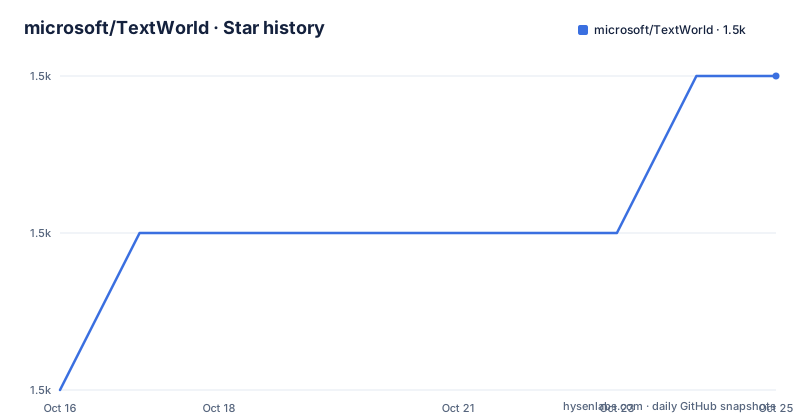
Star history
- microsoft/TextWorld1,452 ★ · +2
| Repository | 2026-10-16 | 2026-10-24 |
|---|---|---|
| microsoft/TextWorld | 1.5k | 1.5k |
2 Stars in the last 8 days, measured from the daily GitHub snapshot. Compare with other projects
Editorial analysis
Why TextWorld exists for RL experimentation
TextWorld addresses a practical problem in reinforcement learning: agents need controlled environments where observations, valid commands, rewards, and episode endings can be exposed without manually building a complete text-game interpreter and game collection. The repository describes it as a text-based game generator and extensible sandbox learning environment. Its intended users are researchers, engineers, and developers who train or test agents on text-based adventure games.
The environment is useful when an experiment needs repeatable game creation as well as interaction. TextWorld can generate a simple game with a controlled number of rooms, objects, and minimum quest length. The same project also provides a terminal player and a Gym-like Python interface, so a human can inspect a generated game while an agent-oriented implementation uses observations and step results. That combination matters for projects that need to compare agent algorithms, prompt construction, action selection, or episode limits.
TextWorld is not presented as a general-purpose game engine for arbitrary commercial games. The documented terminal player supports Z-machine games, specifically files from `.z1` through `.z8`. The README does not establish support for other formats. TextWorld therefore fits research environments built around generated or compatible Z-machine games, rather than a requirement to play every text adventure available elsewhere.
How TextWorld connects generation, play, and agent steps
The documented workflow has three layers. First, `tw-make` generates a game from parameters. Second, `tw-play` launches a generated game in the terminal. Third, `textworld.gym` registers a game as an environment and exposes reset, step, render, and close operations.
For generation, the `custom` mode accepts `--world-size`, `--nb-objects`, `--quest-length`, and `--seed`. The README says that world size controls the number of rooms, object count controls interactable objects excluding doors, and quest length controls the minimum number of commands required to win. A seed makes the generation command explicit and reproducible as an input value, although the README does not promise that every generated artifact will remain byte-for-byte stable across releases.
The Python example follows the reset-step loop expected by a reinforcement learning environment. Registration accepts the game path and `max_episode_steps=50`. `env.reset()` starts an episode and returns an observation and information dictionary. Each call to `env.step(command)` accepts a text command and returns a new observation, score, done flag, and information dictionary. The example calls `env.render()` after reset and after each command, then calls `env.close()` when the episode ends. The API is described as Gym-like rather than documented here as a complete drop-in replacement for every Gym feature.
The repository layout includes `benchmark/`, `textworld/`, `tests/`, `notebooks/`, visualization resources, and separate requirement files. Based on that layout, TextWorld is a Python package with supporting game, benchmark, notebook, and rendering components rather than a single command-line script. The README does not document the exact training algorithm, reward shaping details, supported observation modes, or action encoding, so those details should be checked in the project documentation before designing an experiment around them.
Installing TextWorld and generating a first game
TextWorld documents support for Python 3.9, 3.10, 3.11, and 3.12 on Linux and macOS. On Debian or Ubuntu systems, the documented native dependencies are installed first. The README also advises using a virtual environment to avoid package conflicts between projects.
The following command installs the system libraries needed by TextWorld's native components on Debian or Ubuntu:
sudo apt update && sudo apt install build-essential libffi-dev python3-dev curl gitAfter the dependencies are available, install TextWorld from PyPI:
pip install textworldThe repository also documents installing from a checkout. From the repository root, alongside `setup.py`, run:
pip install .The first generation example creates a custom game with five rooms, ten objects, a minimum quest length of five, and seed `1234`:
tw-make custom --world-size 5 --nb-objects 10 --quest-length 5 --seed 1234 --output tw_games/custom_game.z8The output path is `tw_games/custom_game.z8`. The command creates a Z-machine game, not a general JSON or Python game file. If the command succeeds, the next practical check is to open it with the terminal player:
tw-play tw_games/custom_game.z8The README limits `tw-play` to Z-machine games, files from `.z1` through `.z8`. It also documents a viewer option:
tw-play tw_games/custom_game.z8 --viewerThe viewer is optional. For browser-based visualization, the project provides `textworld[vis]` dependencies and requires a Chrome or Firefox webdriver. The README names `take_screenshot`, `visualize`, and `show_graph` as visualization tools. That adds browser-driver setup to an otherwise terminal-oriented workflow.
Using the Gym-like environment from Python
The documented Python interface is the clearest path for an initial agent experiment. Register the generated `.z8` file with an episode limit, create the environment, reset it, issue commands, and close it after the episode. The repository example uses standard Python input for the command source, which makes it useful for a human smoke test without introducing an unspecified agent implementation.
The following example follows the README's API sequence:
import textworld.gym

env_id = textworld.gym.register_game(
    "tw_games/custom_game.z8",
    max_episode_steps=50
)

env = textworld.gym.make(env_id)
obs, infos = env.reset()
env.render()

score, moves, done = 0, 0, False
while not done:
    command = input("> ")
    obs, score, done, infos = env.step(command)
    env.render()
    moves += 1

env.close()
print("moves: {}; score: {}".format(moves, score))
The example shows that a command is the action supplied to `step`, while the environment returns the updated observation, score, termination flag, and information dictionary. The `max_episode_steps=50` value creates a bounded episode in the documented example. It does not establish the maximum episode length for every TextWorld environment or game.
For notebooks, the repository identifies `Playing text-based games with TextWorld.ipynb` as an example that does not require the Gym-like API. The README says Jupyter Notebook is needed to run the repository notebooks and documents this installation command:
pip install jupyterThis separation is useful during development. A notebook can provide a less programmatic place to inspect state transitions, while the Gym-like loop can sit inside an experiment script. The README does not specify which observation fields are guaranteed, how scores are calculated, or how invalid commands are handled. Those behaviors need to be established from the documentation or tests rather than inferred from the returned variable names.
Platform, dependency, and maintenance constraints
The clearest operational limitation is platform support. The README states that native TextWorld support is for Linux and macOS systems only at present. For Windows, it points to Docker as a workaround. The documented container workflow is:
docker pull marccote19/textworldThe container is then started with a port mapping and an interactive terminal:
docker run -p 8888:8888 -it --rm marccote19/textworldThe terminal is expected to display a Jupyter notebook URL using port `8888`, with a form similar to `http://127.0.0.1:8888/?token=8d7aaa...e95`. The exact token is generated by the container and should not be treated as a fixed value. The repository includes `docker/README.md` for troubleshooting, according to the main README.
The Python package metadata declares `requires-python = ">=3.9"` and lists Python 3.9 through 3.13 classifiers, while the README specifically documents 3.9 through 3.12. This is a small documentation and packaging distinction worth checking before pinning an environment. The README also names native dependencies such as `libffi-dev` and `python3-dev`, and the repository contains separate files for main, visualization, development, and PDDL requirements. Optional feature installation can therefore have a larger dependency footprint than the base package.
The repository is not archived, and the last push was on 2026-10-03. The release information lists version `1.7.0` on 2026-01-30, after earlier versions `1.5.4` and `1.5.3`. This supports planning around a recently pushed repository, but it does not establish release cadence for every component. The README says most contributions require agreeing to a Contributor License Agreement. `pyproject.toml` identifies `LICENSE.txt` as the license file, while repository metadata classifies the license as other because it is a custom GitHub license category. Review that file before distribution or commercial use. The setup script also contains an MIT license header, so the project-specific licensing terms should not be inferred from that header alone.
TextWorld versus fixed-game agent evaluation
TextWorld's practical alternative is a fixed text-game interpreter or benchmark that exposes a small, already selected game set. The difference is not that both systems provide text observations. It is that TextWorld places generation and sandbox configuration beside the agent interface. `tw-make` can create a parameterized world and quest, while the same package provides terminal and Python access to the resulting `.z8` game.
This makes TextWorld a better fit when an experiment must vary world size, object count, quest length, or generation seed. It also helps when a research team needs a controlled environment rather than accepting the content and interface of an existing game. The trade-off is that generated games may not represent the distribution of human-authored adventures. The README does not claim that TextWorld generates games comparable to a particular commercial catalogue or benchmark, so that evaluation remains a separate design question.
A fixed-game setup can be simpler when one known game is the actual research target, its interpreter is already available, and reproducibility does not require parameter variation. TextWorld is less suitable when the team requires native Windows support, game formats outside the documented Z-machine range, or a deployment story that does not depend on Docker. It is also a less obvious choice for a simple terminal player with no interest in reinforcement learning, because the package includes generation, Python environment APIs, notebooks, and optional visualization that a basic player does not need.
The relevant decision is based on experimental control. Choose TextWorld when the environment itself needs to be generated and stepped through an agent API. Choose a fixed-game system when preserving one external game and its established interface matters more. Before selecting either, inspect the exact observation contract, reward definition, invalid-action behavior, and licensing terms.
Editorial conclusion
TextWorld suits engineers building experiments around text-game observations, actions, rewards, and episode limits, especially when generated games are preferable to a fixed game collection. It is a weaker fit for teams needing native Windows support, unrestricted game formats, or a fully documented production deployment path. Before adoption, verify the exact Python version and operating system, install the documented native dependencies, generate a small `.z8` game, and confirm that the agent loop and optional visualization tools work in the target environment.
Frequently asked questions
How do I install TextWorld?
Install the documented Linux or macOS system libraries, then run `pip install textworld`. The project also supports installation from a repository checkout with `pip install .`. The README documents Python 3.9 through 3.12 on Linux and macOS.
How do I generate a text-based game with TextWorld?
Use `tw-make` with the `custom` mode and parameters such as `--world-size`, `--nb-objects`, `--quest-length`, `--seed`, and `--output`. The generated file is then playable with `tw-play`; the documented output is a Z-machine `.z8` file.
Can TextWorld be used with a reinforcement learning agent?
Yes. TextWorld documents a Gym-like API through `textworld.gym`, with `register_game`, `make`, `reset`, `step`, `render`, and `close`. The README example accepts text commands through `step`, but it does not specify a complete built-in training algorithm.
Official sources
Add this badge to your README
If you maintain this project, the badge below links readers to this analysis and shows its maintenance status from the daily GitHub snapshot. Paste the markdown into your README; add ?metric=license or ?metric=stars to the image URL for a different field.

[](https://hysenlabs.com/projects/microsoft-textworld)Star history chart for your README
[](https://hysenlabs.com/projects/microsoft-textworld)Was this useful?