MoonShine: a Laravel admin panel that is trying not to be only a Laravel admin panel
Laravel Admin panel and more. Simple for beginners and powerful for experts. Using Blade, Alpine.js and Tailwind CSS.
At a glance
- What is it?
- MoonShine is a PHP admin panel for Laravel built on Blade, Alpine.js and Tailwind CSS, and version 4 is an attempt to make the panel framework independent by moving the CRUD core into a separate module. It also ships an AI generator, a Telegram Mini App client and a marketplace of ready-made solutions, and the repository is a monorepo that publishes several packages.
- Who is it for?
- MoonShine fits a Laravel team that wants a complete back office with resources, forms, tables, roles and file management, and that is willing to live with a large dependency and a package published as a monorepo rather than a single composer package. It does not fit a team that wants a bare CRUD generator and nothing else, since the panel brings a layout system, a theming generator, an AI assistant and a marketplace with it.
- Can I use it commercially?
- Yes. MIT is a permissive licence: you can use, modify and sell software built on it, as long as you keep its copyright and licence notices.
- Is it still maintained?
- Yes. The repository last received commits 1 day ago.
- What is it written in?
- Mainly PHP, according to GitHub's language statistics.
Answers come from the project's GitHub data, last synced on November 7, 2026, and from our analysis. They are not legal advice.
Star history
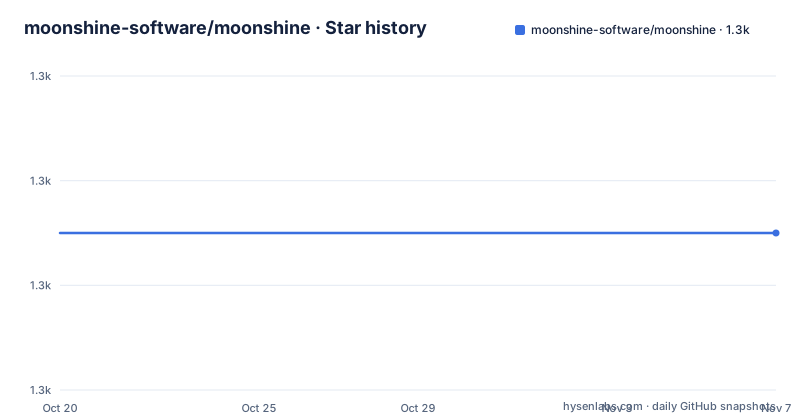
- moonshine-software/moonshine1,305 ★ · +0
| Repository | 2026-10-20 | 2026-11-07 |
|---|---|---|
| moonshine-software/moonshine | 1.3k | 1.3k |
0 Stars in the last 18 days, measured from the daily GitHub snapshot. Compare with other projects
Editorial analysis
An admin panel that wants to be a whole back office
MoonShine is described as a Laravel admin panel and more, simple for beginners and powerful for experts, using Blade, Alpine.js and Tailwind CSS. The requirements badges say Laravel 10+ and PHP 8.2+, and the default branch is 4.x.
The scale of the ambition is set out in the README's own framing. It offers a layout designer and UI expert who can change the colours and style of your admin panel in just a minute, a smart architecture that works not only with Laravel but far beyond it, and a mobile development team that can quickly build a mobile app for your admin panel. There are twenty or more ready-made themes or your own in a few clicks through a generator, and a marketplace of fifty or more ready-made solutions, including a file manager, a role system, two-factor authentication and visual editors.
So the product is not a CRUD generator in the narrow sense. It is an opinionated back office with resource management, form and table builders, a layout system, theming, roles and a plugin ecosystem, plus a Telegram Mini App so that the owner of a small business can fix content from a phone.
The audience is Laravel developers who need an admin panel and do not want to assemble one. The project is MIT licensed, and the README is clear that it has no price. The name has a story too: it is not moonlight but moonshine, the term for independently producing a drink under illegal conditions, under the cover of night, which the author says is how the panel was developed, at night in free time.
It is worth being clear early that the README is a pitch. The documentation lives at getmoonshine.app/en/docs and is described as lovingly written by the community, with its own repository. Anyone evaluating this should read the documentation rather than this file.
The CRUD core was split out to break the Laravel tie
The structural change in version 4 is the one that matters most for anyone deciding whether to use it, and the README states it in a single line: all the power of CRUD has been moved into a separate module, so MoonShine can be used with Symfony, Yii, or other frameworks, and there is no dependency on Eloquent.
That is a bigger claim than it looks. An admin panel for Laravel almost always ends up coupled to the ORM, because the panel's table and form builders want a model to introspect. Saying that the CRUD core has no Eloquent dependency means the panel can sit on top of a different data layer, and the repository layout backs the claim up, with a monorepo-builder.php and a repair-monorepo.sh at the root, which are the tools for splitting and fixing a multi-package distribution.
The comparison table in the README puts the same point in the framework row, marking MoonShine as working with Symfony and Yii with an independent core, against other admin panels marked as Laravel only. That table is the project's own assessment of its competitors, so it is worth reading as marketing rather than as a benchmark, but the mechanism behind the claim, a separated CRUD module, is a fact about the code.
The practical consequence for an adopter is that the package you install is not the whole story. The panel, the CRUD module and the UI are separate pieces, and which ones you pull in, and which versions line up with your Laravel release, is a question the documentation answers and the README does not.
The AI generator is a separate package, not a feature flag
Two AI tools are named in the README, and they are separate repositories rather than parts of the panel.
Forty-Five is described as your personal AI admin panel developer. The pitch is that you say something like create a page for managing a blog with comments, and it generates it, because the assistant already knows the best MoonShine practices. It lives in its own package at moonshine-software/forty-five.
MoonVibe is the second tool, a ready-made admin panel generator, at moonshine-software/moon-vibe.
The design choice of putting both outside the core package is consistent with the split of the CRUD module. Generating a page is a separate activity from running a panel, and a generated page is a starting point that you then edit inside the panel. Keeping the generators in their own packages also keeps them out of the dependency tree of a project that only wants the panel.
What the README does not tell you is how the assistant is hosted, what it costs, or what a generated page contains, so a team evaluating Forty-Five has to read its own repository rather than this one. The comparison table's first row, an AI assistant against manual work, is the project's framing of the same point.
Theming is a generator, and layout is a set of switches
Two of the README's claims are about design, and both are about tooling rather than about CSS.
The first is the palette generator. The argument is that if purple is not your colour, you can choose from twenty or more ready-made themes or create your own in a few clicks, and that matching an admin panel to a client's logo colours will take a minute rather than a day.
The second is layout freedom. Two sidebars, centred dashboard content, or removing distractions for maximum focus are all described as options the panel gives you, and the components are Blade, Alpine.js and Tailwind CSS, so the styling is ordinary web technology applied to a generated structure rather than a bespoke design system.
The design decision here is that the panel owns the layout and lets you theme it, instead of letting you own the layout and treat the panel as a set of widgets. That is a reasonable trade for the audience, which includes people who want a presentable admin for a client without hiring a designer, and it is a poor trade for a team with its own design system and strong opinions about it.
The marketplace sits next to this. The file manager, role system, two-factor authentication and visual editors are listed as available there, with fifty or more ready-made solutions, which is a good way to get a capability quickly and a way to inherit code you did not write.
The Telegram Mini App is the mobile answer, not a native app
The mobile story is specific, and it is not a responsive web admin.
The README says you can manage your project from Telegram. The idea is that if you need to fix content urgently and only have your phone, you open the Telegram Mini App and the admin panel feels like a native app inside the messenger.
That is a different approach from building a mobile application for the panel, which the README also says the project can help you do. The Mini App route is faster to deliver because the messenger provides the shell, the session and the update mechanism, and the panel only has to render inside it. The cost is that the usable surface is bounded by what makes sense in a chat window, which is exactly the case the README describes, fixing content urgently, rather than reviewing a large table of records.
The layout features support the same idea, since a centred dashboard and the ability to strip distractions are what you want on a phone screen.
The honest limitation is that none of this is documented in the README beyond the pitch. Whether the Mini App supports the resource and table screens of a full panel, and what it drops when it has to, is a question for the documentation site.
A monorepo that publishes several packages, built with a lot of tooling
The repository is a monorepo, and the build files show the machinery around it.
The root has a composer.json, a monorepo-builder.php and repair-monorepo.sh, which are the tools that split the source into publishable packages and repair the split afterwards. There is a package.json for the front end, whose scripts are thin wrappers into a UI subproject:
{
    "scripts": {
        "build": "cd src/UI && npm run build",
        "dev": "cd src/UI && npm run dev",
        "ci": "cd src/UI && npm ci"
    }
}
The Makefile has a single assets target that builds the front end and publishes the result into the application:
npm run build
cd .. && php artisan vendor:publish --tag=moonshine-assets --force
The PHP side is equally well tooled. There is a phpstan.neon.dist for static analysis, a phpunit-example.xml.dist, a rector.php for automated refactoring, a .php-cs-fixer.dist.php for code style, a .meta-storm.xml and an _ide_helpers.php for IDE support, and a skills/ directory. The README badges point at three workflows: tests, phpstan static analysis, and mutate tests, which is mutation testing, a technique that checks your test suite by breaking the code and confirming the tests notice. Running mutation testing on an admin panel is a strong signal about how the project treats its own behaviour, and it is rare enough to be worth noticing.
The release cadence supports the same reading. Versions 4.19.3, 4.19.4 and 4.19.5 were published on 17, 26 and 30 September 2026, and the last push to the repository was on 2026-10-15.
What the README will not tell you
The gaps in the documentation are worth naming, because the README is a marketing document written to be skimmed.
There are no installation steps. The README links to the documentation site, and that is where the setup instructions live, along with the configuration reference and the recipes. There is no composer require command, no configuration file example and no list of the packages the monorepo publishes, so an adopter cannot evaluate the install footprint from this repository alone.
The comparison table is the project's own assessment of other admin panels, and it is written in the register of feature checkmarks rather than measurements. It is useful as a statement of what the project believes its differentiators are, which are the AI assistant, the layout and theming tooling, the framework independence, the Telegram client and the documentation, and it is not evidence about anyone else's product.
The marketplace is the other unexamined part. Fifty or more ready-made solutions is a large amount of code you did not write, and the README does not say how those solutions are licensed, how they are updated against a 4.x release, or what happens to them when the panel's internals change. That is a real question for a team that intends to depend on one.
The last thing to keep in proportion is the version number. This is a 4.x project publishing 4.19.x releases, which is a large and active codebase with a fast release cadence, and adopting it means adopting its dependencies, its conventions and its pace.
Editorial conclusion
MoonShine fits a Laravel team that wants a complete back office with resources, forms, tables, roles and file management, and that is willing to live with a large dependency and a package published as a monorepo rather than a single composer package. It does not fit a team that wants a bare CRUD generator and nothing else, since the panel brings a layout system, a theming generator, an AI assistant and a marketplace with it. Before you commit, read the documentation site rather than the README, since the README is a pitch rather than a guide, and check which packages the monorepo publishes for your version of Laravel.
Frequently asked questions
What is MoonShine and what does it need?
It is a Laravel admin panel built with Blade, Alpine.js and Tailwind CSS, and the badges state Laravel 10+ and PHP 8.2+. It is MIT licensed and free, and the documentation is at getmoonshine.app/en/docs.
Can MoonShine be used outside Laravel?
The README says all the power of CRUD has been moved into a separate module, so MoonShine can be used with Symfony, Yii or other frameworks, with no dependency on Eloquent. The repository holds a monorepo-builder.php and a repair-monorepo.sh for publishing the separate packages.
What are Forty-Five and MoonVibe?
Forty-Five is an AI assistant for admin panel development, in its own package at moonshine-software/forty-five, that generates pages from a prompt. MoonVibe, at moonshine-software/moon-vibe, is a ready-made admin panel generator.
How do I build the MoonShine front end assets?
The package.json scripts run inside src/UI, so npm run build compiles the front end, and the Makefile assets target then runs php artisan vendor:publish --tag=moonshine-assets --force to publish the built assets into the application.
Can I manage a MoonShine panel from my phone?
The README describes a Telegram Mini App, where the admin panel is used inside the messenger and feels like a native app, for fixing content urgently from a phone. The project also offers to build a mobile application for the admin panel.
Official sources
Add this badge to your README
If you maintain this project, the badge below links readers to this analysis and shows its maintenance status from the daily GitHub snapshot. Paste the markdown into your README; add ?metric=license or ?metric=stars to the image URL for a different field.

[](https://hysenlabs.com/projects/moonshine-software-moonshine)Star history chart for your README
[](https://hysenlabs.com/projects/moonshine-software-moonshine)Was this useful?