docker-pihole-unbound: Pi-hole and Unbound in one container
Run Pi-Hole + Unbound on Docker
At a glance
- What is it?
- mpgirro/pihole-unbound is a Docker image that adds the Unbound recursive resolver to the official Pi-hole container, so there is no second container to link, and it is the maintained successor to the deprecated cbcrowe image. The weekly rebuild scheme and the Alpine package revision tags are the two details to understand before you deploy it.
- Who is it for?
- docker-pihole-unbound is a good pick for a homelab or small network that wants Pi-hole blocking with its own recursive resolver on the same host without running and linking a second container, because the image builds on the official Pi-hole base and inherits its environment variables; it is the wrong pick if you need an officially upstream image or a licence you can point at, since the repository's licence field is unknown, and before you migrate from the old cbcrowe image you should note that it is deprecated and the new image is a different one, and that the exact Unbound package revision tag is what you should pin rather than latest.
- Can I use it commercially?
- Not without permission. GitHub finds no licence file in the repository, and without a licence all rights are reserved by default: you may read the code but not reuse it. Check the README, or ask the authors, before using it.
- Is it still maintained?
- Yes. The repository last received commits 2 days ago.
- What is it written in?
- Mainly Shell, according to GitHub's language statistics.
Answers come from the project's GitHub data, last synced on November 6, 2026, and from our analysis. They are not legal advice.
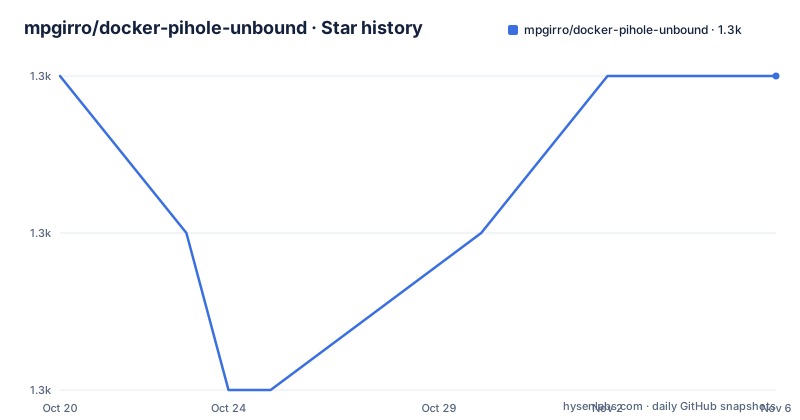
Star history
- mpgirro/docker-pihole-unbound1,334 ★ · +0
| Repository | 2026-10-20 | 2026-11-06 |
|---|---|---|
| mpgirro/docker-pihole-unbound | 1.3k | 1.3k |
0 Stars in the last 17 days, measured from the daily GitHub snapshot. Compare with other projects
Editorial analysis
The image changed, and the old one is dead
The README opens with a breaking change notice, and it is worth reading before anything else.
This is the official and maintained successor repository of the original cbcrowe/pihole-unbound image by @chriscrowe. The notice says the image changed, that chriscrowe/pihole-unbound is deprecated and no longer receives updates, and that you should change your setup to use the new image mpgirro/pihole-unbound.
That deprecation is the single most important operational fact about this project. A homelab operator with a working cbcrowe setup will find that image is no longer maintained, and the migration is not just a tag change, because the notice is there precisely because enough changed to be worth warning about.
What the project actually is, is small and clear. It is a Docker image for running Pi-hole with an integrated Unbound DNS resolver in a single container.
The mechanism is described in the overview. The base image for the container is the official Pi-Hole container, with an extra build step added to install the Unbound resolver directly into the container, based on instructions provided directly by the Pi-Hole team. So this is not a fork of Pi-hole, it is Pi-hole plus one build step, and the Unbound side is installed following the upstream Pi-hole project's own guidance rather than a private recipe.
That choice to build on the official base is what makes the rest of the project work. It means the image tracks Pi-hole's own releases and inherits its configuration surface rather than maintaining a parallel implementation.
Tagging follows Pi-hole, with an exact tag per build
The tagging scheme is the most fiddly part of this project, and the README explains it in a way that is genuinely useful.
Images are tagged with the same version tags as the official Pi-hole images, plus an exact tag per build. The recent release tags follow that pattern, with 2026.09.0-unbound1.25.2-r2 as the most recent, then 2026.09.0 and 2026.07.2 before it.
The exact tag encodes the Unbound version and the Alpine package revision, and the reason for that suffix is explained with a warning that will trip people up. Unbound comes from the Alpine package of the Pi-hole base image, and Alpine backports security fixes without changing the upstream version. The example given is that 1.25.2-r2 can be patched while 1.25.2-r1 is not. The instruction is to check the package revision, not the upstream release number.
So a tag reading unbound1.25.2 does not tell you whether it has the latest security fix. The revision letter is the part that moves. That is a genuine Alpine packaging behaviour rather than a quirk of this project, and it is the kind of detail that ends up in a security advisory.
The update cadence is weekly. A weekly rebuild picks up new Unbound packages without waiting for a Pi-hole release. It overwrites latest and the Pi-hole version tag such as 2026.09.0, and adds an exact tag such as 2026.09.0-unbound1.25.2-r2 that never changes. The update command is:
docker compose pull && docker compose up -dThe consequence for you is a choice about pinning. The exact tag is immutable and gives you a known Unbound package revision, but you then own the security updates yourself. The floating tags get patched Unbound automatically, at the cost of a rebuild landing under you at a moment you did not choose.
Configuration comes from the official Pi-hole environment
The configuration surface is inherited rather than reinvented, and that is the main practical convenience.
You can use all environment variables supported by the official Pi-hole container. The README lists a few examples, with the variables and descriptions replicated from the official documentation.
The timezone variable TZ defaults to UTC and is set so logs rotate at local midnight rather than UTC midnight. The webserver API password variable defaults to a random value, and the description explains where to find it, which is a detail worth knowing since the default is not a value you set yourself: run docker logs pihole and grep for random. The upstream DNS variable FTLCONF_dns_upstreams defaults to 127.0.0.1#5335, which is the Unbound listener, and takes semicolon-separated addresses, supports non-standard ports with the # notation, and supports Docker service names and links instead of IPs, so upstream0,upstream1 will resolve as service names.
That upstream variable also carries a warning about precedence. The existence of the environment variable assumes it is the sole management of upstream DNS, and upstream DNS added through the web interface will be overwritten on container restart or recreation. If you have previously set up upstreams through the Pi-hole admin UI and then add this image, your settings will vanish on the next restart unless you move them into the environment variable.
The generic FTLCONF_[SETTING] form customises pihole.toml with settings from the API documentation, where you replace the dot with an underscore, so dns.dnssec=true becomes FTLCONF_dns_dnssec, and array type configs are delimited with a semicolon.
An.env file in the same directory as your compose.yaml is the alternative, and the example shows the shape:
TZ=America/Los_Angeles
WEBPASSWORD=ChangeMe!
REV_SERVER=true
REV_SERVER_DOMAIN=local
REV_SERVER_TARGET=192.168.1.1
REV_SERVER_CIDR=192.168.0.0/16
HOSTNAME=pihole
DOMAIN_NAME=pihole.local
PIHOLE_WEBPORT=80
WEBTHEME=default-light
WEB_PORT=80
Publishing, automation, and where to file what
The build and distribution side is described under features, and it is where the project's engineering effort shows.
Images are automatically built and published using GitHub Actions and Renovate, ensuring you always have access to the latest version. The Renovate configuration is a renovate.json at the repository root, which is the standard mechanism for a repository that wants its dependencies and base image bumped automatically.
Publishing goes to two registries, Docker Hub at mpgirro/pihole-unbound and the GitHub Container Registry at ghcr.io/mpgirro/docker-pihole-unbound. The rationale given is flexibility in where you pull the images from, which is a real consideration for anyone who cannot reach Docker Hub from their network.
The issue filing guidance is unusually well organised, and it is the kind of thing that tells you the project has a real user base. For issues related to Pi-hole itself, you report them directly in the Pi-hole repository. For issues related to the Unbound DNS resolver, you use the Unbound repository at NLnetLabs. And for issues specifically related to the image publishing, such as missing tags or images not being updated or published correctly, you report them in this repository.
That split is the right structure, since the vast majority of problems in a stack like this belong upstream, and it means the maintainer of this repository only takes the questions that are actually about this repository.
The repository layout follows the same shape. There is a docker/ directory for the image definition, an example/ directory holding the compose.yaml, a test/ directory, a docs/ directory, the.github/ directory for the workflows, and three files at the root that suggest a modern, agent-assisted workflow: AGENTS.md, CLAUDE.md and CONTEXT.md.
Where this image is the wrong choice
The first wrong case is wanting an upstream image. This is a third-party build, and if your requirement is that the container is published and supported by the Pi-hole project itself, then the official container plus a separate Unbound container is the answer. That setup is more work, but it is two components that each have a maintainer, and the trade-off here is that you are choosing convenience over support boundaries.
The second is the licence question, and it is unresolved rather than unfavourable. The repository's licence field is listed as unknown, and the top level entries do not include a licence file. There is a LICENSE reference in the badge in the README, but no LICENSE file in the listing of the repository's top level. The upstream components, Pi-hole and Unbound, have their own licences, and a container image that builds on them carries obligations from both. If your deployment needs a licence you can point at, that needs resolving before you ship, not after.
The third is the tag decision, and it is a genuine operational commitment rather than a preference. Taking the floating tags means a new Unbound package revision lands in your container whenever the weekly rebuild runs, which is good for security patching and bad for the reproducibility your deployment pipeline may require. Pinning the exact tag gives you reproducibility and a known package revision, and it makes you responsible for tracking the Alpine revision yourself. There is no setting that gives you both, and the project is upfront about the trade.
Running the resolver inside the same container as the blocker is a simplification, and for a network that needs local DNS resolution on many clients it is a good one, but for a setup that needs per-VLAN resolution or split horizon DNS you are back to running a resolver somewhere else.
Editorial conclusion
docker-pihole-unbound is a good pick for a homelab or small network that wants Pi-hole blocking with its own recursive resolver on the same host without running and linking a second container, because the image builds on the official Pi-hole base and inherits its environment variables; it is the wrong pick if you need an officially upstream image or a licence you can point at, since the repository's licence field is unknown, and before you migrate from the old cbcrowe image you should note that it is deprecated and the new image is a different one, and that the exact Unbound package revision tag is what you should pin rather than latest.
Frequently asked questions
What does the mpgirro/pihole-unbound image do?
It is a Docker image that runs Pi-hole with the Unbound DNS resolver integrated into the same container. The base image is the official Pi-Hole container with an extra build step installing Unbound, following instructions provided by the Pi-hole team, so there is no separate Unbound container to set up and link.
Is the chriscrowe/pihole-unbound image still maintained?
No. The README states that it is deprecated and no longer receives updates, and that this repository is the official and maintained successor, with the new image being mpgirro/pihole-unbound. If you have an old setup on the old image you need to migrate.
How do I update the image to get Unbound security patches?
A weekly rebuild picks up new Unbound packages without waiting for a Pi-hole release, and it updates latest and the Pi-hole version tag while adding an immutable exact tag such as 2026.09.0-unbound1.25.2-r2. To update, run docker compose pull && docker compose up -d.
Why does the Unbound version tag include a package revision like r2?
Unbound comes from the Alpine package of the Pi-hole base image, and Alpine backports security fixes without changing the upstream version, so 1.25.2-r2 can be patched while 1.25.2-r1 is not. The README advises checking the package revision rather than the upstream release number.
Where should I report a problem with this image?
Pi-hole issues go to the Pi-hole repository and Unbound issues to the NLnetLabs Unbound repository. Only problems with the image itself, such as missing tags or images not being published correctly, are reported in this repository.
Official sources
Add this badge to your README
If you maintain this project, the badge below links readers to this analysis and shows its maintenance status from the daily GitHub snapshot. Paste the markdown into your README; add ?metric=license or ?metric=stars to the image URL for a different field.

[](https://hysenlabs.com/projects/mpgirro-docker-pihole-unbound)Star history chart for your README
[](https://hysenlabs.com/projects/mpgirro-docker-pihole-unbound)Was this useful?