Travels stores undo history as JSON Patch instead of cloning your state
A fast, framework-agnostic undo/redo core powered by Mutative JSON Patch
At a glance
- What is it?
- Travels is a framework-agnostic undo and redo engine that records differences between states as RFC 6902 JSON Patches rather than full snapshots, which keeps long histories small enough to persist. The project is candid about when that trade is wrong, and it publishes a table that says so.
- Who is it for?
- Adopt Travels when your state is large, your edits touch small parts of it, and you want history you can persist to storage or replay as an operation log, because that is the case the patch format is built for.
- Can I use it commercially?
- Yes. MIT is a permissive licence: you can use, modify and sell software built on it, as long as you keep its copyright and licence notices.
- Is it still maintained?
- Yes. The repository last received commits 14 days ago.
- What is it written in?
- Mainly TypeScript, according to GitHub's language statistics.
Answers come from the project's GitHub data, last synced on November 6, 2026, and from our analysis. They are not legal advice.
Star history
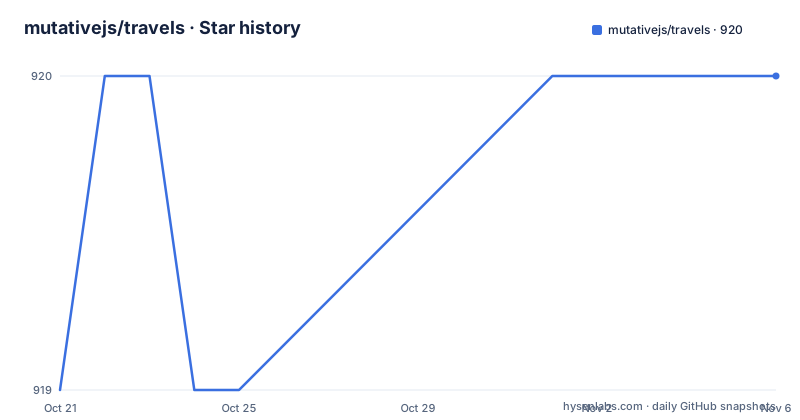
- mutativejs/travels920 ★ · +1
| Repository | 2026-10-21 | 2026-11-06 |
|---|---|---|
| mutativejs/travels | 919 | 920 |
1 Stars in the last 16 days, measured from the daily GitHub snapshot. Compare with other projects
Editorial analysis
The problem is a megabyte of state times a hundred edits
Travels gives your users the power to undo and redo their actions, which the README describes as essential for text editors, drawing apps, form builders, and any interactive application.
The problem it solves is stated with a concrete arithmetic. Traditional undo systems clone your entire state object for each change. If your state is 1MB and the user makes 100 edits, that is 100MB of memory. Travels stores only the differences between states, as JSON Patches following RFC 6902, so the same 1MB object with 100 small edits might use just a few kilobytes.
That is the whole thesis, and it is a memory and storage argument rather than a latency argument.
The README is unusually explicit about the limits of that thesis. Travels is not designed to be the fastest possible choice for every hot path. Snapshot-based stacks can be faster for small state, short history, and local-only undo and redo, because they avoid patch generation. Travels is designed for apps where history size, persistence cost, and replayable operation logs matter.
The project also points at where to check the numbers yourself, in benchmarks/README.md, and explains why the benchmark results deliberately separate hot-path latency from persistence costs, since those trade-offs decide whether patch-based history is the right tool.
The identity behind the project helps explain the design. The author field in package.json reads unadlib, which is also the author of Mutative, and the immutable update layer is built on that library.
The README publishes a table of when not to use it
Most library documentation tells you when to use the thing. This one leads with the opposite, and that choice is the strongest signal about the project's maturity.
The first table maps scenarios to a recommended approach.
| Scenario | Recommended approach | | ------------------------------------------------------------------------ | ------------------------------------------------------ | | Small state, short history, local-only undo/redo | Snapshot stack, Redux-undo, or Zundo | | Large state, small updates, long history, persistence, or operation logs | Travels | | Collaborative editing, conflict merging, or concurrent multi-user state | CRDT/OT system; Travels alone does not solve conflicts |
That third row matters more than it first appears. Travels will not merge concurrent edits. If two users change the same object at the same time, that is a conflict problem, and the project routes you to a CRDT or OT system instead of pretending to handle it.
A second table ranks Travels fit by priority, with a trade-off column. Minimizing serialized history size is marked Strong, and persisting history to localStorage, IndexedDB, worker messages, or cloud sync is also Strong, with the caveat that you still need a storage and migration strategy. Lowest setState, undo and redo latency for tiny state is marked usually not the best fit, because patch generation and patch application add overhead. Large replace-everything updates are scenario-dependent, because large patches can approach snapshot costs. Framework integration is Strong, with the instruction to use immutable mode by default and mutable mode for reactive stores that require identity stability.
That last line is the practical instruction most people will need, and it appears in the priority table rather than in a section of its own.
Installing the package and creating an instance
Travels is published on npm under the name travels, and the dependency on Mutative is installed alongside it.
npm install travels mutative
# or
pnpm add travels mutative
The README states that Travels 3 requires Node.js 22 or newer for server-side use.
The first thing you do is create an instance with an initial state.
import { createTravels } from 'travels';

// Create a travels instance with initial state
const travels = createTravels({ count: 0 });
Then you subscribe to state changes. The subscriber receives an object with the event type, the current state, the position in history and the retained history length, which is the number you need to decide whether to trim history.
const unsubscribe = travels.subscribe(
  ({ type, state, position, historyLength }) => {
    console.log('Event:', type);
    console.log('State:', state);
    console.log('Position:', position);
    console.log('Retained history:', historyLength);
  }
);
Updates are written with mutation syntax, which the README calls the preferred approach because it is more intuitive. You get a draft and mutate it, and immutability is maintained underneath.
travels.setState((draft) => {
  draft.count += 1; // Mutate the draft directly
});
That is the Mutative model. You write draft.count += 1 and the library produces the new immutable state, and the patch that describes the change is what Travels records.
Two separate integrations are published alongside the core package: zustand-travel, described as a time-travel middleware for Zustand, and use-travel, a React hook for state time travel with undo, redo, reset and archive functionality.
Three modes that decide where the state actually lives
The API reference is organised around a set of modes, and picking the wrong one is the main source of confusion with this library.
The first is the controlled journal, described as integrating an external state owner. That is the mode where your application already owns the state, in Zustand or a Redux store or anything else, and Travels acts as the journal of what happened rather than as the container of the state itself.
The second is mutable mode, which keeps reactive state in place. The README's own guidance in the priority table is to use immutable mode by default and mutable mode for reactive stores that require identity stability. Identity stability means the state object reference does not change when nothing meaningful changed, which some reactive libraries depend on to decide whether to re-render. Mutable mode delivers that at the cost of giving up the reference-based change detection that immutable mode gives you.
The third is archive mode, which controls when changes are saved. Instead of every setState call becoming a history entry, you decide which changes are worth keeping. This is the mode for a drawing app where dragging a shape across the canvas produces hundreds of intermediate states and only the settled position matters.
The examples directory shows each of these in practice, and the file names give you the map: manual-archive.ts for archive mode, mobx.ts and pinia.ts and zustand.ts for framework integrations, react-integration.tsx for the React path, and canvas-editor.ts and form-builder.ts for the large-state cases. The canvas editor and form builder examples are the ones worth reading if you are evaluating this for an interactive app, because they are the scenario the design targets.
Persistence and the operation log use case
The persistence story is the reason patch-based history exists, so it deserves more attention than a paragraph.
Patch histories are much smaller to serialize, store, send and restore than full snapshot stacks when state is large and each update is small. The README names the destinations: localStorage, IndexedDB, worker messages and cloud sync.
The examples folder makes this concrete with local-first-persistence.ts, persistence.ts and persistence-adapters.ts, and the section headings name the same set of destinations. A history you can put in localStorage is a history you can keep for a session. A history you can send over a worker message is a history you can move off the main thread. A history you can put in cloud sync is a history that survives a device change.
None of that comes for free, and the README says so in the trade-off table. Even in the Strong case for persistence, you still need a storage and migration strategy. That is the real work: patch histories have a format that depends on the shape of your state, so a schema change across versions can make an old history unreadable, and the library does not own your migration path.
The other use case is the replayable operation log. The description in package.json calls Travels a framework-agnostic patch-based state history engine for durable undo/redo, persistence and external state integration. An operation log you can replay is a different artefact from a stack of snapshots, because it is a sequence of intentions rather than a series of pictures.
Where Travels is the wrong tool
The README's own tables answer this, and it is worth restating the cases without softening them.
Tiny state with short local-only history is the wrong case. Patch generation and patch application add overhead, and a snapshot stack will be faster. Redux-undo and Zundo are named as the tools for that shape of problem.
Large replace-everything updates are also a bad fit. If an update touches most of the state, the patch describing it approaches the size of a snapshot, and you have paid the cost of both approaches.
Collaborative editing is out of scope entirely. The project states that Travels alone does not solve conflicts, and that concurrent multi-user state needs a CRDT or OT system.
There is a fourth limitation that the tables do not list and that you will meet in practice. Undo history is only useful if the state it refers to still exists. A patch that says a field changed means nothing if the field has since been renamed or removed from the schema, and a patch history persisted across a schema migration can fail to apply. That is why the trade-off table lists storage and migration strategy as something you still need to supply.
On versions, Travels 3 is a major bump with a Node.js 22 floor for server-side use, and the release history shows it landing days apart, with 3.0.0 on 2026-10-18 and 3.0.1 on 2026-10-19, after 2.2.0 in July 2026. A fresh major with a one-day-later patch release is a project moving fast, and it means you should read the CHANGELOG.md before migrating from the 2.x line.
MIT licensed, TypeScript first, and tested across frameworks
The licence is MIT, with the LICENSE file at the repository root, and the package is published with a type: module field and both CommonJS and ESM entry points, including development builds and separate type declaration files for each condition.
The build is TypeScript throughout, with tsconfig variants for the build, the tests, the examples and two module resolution modes, and a rollup.config.ts at the top of the tree. The source entry point is ./src/index.ts, and the published files are limited to docs, src and dist.
The test setup is unusually broad for a library this size. The scripts separate core unit tests with vitest run --dir test, a browser environment test run under jsdom, end to end tests through playwright with a build step before them, an examples type check with tsc --project tsconfig.examples.json, and a dedicated types check. There is even a mutation smoke test, node scripts/mutation-smoke.js, which is a hint that the library is tested for behaviour under mutation rather than only for output shape.
The end to end fixture lives in e2e/fixtures/travels-app and is served by vite for the playwright run, and there is a playwright.config.ts at the root.
On maintenance, the repository is not archived and the last push was on 2026-10-19, the same day as the 3.0.1 release, so the tree is current. The package declares [email protected] as its package manager, and it ships a SECURITY.md file and a CONTRIBUTING.md file alongside the CHANGELOG.md.
Two adjacent packages sit under the same organisation and are worth knowing about if you are assembling a stack rather than evaluating one library: zustand-travel and use-travel.
Editorial conclusion
Adopt Travels when your state is large, your edits touch small parts of it, and you want history you can persist to storage or replay as an operation log, because that is the case the patch format is built for. Do not adopt it for tiny state with short local-only history, where the README itself says a snapshot stack such as Redux-undo or Zundo is the better fit, and do not adopt it for collaborative editing, since the project states that Travels alone does not solve conflicts and a CRDT or OT system is the right answer. Before you start, decide which mode you are in, immutable or mutable, because the project says to use immutable mode by default and mutable mode only for reactive stores that need identity stability.
Frequently asked questions
What is Travels and what problem does it solve?
Travels is a framework-agnostic undo and redo engine that stores the differences between states as RFC 6902 JSON Patches rather than cloning the whole state on each change. The README argues this keeps history small enough to persist when state is large and each update is small.
How do I install Travels?
Run npm install travels mutative, or pnpm add travels mutative. Travels 3 requires Node.js 22 or newer for server-side use.
When should I not use patch-based undo history?
The README says small state with short, local-only history is better served by a snapshot stack such as Redux-undo or Zundo, because patch generation and application add overhead. Large replace-everything updates are scenario-dependent, and collaborative editing needs a CRDT or OT system since Travels alone does not solve conflicts.
What is the difference between immutable mode and mutable mode in Travels?
Immutable mode is the default and gives reference-based change detection, while mutable mode keeps reactive state in place for stores that require identity stability. The README advises using mutable mode only for reactive stores that need it.
How do I update state with Travels?
Use travels.setState with a draft callback and mutate the draft directly, for example incrementing a count on the draft. The immutable update layer is built on Mutative, which is the package Travels depends on.
What licence is Travels released under and is it actively developed?
The licence is MIT, with the LICENSE file in the repository root. The repository is not archived and the last push was on 2026-10-19, the same day as the 3.0.1 release.
Official sources
Add this badge to your README
If you maintain this project, the badge below links readers to this analysis and shows its maintenance status from the daily GitHub snapshot. Paste the markdown into your README; add ?metric=license or ?metric=stars to the image URL for a different field.

[](https://hysenlabs.com/projects/mutativejs-travels)Star history chart for your README
[](https://hysenlabs.com/projects/mutativejs-travels)Was this useful?