vue3-realworld-example-app: a Vue 3 reference app against the RealWorld spec
Explore the charm of Vue composition API! Vite?
At a glance
- What is it?
- vue3-realworld-example-app is an MIT-licensed Vue 3 application built with Vite, Pinia, TypeScript and the Composition API, implementing the gothinkster RealWorld spec with unit, component and end-to-end tests, a generated API client and a public demo.
- Who is it for?
- vue3-realworld-example-app fits a developer who wants one Vue 3 application showing the Composition API, Pinia, Vue Router and TypeScript working together in a realistic CRUD and authentication flow, and it also works as a starter because the tooling is already configured. It does not fit a team that needs a backend, since the app talks to a public API and ships no server, and it is a reference implementation rather than a maintained framework.
- Can I use it commercially?
- Yes. MIT is a permissive licence: you can use, modify and sell software built on it, as long as you keep its copyright and licence notices.
- Is it still maintained?
- Yes. The repository last received commits 71 days ago.
- What is it written in?
- Mainly TypeScript, according to GitHub's language statistics.
Answers come from the project's GitHub data, last synced on November 7, 2026, and from our analysis. They are not legal advice.
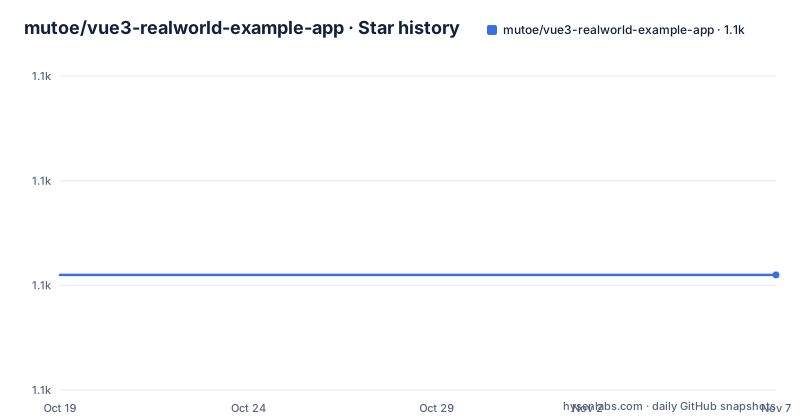
Star history
- mutoe/vue3-realworld-example-app1,081 ★ · +0
| Repository | 2026-10-19 | 2026-11-07 |
|---|---|---|
| mutoe/vue3-realworld-example-app | 1.1k | 1.1k |
0 Stars in the last 19 days, measured from the daily GitHub snapshot. Compare with other projects
Editorial analysis
One app, one spec, many frontends
The RealWorld spec is the organising idea. The repository is described as a Vue 3 codebase containing real world examples, CRUD, auth and advanced patterns, that adheres to the RealWorld spec and API, and the upstream project it targets is gothinkster/realworld.
That upstream repository is the reference implementation of a medium-sized application described once and built by many teams, which is why the README points there for how this works with other frontends and backends. The point of a spec-driven example is that the same app is built with different stacks, so the differences that show up are differences in the frameworks rather than differences in the requirements.
The Vue 3 implementations listed at the end of the README make that clear. There is a Vue 2 and JavaScript version, a Vue 2 and TypeScript version using class components, a Nuxt version with TypeScript and the Composition API, and a Vue 3 server-side rendered version. This one is Vue 3, TypeScript and the Composition API with Vite.
The repository describes itself as created to demonstrate a fully fledged fullstack application built with Vue 3, including CRUD operations, authentication, routing, pagination and more, and says the authors have gone to great lengths to adhere to the Vue 3 community styleguides and best practices. A live demo is deployed at vue3-realworld-example-app-mutoe.vercel.app.
The licence is MIT, the primary language is TypeScript, and the last push was on 2026-08-28.
The stack, and why each piece is there
The feature list is a checklist of the modern Vue 3 toolchain, and each entry is worth a note.
Vite is the build tool. The Composition API is the code style. The SFC `<script setup>` sugar is used, which is the single-file component form that keeps a component's logic and template in one scope. Suspense is marked as experimental, which is accurate for a version where it is still settling. Vue Router and Pinia handle routing and state management.
TypeScript is used together with `vue-tsc` for static analysis, which is the part worth noting: plain `tsc` does not understand single-file components, so a project with Vue SFCs needs the vue-tsc wrapper to type check them at all.
The API client is generated rather than written. `swagger-typescript-api` is used to auto generate the interface from the swagger definition, and the `generate:api` script in the manifest shows the whole flow: it downloads the openapi.yml from the RealWorld repository with curl and then runs the generator against it. That means the TypeScript types for the API are produced from the spec, so a change to the spec produces a change to the types.
Linting uses ESLint with a shared config, `@mutoe/eslint-config`, which is based on `@anthony/eslint-config`. The manifest also carries `eslint-plugin-vuejs-accessibility`, which is a detail that says more about the project's priorities than most of the README does.
Three layers of testing
The testing stack is the widest part of the setup, and it is layered.
Vitest handles unit testing, and `@vitest/coverage-v8` provides the coverage. The Testing Library family is used for component testing, with `@testing-library/vue`, `@testing-library/jest-dom` and `@testing-library/user-event`, and `happy-dom` as the environment. Playwright handles end-to-end and visual testing, and there is a `playwright/` directory alongside `playwright.config.ts` in the tree.
The manifest shows how these fit together. The `test` script runs the unit tests, then the end-to-end tests, then merges coverage with a `tsx scripts/merge-coverage.ts` script, and there is a `scripts/` directory in the tree to hold it. The end-to-end script builds the app first, so the tests run against the production bundle rather than a dev server, and sets `CI=true` for the Playwright run.
There are variants for the different ways you want to run them. `test:e2e:prod` points the suite at the deployed Vercel instance via `E2E_BASE_URL`, which is how you check that the live demo still works. `test:e2e:ui` opens the Playwright UI, and `test:e2e:ui:debug` adds `--headed --debug` for stepping through a failing test in a visible browser.
Visual testing is worth calling out specifically, because it is a level of rigour that most example applications do not reach. A screenshot comparison suite catches the regression that no assertion would notice, a button that moved two pixels after a dependency update.
The README also carries a Codecov badge, so coverage is tracked rather than merely collected.
Running the project locally
The Getting started block is short, and the package manager is pnpm, which the manifest pins to `[email protected]` with `packageManager` set, so the version is not left to chance.
```shell script pnpm install
# Development pnpm dev
# Build dist pnpm build
# Run unit tests pnpm test:unit pnpm test:unit:ci
# Run E2E tests pnpm test:e2e pnpm test:e2e:ci ```
The manifest adds detail the README leaves out. The dev script is `vite --port 4173`, and there is a separate `serve` script running `vite preview --port 4173` for the production preview, so the dev server and the preview server deliberately share a port. The `type-check` script runs `vue-tsc --noEmit`, and `lint` runs `eslint --fix .`.
There is a `build:analyze` script that sets `ANALYZE=1` for the build and then runs `size-limit`, with `@size-limit/preset-app` in the dev dependencies. That is a bundle size budget, checked as part of the build rather than by eye.
The manifest also sets `engines` to `node >= 20`, the package is private, and the module type is ESM. A `prepare` script runs `simple-git-hooks`, and `lint-staged` is in the dev dependencies, so formatting and linting are wired to the commit hook rather than left to memory.
The repository as a starter template
The README makes a claim that is worth testing: basically, some of them are necessary features for the development of medium to large projects, and you can also use this repository as a starter.
The evidence for that claim is in the tree rather than the prose. There is a `config/` directory, which is where a Vite project's shared configuration belongs. There is `FRONTEND_INSTRUCTIONS.md` and a `CLAUDE.md`, both of which are instruction documents, and a `.vscode/` directory for editor settings. There is a `.env` file, an `eslint.config.js` using the flat config format, a `tsconfig.json` and a `tsconfig.node.json` for the separate Node-side compilation, and a `pnpm-workspace.yaml`.
The `pnpm-workspace.yaml` is the item that tells you most about the intended use. A workspace file in a repository that is a single application is there because the author intends to add packages, and the project is set up for that from the start rather than being retrofitted.
The `generate:api` script is the other one, and it is the part that makes this a working example rather than a skeleton. Because the API client is generated from the RealWorld openapi.yml, the app talks to a real API with real types, so the routing, the auth flow and the pagination are all exercised rather than mocked. That is what makes it a reference implementation, and it is also why the end-to-end tests can run against a live deployment.
The one thing a starter template cannot give you is the domain. The RealWorld spec describes one application, and the patterns it demonstrates are the patterns of that app. A team building something else will keep the tooling and the conventions and replace every screen.
Editorial conclusion
vue3-realworld-example-app fits a developer who wants one Vue 3 application showing the Composition API, Pinia, Vue Router and TypeScript working together in a realistic CRUD and authentication flow, and it also works as a starter because the tooling is already configured. It does not fit a team that needs a backend, since the app talks to a public API and ships no server, and it is a reference implementation rather than a maintained framework. Before copying it, run `pnpm install` then `pnpm test:unit` to see the suite pass on your Node version, and read FRONTEND_INSTRUCTIONS.md and the config/ directory for the conventions it expects.
Frequently asked questions
What is the vue3-realworld-example-app repository?
It is a Vue 3 codebase containing real world examples, CRUD operations, authentication, advanced patterns, routing and pagination, built to adhere to the gothinkster RealWorld spec and API. It is MIT licensed and a live demo is deployed on Vercel.
What tools does the Vue 3 RealWorld example use?
Vite for the build, the Composition API with script setup, Vue Router, Pinia for state, TypeScript with vue-tsc for static analysis, swagger-typescript-api to generate the API client, ESLint with a shared config, Vitest, Testing Library for component tests, Playwright for end-to-end and visual tests, and GitHub Actions for CI.
How do I run the Vue 3 RealWorld example locally?
Run `pnpm install` and then `pnpm dev`, which starts Vite on port 4173. The manifest requires Node 20 or later and pins [email protected], and `pnpm build` produces the production bundle while `pnpm test:unit` runs the Vitest suite.
How is the API client generated in this project?
The generate:api script downloads the openapi.yml from the gothinkster/realworld repository with curl and then runs the swagger-typescript-api generator to produce the TypeScript API code under src/services, so the types follow the published spec.
Can this repository be used as a project starter?
The README says so explicitly, noting that some of the features are necessary for medium to large projects. The tree supports it, with a config/ directory, a pnpm-workspace.yaml, a flat ESLint config, separate tsconfig files, a size-limit bundle budget and lint-staged wired to git hooks.
Official sources
Add this badge to your README
If you maintain this project, the badge below links readers to this analysis and shows its maintenance status from the daily GitHub snapshot. Paste the markdown into your README; add ?metric=license or ?metric=stars to the image URL for a different field.

[](https://hysenlabs.com/projects/mutoe-vue3-realworld-example-app)Star history chart for your README
[](https://hysenlabs.com/projects/mutoe-vue3-realworld-example-app)Was this useful?