nytimes/kyt: JavaScript app tooling and deprecation limits
Starting a new JS app? Build, test and run advanced apps with kyt 🔥
At a glance
- What is it?
- nytimes/kyt bundles Webpack, Babel, ESLint, Jest, development commands, and starter conventions for JavaScript applications. Its setup is documented, but its README also states that the project has long been deprecated and should not be expected to receive support or new documented releases.
- Who is it for?
- Developers should adopt kyt for an existing codebase that already depends on it, needs its established conventions, or is being studied as a historical configuration example. New projects that require current packages, supported upgrades, or predictable maintenance should use a separately maintained toolchain instead.
- Can I use it commercially?
- Check first. The repository uses a licence we do not classify automatically, so read its LICENSE file before any commercial use.
- Is it still maintained?
- Yes. The repository last received commits 172 days ago.
- What is it written in?
- Mainly JavaScript, according to GitHub's language statistics.
Answers come from the project's GitHub data, last synced on October 23, 2026, and from our analysis. They are not legal advice.
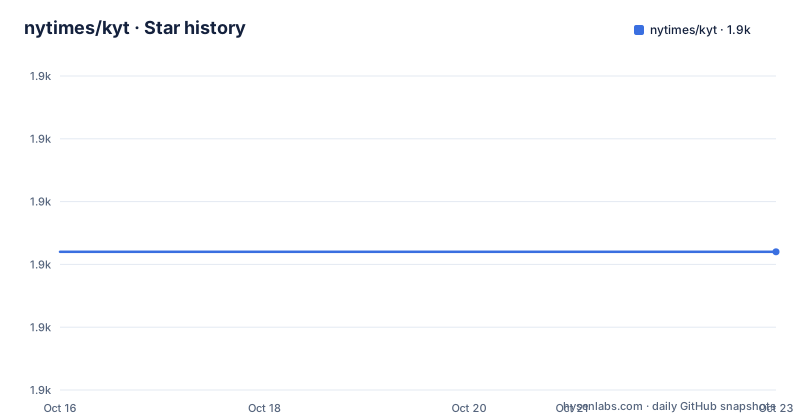
Star history
- nytimes/kyt1,912 ★ · +0
| Repository | 2026-10-16 | 2026-10-23 |
|---|---|---|
| nytimes/kyt | 1.9k | 1.9k |
0 Stars in the last 7 days, measured from the daily GitHub snapshot. Compare with other projects
Editorial analysis
What kyt centralizes in a JavaScript application
kyt addresses the repetitive configuration work behind a sizeable JavaScript web application. Its README describes a common foundation for building, running, testing, and linting code, with Webpack compilation, Babel presets, ESLint rules, and Jest presets managed through a command-line interface and configuration files. It is intended for developers starting a JavaScript application or integrating a shared development setup into an existing Node project.
The toolkit does not prescribe the entire application architecture. According to the README, developers retain control over their source directory and the important decisions about rendering, styling, and handling data. That boundary matters. kyt supplies development configuration and starter packages rather than a complete application framework. It therefore does not replace selecting the rendering strategy, data layer, styling system, or deployment model.
The README also places an explicit restriction over those features. It says kyt remains in use internally at The New York Times but has long been deprecated. Users should not expect support or documented releases going forward. The repository is not archived, and its last push was on 2026-05-04, but that fact does not reverse the stated deprecation policy. The listed releases are [email protected], [email protected], and [email protected], all published on 2025-05-15. The repository layout still includes a monorepo package set, tests, documentation, and configuration files, so the code remains available for inspection.
How kyt compiles client and server entry points
The documented build path begins with a conventional `src` tree. Client and server entry files normally live at `src/client/index.js` and `src/server/index.js`, with corresponding `polyfills.js` files. Either entry can be omitted when `hasServer` or `hasClient` is set to `false` in configuration. kyt uses Webpack to compile code from `src`, while those application files control what is rendered and how the code behaves.
The development command connects this structure to hot reloading. According to the feature list, kyt provides hot reloading for both client and server code in development. Its `build` command compiles client and server code for production use. Configuration belongs in `kyt.config.js`, where a project can select optional modes and override Webpack configuration.
Babel, ESLint, and Jest fill the surrounding quality-tool roles. kyt provides Babel presets for general ES6 support and React, ESLint configuration and custom rules, and Jest presets for unit tests and CSS-in-JS linting. The README also says kyt respects a Babel configuration file at the root of the user project. If no such file exists, `babel-preset-kyt-core` is used when Webpack compiles the application.
This arrangement reduces repeated setup, but it also places policy between the application and individual tools. A project can make architecture decisions itself, yet developers still need to know how the CLI, kyt presets, starter files, and local overrides interact when diagnosing a build problem.
Installing kyt and running its first development server
The README requires Node.js v14.0 or later and uses Yarn for its quick start. Its macOS example installs `nvm`, selects the available Node.js version, adds kyt to the project, runs the setup utility, and starts the development server. The README then directs the user to `http://localhost:3000`.
The following commands reproduce that documented sequence. The final command starts the development environment after setup has generated application and configuration files.
brew install nvm
nvm use
yarn add kyt
yarn kyt setup
yarn dev
The macOS commands are not a complete installation guide for every operating system. The README does not document equivalent Windows setup commands or a complete Linux-specific procedure. It also does not state that Node.js v14 remains a suitable choice for a new installation. Its version statement is a minimum requirement described by the project, not evidence of compatibility with current Node.js releases.
The `kyt setup` utility serves two purposes. It can create a new project or integrate kyt with an existing one, and it can install a preconfigured starter-kyt Git repository. That behavior makes the command useful for a quick first use, but it can also make broad changes to an existing package. A team adopting kyt in an established codebase should inspect the resulting package scripts, source files, Babel setup, and Webpack changes before accepting them.
Running kyt build and development commands through Yarn
Running `kyt setup` adds development commands as scripts in the application's `package.json`. The README shows `yarn dev` as the ordinary local command. It also allows other operations through `yarn kyt {command}`. The available command summary names `dev`, `build`, and `help`.
Start the documented development environment with:
yarn devFor a production compilation, run:
yarn kyt buildThe README states that `build` compiles server and client code for production use. Depending on configuration, one of those sides may be disabled. The command summary does not explain deployment, process management, or serving the compiled output. The README also does not document rollback, production startup, or a process supervisor, so none of those operations should be attributed to kyt without additional project documentation.
For command-specific documentation, the README directs users to the CLI documentation through `help`. That matters when a starter or configuration exposes behavior not covered in the short command list. The visible summary is enough to understand the basic lifecycle, but it is not a substitute for checking the configuration and generated package scripts when a real project is involved.
Starter-kyts, local overrides, and configuration cost
A starter-kyt is described as a preconfigured Git repository that `kyt setup` installs, adding dependencies and building a source directory. Its value is reproducibility. A team receives a larger baseline instead of assembling every development dependency and script itself. The cost is that the starter also imports architectural and tooling assumptions that may not fit an existing application.
kyt can be installed without using all of that machinery. Developers retain more freedom over source layout, rendering, styling, and data handling. Advanced projects can extend the packaged defaults through `kyt.config.js`, especially its Webpack configuration. The README links to override instructions and recipes for those cases.
Overrides create a second configuration layer. A build failure may originate in application code, starter files, a local kyt override, a packaged preset, or an interaction among them. The README does not document a migration procedure for carrying local overrides across kyt releases. It also does not promise compatibility guarantees for arbitrary Webpack extensions. For a deprecated toolkit, that is a practical upgrade constraint rather than a small documentation gap.
Choosing between bare kyt and a starter is therefore a boundary decision. Bare kyt keeps ownership of the toolchain closer to the project while still supplying shared presets and commands. A starter reduces initial work but supplies a broader convention. Existing applications should compare the proposed changes with their current dependencies and source structure before selecting either path.
Maintenance, releases, and the kyt license mismatch
The central maintenance limitation is stated directly in the README: kyt is deprecated, remains in internal use, and should not be expected to receive support or documented releases. The repository's last push was on 2026-05-04. Its listed kyt and starter releases were published on 2025-05-15. This leaves the public code and documentation available, but it does not establish a public support commitment for future upgrades.
The likely upgrade cost falls on the adopting organization. A team may have to retain a compatible dependency graph, understand changes in Webpack, Babel, ESLint, and Jest presets, and resolve integration problems without depending on planned kyt releases. The internal use statement may mean The New York Times has support arrangements, but the README does not describe their availability, scope, or policy for external projects.
Licensing also requires direct inspection. GitHub classifies the repository license as Other with a custom `LICENSE` file, while the root `package.json` contains `"license": "Apache-2.0"`. The README does not reconcile those declarations, and no custom starter-specific license details are shown in the quick-start documentation. An adopter should inspect the `LICENSE` file, package metadata, and any relevant starter package metadata before redistribution or organizational approval. This identifies a compliance question without offering legal advice.
kyt compared with an application-owned Webpack toolchain
The direct alternative is to assemble development configuration from Webpack, Babel, ESLint, Jest, and project-owned npm or Yarn scripts. The README identifies these as the categories kyt manages, so no additional named framework is needed to compare the approaches. The difference is ownership. A conventional application toolchain keeps dependencies and configuration visible in the repository, while kyt moves shared choices into its CLI, presets, setup utility, and configuration layer.
kyt offers a shorter route to a predefined combination. A starter-kyt goes further by installing dependencies and building a source directory. That convenience comes with adoption of kyt's conventions and the limitations of a deprecated project. An application-owned toolchain requires more initial assembly and ongoing compatibility work, but it does not make a separate toolkit responsible for command routing and shared presets.
Neither route is preferable in every case. For a new project with no internal reason to use kyt, a separately maintained toolchain offers a clearer path for current dependencies and supported upgrades. For an established kyt application, replacement may require recreating project-specific scripts, source conventions, presets, and overrides. The deciding evidence should be the application's existing configuration and release requirements, not the number of tools visible in its `package.json`.
Editorial conclusion
Developers should adopt kyt for an existing codebase that already depends on it, needs its established conventions, or is being studied as a historical configuration example. New projects that require current packages, supported upgrades, or predictable maintenance should use a separately maintained toolchain instead. First inspect the custom LICENSE, confirm compatibility with the required Node.js version, and exercise the chosen starter or existing integration before adding more code to it.
Frequently asked questions
Is nytimes/kyt still maintained?
The README says kyt has long been deprecated, remains in use internally at The New York Times, and should not be expected to receive support or documented releases. The repository is not archived, and its last push was on 2026-05-04.
How do I install and set up nytimes/kyt?
The README requires Node.js v14.0 or later, then documents `yarn add kyt`, `yarn kyt setup`, and `yarn dev`. It says to open `http://localhost:3000` after the development server starts.
Can I change the Webpack configuration in nytimes/kyt?
Yes. The README states that Webpack configuration can be overridden from `kyt.config.js` and links to separate override instructions and recipes.
Does nytimes/kyt require client and server entry files?
The normal convention includes `src/client/index.js` and `src/server/index.js`. The README says each entry can be omitted when `hasClient` or `hasServer` is set to `false` in configuration.
What commands does nytimes/kyt provide?
The README lists `dev` for the development environment, `build` for compiling client and server code, and `help` for command documentation. Commands can be invoked through Yarn.
What license does nytimes/kyt use?
GitHub classifies the repository license as Other and points to a custom `LICENSE` file, while the root `package.json` contains `"license": "Apache-2.0"`. The README does not explain the difference, so both sources require direct inspection.
Official sources
Add this badge to your README
If you maintain this project, the badge below links readers to this analysis and shows its maintenance status from the daily GitHub snapshot. Paste the markdown into your README; add ?metric=license or ?metric=stars to the image URL for a different field.

[](https://hysenlabs.com/projects/nytimes-kyt)Star history chart for your README
[](https://hysenlabs.com/projects/nytimes-kyt)Was this useful?