O365 Python Library for Microsoft Graph and Office 365
A simple python library to interact with Microsoft Graph and Office 365 API
At a glance
- What is it?
- O365 is a Python library that wraps Microsoft Graph and related Office 365 APIs behind Python-oriented objects. It suits developers who need common Microsoft 365 services without handling every HTTP request and OAuth detail directly.
- Who is it for?
- Adopt O365 when a Python application needs readable Microsoft 365 access and can work with its OAuth and object model. Do not choose it for an unsupported Microsoft API or when direct control over every Graph request is essential.
- Can I use it commercially?
- Yes. Apache-2.0 is a permissive licence: you can use, modify and sell software built on it, as long as you keep its copyright and licence notices.
- Is it still maintained?
- Yes. The repository last received commits 18 days ago.
- What is it written in?
- Mainly Python, according to GitHub's language statistics.
Answers come from the project's GitHub data, last synced on October 23, 2026, and from our analysis. They are not legal advice.
Star history
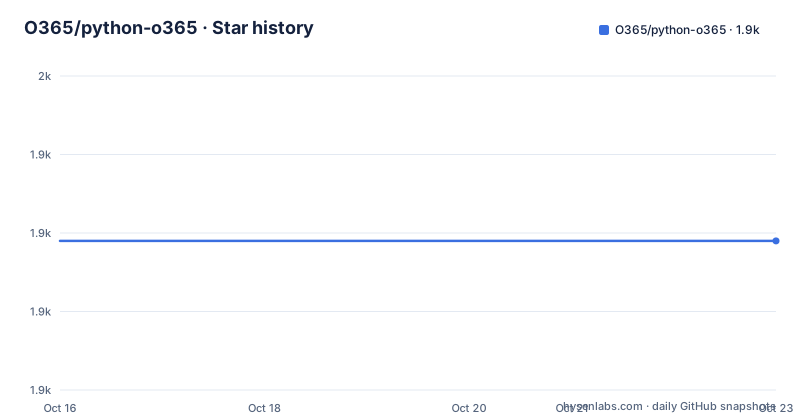
- O365/python-o3651,929 ★ · +0
| Repository | 2026-10-16 | 2026-10-23 |
|---|---|---|
| O365/python-o365 | 1.9k | 1.9k |
0 Stars in the last 7 days, measured from the daily GitHub snapshot. Compare with other projects
Editorial analysis
What O365 Python Library Covers
O365 addresses the gap between Microsoft Graph's HTTP-oriented interface and ordinary Python application code. Microsoft Graph exposes many services through a common API, but working with it directly still involves endpoint selection, request parameters, authentication, response parsing, pagination, and OData expressions. O365 places Python-oriented abstractions over those operations, including resources for Email, Calendar, Contacts, OneDrive, and SharePoint. The repository topics also identify Teams and Planner, while the README refers more broadly to Microsoft Graph and related APIs.
The intended users are Python developers who need to connect an application to Microsoft 365 services. The README emphasizes an interface that is approachable for beginners and suitable for experienced Python programmers. That is a useful distinction, although it does not mean the library removes Microsoft tenant configuration. An application still needs valid credentials, appropriate permissions, and a Microsoft 365 account or resource that permits the requested operation.
The library is an abstraction layer, not a separate Microsoft service. It does not replace Graph, Office 365, Azure application registration, or the permissions configured for an application. It changes how those services are called from Python. This makes O365 relevant when an application needs several common Microsoft 365 operations, especially when returning Graph objects or building user-facing automation is more important than preserving the raw request layer.
Authentication and Resource Selection
The README states that O365 supports OAuth with automatic handling of refresh tokens. Its example constructs an `Account` with a client identifier and client secret, then creates a message through that account. The dependency list in `pyproject.toml` includes `msal`, which indicates that authentication is implemented through Microsoft's Authentication Library for Python rather than through a custom authentication implementation.
The example uses an `Account` object as the entry point for service operations. This object is also the documented place where different resource contexts can be changed, according to the README. The project describes support for shared mailboxes, other users' resources, and SharePoint resources. That matters because Microsoft Graph permissions are not interchangeable. A token may be valid while an operation still fails because the application lacks the required scope, resource access is denied, or the selected account does not represent the intended mailbox or site.
The repository also includes example files named `jwt_assertion.py`, `token_backends.py`, and `automatic_response_example.py`. Their presence indicates that authentication and token persistence are treated as configurable concerns rather than hidden entirely inside the basic message example. The repository contents do not provide enough detail to claim a particular token backend, persistence format, or deployment topology. Those points require checking the relevant example and API documentation before production use.
Python Message Construction and Graph Data Flow
The README's first use case is sending an email. The application imports `Account`, supplies credentials, creates a new message, adds a recipient, assigns a subject and body, and calls `send()`. The visible design is fluent and object based: `new_message()` returns a message object, `m.to.add()` modifies a recipient collection, and `m.send()` submits the result.
That differs from a raw Graph request. A direct implementation would normally construct an endpoint and JSON body, attach an access token, process the HTTP response, and inspect Graph errors. O365 hides much of that sequence behind methods and properties. The abstraction can make small integrations easier to read, especially for code that builds messages incrementally.
The abstraction also introduces a boundary. Library behavior, Microsoft Graph response shapes, authentication errors, and network failures all meet at the `send()` call. A successful-looking method call should therefore still be checked according to the project's documentation and the response handling required by the surrounding application. The README does not document retry policy, idempotency, message formatting options, or rollback behavior, so those details should not be inferred from the short example.
Pagination, Queries, and Datetime Conversion
O365 documents several utilities that are relevant to applications working with Microsoft 365 collections. Its pagination support uses a custom iterator that fetches additional pages automatically. That can simplify code intended to process many messages, events, contacts, or files, while leaving the caller with an iterator-like interface. The README describes this as handling future requests automatically, not as a guarantee that every API returns unlimited items in one operation.
The query helper is described as supporting custom OData queries for `filter`, `order`, `select`, and `search`. These operations determine which records are requested and which fields are returned. They are useful for reducing unnecessary data transfer and expressing server-side selection rules, but they also require attention to Microsoft Graph's supported OData syntax and service-specific property names. The README does not provide the helper's exact method signature or a complete query example.
The library also converts between local datetimes and server datetimes. The README says users can work with local datetime values while the library handles the conversion, and `pyproject.toml` includes `python-dateutil`, `tzdata`, and `tzlocal` as dependencies. This is particularly relevant for calendar operations. Timezone-aware values still need to describe the intended business timezone, and the README does not establish how daylight-saving transitions or ambiguous local times are handled in every case.
Installation and First Email Use
The project is published as the `O365` package according to the PyPI badge in the README and the `pyproject.toml` name, `o365`. The README directs readers to the O365 Docs site for detailed documentation and the API reference, but it does not give an installation command or a separate environment setup tutorial. The project therefore documents where to obtain package information without inventing a package manager command.
The first documented operation is the following message example. It uses placeholders for the client identifier and client secret, so those values must come from the application's Microsoft identity configuration rather than being copied literally.
from O365 import Account

credentials = ('client_id', 'client_secret')

account = Account(credentials)
m = account.new_message()
m.to.add('[email protected]')
m.subject = 'Testing!'
m.body = "George Best quote: I've stopped drinking, but only while I'm asleep."
m.send()
The reader should expect the code to construct a message object, add the supplied recipient, assign the subject and body, and call the message's send operation. The README does not document what output appears after `send()`, so a console message or returned value should not be assumed. Authentication may fail before a message is created, and sending may fail if the account, credentials, or permissions are not configured.
Maintenance, Compatibility, and Adoption Limits
The repository is not archived, and the last push was on 2026-10-05. That indicates recent repository activity, but it does not guarantee compatibility with every Microsoft Graph change or every deployment environment. The most recent listed release is `v2.1`, dated 2025-02-11, while `pyproject.toml` identifies the project version as `2.1.10`. The package requires Python 3.10 or later and declares support for Python 3.10 through 3.13 in its classifiers.
The dependency list includes `beautifulsoup4`, `msal`, `python-dateutil`, `requests`, `tzdata`, and `tzlocal`. These dependencies add installation and upgrade considerations beyond the library itself. The project uses the `uv_build` backend with a version range in `pyproject.toml`, which means the build environment also has a declared tool requirement. The repository contains tests and documentation, but the README does not describe a compatibility policy for Microsoft Graph service changes.
The Apache-2.0 license permits use and modification under its terms, subject to the license conditions. This review does not provide legal advice. The principal adoption limitation is scope. O365 is a library for Microsoft Graph and related APIs, not a general Office 365 administration client. If a project needs an API surface that the library does not model, or if raw endpoint control is a core requirement, direct Microsoft Graph integration may be clearer.
Comparing O365 with Direct Microsoft Graph Requests
Direct Microsoft Graph access keeps the application close to the service contract. The developer chooses URLs, HTTP methods, headers, query parameters, JSON payloads, and response handling. This approach can be preferable for a narrowly scoped integration, an endpoint that O365 does not cover, or code that needs exact control over network behavior and Graph responses.
O365 takes the opposite approach. It exposes account and resource objects, constructs messages, handles OAuth refresh tokens, offers datetime conversion, and supplies query and pagination helpers. That reduces repeated plumbing and can make a multi-service Python application easier to navigate. The trade-off is an additional abstraction between the application and Graph. When Graph changes a response or a service behavior, the library's abstraction and error semantics become relevant.
The choice should follow the shape of the application. Use O365 when the application needs several documented Microsoft 365 resources and values Python objects, authentication refresh, pagination, and query helpers. Use direct Graph code when the integration has a strict requirement for exact endpoint control, uses an API surface outside the library, or needs behavior that the README and API reference do not define.
Editorial conclusion
Adopt O365 when a Python application needs readable Microsoft 365 access and can work with its OAuth and object model. Do not choose it for an unsupported Microsoft API or when direct control over every Graph request is essential. Before adoption, verify the required Graph permissions, authentication flow, package version, and the behavior of the specific O365 component you intend to use.
Frequently asked questions
How do I install O365 for Python?
The repository identifies the distribution as `o365` and links to the O365 Docs site for detailed documentation. The README does not include an installation command, so the installation procedure should be taken from the linked documentation or the published package metadata.
How does O365 authenticate with Microsoft 365?
The README documents OAuth support with automatic handling of refresh tokens, and its example creates an `Account` using a client identifier and client secret. `pyproject.toml` lists `msal` as a dependency, but the repository does not define every supported authentication backend or token storage configuration.
Can O365 send an email message from Python?
Yes. The README example imports `Account`, creates a message with `account.new_message()`, adds a recipient, assigns a subject and body, and calls `m.send()`. The example uses placeholder credentials and does not document console output or error handling.
Does O365 support pagination and OData queries?
The README states that O365 provides a custom iterator for automatic handling of additional pages and a query helper for `filter`, `order`, `select`, and `search`. The README does not provide the complete method signatures or explain service-specific limits.
Official sources
Add this badge to your README
If you maintain this project, the badge below links readers to this analysis and shows its maintenance status from the daily GitHub snapshot. Paste the markdown into your README; add ?metric=license or ?metric=stars to the image URL for a different field.

[](https://hysenlabs.com/projects/o365-python-o365)Star history chart for your README
[](https://hysenlabs.com/projects/o365-python-o365)Was this useful?