pyOCD: Python control for Arm Cortex-M debugging and programming
Open source Python library for programming and debugging Arm Cortex-M microcontrollers
At a glance
- What is it?
- pyOCD is a cross-platform Python tool and library for programming and debugging Arm Cortex-M microcontrollers through supported debug probes. It fits developers who need a command line workflow, a GDB server, or custom Python-based target control, although the project labels its overall quality as beta and reserves major API changes for version 1.0.
- Who is it for?
- pyOCD is appropriate for embedded developers who want one Python-based workflow across Linux, macOS, Windows, and FreeBSD, especially when a repeatable command line or Python API is more useful than a vendor-specific utility. It is a poor fit for a non-Cortex-M target, a device without a supported probe, or a team that requires a stable 1.0 API contract today.
- Can I use it commercially?
- Yes. Apache-2.0 is a permissive licence: you can use, modify and sell software built on it, as long as you keep its copyright and licence notices.
- Is it still maintained?
- Yes. The repository last received commits 1 day ago.
- What is it written in?
- Mainly Python, according to GitHub's language statistics.
Answers come from the project's GitHub data, last synced on October 23, 2026, and from our analysis. They are not legal advice.
Star history
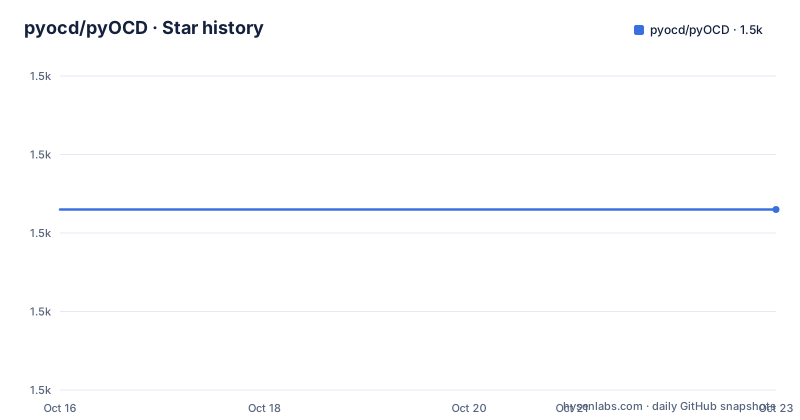
- pyocd/pyOCD1,473 ★ · +0
| Repository | 2026-10-16 | 2026-10-23 |
|---|---|---|
| pyocd/pyOCD | 1.5k | 1.5k |
0 Stars in the last 7 days, measured from the daily GitHub snapshot. Compare with other projects
Editorial analysis
What pyOCD solves for Cortex-M developers
pyOCD addresses the gap between a physical Arm Cortex-M microcontroller and the software used to inspect, program, and debug it. It provides a common layer for supported CMSIS-DAP, SEGGER J-Link, ST-LINK, PE Micro, Raspberry Pi Picoprobe, and other debug probes rather than requiring every board or probe family to use a separate utility. The intended users include embedded developers working from a terminal, engineers connecting an IDE through GDB, and developers who want to script target operations in Python for CI tests.
The scope is Arm Cortex-M, not arbitrary embedded processors. A target also needs a supported probe and an appropriate driver configuration. The README lists Linux, macOS, Windows 7 or newer, and FreeBSD as supported host systems. Python 3.9.0 or later and a recent libusb version are required, while Windows 7 is the oldest stated host operating system.
Target coverage is broad but not simply universal by default. The README states that support for more than 70 MCUs is built in, while CMSIS Device Family Packs extend coverage to nearly every Cortex-M device on the market. That distinction matters when planning support. A device name appearing in a pack index does not, by itself, replace checking the target support documentation for the exact MCU and probe combination.
pyOCD's probe, target, and command architecture
pyOCD exposes a command line tool and a Python API. The command line covers common operations through subcommands including `gdbserver`, `load`, `erase`, `run`, `reset`, `info`, `pack`, `commander`, `server`, `rtt`, and `list`. The API provides access to lower-level target behavior for custom control, which is the more relevant route for CI scripts that need to sequence halt, memory access, register access, breakpoint changes, flashing, reset, or other operations.
The GDB path acts as a bridge. According to the README, `gdbserver` provides a GDB remote server so that a connected target can be debugged through GDB or compatible GUI debuggers. The separate `commander` subcommand offers an interactive REPL for inspection and control. The `server` subcommand shares a debug probe through a TCP/IP server, and `rtt` streams SEGGER RTT I/O with a supported debug probe. These are different operating models, so an engineer can choose a scripted command, an IDE connection, interactive control, shared access, or a data stream.
The API also exposes CoreSight debug resources. The README lists access to CoreSight DP and APs, memory and core register reads and writes, hardware and software breakpoints, watchpoints, flash writes, reset control, SWO, and SWV. The v0.45 release notes summarized in the README extend debug sequence support and introduce file-based RTT and SWV capture.
Installing pyOCD and checking the first connection
Install the latest stable release with the command documented in the README. This installs the `pyocd` command line tool and its Python package into the current Python environment.
$ python3 -mpip install -U pyocdOn some systems, the README says to use `python` instead of `python3`. Linux users must also address access to the debug probe through udev rules. The repository includes example rules in its `udev` directory, and the README warns against running pyOCD as root on any operating system.
The first practical check is device discovery. With a supported probe and target connected, run:
$ pyocd listThe README identifies `list` as the command for showing connected devices. If Linux permissions prevent discovery, inspect the `udev/README.md` instructions and apply the repository's appropriate rules before retrying. For a board that is not covered by built-in target definitions, use the `pack` command to manage CMSIS Device Family Packs. The README points to the target support documentation for checking MCU coverage and installing additional support.
For source-based development, the README also documents installing from a checkout:
$ python3 pip install .That command belongs in a local development workflow rather than the normal user installation path. Permissions may require `--user`, a virtual environment, or another environment-specific setup.
Programming, resetting, and debugging a pyOCD target
The simplest programming workflow is to connect a supported probe, identify the target, and use `load` with the image intended for flash or RAM. The README says the loader accepts binary, hex, and ELF files. A subsequent `run` command loads and runs the target according to the tool's configured workflow. For a device that must be erased before programming, `erase` is available, while `reset` supports hardware or software reset.
For debugging, start the GDB server and connect GDB or an IDE to the resulting endpoint. The README does not provide a complete GDB command sequence or port configuration in the installation section, so those details should come from the linked GDB setup documentation rather than being guessed. IDE users also need to confirm the debugger's remote connection settings and the target configuration used by pyOCD.
The command line is useful for repeatable operations, but the Python API is the better fit when an application needs conditional logic. A CI test controller can use the API to connect to a target, halt it, read memory, change breakpoints, run a test operation, inspect results, and reset or resume the device. The README does not provide a complete API script in the shown instructions, so it would be misleading to invent one. The project documentation and API reference are the appropriate sources for exact class names, callback signatures, and connection options.
Probe support, configuration, and upgrade constraints
pyOCD reduces tool fragmentation, but it does not remove hardware constraints. The README names CMSIS-DAP v1 over HID and v2 over WinUSB, including several vendor probes. It also lists PE Micro Cyclone and Multilink, Raspberry Pi Picoprobe, SEGGER J-Link, and STLinkV2 or STLinkV3. Support for a probe name does not guarantee that every board connected to that probe has the same target definition or wiring.
Configuration is available through configuration files, user scripts, and the Python API. That flexibility is useful for board-specific differences, such as flash layout, reset behavior, or target-specific initialization, but it also makes validation important. CMSIS Device Family Packs can add target definitions, while user scripts can customize behavior. Engineers should keep those board-specific files under version control alongside the firmware and record the pyOCD release used by CI.
The repository is not archived, and its last push was on 2026-10-16. The README calls the project beta quality. It states that the Python API is considered stable for the 0.x series, but that the API will be changed in version 1.0. Upgrades therefore deserve attention even when ordinary releases appear regularly. The listed recent releases include v0.45.1 on 2026-07-21, v0.45.0 on 2026-07-15, and v0.44.1 on 2026-05-07. Teams that depend on custom API code should review release notes before moving beyond their pinned version. Apache-2.0 permits use and modification under its terms, but the project's license file and applicable obligations should be reviewed separately for a deployment.
Choosing pyOCD's CLI, GDB, or Python control path
The main choice inside pyOCD is between three operating models. Use the CLI when the task is a straightforward flash, erase, reset, information query, or target operation. The commands are explicit and suit shell scripts, local bring-up, and automation with existing job runners. Use `gdbserver` when the primary need is source-level debugging through GDB or a GUI debugger. That path keeps pyOCD responsible for the target protocol while the selected debugger handles the developer's interactive session.
Use the Python API when the sequence itself needs application logic. The README specifically identifies CI tests as a common use case. Compared with a shell command, the API can represent conditional decisions and multi-step target sessions without reducing every operation to a separate process launch. Compared with GDB, it is less suitable when the engineer primarily wants breakpoints, stepping, and source inspection through a debugger interface. The API is a target-control library, not a replacement for every debugger feature.
For alternative approaches inside the project, `commander` is preferable when interactive target inspection is the goal and GDB is unnecessary. `server` addresses a different constraint by making a probe shareable over TCP/IP. Neither is a drop-in equivalent to scripting the Python API. The correct choice depends on whether the bottleneck is manual exploration, debugger integration, probe sharing, or repeatable automation.
Editorial conclusion
pyOCD is appropriate for embedded developers who want one Python-based workflow across Linux, macOS, Windows, and FreeBSD, especially when a repeatable command line or Python API is more useful than a vendor-specific utility. It is a poor fit for a non-Cortex-M target, a device without a supported probe, or a team that requires a stable 1.0 API contract today. Before adoption, verify that the selected MCU is built in or available through CMSIS Device Family Packs, confirm Linux probe permissions, and inspect any needed GDB setup for the target board.
Frequently asked questions
How do I install pyOCD on Linux, macOS, or Windows?
The README gives `python3 -mpip install -U pyocd` for the latest stable release. It notes that some systems may require `python` instead of `python3`, and Linux users may need the repository's udev rules for probe access.
Which microcontrollers and debug probes does pyOCD support?
pyOCD is aimed at Arm Cortex-M devices and supports more than 70 MCUs built in, with additional coverage through CMSIS Device Family Packs. The README lists CMSIS-DAP, PE Micro, Raspberry Pi Picoprobe, SEGGER J-Link, and ST-LINK probes.
Can pyOCD be used for GDB debugging and Python-based CI control?
Yes. The `gdbserver` subcommand provides a GDB remote server, while the Python API provides custom target control and is identified by the README as a common way to run and control CI tests.
Official sources
Add this badge to your README
If you maintain this project, the badge below links readers to this analysis and shows its maintenance status from the daily GitHub snapshot. Paste the markdown into your README; add ?metric=license or ?metric=stars to the image URL for a different field.

[](https://hysenlabs.com/projects/pyocd-pyocd)Star history chart for your README
[](https://hysenlabs.com/projects/pyocd-pyocd)Was this useful?