WixSharp: writing a Windows installer as a C# script
Framework for building a complete MSI or WiX source code by using script files written with C# syntax.
At a glance
- What is it?
- WixSharp is a framework for building a complete MSI or WiX source by writing script files in plain C# syntax, with the deployment model expressed as a class structure that mimics WiX entities. It removes the usual split where the installer logic is in XML and the custom actions are in C++, and it ships two release streams, one for the WiX 3 toolset and one for WiX 4 and later.
- Who is it for?
- WixSharp fits a team that ships a Windows installer and has more than one custom action to write, because defining the components and the behaviour in one language removes the C++ project and the XML that have to be kept in step, and because the C# gets you compile time checking on the deployment model itself.
- Can I use it commercially?
- Yes. MIT is a permissive licence: you can use, modify and sell software built on it, as long as you keep its copyright and licence notices.
- Is it still maintained?
- Yes. The repository last received commits 22 days ago.
- What is it written in?
- Mainly C#, according to GitHub's language statistics.
Answers come from the project's GitHub data, last synced on November 7, 2026, and from our analysis. They are not legal advice.
Star history
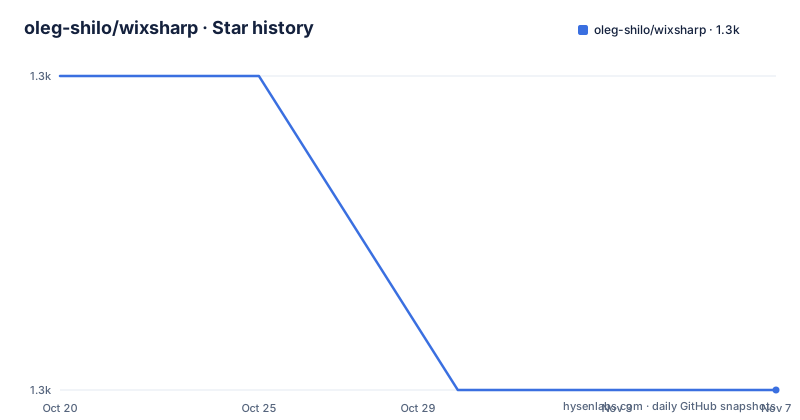
- oleg-shilo/wixsharp1,311 ★ · -1
| Repository | 2026-10-20 | 2026-11-07 |
|---|---|---|
| oleg-shilo/wixsharp | 1.3k | 1.3k |
-1 Stars in the last 18 days, measured from the daily GitHub snapshot. Compare with other projects
Editorial analysis
A deployment model as a class structure
WixSharp is a framework for building a complete MSI or WiX source code by using script files written with the C# syntax, and the WixSharp engine uses a C# class structure to mimic WiX entities and their relationships in order to produce a valid deployment model.
The example in the README is short enough to be the whole explanation.
using System;
using WixSharp;

class Script
{
    static public void Main(string[] args)
    {
        var project = new Project("MyProduct",
                          new Dir(@"%ProgramFiles%\My Company\My Product",
                              new File(@"Files\Docs\Manual.txt"),
                              new File(@"Files\Bin\MyApp.exe")));

        project.GUID = new Guid("6f330b47-2577-43ad-9095-1861ba25889b");
The hierarchy is the directory structure, a Dir contains a File, the Project contains the Dirs, and the result is passed to the compiler.
        Compiler.BuildMsi(project);
    }
}
The framing WixSharp gives for this is worth repeating because it explains the design rather than just describing it. WixSharp follows the steps of other transcompilers like Script#, CoffeeScript or GWT, by using source code of a more manageable syntax, C# in this case, to produce the desired source code of a less manageable syntax, which is WiX. A more manageable syntax in this context means less verbose and more readable code, better compile-time error checking and availability of more advanced tools.
So the output is still WiX source. WixSharp is not a replacement for the WiX toolset, it is a more pleasant way to write the input to it.
Custom actions in the same file, in the same language
The feature the README calls one of the most intriguing is the ability to define and implement managed custom actions directly in the script file, and the sample shows the shape of it.
public class CustomActions
{
    [CustomAction]
    public static ActionResult MyAction(Session session)
    {
        MessageBox.Show("Hello World!", "Embedded Managed CA");
        session.Log("Begin MyAction Hello World");

        return ActionResult.Success;
    }
}
The custom action is a normal static method with an attribute on it, taking the installer session and returning an ActionResult, and it is registered in the project tree with a ManagedAction entry.
The payoff is the one the README spells out. WixSharp removes the necessity to develop MSI sub-modules, the custom actions, in a completely different language such as C++, by allowing both the components and the behaviour to be defined in the same language. That also allows for a homogeneous, simplified and more consistent source code structure.
For anyone who has built an MSI with WiX directly, this is the part that changes the cost of the project. The usual shape is an XML file that describes the install, plus a separate project that compiles to a DLL for the custom actions, plus a build step to embed the DLL and a set of rules about where the DLL has to live for the action to find it. Here the action is a method in the same file, with the same project file, and the compiler handles the rest.
There is custom UI support as well, including WPF external UI, which is the other place where an installer usually forces you out of XML and into a second technology.
Two release streams, and the .NET Framework constraint
The overview section carries a note that decides which package you install. WixSharp releases come in two streams. The v1 releases use the WiX 3 toolset to author msi setups, and the v2 releases use WiX 4 and later. For the time being the two streams are maintained in parallel, but when WiX 4 and 5 become mature enough, the WiX 3 stream will be obsolete.
There is a build environment requirement attached to the v2 stream. You need the.NET SDK, and specifically not the.NET Framework SDK, installed in your build environment. Visual Studio 2022 comes with the.NET SDK already, and the reason is dictated by the method the WiX vendor distributes the WiX compiler and its dependencies, which is via a dotnet tool. WixSharp adheres to that approach, and although it provides a workaround for the absence of the.NET SDK, the recommendation stands.
The framework constraint is the sharper one. The WixSharp NuGet packages, for both the WiX 3 and the WiX 4 packages, target.NET Framework only, because WiX does not support integration with any other.NET flavour. WixSharp does provide an experimental.NET Core bridge with AOT-compiled custom actions, and experimental is the operative word.
That is the real limitation of the project in 2026, and it is a limitation of WiX rather than of WixSharp. The packages target.NET Framework only, so an application on modern.NET has to decide how to bridge that, and the bridge is the experimental part.
Linux can build an MSI, but cannot run one
There is a wiki article on using WixSharp on Linux, and the README attaches an important caveat to it. WixSharp builds MSI deployment packages, and while MSI can be built on Linux it cannot be run on Linux, as MSI is a pure Windows technology.
That is worth stating plainly because it is a common point of confusion. The build side of a WiX project is portable, so a Linux CI runner can produce the installer artefact, and the artefact is a Windows installer that has to be tested on Windows. The cross platform question is about where the packaging step runs, not about where the product runs.
The rest of the toolchain story is small. WixSharp is a member of the CS-Script family, it is published to NuGet as WixSharp, and there is a Visual Studio project template extension for the simpler path. If you prefer a manual approach, the README points to the Visual Studio console application project and the NuGet package as the starting point instead.
The project has a long history that is visible in the README, since it was migrated to CodePlex in July 2014 and re-released under the MIT licence there, and subsequently migrated from CodePlex to GitHub, with the old releases and some useful content from past discussions still available on CodePlex.
The recent releases are v2.14.2.0 from 2026-10-11, v2.14.1.0 from 2026-07-05, and a Visual Studio templates release at v2.4.5 from 2026-05-13, so the templates are versioned separately from the library.
The samples are most of the project
The README says the samples folder is a very extensive collection of WixSharp samples covering arguably all deployment scenarios possible, and then gives a number that explains a lot about the repository: the samples take up 90 to 95 percent of the entire WixSharp codebase.
That is unusual, and it is the right unusual. A framework like this is not validated by its type definitions but by whether somebody has managed to express a difficult installation in it, and the list of samples is the evidence. The scenarios named in the README include Visual Studio integration with NuGet packages and project templates, installing files into the Program Files directory, changing the installation directory, installing shortcuts to installed files, conditional installations, installing a Windows service, installing an IIS web site, and modifying an application configuration file as a post-install step.
That last category is the one that shows the value. A post-install configuration change is trivial in C# and awkward in WiX XML, and it is the kind of thing that appears in almost every real installer.
The repository itself is arranged around this. There is a Source/ directory with the engine and the samples, a Documentation/ directory holding the wiki and the images used in it, a docs/ directory, an appveyor.yml for continuous integration, and the licence file. The wiki is where the authoring instructions live, and the README highlights only some of the features available in it.
Editorial conclusion
WixSharp fits a team that ships a Windows installer and has more than one custom action to write, because defining the components and the behaviour in one language removes the C++ project and the XML that have to be kept in step, and because the C# gets you compile time checking on the deployment model itself. It does not fit a team that wants a purely declarative installer with no managed code, and it does not fit a cross platform product, since an MSI is a Windows technology even though it can be built on Linux. Verify three things before you start: which release stream you need, because the v1 line targets the WiX 3 toolset and the v2 line targets WiX 4 and later, that your build environment has the .NET SDK rather than only the .NET Framework SDK if you are on the v2 stream, and that the NuGet packages target .NET Framework only, so an application on modern .NET has to plan its custom actions around that constraint.
Frequently asked questions
What does WixSharp do exactly?
It is a framework for building a complete MSI or WiX source code from script files written with plain C# syntax. The engine uses a C# class structure to mimic WiX entities and their relationships, so a project becomes a class hierarchy of directories and files that is compiled into a valid deployment model, following the transcompiler pattern of CoffeeScript or GWT.
Can I write custom actions in C# with WixSharp?
Yes, and the README calls it one of the most intriguing features. Managed custom actions are defined and implemented directly in the script file as static methods marked with the CustomAction attribute, registered with a ManagedAction entry, and returning an ActionResult. That removes the need to develop MSI sub-modules in a different language such as C++.
Which version of WiX does WixSharp support?
Two streams. The v1 releases use the WiX 3 toolset to author msi setups and the v2 releases use WiX 4 and later, and the two are maintained in parallel for now, with the WiX 3 stream to become obsolete when WiX 4 and 5 mature enough. The v2 stream requires the .NET SDK, not the .NET Framework SDK, in the build environment.
Can I build an MSI on Linux with WixSharp?
You can build one, and the README links a wiki article on using WixSharp on Linux, but it cannot be run on Linux because MSI is a pure Windows technology. The WixSharp NuGet packages for both the WiX 3 and WiX 4 packages target .NET Framework only, since WiX does not integrate with other .NET flavours, although an experimental .NET Core bridge with AOT-compiled custom actions is provided.
Where can I find WixSharp examples?
The samples folder in the repository, which the README describes as a very extensive collection covering arguably all deployment scenarios possible, and which takes up 90 to 95 percent of the codebase. The scenarios include Visual Studio integration, installing into Program Files, changing the installation directory, shortcuts, conditional installations, Windows services, IIS web sites and post-install configuration changes, with authoring instructions in the wiki.
Official sources
Add this badge to your README
If you maintain this project, the badge below links readers to this analysis and shows its maintenance status from the daily GitHub snapshot. Paste the markdown into your README; add ?metric=license or ?metric=stars to the image URL for a different field.

[](https://hysenlabs.com/projects/oleg-shilo-wixsharp)Star history chart for your README
[](https://hysenlabs.com/projects/oleg-shilo-wixsharp)Was this useful?