colord: TypeScript color parsing, conversion, and manipulation
👑 A tiny yet powerful tool for high-performance color manipulations and conversions
At a glance
- What is it?
- colord is a small, dependency-free TypeScript library for parsing CSS color values and manipulating colors through an immutable, chainable API. It fits applications that need HEX, RGB, and HSL support without requiring a larger color package, while HWB, CMYK, LAB, LCH, XYZ, names, and other capabilities depend on plugins.
- Who is it for?
- Adopt colord when a browser or Node.js TypeScript project needs compact, typed CSS color parsing and the core HEX, RGB, and HSL operations. Do not choose it if you need an advanced color model without accepting its plugin boundary or require a broader scientific color workflow.
- Can I use it commercially?
- Yes. MIT is a permissive licence: you can use, modify and sell software built on it, as long as you keep its copyright and licence notices.
- Is it still maintained?
- Yes. The repository last received commits 68 days ago.
- What is it written in?
- Mainly TypeScript, according to GitHub's language statistics.
Answers come from the project's GitHub data, last synced on November 7, 2026, and from our analysis. They are not legal advice.
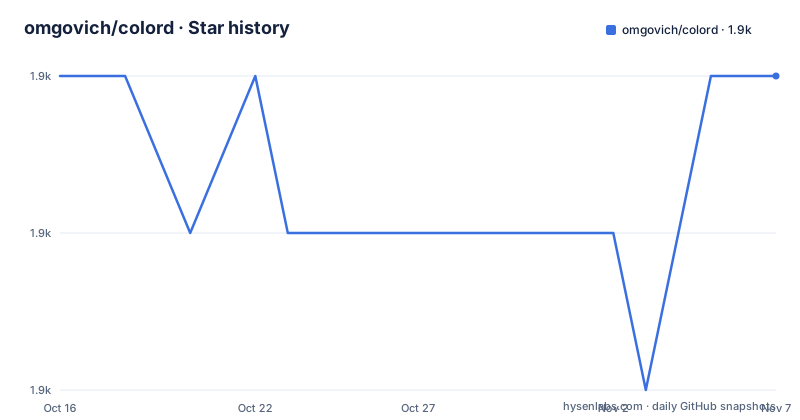
Star history
- omgovich/colord1,893 ★ · +0
| Repository | 2026-10-16 | 2026-11-07 |
|---|---|---|
| omgovich/colord | 1.9k | 1.9k |
0 Stars in the last 22 days, measured from the daily GitHub snapshot. Compare with other projects
Editorial analysis
A focused library for CSS-oriented color work
colord addresses a common front-end problem: accepting colors in several representations and then using those colors consistently. It is designed for engineers building browser interfaces, Node.js utilities, design tools, CSS-related tooling, and TypeScript applications that need to parse values such as HEX strings, RGB strings and objects, HSL strings and objects, and HSV objects. The package is dependency-free, ships TypeScript declarations, and is written in strict TypeScript according to the README.
The core scope is narrower than a general visual-science toolkit. Basic parsing and manipulation are available from the main package. Color names, HWB, CMYK, LCH, LAB, and XYZ require plugins. That split matters because it affects both bundle size and application design. A product that only handles HEX, RGB, and HSL can use the core API without loading the optional model parsers. A product that accepts design-tool data or perceptual color spaces must decide which plugins belong in its client or server build.
The README presents colord as immutable and chainable. That means an operation returns a color object rather than requiring callers to track mutation. For the shown grayscale and alpha sequence, the value starts as a red HEX color, changes to grayscale, receives an alpha value, and is rendered as an `rgba(...)` string. The library is therefore useful when a color travels through a sequence of transformations rather than being converted only once.
Parsing and conversion through the Colord instance
The entry point is the `colord(input)` function. The README says that it parses an input and creates a new Colord instance, so parsing is the first stage of the data flow. The input can be a string or a supported object. After parsing, the instance exposes manipulation methods such as `grayscale()`, `alpha()`, `isLight()`, and `darken()`, followed by output methods such as `toRgbString()` and `toHex()`.
This arrangement keeps input syntax separate from output syntax. A caller can parse `rgb(192, 192, 192)`, ask whether the result is light, or parse an HSL string, darken it, and serialize the result as HEX. The conversion boundary is explicit in the API rather than being hidden behind a large configuration object. That is useful for code that accepts user-entered colors or normalizes data from several sources.
The documented conversion set includes hexadecimal notation with three, four, and eight digits, RGB in comma and whitespace syntax, HSL in comma and whitespace syntax, and objects for RGB, HSL, and HSV. The README states that string parsing follows CSS Color Level specifications. The visible API documentation is truncated, so this article does not infer details about malformed input behavior, serialization precision, or methods not shown there. Those details should be checked against the API documentation and tests before adoption.
Plugins define the boundary between core and advanced models
The plugin system is the clearest architectural trade-off in colord. The package manifest exposes plugin entry points including `colord/plugins/a11y`, `colord/plugins/cmyk`, `colord/plugins/harmonies`, `colord/plugins/hwb`, `colord/plugins/lab`, `colord/plugins/lch`, and further plugin paths in the truncated package listing. The README separately identifies color names as plugin-based and lists HWB, CMYK, LCH, LAB, and XYZ support as optional.
This arrangement supports selective imports. It also makes feature availability less obvious to someone who searches only the README examples. An application that expects named colors, LAB conversion, or color harmonies must install the package and register the relevant plugin rather than assuming that the main `colord` import includes every model. The tradeoff is a modular boundary: smaller core usage is possible, but feature discovery and build configuration require more attention.
The a11y and harmonies plugins also signal that colord is intended to support workflows beyond basic format conversion. The README does not provide the complete plugin API in the visible section, so it would be inaccurate to claim particular contrast ratios, harmony names, or accessibility thresholds. The correct adoption check is to inspect the plugin implementation and tests for the exact operation needed.
Install colord and make a first conversion
The README gives a short npm installation and import example. Install the package in the project environment, then import the `colord` function and call it with a CSS color value. The first example converts a modified color to an `rgba(...)` string, while the other examples check lightness and produce a darker HEX value.
Install the package with npm:
npm i colordUse the core API in JavaScript or TypeScript:
import { colord } from "colord";

colord("#ff0000").grayscale().alpha(0.25).toRgbString();
colord("rgb(192, 192, 192)").isLight();
colord("hsl(0, 50%, 50%)").darken(0.25).toHex();
The documented results are `"rgba(128, 128, 128, 0.25)"`, `true`, and `"#602020"`. The import uses the package root. If a project needs an optional color model, the package manifest shows plugin subpath exports, but the visible README does not provide a complete registration example, so the plugin's own entry point should be checked before writing integration code.
Colord is also distributed for Node.js and browsers according to the README. The package manifest supplies separate CommonJS, ES module, and default export entries, plus type declaration files. That packaging is relevant for bundlers and mixed JavaScript projects, but the actual build setup still needs to match the project's module system.
Size and throughput claims need careful interpretation
The README reports 1.8 KB brotli-compressed for the core import and includes a benchmark table comparing colord with `color`, `tinycolor2`, `ac-colors`, and `chroma-js`. It also reports a 4,740,298 operations-per-second figure for colord in that benchmark. These numbers are repository claims and should not be treated as universal results. The README explicitly warns that operations per second depend on the machine and says readers should focus on ratios.
The comparison suggests colord's main positioning is compactness and throughput rather than an exhaustive set of built-in color models. That makes it a plausible fit for bundles where color logic is on a frequently loaded path, such as UI components or CSS tooling. It does not establish that every operation or plugin will have the same relative cost. Conversion complexity, input format, plugin use, and the bundler's tree-shaking configuration can all change the shipped size.
The repository's package metadata marks the package as having no dependencies, and the README states that types are included. Those are concrete adoption benefits for teams concerned with dependency surface area. They are not substitutes for checking bundle output in the application's own build, especially when optional plugins are imported.
Limitations, alternatives, and maintenance
The main limitation is scope. The core package does not automatically provide every color representation listed in the README. Named colors and several advanced models depend on plugins. If a team needs a single package with a broad color-science API or expects one import to support CMYK, LAB, LCH, XYZ, HWB, and names automatically, colord may require more integration work than a broader alternative.
The real alternative is the existing `color` package, which appears in the repository's comparison table. The documented difference is architectural and operational: colord emphasizes strict TypeScript, an immutable chainable API, plugins, included types, and a dependency-free core, while the README's benchmark table positions `color` as a separate library with larger listed bundle sizes and lower reported throughput in that specific benchmark. The table does not establish that `color` lacks particular features, nor does it establish colord as the better choice for every API design.
Maintenance is a mixed signal. The repository is not archived, and the last push was on 2026-09-01. The release history includes v2.10 on 2026-08-20, followed by older v2.9 and v2.8 releases from 2021. The MIT license permits use and modification under its terms, but it does not guarantee compatibility or maintenance. Upgrading requires reviewing the changelog, package metadata, and any breaking API changes rather than assuming that the long interval between older listed releases means the current version is unchanged.
Editorial conclusion
Adopt colord when a browser or Node.js TypeScript project needs compact, typed CSS color parsing and the core HEX, RGB, and HSL operations. Do not choose it if you need an advanced color model without accepting its plugin boundary or require a broader scientific color workflow. Verify first that your inputs, conversion behavior, accessibility or harmony plugins, bundler resolution, and expected output formats match the application requirements.
Frequently asked questions
How do I install colord and import it in TypeScript?
The README uses `npm i colord` and imports the `colord` function from the package root with `import { colord } from "colord";`. The package manifest also exposes TypeScript declaration files.
Which color formats does colord support without a plugin?
The core package supports hexadecimal strings with three, four, and eight digits, RGB strings and objects, HSL strings and objects, and HSV objects. Color names, HWB, CMYK, LCH, LAB, and XYZ are listed as plugin-based support.
Can colord handle accessibility and color harmonies?
The package manifest exposes `colord/plugins/a11y` and `colord/plugins/harmonies`, so the repository provides dedicated plugin entry points for those areas. The visible README does not document their complete methods or outputs.
Official sources
Add this badge to your README
If you maintain this project, the badge below links readers to this analysis and shows its maintenance status from the daily GitHub snapshot. Paste the markdown into your README; add ?metric=license or ?metric=stars to the image URL for a different field.

[](https://hysenlabs.com/projects/omgovich-colord)Star history chart for your README
[](https://hysenlabs.com/projects/omgovich-colord)Was this useful?