OmniSharp, the Roslyn workspace server you run yourself
OmniSharp server (HTTP, STDIO) based on Roslyn workspaces
At a glance
- What is it?
- OmniSharp hosts C# language services outside Visual Studio over HTTP or STDIO. It is well documented for building from source and for wiring into editors, and thin on anything else.
- Who is it for?
- OmniSharp suits teams that keep C# in Vim, Emacs or a VS Code setup where they do not want the Roslyn language server, and it works as a self-hosted language service reachable over HTTP or STDIO. It is the wrong pick for a stock VS Code C# workflow, since that extension already defaults to the Roslyn language server and switching costs you C# Dev Kit.
- Can I use it commercially?
- Yes. MIT is a permissive licence: you can use, modify and sell software built on it, as long as you keep its copyright and licence notices.
- Is it still maintained?
- Yes. The repository received new commits within the last day.
- What is it written in?
- Mainly C#, according to GitHub's language statistics.
Answers come from the project's GitHub data, last synced on October 23, 2026, and from our analysis. They are not legal advice.
Star history
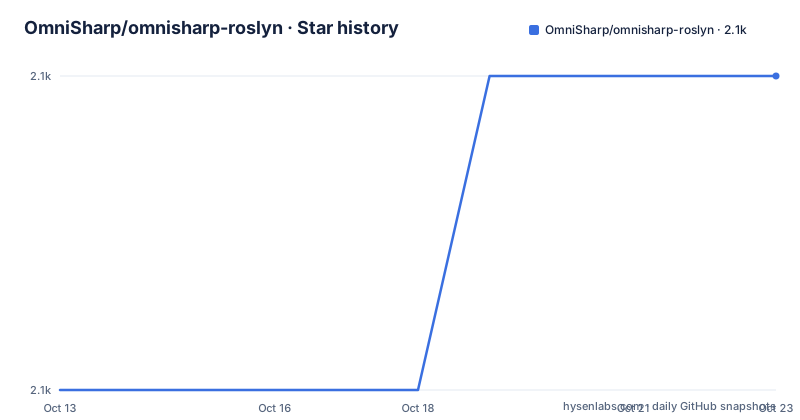
- OmniSharp/omnisharp-roslyn2,070 ★ · +1
| Repository | 2026-10-13 | 2026-10-23 |
|---|---|---|
| OmniSharp/omnisharp-roslyn | 2.1k | 2.1k |
1 Stars in the last 10 days, measured from the daily GitHub snapshot. Compare with other projects
Editorial analysis
C# language services for editors without Visual Studio
OmniSharp is a .NET development platform built on Roslyn workspaces. Its job is to answer language questions about a C# codebase, such as completions, diagnostics and the project dependencies that those answers depend on, for editors that have no Visual Studio of their own. The README names Vim, Emacs and VS Code as the typical consumers, and in every one of those cases an extension talks to a separate server process rather than embedding the analysis engine.
That separation is the whole point. Roslyn's workspace layer needs a loaded project graph before it can produce trustworthy results, and loading that graph is expensive enough that editors should not pay for it on every keystroke or every window reopen. Running the analysis in a long-lived process means the graph is loaded once and the editor keeps a cheap connection to the result. A Vim or Emacs user gets IntelliSense without the IDE, and a VS Code user gets a server they can build from source and point at a local binary.
The cost of that design is that you now own a process. It has to start, it has to find your solution, and its settings have to line up with what the editor assumes.
One binary, two transports, HTTP or STDIO
OmniSharp ships in two flavors: a stdio server and an HTTP server. The same analysis code sits behind both, so the choice is purely about how the editor reaches it and whether the server outlives a single editing session.
Stdio suits the common case where an extension launches the server, attaches its pipes, and tears it down again on exit. Nothing listens on a network port, nothing needs authentication, and the lifecycle is owned by the editor. HTTP suits the other case, where a long-running instance keeps the Roslyn workspace warm and possibly reachable by something other than your own machine, since it listens rather than serving a pipe.
The repository description states both transports in one line, HTTP and STDIO, without documenting in the README which ports, endpoints or transport-specific settings apply. If your editor extension can pick for you, let it, because the transport detail that matters is the one your editor hardcodes.
build.sh and build.ps1 put binaries under artifacts/publish
Building from source is the part of OmniSharp the README documents most concretely. The platform splits by shell: Windows uses a PowerShell script, Linux and macOS use a shell script.
./build.sh./build.ps1Both routes end in the same place. Build output lands under `artifacts/publish/OmniSharp/<runtime id>/`, one directory per target runtime identifier, and the executable inside is either `OmniSharp.exe` on Windows or `OmniSharp` elsewhere. That runtime identifier folder is the detail worth internalising, because an editor setting that points at a binary needs the absolute path of a specific one of those directories rather than the parent.
The build is driven from the repository root, where `build.cake`, `build.json` and `build.cmd` sit next to the scripts, and dependency versions are managed centrally through `Directory.Packages.props` alongside `Directory.Build.props` and `global.json`. OmniSharp is built with the .NET SDK, so the SDK has to be on the machine. The README does not state a minimum SDK version; `global.json` is where that pin would live if you need to know it.
Pointing the VS Code C# extension at a local build
The VS Code path is the documented example of consuming OmniSharp, and it comes with a condition you cannot miss. The C# extension uses the Roslyn language server by default, so to run OmniSharp you must disable C# Dev Kit and flip one setting.
{
  "dotnet.server.useOmnisharp": true,
  "dotnet.server.path": "<absolute path to the OmniSharp executable>"
}
The two keys do different jobs. `dotnet.server.useOmnisharp` selects the server implementation inside an extension that could also start the Roslyn language server, and `dotnet.server.path` overrides wherever the extension would otherwise fetch the binary, which is the hook that lets a local build stand in for a downloaded one.
For start-up debugging the extension has its own key, and this one changes behaviour rather than paths.
{
  "dotnet.server.waitForDebugger": true
}
With that set, the OmniSharp process ID is printed in the VS Code OmniSharp output panel and the server pauses its own start until you attach. The README calls this equivalent to launching the binary from a command line with the `--debug` flag.
Startup arguments, environment variables and omnisharp.json
OmniSharp configuration is hierarchical, and the same setting can arrive through three doors: startup arguments, environment variables, or the `omnisharp.json` file. The layering is the part to understand before you start debugging a setting that the wrong layer keeps overwriting.
The file lives at the repository root, and the checked-in copy is the project's own build-time configuration rather than a template for users. There is no documented example of a minimal user file in the README, so a first configuration comes from the Configuration Options wiki page, which the README points to for the full set of keys.
The practical consequence is precedence. An argument passed at launch and a variable set in the shell can each shadow what the file says, and neither wins by accident; they win by layer order. When a value does not take effect, the check that pays off is to remove the file from the picture, confirm the setting works from the command line, and only then decide which layer is responsible. The README does not document a way to print the effective configuration, so that three-step narrowing is as close to a diagnostic as the documentation gets.
The Roslyn language server wins by default in VS Code
Here is the contradiction a skim misses. This repository exists to host C# language services for editors, but the flagship consumer it documents, the VS Code C# extension, does not use it out of the box. The README says the extension uses the Roslyn language server by default, and OmniSharp only comes into play after you disable C# Dev Kit and set `dotnet.server.useOmnisharp` to true.
The project also publishes under two version lines at once, a 2.0.0 line and a 1.x line that still receives builds, which tells you the migration between server implementations is not finished for everyone. Anyone adopting OmniSharp on VS Code today is choosing the non-default path and should expect to own the consequences, including the loss of whatever C# Dev Kit contributes.
A second detail sits in the same README section: the debugger instructions name a VS Code OmniSharp output panel. That panel only exists in a setup where OmniSharp is already running, so the debugging documentation presupposes the configuration change above. The path is documented, but the ordering is not.
Where the repository keeps its test surface and build recipes
The top-level layout says more about how the project is developed than the prose does. `OmniSharp.sln` sits at the root next to `src/` and `tests/`, and there is a separate `test-assets/` directory, which is the standard shape for a .NET repository that tests against real sample solutions rather than string fixtures. `.editorconfig`, `.gitattributes` and the `.github/` directory round out the conventions.
Two entries have no explanation anywhere in the README. `blobstring.txt.enc` is an encrypted blob checked into the repository root, and `.lgtm` points at a code scanning configuration for static analysis. Neither has a stated purpose for a contributor picking up the project, which is a fair measure of how much of the operational detail lives outside this repository's documentation.
There is also `doc/`, `scripts/`, `NuGet.Config` and `GitVersion.yml`. Version stamping through `GitVersion.yml` is the piece that ties published binaries to commit history, and it is the file to look at if you need to know how a given build was numbered.
Comparing the OmniSharp request surface with the Roslyn server
The real alternative to OmniSharp is not another third-party server. It is the Roslyn language server, the same Roslyn analysis running behind a different contract, and the VS Code C# extension uses it by default.
The difference is in how the editor talks to the analysis. OmniSharp exposes C# language services and project dependencies through its own HTTP and stdio interface, the flavour the extension picks when `dotnet.server.useOmnisharp` is set. The alternative path is the standard language server route, where the editor expects protocol messages it understands from any server regardless of language, rather than a server built for one specific extension family. For editors that already speak that protocol, the standard route is the one requiring no bridge; for Vim and Emacs setups that predate it or are wired to OmniSharp request shapes, that advantage reverses.
What the README does not document is the protocol spoken by the Roslyn language server, or how to run it standalone. Anyone comparing the two on capability has to read that project's own documentation, because this one only tells you which path VS Code takes by default.
Editorial conclusion
OmniSharp suits teams that keep C# in Vim, Emacs or a VS Code setup where they do not want the Roslyn language server, and it works as a self-hosted language service reachable over HTTP or STDIO. It is the wrong pick for a stock VS Code C# workflow, since that extension already defaults to the Roslyn language server and switching costs you C# Dev Kit. Before adopting, confirm that a build produces a runnable binary under artifacts/publish/OmniSharp/ on your platform, and read the Configuration Options wiki for the setting you depend on.
Frequently asked questions
How do I get OmniSharp without building it myself?
When it is used with an editor extension such as Vim, Emacs or VS Code, the extension downloads or bundles OmniSharp for you. To fetch the binaries by hand, take the stable or pre-release builds from the GitHub releases page, where each release carries the binaries for the supported operating systems and processor architectures.
How do I make VS Code use my local OmniSharp build?
Disable C# Dev Kit, then set `dotnet.server.useOmnisharp` to true and point `dotnet.server.path` at the absolute path of the executable you built under `artifacts/publish/OmniSharp/<runtime id>/`.
How do I attach a debugger to OmniSharp when it starts?
In VS Code, add `"dotnet.server.waitForDebugger": true`, which prints the OmniSharp process ID in the output panel and holds the server start until you attach. Outside VS Code, the README says this is equivalent to launching the executable from a command line with the `--debug` flag.
What do I need installed to build OmniSharp?
OmniSharp is built with the .NET SDK, so the SDK is the stated prerequisite, and the repository root carries a `global.json` that pins the SDK resolution for the build. The README does not state a minimum SDK version or list any other dependency.
Official sources
Add this badge to your README
If you maintain this project, the badge below links readers to this analysis and shows its maintenance status from the daily GitHub snapshot. Paste the markdown into your README; add ?metric=license or ?metric=stars to the image URL for a different field.

[](https://hysenlabs.com/projects/omnisharp-omnisharp-roslyn)Star history chart for your README
[](https://hysenlabs.com/projects/omnisharp-omnisharp-roslyn)Was this useful?