rustypaste is a pastebin with no database and a dozen ways to expire
A minimal file upload/pastebin service.
At a glance
- What is it?
- rustypaste is a Rust file upload and pastebin service, built on actix-web, that keeps its state on the filesystem and exposes most of its behaviour through request headers rather than through a separate API. It supports expiring links, one-shot files that can be read once, password-protected files hashed with Argon2id, URL shortening, random or pet file names, and it ships as a single binary or a scratch-based container image.
- Who is it for?
- rustypaste is the right tool if you want to run your own file drop, because the filesystem state means there is no database to back up or migrate and the whole thing is one binary, and because the interface is headers rather than JSON, so it composes with curl and with scripts you already have. It is the wrong tool if you need durable storage, audit trails or a user model, since the list endpoint and the basic HTTP authentication are the whole of the account surface.
- Can I use it commercially?
- Yes. MIT is a permissive licence: you can use, modify and sell software built on it, as long as you keep its copyright and licence notices.
- Is it still maintained?
- Yes. The repository last received commits 3 days ago.
- What is it written in?
- Mainly Rust, according to GitHub's language statistics.
Answers come from the project's GitHub data, last synced on November 7, 2026, and from our analysis. They are not legal advice.
Star history
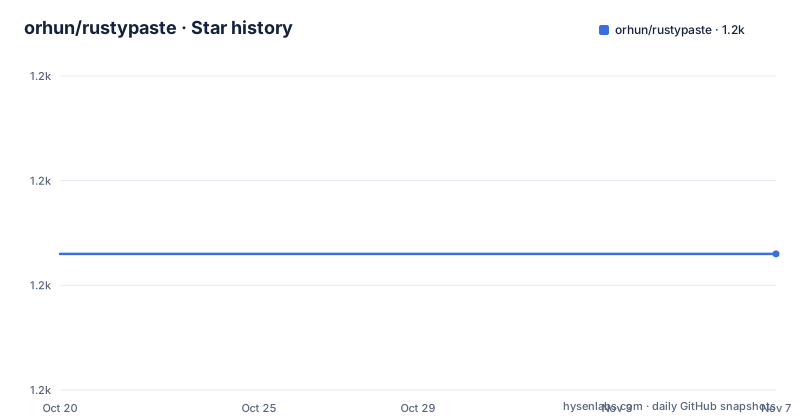
- orhun/rustypaste1,213 ★ · +0
| Repository | 2026-10-20 | 2026-11-07 |
|---|---|---|
| orhun/rustypaste | 1.2k | 1.2k |
0 Stars in the last 18 days, measured from the daily GitHub snapshot. Compare with other projects
Editorial analysis
The filesystem is the database
The feature list makes the architectural decision in one line: no database, the filesystem is used. Everything else follows from that. There is no schema to migrate, no connection string in the configuration, and no separate process to run, and the state of the service is a directory of files. The service itself is a single binary, with binary releases published, and the configuration is simple and supports hot reloading, so a config.toml can be edited without restarting the process. The project is explicitly self-hosted, with the reason given in the feature list as a slogan, centralization is bad. That is the pitch for a team that wants to hand a colleague a URL for a screenshot without sending it to a third party, and the cost is the obvious one, that there is no account system, no history and no durability guarantee beyond the disk the operator provides. The dependencies reflect the design, with actix-web and actix-multipart for the server, argon2 for password hashing, petname for the readable file names, humantime for the expiration durations, and tracing for logs.
Installing it, four ways
The installation section covers four routes, and the first is cargo:
cargo install rustypasteArch Linux has a package, pacman -S rustypaste, Alpine Linux has one available for the Edge branch through apk add rustypaste after enabling the community repository, and FreeBSD has one through pkg install rustypaste. There is a packaging status badge pointing at Repology, which is the canonical index of which distributions carry a package. For anyone on a platform without a package, there are prebuilt binaries on the releases page, and the source build is three commands:
git clone https://github.com/orhun/rustypaste.git
cd rustypaste/
cargo build --release
The build has two feature flags, and the choice between them is a packaging decision rather than a coding one. The openssl feature uses the distro OpenSSL and reduces the binary size by around twenty percent in release mode, and rustls uses rustls and is enabled by default. To pick the distro library you pass the features flag, for example cargo build --release --no-default-features --features openssl. The tests are cargo test -- --test-threads 1, with the single thread because the service binds ports and the fixtures script, ./fixtures/test-fixtures.sh, prepares the data they need.
The upload API is a set of headers
The way rustypaste is driven is the part that makes it pleasant to use, because the options are request headers on a multipart upload rather than fields in a JSON body. The simplest upload is a curl with a file field, and the response is the URL of the stored file:
$ echo "some text" > awesome.txt

$ curl -F "[email protected]" https://paste.site.com
https://paste.site.com/safe-toad.txt
Expiration is a header, expire:10min, and the supported units run from nanoseconds to years, with nsec and ns, usec and us, msec and ms, seconds, second, sec and s, minutes, minute, min and m, hours, hour, hr and h, days, day and d, weeks, week and w, months, month and M, and years, year and y. One-shot files are the field [email protected], so the file can only be viewed once, and one-shot URLs are oneshot_url=https://example.com, where the server fetches the file itself. Password-protected files use the protected field, and the server generates the password and returns it once, with the password hashed using Argon2id, and the download then needs the password as a bearer token. And a download can be forced with the ?download=true query parameter, which is what you want when the browser would otherwise render a text file inline.
File names are a design decision, and URL shortening is a mode
The naming of stored files is configurable, and the options are a good illustration of what a paste service is optimising for. Random file names are optional, and there are three styles. A pet name such as capital-mosquito.txt, an alphanumeric string such as yB84D2Dv.txt, and a random suffix such as file.MRV5as.tar.gz, which keeps a readable base name and appends entropy. Beyond naming there is URL shortening, so a long file name becomes a short link, and the interaction with the other features is where the design gets interesting, because a shortened URL and a one-shot URL and an expiring URL are three different promises about the same file. The CLI is a separate project, rustypaste-cli, and the README gives the shell function it wraps, which posts a file with an authorization header, and the tip is to consider reading authorization headers from a file such as -H @rpaste_auth rather than putting the token in your shell history.
Authentication, the list endpoint and the HTML form
The server side of the feature list is small and covers the operations you need to run the service rather than use it. Basic HTTP authentication is supported, so the whole service can sit behind a password. There is a list endpoint, so the service can show what it holds, and an HTML form, so a human can upload through a browser without a command line, with an example form in the examples/ directory. There are also endpoints for deleting a file from the server, for cleaning up expired files, and for overriding the filename on upload. The nginx section and the Docker section are about putting it behind a reverse proxy, and the examples/ directory holds an html_form.toml and a landing_page.html, with the custom landing page being a feature in its own right, since a public paste service usually wants its front page to be something other than a raw upload form. The configuration file itself is TOML, config.toml at the repository root, and the container mounts it into the image.
The container runs as nobody, from a scratch base
The Dockerfile is a good example of a small Rust service image. The builder stage is rust:1.93-alpine3.21 with musl-dev added, and it uses the standard trick of building a placeholder main first so that the dependency layer is cached, then copying the real source and building with cargo build --locked --release. The final stage is FROM scratch, which means no operating system at all under the binary, the binary is copied in, the server address is set with the environment variable SERVER__ADDRESS=0.0.0.0:8000, the port is exposed, and the container runs as the numeric user 1000:1000 with the command./rustypaste. The compose file builds on that, using the orhunp/rustypaste image, publishing port 8000, mounting the upload directory and the config.toml, and reading the rest of the environment from a.env file. The features list also mentions appjail images, so there is a packaging option for people who want a confinement layer rather than a container.
What a minimal service leaves out
The gaps are the same as the design. There is no user model, so basic HTTP authentication is a shared password rather than accounts, and there is no per-file visibility, so a service with any public traffic is one where the operator decides what is uploaded. There is no database, so the deletion of a file is a filesystem operation and the audit trail is the disk, which means the operator owns retention. There is no transcoding or preview, so a pasted file is served with a guessed MIME type, and the service does guess MIME types, with support for overriding them and for blacklisting them, which is the mitigation for a browser rendering an uploaded HTML file in the origin of your domain. And there is no scaling story, because a single binary with a directory of files is a single node, which is fine for a team and wrong for a public service. The parts that are deliberately absent are the parts that a pastebin with accounts would have, and the honest summary is that this is a self-hosted file drop with a thoughtful interface rather than a pastebin with a user base.
Editorial conclusion
rustypaste is the right tool if you want to run your own file drop, because the filesystem state means there is no database to back up or migrate and the whole thing is one binary, and because the interface is headers rather than JSON, so it composes with curl and with scripts you already have. It is the wrong tool if you need durable storage, audit trails or a user model, since the list endpoint and the basic HTTP authentication are the whole of the account surface. Before you expose it, read the Docker section, because the default image runs as a non-root user with a scratch base, and decide how the upload directory and the configuration file are mounted, and check the expiration semantics, since a file that expires is deleted by a separate cleanup job rather than by the request that created it.
Frequently asked questions
How do I install rustypaste?
With cargo install rustypaste, with a distribution package through pacman on Arch Linux, apk on Alpine Edge or pkg on FreeBSD, with a prebuilt binary from the releases page, or from source with git clone, cd rustypaste and cargo build --release. A build can use the distro OpenSSL instead of rustls with cargo build --release --no-default-features --features openssl, which cuts the binary size by about twenty percent.
How do I upload a file and set an expiration?
Upload it as a multipart field named file, and set the expiration with the expire header, for example curl -F "[email protected]" -H "expire:10min" "<server_address>". The supported units range from nanoseconds to years, including seconds, minutes, hours, days, weeks, months and years with several spellings each.
What is the difference between one-shot files and password-protected files?
A one-shot file is uploaded with the oneshot field and can only be viewed once, while a one-shot URL uses the oneshot_url field so the server fetches the file itself. A password-protected file is uploaded with the protected field, the server generates the password and returns it once, hashes it with Argon2id, and the download then needs the password as a bearer token.
Does rustypaste need a database?
No. The feature list states that there is no database and the filesystem is used, which is why the whole service is a single binary with simple configuration that supports hot reloading. The container image builds from a scratch base and runs as a non-root user with the upload directory and config.toml mounted as volumes.
Official sources
Add this badge to your README
If you maintain this project, the badge below links readers to this analysis and shows its maintenance status from the daily GitHub snapshot. Paste the markdown into your README; add ?metric=license or ?metric=stars to the image URL for a different field.

[](https://hysenlabs.com/projects/orhun-rustypaste)Star history chart for your README
[](https://hysenlabs.com/projects/orhun-rustypaste)Was this useful?