ngx-infinite-scroll: an Angular directive with nine knobs for scroll detection
Infinite Scroll Directive for Angular
At a glance
- What is it?
- ngx-infinite-scroll is an MIT licensed Angular directive for infinite scroll whose versions track Angular's own version, so an Angular 10 project uses the 10.0.0 line. The last published npm release was 9.0.0 in 2020, while the repository itself is now built against Angular 22.
- Who is it for?
- ngx-infinite-scroll is a good pick for an Angular team that wants scroll-triggered loading without pulling a larger component library into the project, because the directive is framework-native and the distance, throttle and container options cover the cases where a naive implementation misfires; it is the wrong pick if you need a maintained release cadence, since the last published npm version is 9.0.0 from 2020 while the repository now builds against Angular 22, so before you adopt it you should confirm which npm version corresponds to your Angular major and whether the source in the repository works with the Angular release you are on.
- Can I use it commercially?
- Yes. MIT is a permissive licence: you can use, modify and sell software built on it, as long as you keep its copyright and licence notices.
- Is it still maintained?
- Yes. The repository last received commits 125 days ago.
- What is it written in?
- Mainly TypeScript, according to GitHub's language statistics.
Answers come from the project's GitHub data, last synced on November 7, 2026, and from our analysis. They are not legal advice.
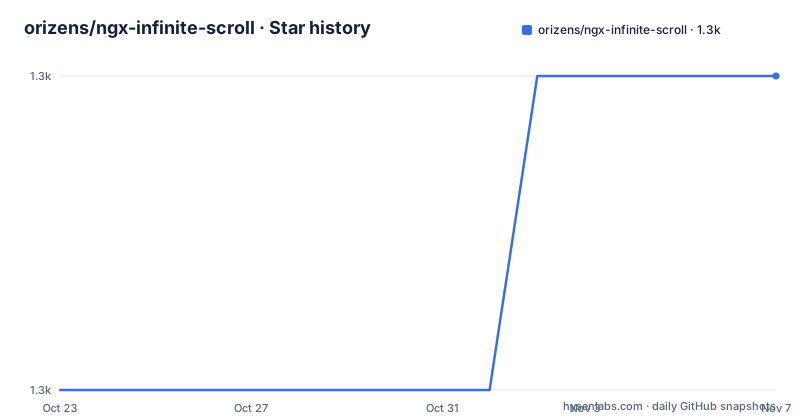
Star history
- orizens/ngx-infinite-scroll1,253 ★ · +1
| Repository | 2026-10-23 | 2026-11-07 |
|---|---|---|
| orizens/ngx-infinite-scroll | 1.3k | 1.3k |
1 Stars in the last 15 days, measured from the daily GitHub snapshot. Compare with other projects
Editorial analysis
Version lines that follow Angular's own numbering
ngx-infinite-scroll is an Angular infinite scroll directive, and the versioning scheme is the first thing to understand because it determines which package you install.
Versions now follow Angular's version to easily reflect compatibility. Meaning, for Angular 10, use ngx-infinite-scroll at ^10.0.0. So the major version of the library is the major version of Angular it targets, and a compatibility problem is expressed as a version number rather than as a support matrix.
The older releases are documented separately, and the table is worth reading because it shows the library's history compressed into version numbers. Starting from Angular 6 and above, the package is ngx-infinite-scroll at THE_VERSION.0.0. For Angular 4 and Angular 5.5.6 or later, use version 0.8.4. For Angular 5.x with rxjs 5.5.2 or below, use 0.8.3. And for Angular 2.3.1 or earlier, the package is a different one entirely, angular2-infinite-scroll, whose latest version is 0.3.42 and which is marked as deprecated.
So the answer to the question of which version to install is: look at your Angular major version, and if you are on something older than Angular 6 you are in a different package and a different era.
There is one thing to be careful about here. The recent releases list shows 9.0.0 from 2020-06-24 as the most recent tagged release, before that 0.2 from 2016 and 0.1.92 from 2016. The repository is not archived and the last push was on 2026-07-06, and the package manifest now depends on Angular 22 packages. In other words, the source tree has moved on to Angular 22 while the published npm line is still at 9.0.0. That gap is the thing to check before you plan an upgrade path.
The distance and throttle options, and why the defaults are what they are
The properties table is the API, and most of it is about getting the trigger point right rather than about the scrolling itself.
infiniteScrollDistance is a number with a default of 2, and the description explains the arithmetic. It is the bottom percentage point of the scroll knob relative to the infinite-scroll container, so 2 means 2 times 10, that is 20 percent, and the event is triggered when 80 percent has been scrolled. The worked example says that if the container height is 900 pixels, the event fires when the container is scrolled to or past the 720 pixel mark.
That default is a lead distance, not a trigger distance. The handler fires before the user reaches the bottom, which is the whole point of an infinite scroll, since a handler that fires exactly at the bottom has already shown the user a gap. The number 2 is deliberately small because the mechanism is cheap to call and the expensive part, the data fetch, is expected to be debounced by the application.
infiniteScrollThrottle is a number with a default of 150, in milliseconds, and the event is triggered this many milliseconds after the user stops scrolling. So the throttle is a trailing debounce, not a rate limit. During a continuous scroll nothing fires, and when the user pauses, one call happens. That is the correct shape for a data fetch, since firing on every scroll event would queue a request per frame.
infiniteScrollUpDistance has a default of 1.5 and a description of should get a number, which is less informative, but the presence of a separate up distance alongside infiniteScrollDistance tells you the directive supports scrolling upward as well as down, which is what you need for a bidirectional list such as a chat log where loading older items when you scroll to the top must not trigger the loader for new items.
Containers, window scrolling, and the horizontal case
The remaining properties decide what counts as the scroller and how the callback is scoped.
scrollWindow is a boolean defaulting to true, and it listens to the window scroll instead of the actual element scroll. The description spells out why that matters: this allows invoking a callback function in the scope of the element while listening to the window scroll. That is the common case, since a page scrolls and the list is a section of the page, and a directive that only listened to its own element would never fire.
infiniteScrollContainer takes a string or an HTMLElement and defaults to null. It should get a html element or css selector for a scrollable element, and the window or the current element is used if the attribute is empty. So the directive can be pointed at an inner scrolling panel instead of the page.
fromRoot is a boolean that, if infiniteScrollContainer is set, instructs the scroller to query from the root of the document rather than from the element's own tree, which is what you need when the container selector might match something in a component's template rather than the one you meant.
horizontal is a boolean defaulting to false that sets the scroll to listen for horizontal events, for a carousel or a wide table that scrolls sideways.
Two more control the callback itself. infiniteScrollDisabled defaults to false and does not invoke the handler if set to true, which is how you pause loading while a request is already in flight. alwaysCallback also defaults to false and instructs the scroller to always trigger events, which overrides the internal check that would otherwise skip a call when the position has not changed.
And immediateCheck, defaulting to false, invokes the handler immediately to check if a scroll event has already been triggered when the page has loaded, which is the case where you refresh a page that has been scrolled and the list would otherwise never fire.
The install is one command, and the package is on npm
The installation instruction is a single line:
npm install ngx-infinite-scroll --saveThat is the whole setup for a consumer, because a directive in Angular is just a package you add and an element you put in a template with a callback bound to it. There is no provider to register, no module to import into a feature module, and no configuration object.
The package is published on npm, and the README links the npm page as the project homepage, which is where you would look for the current version and the type definitions.
The repository itself is an Angular workspace rather than a plain library folder, and the layout shows it. There is an angular.json, a tsconfig.json, a projects/ directory holding the library, and the root package.json is the workspace package rather than the published one. It is named orizens-ng, is marked private, and its version is 0.0.0, which is the placeholder version of a workspace root rather than a released version.
The scripts show the build and release path. The build script is ng build ngx-infinite-scroll, the watch script adds --watch --configuration development, and the test script is ng test. Publishing goes through two scripts that both publish from the dist/ngx-infinite-scroll directory: publish-lib runs npm publish --tag latest against that path, and publish:beta runs npm publish --tag next against the same path, so a prerelease goes out under the next dist-tag rather than latest.
The test stack is the older Karma and Jasmine combination, with karma-chrome-launcher, karma-jasmine and karma-coverage, plus istanbul-lib-instrument for instrumentation, and @types/jasmine and jasmine-core as the test framework. The dev dependencies also include @angular/build and @angular/cli at 22, ng-packagr for building the library package, and typescript at 6.
The parts of the README that are not about the library
A fair amount of this README is not documentation of the directive, and a reader should know which parts to skip.
There is a Used By section listing Google, Apple, Amazon, Microsoft, Disney, SAP, Cisco, Yandex and Ancestry among others, and it comes with a note that these analytics are made available via the awesome Scarf package analytics library. Scarf is a dependency in the root package.json at ^1.1.1, and it is the kind of package that reports download statistics back to its maintainer. There is an opt-out section for it, with a link to an issue explaining how to disable it.
Whether an analytics package that reports installs of a published library is acceptable in your organisation is a policy question, and the opt-out is documented, which is the important part. It is a decision to make deliberately rather than one to discover later.
There is also a Front End Consulting Services section, describing the author as a Senior Front End Engineer and Consultant at Orizens, with services in Angular, React and JavaScript consulting, front end architecture consulting, project code review and project development. That is a personal advertisement rather than documentation, and it is common in Angular library READMEs maintained by individuals.
There is a sponsorship section, with Open Collective backers and sponsors badges and a Consider Becoming a sponsor link, so the project accepts financial sponsorship through Open Collective.
The final piece of housekeeping is the build badge, which points at Travis CI, and a .travis.yml at the repository root. That is worth noting alongside the Angular 22 dev dependencies: the continuous integration configuration is from an era before the modern Angular CLI workflows, which is a small sign of how the project is set up rather than a functional problem.
Where this directive is the wrong choice
The first limitation is the release gap, and it is the one to weigh first. The last published npm release is 9.0.0 from June 2020, while the repository's own package.json depends on Angular 22 packages and TypeScript 6. The source has moved forward considerably beyond what is on the registry. That means the project is worked on but is not clearly shipping, and the two facts sit awkwardly together for a dependency you are pinning in a package.json.
The second is that the directive does one thing and expects you to do the rest. It detects the scroll position and calls your callback. It does not manage the list, the loading state, the error state, the retry, the deduplication of in-flight requests, or the page boundaries. You will write that per application, and if your application has several such lists you will write it several times unless you build your own wrapper, at which point the question becomes why you are depending on the directive at all.
The third is the framework lock-in. This is an Angular directive, and the library's own version scheme reinforces the coupling, since a library version bump is required for every Angular major. A codebase that is migrating to a different framework, or that needs one form component shared between Angular and React, cannot use it.
The fourth is accessibility and preference. Infinite scroll is a pattern with known problems for keyboard users, for screen reader users, and for anyone who has reached the bottom of a list and needs a footer. The directive has no visibility or focus management, no way to offer a load-more button, and no hook for a reduced motion or no-scroll preference. A page that must meet accessibility requirements will need to build that on top, and that work is more substantial than the directive itself.
Editorial conclusion
ngx-infinite-scroll is a good pick for an Angular team that wants scroll-triggered loading without pulling a larger component library into the project, because the directive is framework-native and the distance, throttle and container options cover the cases where a naive implementation misfires; it is the wrong pick if you need a maintained release cadence, since the last published npm version is 9.0.0 from 2020 while the repository now builds against Angular 22, so before you adopt it you should confirm which npm version corresponds to your Angular major and whether the source in the repository works with the Angular release you are on.
Frequently asked questions
How do I install ngx-infinite-scroll?
Run npm install ngx-infinite-scroll --save. The package is on npm and the README links the npm page as the project homepage. The library is built with the Angular CLI from the repository, with the build script running ng build ngx-infinite-scroll.
Which version of ngx-infinite-scroll should I use?
Versions follow Angular's own version, so for Angular 10 you use ngx-infinite-scroll at ^10.0.0, and from Angular 6 and above the package is ngx-infinite-scroll at THE_VERSION.0.0. Older setups use 0.8.4 for Angular 4 and 5.5.6 or later, 0.8.3 for Angular 5.x with rxjs 5.5.2 or below, and the deprecated angular2-infinite-scroll package for Angular 2.3.1 or earlier.
What do the infiniteScrollDistance and infiniteScrollThrottle options do?
infiniteScrollDistance is the bottom percentage point of the scroll relative to the container, defaulting to 2, so the event fires when 80 percent has been scrolled. infiniteScrollThrottle is a debounce in milliseconds, defaulting to 150, so the event is triggered that many milliseconds after the user stops scrolling.
How do I make the directive listen to a specific scrollable element?
Set infiniteScrollContainer to an html element or css selector for the scrollable element, with the window or current element used if it is empty. The fromRoot option then instructs the scroller to query from the root of the document. By default scrollWindow is true and the window scroll is used instead of the element's.
Is ngx-infinite-scroll still maintained?
The repository is not archived and the last push was on 2026-07-06, and the workspace now depends on Angular 22 packages. The most recent published npm release is 9.0.0 from 2020-06-24, so check which published version matches your Angular major before adopting it.
Official sources
Add this badge to your README
If you maintain this project, the badge below links readers to this analysis and shows its maintenance status from the daily GitHub snapshot. Paste the markdown into your README; add ?metric=license or ?metric=stars to the image URL for a different field.

[](https://hysenlabs.com/projects/orizens-ngx-infinite-scroll)Star history chart for your README
[](https://hysenlabs.com/projects/orizens-ngx-infinite-scroll)Was this useful?