oxylabs/google-play-scraper: Free Google Play CSV Scraping
Google Play Scraper for collecting public details about applications, games, movies & TV shows, books, and more.
At a glance
- What is it?
- A small Python command-line tool for collecting public Google Play search results for apps, movies, and books. It is intended for limited scraping tasks and produces CSV files, while Oxylabs Scraper API is documented as the path for larger jobs.
- Who is it for?
- Adopt this repository for small, exploratory Google Play searches when CSV output and a local Python workflow are sufficient. Do not adopt it as the sole answer for high-volume collection, production scheduling, or parsed result delivery without checking its Selenium dependency, query coverage, error handling, and the documented Oxylabs path.
- Can I use it commercially?
- Not without permission. GitHub finds no licence file in the repository, and without a licence all rights are reserved by default: you may read the code but not reuse it. Check the README, or ask the authors, before using it.
- Is it still maintained?
- Yes. The repository last received commits 142 days ago.
- What is it written in?
- Mainly Python, according to GitHub's language statistics.
Answers come from the project's GitHub data, last synced on November 7, 2026, and from our analysis. They are not legal advice.
Star history
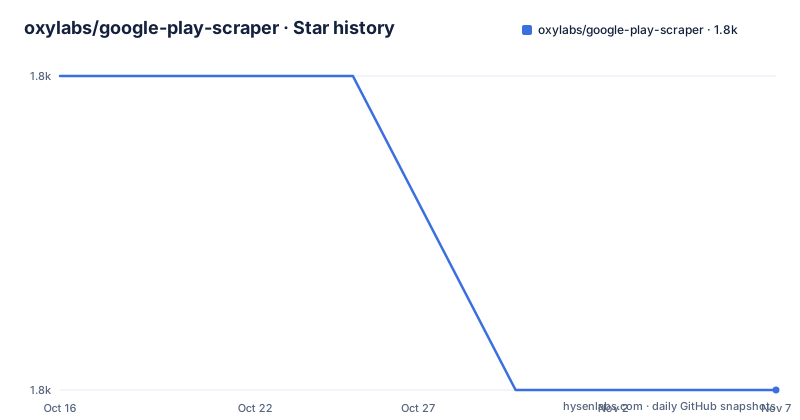
- oxylabs/google-play-scraper1,753 ★ · -1
| Repository | 2026-10-16 | 2026-11-07 |
|---|---|---|
| oxylabs/google-play-scraper | 1.8k | 1.8k |
-1 Stars in the last 22 days, measured from the daily GitHub snapshot. Compare with other projects
Editorial analysis
What the Google Play scraper covers
This project addresses a narrow data collection problem: searching Google Play by a text query and saving a small set of public listing details for local use. The README names apps, books, and movies as supported categories, with `apps` acting as the default. It describes result fields for movies such as title, rental price, rating, cover URL, and listing URL. For other categories, the README does not provide an equivalent field-by-field schema, so the available documentation supports the claim that the tool can collect listing data, but not a complete comparison of every output column across categories.
The intended audience appears to be developers or data practitioners who need an inexpensive starting point rather than a managed collection service. The tool is described as suitable for smaller-scale scraping tasks. That boundary matters because the repository is not a full Google Play catalog downloader. It takes a specific search query, reaches Google Play, parses the returned listings, and writes results to a CSV file. It does not document crawling every app, enumerating the full catalog, following app detail pages, or continuously tracking changes over time.
The repository is a scraper, and its dependency list includes Selenium, webdriver-manager, pandas, Pydantic, Click, and pydantic-settings. The documentation does not describe an official API key, quota model, or supported Google Play API contract. Users who need an official, documented data interface should verify that requirement separately before adopting this repository.
Dependencies and collection model
The repository layout points to a Python package under `src/`, with Poetry managing installation and dependencies. The `pyproject.toml` declares package version `0.1.0` and requires Python `^3.11`. Its listed dependencies include Selenium for browser automation, webdriver-manager for obtaining a driver, Click for command-line parsing, Pandas for tabular output, Pydantic for data validation, and pydantic-settings for settings management.
The README does not expose the complete source-level request and parsing sequence, so it would be inaccurate to claim that the tool uses a particular selector, waits for a specific HTML element, or retries failed page loads. What can be established from the configuration is that the project combines browser automation with structured Python validation and tabular output. That combination is suited to a command-line workflow where a user supplies a query and receives a file rather than integrating directly with a long-running web service.
The generated filename follows the documented pattern `{category}_play_items.csv`. For a movie search, the README names `movies_play_items.csv`; the same naming rule implies files such as `apps_play_items.csv` and `books_play_items.csv` for those categories, although only the movie example is explicitly spelled out. The CSV is written in the current working directory. This makes the output easy to inspect with a spreadsheet or a Python data tool, but it also means callers must manage filenames, directories, and subsequent processing themselves.
Installing Python dependencies with Poetry
The documented installation path starts from a checkout of the repository and requires Python 3.11 or later. The Makefile installs a pinned Poetry version and then installs the project dependencies. The reader should run these commands in the repository root so that the Makefile can be found.
make installThis command installs `poetry==1.8.2` and runs `poetry install`. The README does not give a separate virtual environment activation command, and the Makefile does not create one explicitly. The tool is therefore expected to use Poetry's managed environment when commands are run through `make scrape`.
The declared Python constraint in `pyproject.toml` is `^3.11`, which requires a compatible Python 3.11 or newer interpreter within the supported Poetry constraint. An older interpreter, a missing system dependency, or an unavailable browser driver can prevent the documented command from completing. The README does not document supported operating systems beyond requiring Python 3.11 or later, so Windows, macOS, or Linux setup differences should not be assumed to work automatically.
Running the first apps or movies search
The command interface is defined by the Makefile. A query is required, while `CATEGORY` is optional. If no category is supplied, the tool passes no category argument and the README identifies `apps` as the default. The category values documented by the README are `apps`, `movies`, and `books`, and the category name must be lowercase.
For an apps search, use this form:
make scrape QUERY="<your_query>"The Makefile invokes `poetry run python -m google_play_scraper --query="<your_query>"` and adds `--category="<your_query>"` only when `CATEGORY` is present. The angle brackets represent the README's placeholder syntax and must be replaced with an actual query. Quotes are important because the Makefile parses `QUERY` and `CATEGORY` as quoted values.
For a concrete first use, the README suggests searching Google Play for fishing-related movies:
make scrape QUERY="fishing" CATEGORY="movies"After completion, the README says the current directory should contain `movies_play_items.csv`. For the movie search, the documented columns are `title`, `price`, `rating`, `cover_url`, and `url`. The output is terminal output plus a local CSV file, not an application-specific database.
If `QUERY` is empty, the Makefile prints an error that a query string is required and exits. The README does not document retry behavior, rate limits, request timeouts, proxy configuration, or a resume mechanism. Those omissions make the command best suited to a controlled first run rather than unattended bulk collection.
Output shape and the limits of CSV delivery
CSV is the clearest documented output contract. The tool writes one row per Google Play item and uses a predictable filename based on the selected category. Pandas is listed as a dependency, which is consistent with tabular processing, although the README does not expose the internal row-building code or state whether every category uses identical columns.
For movies, the documented fields provide enough structure for basic catalog research: a title identifies the listing, price represents the rental price according to the README, rating summarizes the listing's rating, `cover_url` points to cover artwork, and `url` points to the Google Play listing. The README does not document currency conversion, locale handling, price normalization, missing-value behavior, or whether values are captured at request time. Users should therefore treat the CSV as a snapshot of one search execution, not a normalized financial or review dataset.
The local file also leaves delivery to the caller. There is no documented database schema, webhook, queue, incremental update marker, or deduplication process. If a search needs to be rerun, the project documentation provides no rule for identifying changed listings. A caller may need to compare files or add a separate process, but such a process would be outside the documented features of this repository.
Why the Oxylabs Scraper API is a different option
The README presents Oxylabs Scraper API as the alternative for larger-scale scraping. This is a real difference in approach, not merely a more expensive installation command. The local tool is invoked through a Makefile, requires a local Python environment, and returns a category-specific CSV. The hosted API accepts a target URL and a job payload, returns HTML through a push-pull workflow, and requires account credentials. Its documentation describes collecting public HTML from Google Play pages, with Custom Parser available for parsed results.
The first API example submits a POST request to `https://data.oxylabs.io/v1/queries` with a payload containing `source`, `url`, `user_agent_type`, `render`, `geo_location`, and `locale`. The response is described as JSON with job information and result URLs. A second request retrieves the completed job using the returned `job_id` and the `/results` endpoint. This asynchronous job model differs from the repository's local `make scrape` command, which produces a CSV during the command run.
The API route also introduces account and credential requirements. The README says users must purchase access or claim a free trial, and the example uses `USERNAME` and `PASSWORD` placeholders for authentication. It does not state the commercial terms, usage limits, or exact cost of the service. A team choosing this route should verify those details separately. The local repository remains easier to inspect and run for small searches, but the hosted service is the documented route when the requirement is larger collection or repeated page retrieval.
Maintenance, licensing, and adoption boundary
The repository is not archived, and its last push was on 2026-06-19. The repository has no GitHub releases, so there is no documented GitHub release history. The `pyproject.toml` declares version `0.1.0`, but the absence of GitHub releases means that version number should not be treated as evidence of a published release cadence. Upgrade cost therefore appears limited by what can be confirmed: Poetry, Selenium, webdriver-manager, and the Python packages declared in `pyproject.toml` must be maintained by the user or environment owner.
The listed repository metadata does not identify a license. The README and `pyproject.toml` do not supply a license identifier in the shown content. That uncertainty is significant for an engineer considering redistribution or incorporation into another codebase. The absence of an identified license should be resolved before copying substantial code into a product or treating the project as a dependency in a published package. This is a repository metadata issue, not legal advice.
The local scraper is a reasonable fit for a small, exploratory workflow, a prototype, or a one-off collection where a CSV is acceptable. It is a poor choice when the requirement includes guaranteed availability, detailed error recovery, pagination guarantees, high-volume scheduling, or parsed production data, because the README does not document those capabilities. The documented Oxylabs route addresses hosted retrieval and larger scale, but it changes the operational model to credentials, remote jobs, and service limits. Verify those project-specific boundaries before choosing.
Editorial conclusion
Adopt this repository for small, exploratory Google Play searches when CSV output and a local Python workflow are sufficient. Do not adopt it as the sole answer for high-volume collection, production scheduling, or parsed result delivery without checking its Selenium dependency, query coverage, error handling, and the documented Oxylabs path. The last push was on 2026-06-19, and the repository is not archived, but it has no GitHub releases and no license is identified in the listed repository metadata.
Frequently asked questions
What categories does oxylabs/google-play-scraper support?
The README lists `apps`, `movies`, and `books` as available Google Play categories. `apps` is the default when `CATEGORY` is omitted, and category names must be lowercase.
How do I install oxylabs/google-play-scraper?
The documented setup requires Python 3.11 or later, a checkout of the repository, and the `make install` command. The Makefile installs `poetry==1.8.2` and runs `poetry install`.
What file does oxylabs/google-play-scraper create?
It creates a CSV file in the current working directory using the filename pattern `{category}_play_items.csv`. The README's movie example produces `movies_play_items.csv` with columns including `title`, `price`, `rating`, `cover_url`, and `url`.
Does oxylabs/google-play-scraper support large-scale scraping?
The README describes the free repository tool as intended for smaller-scale scraping tasks. It points to Oxylabs Scraper API for larger projects, where remote jobs return Google Play HTML and can optionally use Custom Parser for parsed results.
Official sources
Add this badge to your README
If you maintain this project, the badge below links readers to this analysis and shows its maintenance status from the daily GitHub snapshot. Paste the markdown into your README; add ?metric=license or ?metric=stars to the image URL for a different field.

[](https://hysenlabs.com/projects/oxylabs-google-play-scraper)Star history chart for your README
[](https://hysenlabs.com/projects/oxylabs-google-play-scraper)Was this useful?