any-jump.vim searches a codebase with ripgrep instead of parsing it
Jump to any definition and references 👁 IDE madness without overhead 🚀
At a glance
- What is it?
- any-jump.vim is a Vim and Neovim plugin that finds definitions and references by running ripgrep or ag over the project, with per-language syntax rules for more than forty languages. Definitions only work for the languages it has rules for, but references work everywhere, and the results arrive in a popup window you can navigate by keyboard.
- Who is it for?
- Adopt any-jump.vim if you want to jump to a definition in a large project without setting up a language server, since it works by searching the codebase with ripgrep rather than by parsing it, which makes it fast to install and works in any language. Do not adopt it as a replacement for a real language server if you need precise type-aware navigation or reliable renaming.
- Can I use it commercially?
- Not without permission. GitHub finds no licence file in the repository, and without a licence all rights are reserved by default: you may read the code but not reuse it. Check the README, or ask the authors, before using it.
- Is it still maintained?
- Activity is slowing. The repository last received commits 7 months ago.
- What is it written in?
- Mainly Vim Script, according to GitHub's language statistics.
Answers come from the project's GitHub data, last synced on November 7, 2026, and from our analysis. They are not legal advice.
Star history
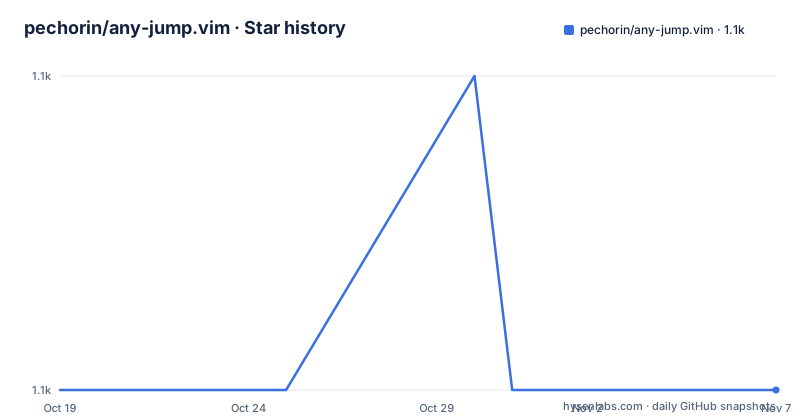
- pechorin/any-jump.vim1,132 ★ · +0
| Repository | 2026-10-19 | 2026-11-07 |
|---|---|---|
| pechorin/any-jump.vim | 1.1k | 1.1k |
0 Stars in the last 19 days, measured from the daily GitHub snapshot. Compare with other projects
Editorial analysis
Search, not parsing, and that is the trade
The plugin is described as a Vim code inspection plugin for finding definitions and references, and the mechanism explains everything about how it behaves. It is based on syntax rules for 40 languages and fast regexp engines like ripgrep and ag. So a definition lookup is a text search constrained by a per-language pattern, not a symbol table walk. That is why it is fast to install and works on almost anything, and it is also why it can be wrong: a definition is a line that matches the language's pattern for a definition, not a resolved symbol. The plugin makes the asymmetry explicit. Any-jump can be used with any language, but definitions search is only available for supported languages, and the documentation says this is not a problem in general, so you can use it freely on any code project. The original idea came from the dumb-jump.el package for Emacs, which is the same trick applied in a different editor.
Requirements are short and one of them is conditional
You need `nvim 0.4+` or `vim 8.2`, and `ripgrep 11.0.0+` or `ag` as the search engine. There is a third requirement with a caveat attached: some languages require ripgrep with PCRE2 support. That is the one that catches people out, because a plain ripgrep build without PCRE2 will silently fail to match the patterns for the languages that need it. The search engine can also be chosen explicitly, with a setting for the preferred engine that takes `rg` or `ag`, and the documentation defaults it to `rg`. The whole dependency list is three items, which is the pitch of the project: IDE madness without overhead.
Installation through vim-plug and a single mapping
The install is one line in your plugin manager, and the usage is one mapping:
Plug 'pechorin/any-jump.vim'" Normal mode: Jump to definition under cursor
nnoremap <leader>j :AnyJump<CR>
" Visual mode: jump to selected text in visual mode
xnoremap <leader>j :AnyJumpVisual<CR>
" Normal mode: open previous opened file (after jump)
nnoremap <leader>ab :AnyJumpBack<CR>
" Normal mode: open last closed search window again
nnoremap <leader>al :AnyJumpLastResults<CR>You place the cursor on any variable, class, constant, name or symbol and press the leader mapping, or run the `:AnyJump` command in normal mode. Visual mode works too, so you can select the exact keyword you mean when the cursor is ambiguous. There is also `:AnyJumpArg myKeyword` for when you know what you want and want to type it. The two extra mappings are the ones that make the workflow bearable: one goes back to the file you jumped from, and the other reopens the last results window, so you can jump, look, come back and try the next candidate.
The results window is keyboard driven
Search results do not open in a quickfix list but in a popup window with its own key map, which is where most of the plugin's behaviour lives:
o/<CR>     open
s          open in split
v          open in vsplit
t          open in new tab
p/<tab>    preview
q/x        exit
r          references
b          back to first result
T          group by file
a          load next N results
A          load all results
L          toggle results lists ui style
Two entries carry most of the weight. `p` or tab previews the result, which is the difference between searching and reading, because you can scroll through candidates without leaving the list. And `a` versus `A` is a deliberate limit on how much you load: by default only ten results are fetched and the rest arrive on request, so a keyword that appears in a thousand places does not turn into a thousand lines of output. The maximum is a setting, and `T` groups results by file, which is often the right mental model for a definition search.
Settings are global variables, and the defaults are opinionated
Everything is configured through `g:` prefixed variables. The defaults reveal the design: auto search of references is on, grouping by filename is off, preview lines per result is five, and the maximum number of search results is ten with the rest available through the `a` key. The results list style can be `filename_first` or `filename_last`, the window size is set as ratios of the screen with a top offset, and the colours are mapped to standard Vim highlight groups so the plugin inherits your colourscheme. Two options are worth knowing about specifically. `g:any_jump_references_only_for_current_filetype` restricts reference search to the current file type, which is off by default so a keyword is found across all filetypes. `g:any_jump_disable_vcs_ignore` controls whether the plugin disables the search engine's VCS ignore behavior. The README describes its default as false; actual visibility depends on the selected engine and ignore rules, so test ignored and untracked files in your project. The default keybindings can be turned off entirely with `g:any_jump_disable_default_keybindings` if they clash with yours.
The language list is the thing to check
The supported languages are listed individually, and the list is long: apex, c++, clojure, coffeescript, commonlisp, coq, crystal, csharp, dart, elisp, elixir, erlang, faust, fennel, fortran, fsharp, go, groovy, haskell, hcl, java, javascript, julia, kotlin, lua, matlab, nim, nix, objc, ocaml, pascal, perl, php, protobuf, python, r, racket, ruby, rust, scad, scala, scheme, scss, shell, sml, solidity, sql, swift, systemverilog, tcl, tex, typescript, vala, vhdl and zig. That is more than forty, and the README headline says IDE madness for 40+ languages. What the list does not tell you is how complete the per-language patterns are, so if a language matters to you the practical test is whether the definition search finds what you expect on your own codebase. The rules live in a generator directory rather than being hand written, and the development section explains how they are produced.
The language rules are generated, not hand maintained
There is a `generator/` directory in the repository, and the development section explains the workflow. You need ruby to run the generator script, which actually downloads the language map, parses it, extracts the data and then generates the Vim representation of it:
cd generator
bundle exec rake update
So the per-language syntax rules are derived from an external language map rather than typed out by hand, and a rake task refreshes them. That is the right way to keep forty languages current, and it also means the plugin is as good as the upstream map it consumes. The repository layout is otherwise the standard Vim plugin arrangement, with an `autoload/` directory, a `plugin/` directory for the entry point, a `doc/` directory for the help file, and the images used in the README at the root. The plugin also works with Vim 8.2 inside a terminal, which is a smaller claim than it sounds but a useful one for remote work.
Editorial conclusion
Adopt any-jump.vim if you want to jump to a definition in a large project without setting up a language server, since it works by searching the codebase with ripgrep rather than by parsing it, which makes it fast to install and works in any language. Do not adopt it as a replacement for a real language server if you need precise type-aware navigation or reliable renaming. Verify first that your language appears in the supported list if you rely on definition search, and that the search engine on your machine has the PCRE2 support some languages need.
Frequently asked questions
How do I install any-jump.vim?
With vim-plug, add `Plug 'pechorin/any-jump.vim'` to your plugin list. The requirements are `nvim 0.4+` or `vim 8.2`, and `ripgrep 11.0.0+` or `ag` as the search engine, with some languages needing ripgrep built with PCRE2 support.
Does any-jump.vim work in every language?
Reference and usage search works in any language, because it is a text search. Definition search only works for the supported languages, which the README lists individually and which number more than forty, including python, go, rust, java, typescript, ruby, c++, elisp and many more.
How do I jump to a definition in any-jump.vim?
Place the cursor on the symbol and press `<leader>j`, or run `:AnyJump` in normal mode. Visual mode works too, so you can select the exact keyword, and `:AnyJumpArg myKeyword` lets you type the term yourself.
What is the difference between the results window keys 'a' and 'A'?
Both load more results, but `a` loads the next batch of N results and `A` loads all of them. The default maximum is ten results, set by `g:any_jump_max_search_results`, so a common keyword does not flood the window.
How are the per-language syntax rules maintained?
They are generated rather than hand written. The generator script needs ruby, and it downloads the language map, parses it, extracts the data and generates the Vim representation, with the refresh driven by `bundle exec rake update` from the generator directory.
Official sources
Add this badge to your README
If you maintain this project, the badge below links readers to this analysis and shows its maintenance status from the daily GitHub snapshot. Paste the markdown into your README; add ?metric=license or ?metric=stars to the image URL for a different field.

[](https://hysenlabs.com/projects/pechorin-any-jump-vim)Star history chart for your README
[](https://hysenlabs.com/projects/pechorin-any-jump-vim)Was this useful?