vue-promised for Vue Promise State Management
💝 Composable Promises & Promises as components
At a glance
- What is it?
- vue-promised is a TypeScript library for Vue that renders promise results through slots or exposes promise state through `usePromise`. It targets UI code that needs loading, delayed pending, resolved data, errors, and replacement of an in-flight promise without repeating state-management boilerplate.
- Who is it for?
- Adopt vue-promised when a Vue interface repeatedly renders asynchronous requests through declarative slots or the Composition API. Do not choose it solely to replace a general data-fetching layer, since the documented surface focuses on promise state and does not describe caching, retries, background jobs, or a complete request abstraction.
- Can I use it commercially?
- Yes. MIT is a permissive licence: you can use, modify and sell software built on it, as long as you keep its copyright and licence notices.
- Is it still maintained?
- Yes. The repository last received commits 2 days ago.
- What is it written in?
- Mainly TypeScript, according to GitHub's language statistics.
Answers come from the project's GitHub data, last synced on November 7, 2026, and from our analysis. They are not legal advice.
Star history
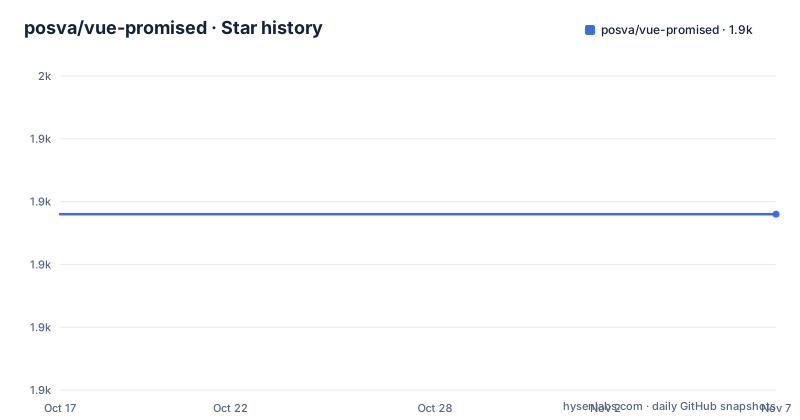
- posva/vue-promised1,928 ★ · +0
| Repository | 2026-10-17 | 2026-11-07 |
|---|---|---|
| posva/vue-promised | 1.9k | 1.9k |
0 Stars in the last 21 days, measured from the daily GitHub snapshot. Compare with other projects
Editorial analysis
Why vue-promised Exists for Repeated Async UI States
vue-promised addresses a specific kind of Vue boilerplate: an asynchronous operation can be pending, delayed, fulfilled with data, or rejected with an error, and the interface must change when a new promise replaces the previous one. The README's motivation example manually stores `isLoading`, `error`, `data`, and `isDelayElapsed`, then coordinates a `fetchUsers()` call with `.then()`, `.catch()`, `.finally()`, and a timer. It also says that this pattern does not handle cancellation when `fetchUsers()` is called again.
The library moves that coordination into a `Promised` component and a `usePromise` composable. This makes it relevant to Vue developers building reusable request-driven widgets, such as user lists, search results, profile cards, or pages whose visible content depends on a promise. It does not replace the function that fetches data, define an API client, or supply a complete application-level data store. The README presents `fetchUsers()` as an existing application operation and uses vue-promised to manage how its result is displayed.
The default slot receives resolved data, the `pending` slot represents waiting, and the `rejected` slot receives the error. A delay before showing the pending slot prevents a loading message from flashing when the request completes quickly. The package therefore targets presentation logic around promises, with cancellation of replaced requests included in the motivation rather than exposed as a separately documented configuration option.
The Two vue-promised State APIs
The repository exposes two related interfaces. The `Promised` component receives a promise through the `promise` prop and can initially receive `null`. Its named slots separate the three primary states: `pending`, the default scoped slot for fulfilled data, and `rejected`. This form is useful when the template can naturally switch between a loading indicator, a result, and an error message.
The `usePromise` composable accepts a promise ref and returns state properties for use inside `setup()`. The README says the returned properties include `data`, `isPending`, `isDelayElapsed`, and `error`. Its example stores the promise in a `ref`, passes that ref to `usePromise()`, and spreads the returned object into the component's setup result. This approach keeps promise state available as ordinary reactive values for custom markup or composition with other logic.
For state transitions where the old value should remain visible, the `pending` slot can receive previous data. That matters during refreshes, when removing already available content and replacing it with a spinner may be less useful than retaining it. The documentation also offers a single `combined` slot when the application needs to decide the visual arrangement itself. Its context contains `isPending`, `isDelayElapsed`, `data`, and `error`, allowing a template to disable controls, add an overlay, or render content according to its own conditions.
Installation and a First Promised Template
The README gives npm and yarn installation commands. A Vue 2 application also needs `@vue/composition-api` according to the documentation. The repository uses TypeScript, and the package metadata publishes CommonJS, ESM, browser, and declaration files, but the README does not provide a separate setup command for those build formats.
Install the package in a Vue project:
npm install vue-promisedThis adds the `vue-promised` package to the project. With yarn, the documented equivalent is:
yarn add vue-promisedFor Vue 2, add the composition API plugin package described by the README:
yarn add @vue/composition-apiAfter installation, register `Promised` and pass it an application promise. The following is the README's slot pattern with `usersPromise` supplied by the parent component:
<Promised :promise="usersPromise">
  <template v-slot:pending>
    <p>Loading...</p>
  </template>
  <template v-slot="data">
    <ul>
      <li v-for="user in data">{{ user.name }}</li>
    </ul>
  </template>
  <template v-slot:rejected="error">
    <p>Error: {{ error.message }}</p>
  </template>
</Promised>
The pending slot is delayed by 200 milliseconds by default. A fast response therefore does not immediately produce the loading message described by the example.
Using `usePromise` in a Composition API Component
The Composition API route is shorter when the component already uses `setup()` and needs the promise state as reactive values. The README's documented import and composable call are:
import { Promised, usePromise } from 'vue-promised'

Vue.component('Promised', Promised)
export default {
  setup() {
    const usersPromise = ref(fetchUsers())
    const promised = usePromise(usersPromise)

    return {
      ...promised,
    }
  },
}
The `promise` ref is created from `fetchUsers()`. `usePromise()` wraps it, and the component receives the documented state fields through the spread. The README does not specify how `ref` is imported in this excerpt, so the complete import line for `ref` is not available here.
This API is a better fit than component slots when the loading and error decisions are distributed across several parts of a template. For example, a component could bind the returned values to other controls while keeping the request result in one setup scope. The documented API is limited to the four named state properties shown in the README. It does not document methods for explicit retry, refresh, or cancellation from the composable, so applications should not infer those controls from the names of the returned properties.
Delayed Pending States and Refresh Data
The `pendingDelay` prop controls how long the pending slot waits before appearing. The default is 200 milliseconds, according to the README. That setting affects presentation, not the underlying promise. A request can still be pending while the pending slot is not yet visible.
The distinction is important for interfaces that refresh an existing result. The `pending` slot can receive `previousData`, allowing the component to render a message such as "Refreshing" while retaining the prior list. The README warns that this arrangement can create duplication and points to the `combined` slot when the desired behavior depends on how the states are arranged rather than merely what each state contains.
The `combined` slot receives the full context:
<Promised :promise="promise">
  <template v-slot:combined="{ isPending, isDelayElapsed, data, error }">
    <pre>
      pending: {{ isPending }}
      is delay over: {{ isDelayElapsed }}
      data: {{ data }}
      error: {{ error && error.message }}
    </pre>
  </template>
</Promised>
This example makes the state boundaries visible. It can be used to decide whether a search input should be disabled, whether pagination should remain available, or whether an overlay should appear. The README does not state that the library serializes requests, caches results, or provides background refresh semantics, so the surrounding application remains responsible for those concerns.
What vue-promised Does Not Cover
The clearest limitation is scope. vue-promised is a promise-state presentation helper, not a complete asynchronous data layer. The documentation does not describe request caching, retry policies, request deduplication, persistence, normalization, or an API schema. It also does not document a configurable cancellation function exposed to consumers. The motivation mentions cancellation of an ongoing request when a new fetch is started, but the README excerpt does not explain the internal API for that behavior.
It is also a poor fit for a project that does not use Vue's component or Composition API patterns. The documented interfaces depend on Vue slots, `setup()`, refs, and component lifecycle conventions. A non-Vue application, or a service layer that only needs promise orchestration without rendering states, would gain little from this package.
The package metadata identifies `vue-promised` version 2.2.0 and an MIT license. Recent release entries include v2.2.0 dated 2021-10-18, v2.1.0 dated 2021-06-08, and v2.0.3 dated 2021-02-02. The repository is not archived, and its last push was on 2026-10-15. The README and package metadata do not document an upgrade policy or compatibility matrix beyond the Vue 2 composition API instruction, so upgrading should start with checking the changelog and the package's Vue peer expectations.
vue-promised Compared With Direct Promise Handling
A direct alternative is to write the promise state transitions inside each component, as shown in the README's motivation example. That approach keeps the loading flag, error value, result data, delay timer, and promise replacement logic close to the component that owns the request. It can be appropriate for a small number of isolated requests or when the application already has conventions for async state.
vue-promised takes a different approach. The `Promised` component makes the states declarative through slots, while `usePromise()` packages the state into a composable. Its documented benefit is less repeated boilerplate and consistent handling of new promises, including the delay and previously available data behavior. The trade-off is an additional abstraction around a standard Promise and Vue rendering concerns. If the application needs a different state machine, the component model may be less direct than maintaining explicit flags.
The library also does not claim to be a replacement for a request client or a global store. Its scope is narrower than libraries centered on remote data management, and its value comes from reducing template-level coordination for promise results. The right comparison is therefore between local hand-written state and a shared Vue promise-rendering interface, not between vue-promised and every data-fetching tool.
Editorial conclusion
Adopt vue-promised when a Vue interface repeatedly renders asynchronous requests through declarative slots or the Composition API. Do not choose it solely to replace a general data-fetching layer, since the documented surface focuses on promise state and does not describe caching, retries, background jobs, or a complete request abstraction. Verify first that your Vue version, build setup, promise replacement pattern, and desired pending-delay behavior match the documented API.
Frequently asked questions
How do I install vue-promised in a Vue project?
The README documents `npm install vue-promised` or `yarn add vue-promised`. Vue 2 projects also need `yarn add @vue/composition-api`, according to the documentation.
What does the `Promised` component do with a promise?
It provides slots for pending, fulfilled, and rejected states. The default scoped slot receives the promise result, while the `pending` and `rejected` slots receive the waiting and error states described in the README.
How long does vue-promised wait before showing the pending slot?
The README states that the `pending` slot displays after a 200 millisecond delay by default. The delay can be customized with the `pendingDelay` prop.
Can vue-promised keep showing previous data while a promise is pending?
Yes. The README says the `pending` slot can receive previously available data, which supports refresh states such as displaying "Refreshing" while retaining the prior result.
Does `usePromise()` expose more than loading, data, delay, and error state?
The README explicitly lists `data`, `isPending`, `isDelayElapsed`, and `error` as properties returned by `usePromise()`. The excerpt does not document retry, refresh, or cancellation methods on the composable.
Official sources
Add this badge to your README
If you maintain this project, the badge below links readers to this analysis and shows its maintenance status from the daily GitHub snapshot. Paste the markdown into your README; add ?metric=license or ?metric=stars to the image URL for a different field.

[](https://hysenlabs.com/projects/posva-vue-promised)Star history chart for your README
[](https://hysenlabs.com/projects/posva-vue-promised)Was this useful?