latex-mimosis is one class file on top of KOMA-script, and the font choice is the only real decision
A minimal & modern LaTeX template for your (bachelor's | master's | doctoral) thesis
At a glance
- What is it?
- A minimal LaTeX thesis template that ships a single mimosis.cls, an example document and a bibliography, designed for A4 and the European education system. Because it delegates layout to KOMA-script, almost everything you would want to change is one KOMA option away.
- Who is it for?
- Adopt latex-mimosis if you want a clean thesis layout without inheriting a university's template with its own requirements, and you are comfortable with LaTeX and KOMA-script. Do not adopt it if your institution mandates a specific class, since the whole value is the departure from institutional styling, and do not expect it to configure itself for a non Latin script without reading the font instructions.
- Can I use it commercially?
- Yes. MIT is a permissive licence: you can use, modify and sell software built on it, as long as you keep its copyright and licence notices.
- Is it still maintained?
- Yes. The repository last received commits 173 days ago.
- What is it written in?
- Mainly TeX, according to GitHub's language statistics.
Answers come from the project's GitHub data, last synced on November 7, 2026, and from our analysis. They are not legal advice.
Star history
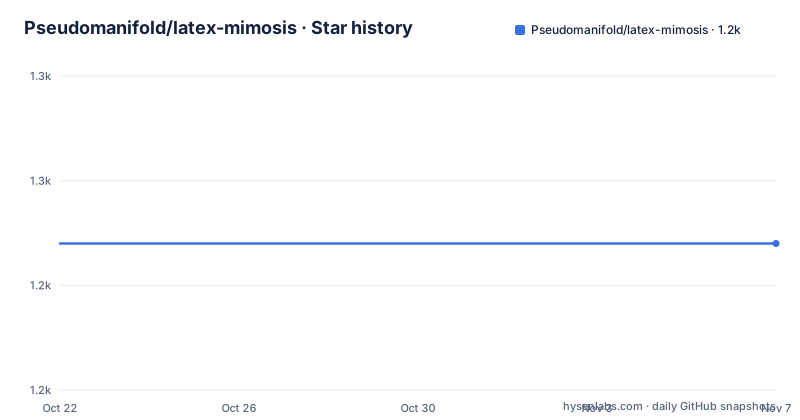
- Pseudomanifold/latex-mimosis1,244 ★ · +0
| Repository | 2026-10-22 | 2026-11-07 |
|---|---|---|
| Pseudomanifold/latex-mimosis | 1.2k | 1.2k |
0 Stars in the last 16 days, measured from the daily GitHub snapshot. Compare with other projects
Editorial analysis
One class file, and the rest is KOMA
latex-mimosis is a minimal and modern LaTeX template for dissertations and other university documents, and the repository structure reflects how little there is to it.
The top level entries are `mimosis.cls`, the class file itself, `Thesis.tex` as the example document, `Thesis.bib` and `bibliography-mimosis.tex` for the bibliography, `english-mimosis.lbx` for the bibliography style, a `Sources/` directory for the example figures, a `latexmkrc` for the build configuration, a `Makefile`, and a `LICENSE.md`.
The design commitment is stated as three words: clean, meaning no LaTeX trickery, minimal, meaning no unnecessary adjustments and decorations, and modern, meaning typographically pleasing. The README says specifically that it is suited to the European education system because it uses A4 paper size by default, and that this can be adjusted.
The interesting decision is the base class. The template is based on KOMA-script, so it should be flexible enough to suit virtually any purpose. That single choice is why the class is small. KOMA-script is itself a well regarded and heavily configured document class, so anything you might want to change about headings, spacing, page layout, tables of contents or the way the front matter is set up is already a KOMA feature with a documented option.
That is a much better foundation for a template than a hand-rolled class, because the hard parts of LaTeX layout are the parts nobody should be rewriting. The template's job becomes the typographic defaults, and the user's job becomes overriding them, which is the arrangement the README describes when it says you can change the appearance of many things quite easily.
Using it: one file to copy, and xelatex is the recommendation
The local installation path is a short list of steps.
Clone this repository, copy the file `mimosis.cls` into your document directory, add `\documentclass{mimosis}` to your document preamble, and optionally copy the file `Thesis.tex` and the files in `Sources` as a starting point. Then use `latexmk` to build the document.
The single file to copy is the important part. The class is self contained, so your document directory contains your own files and one class, and there is no package path to configure.
Overleaf users are pointed at the template gallery, where latex-mimosis can be downloaded directly, and there is a warning specific to that environment. If you are using Overleaf to build your thesis, you are restricted by their choice of fonts, and the README links a document on which OTF or TTF fonts are supported via fontspec. That is a real constraint rather than a footnote, because the template's font advice relies on system fonts that Overleaf does not expose.
The font advice itself is the strongest recommendation in the README, and it comes with a reason. The author strongly recommends using `xelatex` or `lualatex` to build the document, as this will make font selection almost trivial. The example given is three commands.
\setmainfont{Baskerville}
\setsansfont{IBM Plex Sans}
\setmonofont{IBM Plex Mono}
The catch is that these go in your main file such as `Thesis.tex`, and you need to remove a block of code from the class that provides the default fonts.
\ifxetexorluatex
  % ...
\else
  % ...
\fi
The document will work fine without removing it, but some people dislike the default fonts or do not have them installed, which is the honest framing of why the block is conditional on the engine in the first place.
Customisation is KOMA options, so the class stays small
The customisation section gives one concrete example and it is enough to show the mechanism.
If you want the thesis to use the `letter` paper format, you add one line in the preamble and recompile.
\KOMAoptions{paper=letter}That is the entire change. The `\KOMAoptions` command is KOMA-script's general mechanism for setting options, and because the template inherits from it, every option KOMA supports is available without the template having to expose it.
This is worth contrasting with a template that hardcodes its own layout commands. In that case, changing the paper size means finding and editing the geometry setup, changing the heading style means editing several macros, and changing the front matter means editing the class. With a KOMA-based class, the same changes are one line each, and the risk of breaking something is lower because the KOMA implementations are already tested.
The example document, `Thesis.tex`, is the reference for the rest. The README recommends taking a look at that file for more detailed instructions on how to use the class, which is a sensible division of labour, because the class is the template and the example is the manual.
The bibliography side is equally conventional and worth a mention for anyone who has fought with it. The repository carries `Thesis.bib`, a `bibliography-mimosis.tex` file, and an `english-mimosis.lbx` bibliography style, and the class requires `makeidx` and `csquotes` from the package list, so index generation and proper quotation handling are already wired up rather than left for the reader to add.
The package list is the real dependency contract
The README lists the packages the class requires, and that list is the practical thing to check before you start a thesis with it.
There are twenty of them, taken from CTAN: `amsmath`, `amsthm`, `booktabs`, `csquotes`, `dsfont`, `glossaries`, `graphicx`, `fontspec`, `ifluatex`, `ifpdf`, `ifxetex`, `inputenc`, `koma-script`, `makeidx`, `paralist`, `setspace`, `siunitx`, `subcaption`, `xcolor` and `xspace`.
The selection tells you the template's priorities. `booktabs` for publication quality tables, `siunitx` for units with proper typesetting, `csquotes` for correct quotation typography, `amsthm` for theorem environments, `glossaries` for a glossary, `paralist` for the paragraph list used in the example, `subcaption` for figures, `xcolor` for colour, and `setspace` for line spacing.
Three of them are engine specific. `fontspec` is only for LuaTeX and XeTeX users, `inputenc` is only for pdfTeX users, and the three conditional packages `ifluatex`, `ifpdf` and `ifxetex` are the switches the class uses to branch on the engine. That is why the default font block is wrapped in the `ifxetexorluatex` conditional.
The README is clear that some distributions install these automatically when you compile for the first time, and others require a manual update, and it points at the documentation of your LaTeX distribution for the details. That is the honest framing, because a missing `siunitx` in a fresh TeX Live install is a common and slightly annoying first experience, and the template does not hide it behind a bundled install.
There is a second list, for the packages the example document needs, which is separate because the class and the example have different requirements. A template that bundled the example's dependencies into the class would be heavier for everyone, and separating them is the right call for a document that is meant to be copied into your own project.
Who uses it, and the state of the project
The users list is the most convincing part of the README, and it is a list of finished dissertations.
S. Almasian at Heidelberg University in 2018, B. Rieck's Ph.D. at Heidelberg in 2017, K. Hanser at Heidelberg in 2018, E. Angriman at Humboldt University of Berlin in 2022, C. Bock at ETH Zurich in 2021, M. Moor at ETH Zurich in 2022, A. Coín at the Autonomous University of Madrid in 2022, T. Bunn at Torrens University Australia in 2025, and J. D. Worth at the University of Bristol in 2026.
The spread matters. These are different countries, different institutions with their own formatting rules, and different fields from machine learning to chemistry. The template has been used where a university's own class would have been the default choice, and the fact that the list runs from 2017 to 2026 says it survives contact with a long list of users.
The README also links the author's own Ph.D. dissertation, which uses a predecessor of this template, so the project is a descendant of something that was already in use, and the earlier version is still discoverable.
The contribution request is specific. Please open a pull request if you want your document to be listed here, and consider acknowledging this repository. That is a maintainer asking for a list rather than for code, which is the right ask for a template.
The build is handled by `latexmk` with a `latexmkrc`, and the Makefile wraps it.
build:
	latexmk

clean:
	latexmk -c
The `latexmkrc` is the detail that matters for a template, because it carries the engine and the bibliography configuration so that a plain `latexmk` in the directory does the right thing rather than needing a long command line.
The licence is MIT, the primary language is TeX, the default branch is `master`, and there are no GitHub releases, so the version history is in the commits. The last push was on 2026-05-18 and the repository is not archived.
Editorial conclusion
Adopt latex-mimosis if you want a clean thesis layout without inheriting a university's template with its own requirements, and you are comfortable with LaTeX and KOMA-script. Do not adopt it if your institution mandates a specific class, since the whole value is the departure from institutional styling, and do not expect it to configure itself for a non Latin script without reading the font instructions. Verify first that the required packages are in your TeX distribution, that the fonts you want are available for xelatex or lualatex, and that the paper size and margins your institution requires are what the class defaults to.
Frequently asked questions
How do I use the latex-mimosis template locally?
Clone the repository, copy mimosis.cls into your document directory, add \documentclass{mimosis} to your preamble, optionally copy Thesis.tex and the Sources files, and build with latexmk. The class is self contained so there is no package path to configure.
Why does the template recommend xelatex or lualatex?
The author strongly recommends xelatex or lualatex because it makes font selection almost trivial, using \setmainfont, \setsansfont and \setmonofont. You then remove the default font block from the class, which is conditional on the engine.
What LaTeX packages does the mimosis class require?
Twenty packages from CTAN, including amsmath, amsthm, booktabs, csquotes, dsfont, glossaries, graphicx, fontspec, koma-script, makeidx, paralist, setspace, siunitx, subcaption, xcolor and xspace, plus the engine detection packages ifluatex, ifpdf and ifxetex.
Can I change the paper size to letter?
Yes. Because the class is based on KOMA-script, you add \KOMAoptions{paper=letter} in the preamble of the document and recompile, and the same mechanism covers the many other KOMA layout options.
Can I use latex-mimosis on Overleaf?
Yes, the template is in the Overleaf gallery. The README notes that Overleaf restricts fonts by its own choices, and links a document on which OTF and TTF fonts are supported via fontspec, which matters for the template's font recommendation.
Official sources
Add this badge to your README
If you maintain this project, the badge below links readers to this analysis and shows its maintenance status from the daily GitHub snapshot. Paste the markdown into your README; add ?metric=license or ?metric=stars to the image URL for a different field.

[](https://hysenlabs.com/projects/pseudomanifold-latex-mimosis)Star history chart for your README
[](https://hysenlabs.com/projects/pseudomanifold-latex-mimosis)Was this useful?