beanstalk_console: a web console for the Beanstalk queue, built around review batches
Admin console for Beanstalk queue server
At a glance
- What is it?
- beanstalk_console is a PHP admin console for the Beanstalk queue server, and its most interesting feature is not the statistics page but review batches, a way to freeze a bounded set of jobs into an isolated tube so workers cannot change them while you inspect them. It installs with Composer, runs as a Docker image on PHP 8.4 with Apache, and it is published on Packagist.
- Who is it for?
- Adopt beanstalk_console if you run beanstalkd and want a browser based place to watch tubes and act on jobs, especially if your workers are noisy enough that you need to freeze a set of jobs before you read them. Do not adopt it if beanstalkd is not your queue, since the whole interface is shaped around tubes and job states, and treat the review batch files as a disk cost you own, since the README says they are not removed automatically.
- Can I use it commercially?
- Yes. MIT is a permissive licence: you can use, modify and sell software built on it, as long as you keep its copyright and licence notices.
- Is it still maintained?
- Yes. The repository last received commits 119 days ago.
- What is it written in?
- Mainly PHP, according to GitHub's language statistics.
Answers come from the project's GitHub data, last synced on November 7, 2026, and from our analysis. They are not legal advice.
Star history
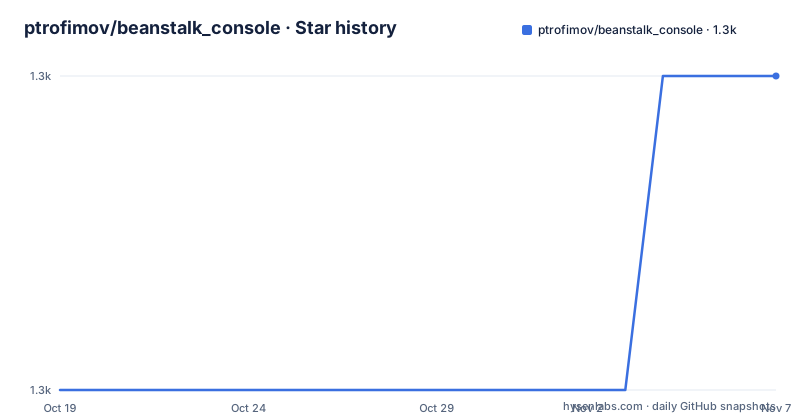
- ptrofimov/beanstalk_console1,267 ★ · +1
| Repository | 2026-10-19 | 2026-11-07 |
|---|---|---|
| ptrofimov/beanstalk_console | 1.3k | 1.3k |
1 Stars in the last 19 days, measured from the daily GitHub snapshot. Compare with other projects
Editorial analysis
A console built around tubes, jobs and states
beanstalk_console is an admin console for the Beanstalk queue server written in PHP, and the feature list shows what an operator actually does with a queue like this. There is complete statistics about jobs in tubes, with realtime auto-update and highlighting of changed values so a counter that moves is visible without you watching the page. You can view jobs in the ready, delayed and buried states in every tube, with buried jobs highlighted for better visibility, and you can add, kick and delete jobs in every tube. You can select multiple tubes by regular expression and clear them, and you can move jobs between tubes and pause a tube. There is a search within job data fields, and saved jobs, where you store sample jobs as templates and kick or edit them, which the README points at as useful for development. The UI settings are configurable, covering auto-refresh, decoding and the pause duration among others. The through line is that the console is built for the tube and job model rather than as a generic dashboard bolted onto a queue.
Review batches, and why a queue needs them
The review batch feature is the part worth understanding, because it solves a problem that is specific to queues. The README describes review batches as a way to inspect a bounded set of jobs without workers changing them during the review, which is exactly the problem you hit when a worker is aggressively reserving and releasing jobs while you are trying to read one. From a tube page you click Prepare review batch, choose the source state, set how many current jobs to review and choose the review tube name. Ready and delayed jobs can be reviewed when no clients are watching or waiting, or when the tube is paused, and the dialog can pause the tube and proceed when needed. Buried jobs can be reviewed directly, because workers cannot reserve a buried job, which is a neat observation about the queue's own semantics. On the review page there is a destination tube field, prefilled with the source tube, so moving jobs back to the source tube returns them, and changing the destination moves them elsewhere. Existing tubes are suggested but new names can be typed, and selected jobs or all undecided jobs can be duplicated to the destination or deleted from the review tube.
What a review batch leaves on disk
There is a persistence detail in the README that deserves attention, because it is the kind of operational surprise that only shows up on a long lived server. Job bodies can be snapshotted to local JSONL during preparation, so that they remain visible after the review copies have been moved or deleted, and the review batch files themselves are described as console local support files used for auditing, current state tracking, exports and optional body display. The important line is that they are not automatically removed, so the README says to delete completed review batches or disable body snapshots if disk growth is a concern. That is a sensible default for an admin tool, since an audit trail you cannot lose is worth something, but it means the console's storage directory grows with the number of batches you have run, and the snapshot is the part that can be large, since a job body is the payload of the message rather than its metadata.
Who sees which servers
The access model has two layers and it is worth reading before you put the console on a network. There is a common list of servers in the configuration for all users, plus optional Basic Auth, and the global server list can be set through the `BEANSTALK_SERVERS` environment variable, which is the convenient option when the console runs in a container. On top of that, each user can add their own personal Beanstalkd server, which is the feature that makes the tool usable in a team where different people work against different environments without editing a shared config file. The consequence for a deployment is that the console has two sources of truth, the shared one that everyone sees and per user ones that only that user sees, so the Basic Auth option matters more here than it would in a tool with a single fixed target. The README also documents an API for it, in the sense that the console talks to beanstalkd over its own protocol on the standard port 11300, which is what the container and compose examples set up.
Four ways to install it
The README gives four routes, and they differ in how much stability you are signing up for. The recommended one is Composer, where you install Composer and then generate the project with `php composer.phar create-project ptrofimov/beanstalk_console -s dev path/to/install`, and the `-s dev` flag is the interesting part, because it takes the development stability branch of the package rather than a tagged release, which is what you want for an admin tool but is worth noticing. The Docker route builds from source with `docker build --rm -t beanstalk_console .` and runs it, or you can run the published build of the project instead. Docker Compose starts a console together with a beanstalkd instance in one command, and the compose file in the repository has the web service built from source, exposed on port 80 to 8080, with the `BEANSTALKD_HOST` environment variable pointing at the queue container. There is also a Vagrant route, which provisions the console and makes it available on a port you can configure in the Vagrantfile, and a final option of unzipping an archive into your web root and launching from the `public` directory.
The container, and running the queue alongside it
The Dockerfile is a stock PHP Apache image with a few careful adjustments. It is based on `php:8.4-apache`, sets the Apache document root to `/var/www`, and rewrites the listen port from 80 to 8080 in the ports configuration so the container can be run unprivileged. It copies in a custom default virtual host with combined error and access logging sent to stdout, which is what makes `docker logs` useful, along with a project `php.ini`. The runtime directories and the document root are chowned to `www-data` and the container switches to that user, so the process does not run as root. The compose file starts a web service that builds from the repository and links to a `beanstalkd` service running the `dinamic/docker-alpine-beanstalkd` image with the `-b` flag pointing at a data directory, and a named volume is attached for that directory, with a comment explaining that uncommenting the last lines gives the queue a persistent binlog. The console itself is then reachable on a published host port, and the same `BEANSTALKD_HOST` and `BEANSTALKD_PORT` variables work in a plain `docker run`, which is the supported way to point a prebuilt image at a queue that already exists.
Where the project stands
The package is on Packagist as `ptrofimov/beanstalk_console`, with a stable version badge, a download count and a licence badge, and the README links the releases page as the change log rather than keeping a separate file. The release cadence in 2026 has been steady, with 1.9.0 on 2026-06-28, 1.9.1 on 2026-06-30 and 1.9.2 on 2026-07-12, and the last push was on 2026-07-12. The authors listed are Petr Trofimov, Sergey Lysenko and Pentium10, and the README points out that a previous version of the console lives in a branch called 1.0 for anyone still on it. The repository also carries an `AGENTS.md` for agents, a `Dockerfile`, a `Vagrantfile`, a `composer.json`, a `config.php`, `src/`, `lib/`, `public/`, `tests/`, a `cover/` directory and a `storage.json`. The honest caveat is the audience size. beanstalkd is a small, much loved queue, and this console is a well made tool for it rather than a general purpose queue administration product.
Editorial conclusion
Adopt beanstalk_console if you run beanstalkd and want a browser based place to watch tubes and act on jobs, especially if your workers are noisy enough that you need to freeze a set of jobs before you read them. Do not adopt it if beanstalkd is not your queue, since the whole interface is shaped around tubes and job states, and treat the review batch files as a disk cost you own, since the README says they are not removed automatically. Before deploying, decide how servers are configured, because the common list can come from a config file or the `BEANSTALK_SERVERS` environment variable while each user can also add their own server, and enable Basic Auth if the console is reachable beyond a trusted network. The licence is MIT, the current release is 1.9.2 from 2026-07-12, and the last push was the same day.
Frequently asked questions
What are review batches in beanstalk_console?
They let you inspect a bounded set of jobs without workers changing them during the review. You prepare a batch from a tube, choosing the source state, how many jobs to review and the review tube name, then work on that copy. Moving jobs back to the source tube returns them, and changing the destination moves them elsewhere, and buried jobs can be reviewed directly because workers cannot reserve them.
How do I install beanstalk_console?
With Composer, using `php composer.phar create-project ptrofimov/beanstalk_console -s dev path/to/install`, or with Docker, building the image and running it, or by running the published build, or with `docker-compose up` for a console together with a beanstalkd instance. The archive route is to unzip the project into your web root and launch from the `public` directory.
How does the console know which Beanstalk servers to show?
There is a common list of servers in the configuration for all users, which can also be set through the `BEANSTALK_SERVERS` environment variable, and each user can additionally add their own personal Beanstalkd server. Optional Basic Auth is supported for the shared list.
Does the review batch data get cleaned up automatically?
No. The review batch files are console local support files used for auditing, current state tracking, exports and optional body display, and the README says they are not automatically removed. It advises deleting completed batches or disabling body snapshots if disk growth is a concern.
Official sources
Add this badge to your README
If you maintain this project, the badge below links readers to this analysis and shows its maintenance status from the daily GitHub snapshot. Paste the markdown into your README; add ?metric=license or ?metric=stars to the image URL for a different field.

[](https://hysenlabs.com/projects/ptrofimov-beanstalk-console)Star history chart for your README
[](https://hysenlabs.com/projects/ptrofimov-beanstalk-console)Was this useful?