jsbundling-rails: bundling JavaScript through the Rails asset pipeline
Bundle and transpile JavaScript in Rails with esbuild, rollup.js, bun, or Webpack.
At a glance
- What is it?
- jsbundling-rails is a Rails gem that wires esbuild, rollup.js, Bun or Webpack into the asset pipeline, with installers for each bundler and a convention of keeping build output in app/assets/builds. The output is digested and served like any other asset, and the gem hooks the build into precompile and test tasks so production and test runs behave like development.
- Who is it for?
- Adopt jsbundling-rails when you want a modern JavaScript build in a Rails application without adopting a full webpacker style front end pipeline, since the gem keeps the output inside the asset pipeline and lets you pick the bundler. For webpack features such as code splitting and hot module replacement, the project recommends considering Shakapacker; capabilities and setup depend on the bundler and configuration you choose.
- Can I use it commercially?
- Yes. MIT is a permissive licence: you can use, modify and sell software built on it, as long as you keep its copyright and licence notices.
- Is it still maintained?
- Yes. The repository last received commits 162 days ago.
- What is it written in?
- Mainly Ruby, according to GitHub's language statistics.
Answers come from the project's GitHub data, last synced on November 7, 2026, and from our analysis. They are not legal advice.
Star history
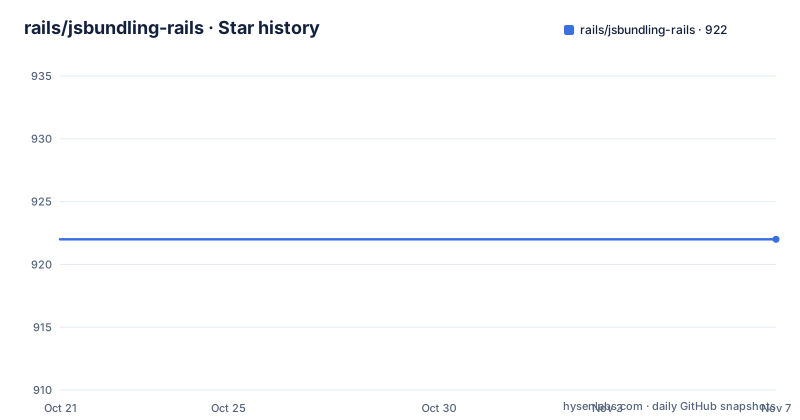
- rails/jsbundling-rails922 ★ · +0
| Repository | 2026-10-21 | 2026-11-07 |
|---|---|---|
| rails/jsbundling-rails | 922 | 922 |
0 Stars in the last 17 days, measured from the daily GitHub snapshot. Compare with other projects
Editorial analysis
A bundler of your choice, but output stays inside Sprockets
jsbundling-rails gives you a choice of four bundlers, Bun, esbuild, rollup.js or Webpack, and the point of the gem is not the bundler itself but where the result ends up.
The convention is a directory called app/assets/builds that holds the bundled output as artifacts that are not checked into source control. The installer adds that directory to .gitignore by default. From there the output is treated as an ordinary asset pipeline file, so it gets digested and copied into public/assets like anything else you serve.
The layout side of it is the standard Rails helper.
the standard asset pipeline helper `<%= javascript_include_tag "application", defer: true %>` in the layout
That single line is what ties the whole thing together. You are not serving a static file from a CDN or a separate webpack output directory; you are asking the asset pipeline for a named asset, and the pipeline handles fingerprinting and the cache headers.
The alternative to this gem is the older webpacker approach, which ran its own dev server and served its own output. The repository ships a high level comparison document and a migration guide for people moving off webpacker, which tells you how established the migration path is.
Installing: one gem, one installer, and a runtime requirement
The gem is added the usual Rails way, and then a per bundler installer wires up the configuration.
./bin/bundle add jsbundling-rails./bin/rails javascript:install:esbuildThe example chooses esbuild; replace it with `bun`, `rollup`, or `webpack` for another supported installer. In Rails 7 or newer you can skip both steps at project creation time and pick the bundler up front:
rails new myapp -j esbuildThe runtime prerequisites differ by bundler and they are worth checking before the installer fails. If you are installing esbuild, rollup or webpack you must already have node on the system, and you need npx version 7.1.0 or later. If you are using Bun, you need the Bun runtime installed instead, and node is not called for.
Configuration then lives in the build script in package.json, or in the config file the installer generates for your bundler: bun.config.js for Bun, rollup.config.js for rollup.js, webpack.config.json for Webpack. esbuild is the exception, because it has no default configuration format, and the project states plainly that esbuild is not going to be used as an API in order to work around that.
That is a deliberate design choice worth noting. esbuild is driven from the command line in the build script rather than embedded in Ruby code.
Watch mode, bin/dev and how the build fits the Rails loop
During development, the bundler runs in watch mode in a terminal alongside the Rails server, and the documented command is yarn build --watch. If you are not using something like puma-dev, you run the Rails server in another terminal.
The convenience route is ./bin/dev, which starts both the Rails server and the JavaScript build watcher, and adds a CSS build watcher as well if you are also using cssbundling-rails.
When the bundler notices changes to any of the JavaScript files in the project, it bundles app/javascript/application.js into app/assets/builds/application.js, along with all the other configured entry points. Because the output is a pipeline artifact, the Rails side needs no special handling to pick it up.
The tests are covered by the same mechanism, which is often the part people miss. The bundler attaches to the test:prepare task so that JavaScript is bundled before testing starts. If your chosen test library does not call the test:prepare Rake task, you have to make sure your test suite runs javascript:build itself. That is a real gap for teams with a test runner that bypasses Rake entirely.
How the production build hooks into precompile
On deployment, the javascript:build task attaches to the assets:precompile task, and the order matters. First, all of the package dependencies from package.json are installed using whichever JavaScript package manager you use, bun, npm, pnpm or yarn. Then the build script defined in package.json runs to process all the entry points, exactly as it does in development.
The resulting files are then picked up by the asset pipeline, digested, and copied into public/assets like any other pipeline file. So the production path is not a separate pipeline, it is the same bundler invocation the developer already runs locally, with the difference that the outputs are digested and versioned on the way out.
The practical consequence is that the build script in package.json has to work in both places. Anything that depends on a local file, an absolute path from your machine, or an environment variable that only exists on your laptop will break the deploy step even though development looks fine.
One operational detail follows from the digest step. The gem does not check the build output into source control, so the build has to run on the deploy machine or in the release step. If your deployment pipeline assumes assets are committed, that assumption no longer holds.
The Windows glob problem and the CSS output collision
Two friction points come up often enough that the project documents both in the FAQ.
The first is Windows glob support. The default build script for esbuild relies on the app/javascript/*.* glob pattern to compile multiple entrypoints automatically. That pattern is not available by default on Windows, so on that platform you have to change the build script in package.json to list the entrypoints manually. This bites teams that develop on macOS or Linux and build on Windows CI, because the same package.json behaves differently on each.
The second is the CSS file collision. If you import CSS in your application.js while using esbuild or Bun, the bundling creates both an app/assets/builds/application.js and an app/assets/builds/application.css file. That second file can conflict with the app/assets/builds/application.css produced by cssbundling-rails.
The fix is to change the output file for bun or esbuild, and the references to it, or to change the output for cssbundling. Both are specified in package.json, so the resolution lives in your JavaScript configuration rather than in Rails.
Neither problem is a defect in the gem, but both are consequences of letting two bundlers write into the same directory, and both are worth deciding on before you wire up a second bundler.
Referencing images from JavaScript without fighting the pipeline
The FAQ answers a question that comes up as soon as you import an image in front end code: how do you reference a static asset from JavaScript and still get a digested, cacheable URL.
The example is an image at app/javascript/images/example.png that needs to be referenced in front end code built with esbuild. The steps are: put the image in that directory, then in package.json under scripts and build add the loader argument and the asset names argument.
--loader:.png=file
--asset-names=[name]-[hash].digested
The loader argument instructs esbuild to copy png files into the build directory, and the asset names argument tells esbuild to append .digested to the file name so that sprockets or propshaft will not append an additional digest hash to it.
The result is a file copied to a path like app/assets/builds/example-5SRKKTLZ.digested.png, which the front end code imports by its original name and the asset pipeline serves at a digested path. The .digested suffix is the small trick that prevents a double hash, since two digests would break the reference between the JavaScript bundle and the image.
This is the part of the gem that requires real understanding rather than just running the installer, because the output directory is shared with the asset pipeline and the naming conventions have to line up.
Release cadence, licence and where the limits are
The gem is MIT licensed, released under the MIT License, and the repository carries an MIT-LICENSE file alongside a jsbundling-rails.gemspec, a Rakefile, an Appraisals file and a gemfiles/ directory for testing against multiple dependency sets. The docs/ directory holds the comparison and migration guides, and there is a .devcontainer/ for a prepared development environment.
The release history is quiet. The listed versions are v1.3.1 from 2024-07-29, v1.3.0 from 2024-01-21 and v1.2.2 from 2024-01-07. The repository is not archived and the last push was on 2026-05-30, so maintenance continues, but there have been no tagged releases since mid 2024. In practice that means you would install the gem from source or from the released version and accept that fixes arrive on the branch rather than as new versions.
Two boundaries are stated by the project itself. If you want webpack features such as code splitting and hot module reloading, the documentation recommends considering shakapacker, the official fork of webpacker. The availability of those features depends on the bundler and how it is configured. And if you are on webpacker already, there is a comparison document and a migration guide rather than an implicit expectation that you switch.
Neither of those is a limitation so much as a boundary of scope. This gem is about getting a bundle into the asset pipeline with the bundler of your choice, and it does not try to be a development server.
Editorial conclusion
Adopt jsbundling-rails when you want a modern JavaScript build in a Rails application without adopting a full webpacker style front end pipeline, since the gem keeps the output inside the asset pipeline and lets you pick the bundler. For webpack features such as code splitting and hot module replacement, the project recommends considering Shakapacker; capabilities and setup depend on the bundler and configuration you choose. Verify first that the bundler you choose is installed and usable, node with npx 7.1.0 or later for esbuild, rollup or webpack, and the Bun runtime for Bun, that your layout uses the standard javascript_include_tag for the built file, and that your test framework actually calls the test:prepare Rake task or you add javascript:build to your own test run.
Frequently asked questions
How do I install jsbundling-rails in a Rails application?
Add the gem with ./bin/bundle add jsbundling-rails, then run the installer for your bundler with ./bin/rails javascript:install:[bun|esbuild|rollup|webpack]. In Rails 7 and newer you can pick the bundler at creation time with rails new myapp -j [bun|esbuild|rollup|webpack].
Where does jsbundling-rails put the bundled JavaScript?
The output goes into app/assets/builds, which the installer adds to .gitignore, and the build script bundles app/javascript/application.js into app/assets/builds/application.js along with other entry points. You then reference it from the layout with the standard asset pipeline helper javascript_include_tag.
Why does my esbuild build fail to find entrypoints on Windows?
The default esbuild build script uses the app/javascript/*.* glob pattern, which is not available by default on Windows. You need to change the build script in package.json to list the entrypoints manually.
How do I make sure JavaScript is bundled before my tests run?
The bundler attaches to the test:prepare Rake task. If your test library does not call that task, your test suite has to run javascript:build itself before testing commences.
Official sources
Add this badge to your README
If you maintain this project, the badge below links readers to this analysis and shows its maintenance status from the daily GitHub snapshot. Paste the markdown into your README; add ?metric=license or ?metric=stars to the image URL for a different field.

[](https://hysenlabs.com/projects/rails-jsbundling-rails)Star history chart for your README
[](https://hysenlabs.com/projects/rails-jsbundling-rails)Was this useful?