rails-dev-box: a Vagrant VM built for Rails core pull requests
A virtual machine for Ruby on Rails core development
At a glance
- What is it?
- rails-dev-box provisions an Ubuntu guest with the exact dependency set the Rails test suites need, and nothing aimed at application work. It is a thin Vagrant wrapper whose value is the package list, and whose rough edges are visible in its own troubleshooting text.
- Who is it for?
- Rails core contributors who want a disposable Ubuntu environment for the Active Record suite should adopt this box, and anyone building a Rails application, or working on a host without VirtualBox and Vagrant 2, should keep a local setup instead.
- Can I use it commercially?
- Yes. MIT is a permissive licence: you can use, modify and sell software built on it, as long as you keep its copyright and licence notices.
- Is it still maintained?
- Yes. The repository last received commits 142 days ago.
- What is it written in?
- Mainly Shell, according to GitHub's language statistics.
Answers come from the project's GitHub data, last synced on October 22, 2026, and from our analysis. They are not legal advice.
Star history
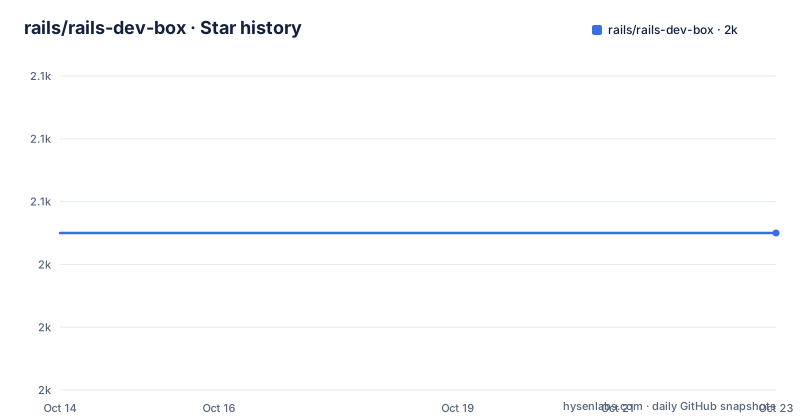
- rails/rails-dev-box2,045 ★ · +0
| Repository | 2026-10-14 | 2026-10-22 |
|---|---|---|
| rails/rails-dev-box | 2k | 2k |
0 Stars in the last 8 days, measured from the daily GitHub snapshot. Compare with other projects
Editorial analysis
A box scoped to Rails core, not to your own application
The scope limit comes before anything else in the documentation: this VM is not designed for Rails application development, only Rails core development. That decision shapes the whole package list, because what is installed is the dependency set of the framework rather than of an app. SQLite3, MySQL and Postgres all sit in the image, together with the databases and users needed to run the Active Record test suite, and Memcached, Redis and RabbitMQ cover the caching and queueing components. The intended user is someone who wants to open a pull request against Rails itself and run its suites on the same day.
Three prerequisites are named, and one of them is a Vagrant plugin that no longer ships enabled by default:
vagrant plugin install vagrant-vbguestThe box files are released under the MIT License, so nothing in the provisioning script carries a copyleft condition. VirtualBox is the hypervisor and Vagrant 2 the driver, which pins the whole thing to a desktop virtualization stack on the host rather than to a container or a remote cloud.
Three host commands to a provisioned Ubuntu guest
Building the machine is short enough that the README calls it the entire procedure.
host $ git clone https://github.com/rails/rails-dev-box.git
host $ cd rails-dev-box
host $ vagrant up
The first boot runs `bootstrap.sh`, one of five files tracked at the top level of the repository, the others being the ignore file, a copy of the terms, the README and the Vagrantfile. Everything else about the environment comes out of that one script, which is why the repository can be almost empty of code and still produce a working Rails test machine. The README does not document how long provisioning takes, so treat the first `vagrant up` as a long operation rather than a quick one.
Once it finishes, `vagrant ssh` opens a shell on the guest, and the recorded login banner shows Ubuntu 26.04 LTS on kernel 7.0.0-22-generic x86_64, with the prompt reading `vagrant@rails-dev-box`.
Port 3000 forwarding fails unless the server binds 0.0.0.0
One port is forwarded, and the rule for using it is stated as a correction rather than an option. Port 3000 on the host maps to port 3000 in the guest, so an application started inside the VM is reached from the host browser at localhost:3000. The trap is the default bind address: a Rails server that binds to 127.0.0.1 listens only on the guest loopback, and the forwarded port then lands on an interface nobody is serving. The documented fix is to bind every interface:
bin/rails server -b 0.0.0.0That matters here more than in a normal checkout, because the Rails core work this box exists for includes running a freshly generated application against your local build of the framework. Note that 127.0.0.1 and 0.0.0.0 are both written into a shell command with no accompanying firewall guidance, so anyone who has disabled guest firewalling by hand will see different behaviour than the README describes.
Memory and CPU overrides are read at every boot
Defaults are 2 GB of RAM and 2 CPUs, and both are controlled by environment variables rather than by editing the Vagrantfile: `RAILS_DEV_BOX_RAM` and `RAILS_DEV_BOX_CPUS`. The unit for the memory variable is megabytes, so 4096 is the value that buys 4 GB. Anyone used to setting memory inside a Vagrantfile still has to translate the unit, and writing 4 instead of 4096 is an easy mistake to make.
The second detail is the one that catches people out: the environment variables are checked each time the VM boots, so settings made at VM creation time do not matter. Raising the value while a machine is already running has no visible effect until it boots again, and there is no reload command for it. Paired with the documented lifecycle commands, that means the RAM bump is really a `vagrant halt` and `vagrant up` cycle with an exported variable in between. For a test suite that compiles native extensions such as nokogiri, the 2 GB default leaves little headroom.
Your fork sits next to bootstrap.sh and appears at /vagrant
The intended workflow keeps editing on the host and testing in the guest, and the layout makes that split concrete. Clone your Rails fork into the same directory that holds the box files, so the synced folder contains both:
host $ git clone [email protected]:<your username>/rails.gitHost and guest then see different listings of the same folder. On the host the directory holds the four box files that came from the clone; inside the guest that same content appears at `/vagrant`, with the fork now sitting beside them. Working inside `/vagrant/rails` means gem dependencies install against the checkout itself:
vagrant@rails-dev-box:/vagrant/rails$ bundle
vagrant@rails-dev-box:/vagrant/rails$ cd actioncable && yarn install
The second line is the detail that bites components with JavaScript packages, Action Cable being the named example. Ruby dependencies alone are not enough to run those test suites, and the missing yarn install shows up as a JavaScript asset error rather than as an obvious tooling gap.
Suspend, halt and destroy forget different amounts of state
Six host commands cover the machine's whole lifecycle, and the difference between them is how much survives.
host $ vagrant suspend
host $ vagrant resume
host $ vagrant status
host $ vagrant halt
host $ vagrant up
host $ vagrant destroy # DANGER: all is gone
Suspend freezes a running guest and `vagrant resume` thaws it, which is the cheapest way to end a hacking session while keeping the built image. Halt shuts the machine down and `vagrant up` boots it again, and that pair is also the moment at which changed `RAILS_DEV_BOX_RAM` and `RAILS_DEV_BOX_CPUS` values take effect. `vagrant status` reports the current state whenever you have lost track. The last line destroys the machine and every file inside it, which is a real hazard precisely because the Rails checkout lives in a synced host folder rather than inside the guest disk: your work survives the destroy, but the guest database contents and installed gems do not.
rsync and NFS move where the files physically live
Default folder sharing is what Vagrant has always done, and the documentation concedes it is not the fastest option for a Rails suite. Two alternatives change the storage model rather than just the speed.
With rsync, files are actually stored in the guest, which is why read and write improve for the thousands of small files a test run creates:
config.vm.synced_folder '.', '/vagrant', type: 'rsync'
vagrant rsync
vagrant rsync-auto
With NFS on Mac OS X or Linux, where the host already runs an NFS server:
config.vm.synced_folder '.', '/vagrant', type: 'nfs'
config.vm.network 'private_network', ip: '192.168.50.4' # ensure this is available
Both replace the same `/vagrant` path the workflow depends on, so the mount point in every other command stays valid. One inconsistency is easy to miss: the requirements ask for Vagrant 2, while the rsync section is written around the Vagrant 1.5 feature preview. The commands still read as current Vagrant syntax, but the framing is a decade of drift away from the stated prerequisite.
The yakkety64 error block contradicts the 26.04 login banner
The troubleshooting section is where a close reading pays off, because it documents a failure that the rest of the file cannot produce. On `vagrant up` the documented error names a box that has been gone from the catalog for years:
The box 'ubuntu/yakkety64' could not be found or
could not be accessed in the remote catalog. If this is a private
Yakkety is a codename from an Ubuntu series long gone from support, while the login banner elsewhere in the same file shows Ubuntu 26.04 LTS on kernel 7.0.0-22-generic. Both cannot describe the box a current `vagrant up` builds, so the error text is inherited from an older Vagrant era when `vagrant up` downloaded boxes from the retired Atlas catalog. The workaround offered for it is equally dated, deleting Vagrant's own HTTP client from the system install:
sudo rm /opt/vagrant/embedded/bin/curlRunning that as root, on a path inside the Vagrant installation, to work around a catalog error is a poor trade even when it is the documented fix. If `vagrant up` fails on a modern host, treat this section as a historical note and check which box your Vagrantfile actually resolves rather than deleting the curl binary. The last push was on 2026-06-03, so the provisioning script does move; this troubleshooting paragraph has not moved with it.
Editorial conclusion
Rails core contributors who want a disposable Ubuntu environment for the Active Record suite should adopt this box, and anyone building a Rails application, or working on a host without VirtualBox and Vagrant 2, should keep a local setup instead. Before the first boot, check which box your Vagrant actually resolves and confirm it still exists in your catalog, then export RAILS_DEV_BOX_RAM in megabytes rather than gigabytes, since the README still troubleshoots a box name from the retired Atlas catalog era.
Frequently asked questions
Can I use rails-dev-box to build a Rails application?
No. The documentation states the VM is not designed for Rails application development, only Rails core development, and its contents are aimed at the framework test suites.
How do I give the rails-dev-box virtual machine more RAM?
Export RAILS_DEV_BOX_RAM in megabytes, so 4096 gives the VM 4 GB instead of the default 2 GB, and use RAILS_DEV_BOX_CPUS for processor count. The variables are read at each boot, so the change takes effect on the next vagrant up.
Why does vagrant up fail with 'The box ubuntu/yakkety64 could not be found'?
That error belongs to an older Vagrant setup that pulled boxes from the retired Atlas catalog, and the README offers one known workaround: deleting Vagrant's embedded curl binary. The same README's login banner shows Ubuntu 26.04 LTS, so the box actually used today is a different one.
Where does my Rails checkout appear inside the rails-dev-box machine?
Clone the fork into the rails-dev-box directory on the host and it shows up at /vagrant inside the guest, where bundle installs its gems. Components with JavaScript packages, Action Cable for one, also need yarn install before their tests run.
Does rails-dev-box ship tagged releases I can pin to?
The repository has no GitHub releases, so there is no version to pin. Pin the Vagrant and VirtualBox versions yourself and read the Vagrantfile and bootstrap.sh for what is actually provisioned.
Official sources
Add this badge to your README
If you maintain this project, the badge below links readers to this analysis and shows its maintenance status from the daily GitHub snapshot. Paste the markdown into your README; add ?metric=license or ?metric=stars to the image URL for a different field.

[](https://hysenlabs.com/projects/rails-rails-dev-box)Star history chart for your README
[](https://hysenlabs.com/projects/rails-rails-dev-box)