niklasb/libc-database for libc Identification and Offset Lookup
Build a database of libc offsets to simplify exploitation
At a glance
- What is it?
- niklasb/libc-database is a shell-based collection of libc offset records and command-line utilities for CTF and security research. It helps users identify matching libc binaries from symbols or hashes, add custom libraries, and retrieve useful offsets without manually comparing packages.
- Who is it for?
- Adopt libc-database when you need a repeatable way to match a leaked libc symbol or hash against known library packages and retrieve offsets for further analysis. Do not treat a match as proof that every binary on the target is identical, since the README documents comparison by low 12 bits for symbol addresses and the local identifier output is hash-based.
- Can I use it commercially?
- Yes. MIT is a permissive licence: you can use, modify and sell software built on it, as long as you keep its copyright and licence notices.
- Is it still maintained?
- Yes. The repository last received commits 75 days ago.
- What is it written in?
- Mainly Shell, according to GitHub's language statistics.
Answers come from the project's GitHub data, last synced on October 23, 2026, and from our analysis. They are not legal advice.
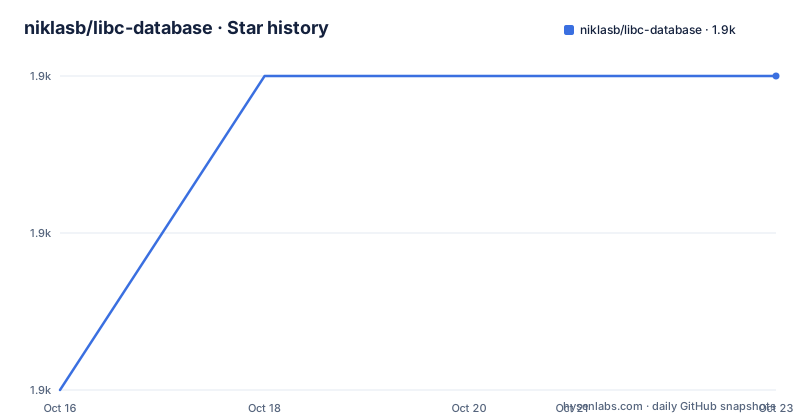
Star history
- niklasb/libc-database1,876 ★ · +2
| Repository | 2026-10-16 | 2026-10-23 |
|---|---|---|
| niklasb/libc-database | 1.9k | 1.9k |
2 Stars in the last 7 days, measured from the daily GitHub snapshot. Compare with other projects
Editorial analysis
What libc-database Stores and Who It Serves
libc-database addresses a specific reverse engineering problem: a leaked address or a small set of libc symbols does not usually identify a libc build by name. Different distributions package different glibc builds, and those packages can expose symbols at different offsets. The project collects libc binaries from package categories, extracts symbol offsets, and searches those records against values supplied by the user.
The primary audience is people working on CTF pwn challenges, reverse engineering, and other security research where a libc binary has been identified partially. The repository describes its topics as `ctf`, `ctf-tools`, `libc`, `offsets`, and `pwn`. It is not a general-purpose debugger, exploit framework, or vulnerability scanner. Its scope is narrower: organize libc artifacts, identify likely matches, and expose offsets associated with a selected record.
The project has both a command-line workflow and a web interface at `https://libc.rip/`. The README also points to the `searchengine` directory for API details, although the API surface is not documented. The shell scripts remain the clearest entry point for a local database because the README gives direct commands for fetching categories, adding files, searching symbols, dumping offsets, and downloading complete libc packages.
The Fetch, Add, Find, and Dump Data Flow
The database is built around shell scripts at the repository root. `./get` retrieves libc categories and extracts symbol offsets. The README says the process does not download an item twice, so running `./get` can also update the database. `./add` accepts a local libc file and places it in the database, which makes the workflow useful when a target library was obtained outside the supported package categories.
A symbol search starts with a symbol and an address. In the documented example, `printf` is supplied with `260`, and `puts` with `f30`. The script prints matching records, including a category and libc package ID. The important design detail is that only the last 12 bits are checked because the README says randomization normally works at page-size level. This is a pragmatic match rule, not a complete identity proof. It narrows candidates when a leak exposes only a page-relative address.
There is also a special search for a leaked return address into `__libc_start_main`. The command `./find __libc_start_main_ret a83` returns several candidate records rather than one. That result illustrates an important limitation: a short address fragment can produce multiple plausible libc builds.
Once a libc ID is selected, `./dump` prints offsets for common functions and data, including `system`, `dup2`, `recv`, and the `str_bin_sh` string. The README also documents custom names as an input to `dump`, although it does not provide the exact syntax for that option.
Installing the Required Utilities and Starting a Local Database
The README does not provide a project-specific installer. It says to install the system commands required by the scripts. On Debian 10, the documented installation command is shown below. These commands install the package metadata and the utilities needed across the categories listed in the README, including package extraction and compression tools.
apt-get update
apt-get install -y \
  binutils file \
  wget \
  rpm2cpio cpio \
  zstd jq
The general requirements also include `readelf`, `objdump`, `strings`, `perl`, `find`, `grep`, `md5sum`, `sha1sum`, `sha256sum`, and `file`. Debian-based operation additionally requires `mktemp`, `perl`, `wget`, `ar`, `tar`, `grep`, and `zstd`. RPM-based and other package families have separate requirements, so a successful Debian 10 installation does not establish that an RPM or Pacman host has every required utility.
After the utilities are available, run the repository script without arguments to list categories:
./getThe documented output is the category list. A first database build can target Ubuntu and Debian packages:
./get ubuntu debianThis downloads the selected categories and extracts their offsets. The README warns that `./get all` can take a while. Use the narrower category command first when checking the installation, then expand the database only if the required distribution records are needed.
Adding a Local libc and Confirming Its Identity
If the relevant libc is already available locally, `./add` avoids depending on a package category. The README gives this path:
./add /usr/lib/libc-2.21.soThe file is added as a custom database entry. This is preferable when the target artifact is known and the supported package indexes do not contain the same build. The README does not document accepted architectures beyond the example names, nor does it explain how duplicate files are normalized.
Identification has two forms. Running `./identify` on a file produces a local identifier. The documented example reports:
./identify /usr/lib/libc.so.6The resulting value begins with `local-` and is followed by a long hexadecimal value. The README does not specify the hash algorithm behind that local identifier, so it should not be treated as a BuildID, MD5, SHA1, or SHA256 value without further inspection.
The script can also search the database by a hash. The supported forms documented in the README are `bid`, `md5`, `sha1`, and `sha256`. For example:
./identify bid=ebeabf5f7039f53748e996fc976b4da2d486a626The README states that BuildID, MD5, SHA1, and SHA256 are currently implemented. This gives analysts a more direct route than searching a symbol fragment when they already have the corresponding hash.
Searching Symbols and Extracting Offsets
The `find` script is useful when the only available information is a symbol name and an address fragment. The documented command format is straightforward:
./find printf 260 puts f30The first two arguments search for `printf` at the supplied address, while the next pair searches for `puts`. The address values are interpreted according to the script's matching rule, which checks the last 12 bits. A result is therefore a candidate based on symbol placement and page alignment.
The special `__libc_start_main_ret` search is useful when a return address leak points into that function:
./find __libc_start_main_ret a83The README shows several matches for that input. This behavior is useful because it preserves uncertainty instead of silently selecting a single package. The next step is to compare the candidate libc ID against the target's architecture, distribution, and package identity.
After selecting an ID, dump the standard offsets:
./dump libc6_2.19-0ubuntu6.6_i386The documented output includes `offset___libc_start_main_ret`, `offset_system`, `offset_dup2`, `offset_recv`, and `offset_str_bin_sh`. These are database values associated with the selected libc, not values calculated by this project from the caller's current process. The README says users can provide their own names to dump, but it does not give a complete example, so the exact invocation should be checked against the `dump` script before relying on it.
Downloading a Matching Package and Its Companion Libraries
The `download` script retrieves the files associated with a known libc ID. The README example is:
./download libc6_2.23-0ubuntu10_amd64According to the documented output, the script obtains the package, extracts it, and saves it under `libs/libc6_2.23-0ubuntu10_amd64`. The resulting directory contains `ld-2.23.so`, `libc.so.6`, and `libpthread.so.0`, among other files listed by the underlying package.
This step matters because analysis often depends on the exact dynamic loader or companion libraries that shipped with a libc package, not only on a copied `libc.so.6`. The database record identifies a package build, and the download command retrieves that package's contents for local inspection.
The README shows the source location as an Ubuntu security package URL and describes package download and extraction. It does not document offline use, mirror selection, checksum verification beyond the database's hash identification, or behavior when a remote package URL is unavailable. The scripts also depend on category-specific tools such as `rpm2cpio`, `cpio`, `zstd`, and `jq` where applicable.
Maintenance, Licensing, and Practical Boundaries
The repository is not archived. Its last push was on 2026-08-09, which is the most recent maintenance fact available here. The project has no GitHub releases, so there is no documented release channel or versioned migration path to follow. The absence of releases also means that users should not assume a stable package interface or a predictable upgrade cadence based on release notes.
The repository is licensed under MIT. That permits use and modification under the license terms, but this review does not provide legal advice. Users should read `LICENSE.md` for the exact conditions and notices. The project downloads and extracts third-party distribution packages, so package licenses and local redistribution requirements remain separate considerations from the repository's MIT license.
The main failure mode is a false sense of precision. Low 12-bit symbol matching can produce several candidates, as the `__libc_start_main_ret` example demonstrates. A hash match is stronger evidence, but the database still depends on the stored artifact and hash implementation being correct. A mismatch can also result from architecture confusion, since the displayed examples distinguish i386 from amd64 packages. The project does not document an automatic architecture check in the search results.
Editorial conclusion
Adopt libc-database when you need a repeatable way to match a leaked libc symbol or hash against known library packages and retrieve offsets for further analysis. Do not treat a match as proof that every binary on the target is identical, since the README documents comparison by low 12 bits for symbol addresses and the local identifier output is hash-based. Verify first that the required system utilities are available, that the libc ID and architecture match the target, and that the downloaded binary has the expected BuildID or file hash before relying on its offsets.
Frequently asked questions
How do I install libc-database and build its offset database?
The README does not provide a dedicated installer. On Debian 10, install the documented system utilities with `apt-get`, then run `./get` to list categories and `./get ubuntu debian` to download and extract those categories.
How do I identify a libc from leaked symbol addresses?
Use `./find` with the symbol name and address, such as `./find printf 260`. The README says the search checks only the last 12 bits, so multiple candidate libc records may be returned and should be compared further.
Can libc-database find a libc by BuildID or file hash?
Yes. The `identify` script supports `bid`, `md5`, `sha1`, and `sha256` forms according to the README. It can also identify a local file, although the README does not specify the algorithm used for the `local-...` identifier.
How do I add my own libc binary?
Pass its filesystem path to `./add`, for example `./add /usr/lib/libc-2.21.so`. This is the documented way to add a custom libc when the required build is not available through a listed package category.
What offsets does `dump` provide?
The README example shows offsets for `__libc_start_main_ret`, `system`, `dup2`, `recv`, and `str_bin_sh`. It also states that custom names can be supplied, but it does not document the complete command syntax for doing so.
Official sources
Add this badge to your README
If you maintain this project, the badge below links readers to this analysis and shows its maintenance status from the daily GitHub snapshot. Paste the markdown into your README; add ?metric=license or ?metric=stars to the image URL for a different field.

[](https://hysenlabs.com/projects/niklasb-libc-database)Star history chart for your README
[](https://hysenlabs.com/projects/niklasb-libc-database)Was this useful?