Building Tools: a Blender add-on for parametric buildings
Building generation addon for blender
At a glance
- What is it?
- Building Tools is a Blender add-on that generates building elements procedurally, from floorplans and floors through doors, windows, multigroup openings, roofs, stairs and balconies, and it is aimed at game environment artists who would otherwise model each block by hand. It suits a Blender 4.0 workflow, and the add-on is installed as a zip rather than from a package index.
- Who is it for?
- Adopt Building Tools if you are blocking out buildings for a game environment in Blender and want the repetitive elements generated rather than modelled, since doors, windows, stairs and balconies are the parts that multiply across a street. Skip it if your architecture is bespoke and non-repeating, because the parametric approach pays off in volume rather than in uniqueness.
- Can I use it commercially?
- Yes. MIT is a permissive licence: you can use, modify and sell software built on it, as long as you keep its copyright and licence notices.
- Is it still maintained?
- Yes. The repository last received commits 29 days ago.
- What is it written in?
- Mainly Python, according to GitHub's language statistics.
Answers come from the project's GitHub data, last synced on October 23, 2026, and from our analysis. They are not legal advice.
Star history
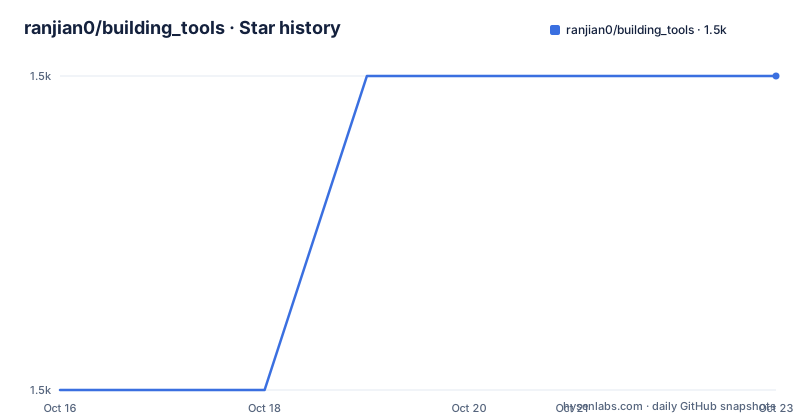
- ranjian0/building_tools1,512 ★ · +1
| Repository | 2026-10-16 | 2026-10-23 |
|---|---|---|
| ranjian0/building_tools | 1.5k | 1.5k |
1 Stars in the last 7 days, measured from the daily GitHub snapshot. Compare with other projects
Editorial analysis
Where the add-on came from
The background section explains the origin, and it says more about the design than a feature list would. The addon started out as a collection of scripts used to create 3D models for games. After a couple of months of development, the author noticed that most of the scripts were geared towards creating buildings and environments, and decided to make a proper add-on out of them, and Building Tools was born. That origin explains the feature set. A general modelling add-on would offer primitives and modifiers, while this one is narrow by construction, aimed at the case where an artist has drawn a floorplan and needs a three-dimensional building from it, with the openings placed where the plan says. The primary language is Python, the licence is MIT, the homepage is the documentation site, and the last push was on 2026-09-24 with releases v1.0.13 on 2025-05-16, v1.0.12 on 2024-01-03 and v1.0.11 on 2023-12-17. The project was inspired by the Ghost Town add-on for 3DS MAX.
The element list, which is the feature list
The features are eight things, and each links to a wiki page describing it. There is Floorplans, which is the input the rest of the pipeline consumes. There are Floors, so a building can be stacked vertically from a plan. There are Doors and Windows, and the interesting entry is Multigroup, described as door-window combinations, which is the feature that saves the most time, since a facade with a regular rhythm of openings is exactly the case that hurts when modelled by hand. Then there is Roof, Stairs and Balcony. The set is complete enough to block out a street of buildings, which is the intended use. It is not a building design tool, there is nothing about structure, materials or lighting, and the add-on leaves the art direction entirely to the artist.
Installing it, and the zip file requirement
The install is three steps, and the first one is a release download rather than a package manager. Download the add-on as a zipped file from the releases page, then in Blender go to Edit, then Preferences, then Add-ons, then Install, and select the downloaded file. The reason the add-on is distributed as a zip is that is what Blender's own installer expects for an add-on, since Blender treats an add-on as a directory with a manifest and reads it as an archive. There is no pip or conda package, because the add-on runs inside Blender's own Python rather than in a system interpreter. The release asset name carries the version, building_tools_v1.0.13.zip, so a given download corresponds to a given version.
The developer workflow, which runs inside Blender
The project uses PDM rather than pip, and the scripts in the project file show the whole loop. `test` runs `blender --window-geometry 0 0 1 1 --no-window-focus -P tests/__main__.py`, which is the detail that tells you the test suite executes inside a real Blender instance with a minimal window, rather than against a mocked bpy. `build` runs `python scripts/make-release.py` to produce the release archive, and `build-dev` does the same with the `latest` argument. `install-dev` runs `blender -P scripts/install-dev-addon.py`, and `dev` is a composite of those two, so a change is built and reinstalled in one command. `format` runs black on the `btools` package and `check` runs mypy over it. The lint dependencies include `fake-bpy-module-latest`, which is a stub package for Blender's bpy module so that mypy and other static tools can check the code without a Blender installation.
The repository layout, and the docs site
The tree is organised around the add-on package and its supporting material. There is `btools/` for the add-on source, an `__init__.py` at the root, `assets/` for the bundled resources, `tests/` for the test suite, `scripts/` for the release and install helpers, and `docs/` for the documentation site. The Makefile shows the documentation side is separate, with a `web-serve` target that runs `bundle exec jekyll server --watch` inside the docs directory, meaning the site is a Jekyll site built with Ruby and Bundler, and a `web-install-deps-linux` target that installs ruby, ruby-dev, rubygems and then the bundler and github-pages gems. So there are two toolchains in one repository, Python with PDM for the add-on and Ruby with Jekyll for the site, and the Makefile handles the second one. The `RELEASE.md` file and the `pdm.lock` lockfile sit at the root, and the project requires Python 3.10 or newer.
Contributing, and the compatibility statement
The contributing section is brief. You can fork and submit pull requests, and for bugs you create an issue that describes the problem and attaches relevant info or logs, while for feature requests you create an issue and add the Enhancement label. There is a Discord server for chatting with other contributors. The status section carries the compatibility statement, and it is the one line to check before you commit to the add-on: the version is v1.0.13 and it is Blender 4.0 compatible. For an add-on that reaches into Blender's own API, that means a Blender upgrade can break it, and the project has not published a release since May 2025 even though the code was pushed in September 2026, so the current state of the master branch is ahead of the last tagged build. The authors are listed as ranjian0, luckykadam and MCrafterzz, with a contact invitation, and there is a PayPal link for support.
Editorial conclusion
Adopt Building Tools if you are blocking out buildings for a game environment in Blender and want the repetitive elements generated rather than modelled, since doors, windows, stairs and balconies are the parts that multiply across a street. Skip it if your architecture is bespoke and non-repeating, because the parametric approach pays off in volume rather than in uniqueness. Before you install, note that the add-on has to be built from the repository with `python scripts/make-release.py` or you can download the zipped release directly, and that the tests run inside Blender itself through `blender -P tests/__main__.py`, so a headless Blender install is needed to run them.
Frequently asked questions
What does the Building Tools Blender add-on generate?
Floorplans, Floors, Doors, Windows, Multigroup door-window combinations, Roof, Stairs and Balcony. It is aimed at game environment artists who need buildings blocked out rather than modelled by hand.
How do I install the Building Tools add-on?
Download the zipped add-on from the releases page, then in Blender go to Edit, Preferences, Add-ons, Install and select the downloaded file. There is no package index entry, since the add-on runs inside Blender's own Python.
Which Blender versions does Building Tools support?
The documented status is version v1.0.13, Blender 4.0 compatible. The last published release is v1.0.13 from 2025-05-16.
How do I run the Building Tools tests?
With `blender --window-geometry 0 0 1 1 --no-window-focus -P tests/__main__.py`, which is the pdm test script and the Makefile test target. The suite runs inside a real Blender instance, so a Blender installation is needed.
Official sources
Add this badge to your README
If you maintain this project, the badge below links readers to this analysis and shows its maintenance status from the daily GitHub snapshot. Paste the markdown into your README; add ?metric=license or ?metric=stars to the image URL for a different field.

[](https://hysenlabs.com/projects/ranjian0-building-tools)Star history chart for your README
[](https://hysenlabs.com/projects/ranjian0-building-tools)Was this useful?