chrome-extension-mv3-firebase-boilerplate: Firebase auth under MV3
The Chrome Extension with MV3 version shows example of authentication of Firebase SDK9 with Google Sign In enable. This boilerplate uses Webpack to speed up the process of writing modular Javascript code, loading HTML and CSS easily, and re-rendering the browser based on changes.
At a glance
- What is it?
- A boilerplate that bundles Firebase SDK 9 and Google Sign In into a Manifest Version 3 Chrome extension with Webpack, written down because the obvious approaches do not work there. Both built-in sign-in flows and the FirebaseUI library are documented as failures, and the working path goes through an OAuth token instead.
- Who is it for?
- This boilerplate fits someone starting a Chrome extension that needs to know who the user is, and who would otherwise lose a day to the same two dead ends: the popup sign-in flows and the FirebaseUI library. Three things to know before you copy it.
- Can I use it commercially?
- Yes. MIT is a permissive licence: you can use, modify and sell software built on it, as long as you keep its copyright and licence notices.
- Is it still maintained?
- Probably not. The repository last received commits 57 months ago, on February 7, 2022.
- What is it written in?
- Mainly JavaScript, according to GitHub's language statistics.
Answers come from the project's GitHub data, last synced on October 19, 2026, and from our analysis. They are not legal advice.
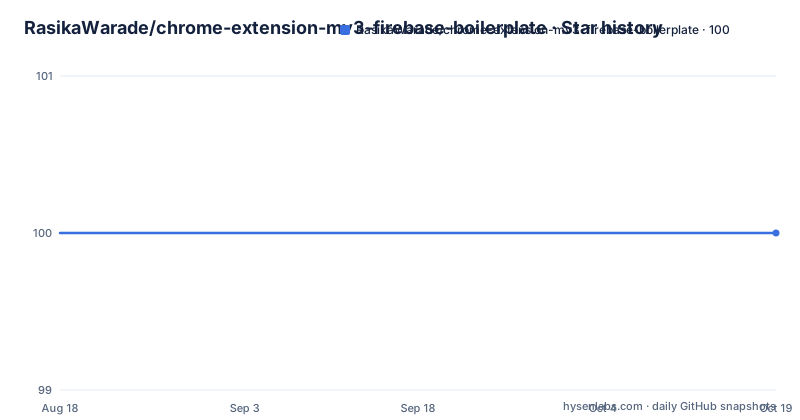
Star history
- RasikaWarade/chrome-extension-mv3-firebase-boilerplate100 ★ · +0
| Repository | 2026-08-18 | 2026-10-19 |
|---|---|---|
| RasikaWarade/chrome-extension-mv3-firebase-boilerplate | 100 | 100 |
0 Stars in the last 62 days, measured from the daily GitHub snapshot. Compare with other projects
Editorial analysis
Manifest V3 made a bundler mandatory, not optional
The reason this repository exists is a platform deadline. According to the Chrome extension timeline it cites, every extension supporting Manifest Version 2 would sunset in January 2023, and moving to Version 3 had already become a requirement for new extensions. The significant security change behind that is the one that shapes the whole project: remotely hosted code, such as JavaScript, is no longer allowed. If your extension codebase is not bundled and structured in a modular fashion, that leads to problems. The author frames it honestly as a beginner's problem, saying they had limited experience with Webpack when they built their own extension, believed new beginners would hit the same wall, and compiled the resource so the setup existed in one place. So the Webpack layer is not a preference here, it is the price of admission to the platform.
FirebaseUI and the two popup flows both fail here
The Firebase section lists two issues rather than a solution, and they are the reason a guide was needed. The first is the built-in sign-in library, firebase-ui: the author confirms it does not work at the time of writing because the library does not support the optimizations of module bundling, which is exactly what Manifest V3 forces on you. The second is that signInWithPopup and signInWithRedirect, the two documented ways of doing Google Sign In from Firebase, do not work either, because of limitations on the MV3 extension side rather than anything wrong with the Firebase code. The working path combines resources and snippets instead. It authorises Firebase with the GoogleAuthProvider using an OAuth access token, then builds a Firebase credential from the Google ID token and signs in with it, and the author notes the same approach can be extended to other sign-in methods.
Three webpack configs, two npm scripts
The build is split by purpose rather than by environment flag. webpack.common.js holds everything shared between the two others, which is where the loaders, the entry points and the copy rules live. webpack.development.js is the one to edit for development, and webpack.production.js is the one to edit before a release. The package manifest defines the two commands, with the development one running webpack in watch mode against the development config, and the release one running webpack once against the production config. The five bundler packages are installed together as dev dependencies: webpack, webpack-cli, html-webpack-plugin, clean-webpack-plugin and copy-webpack-plugin. The html and copy plugins are there because an extension is not just JavaScript, and getting the HTML and CSS into the output directory with the right names is most of what they are for.
npm run build watches, so it never returns
There is a small mismatch between the instructions and the scripts that will confuse you on the first run. The usage steps say to run the build command and that this will build the dist folder, and the script behind that command is webpack in watch mode against the development config. So the command does not finish: it starts, writes the dist folder, then stays running and rewrites it whenever a file changes, which is the automatic reload the boilerplate advertises but also means you are looking at a terminal that has not returned to a prompt. The one-shot build is the release script, which runs webpack once against the production configuration. For loading the unpacked extension into Chrome either output works, and for anything you intend to publish the production path is the one to use.
Everything lives in src/, and the manifest is the entry
All of the extension's development code, including the manifest, goes in the src folder, and the boilerplate arrives prepared with a popup, an options page and a background page: background.js, content.js, popup with its own script, markup and styles, and options with script and markup. src/manifest.json is the entry point for the extension, and two changes to it are called out. The identity permission is added to support authenticate operations, and the OAuth details have to be filled in because they are specific to your project:
"oauth2": {
    "client_id": "<fill-me>.apps.googleusercontent.com",
The same block carries the email and profile scopes and a public key entry with a PEM placeholder. The Firebase side lives in src/popup/firebase_config.js, which other scripts import with `import { firebaseApp } from './firebase_config'`, and where the seven config values from the Firebase console replace more `<fill-me>` strings.
Two installs, and the Node versions that were current
Setup is two npm commands, one for the bundler and one for Firebase. The first installs the build chain as dev dependencies:
npm install --save-dev webpack webpack-cli html-webpack-plugin clean-webpack-plugin copy-webpack-pluginThe second installs the Firebase packages:
npm install firebase firebaseui --saveTwo things are worth noting. FirebaseUI is installed even though the README says it does not work with module bundling, so you end up with a dependency you are not meant to use; the installed versions are firebase at 9.6.5 and firebaseui at 6.0.0. And the recorded toolchain is old: the author notes their current Node version as 16.13.1 with npm at 8.1.2, which dates this to early 2022. The repository also ships a demo PDF and links a video walkthrough, which is the fastest way to see the sign-in flow working before you touch the configuration.
Load unpacked, and the folder that matters is dist
The usage sequence is seven steps and most of them are about configuration rather than code. Clone the repository. Replace every `<fill-me>` string with the details for your Firebase app, which you get from the Firebase console after registering the app. Run npm install to get the node modules. Run npm run build, which writes the dist folder. Then load the extension in Chrome: go to chrome://extensions/, turn on Developer mode, click Load unpacked and select the dist folder. That last detail is the one that catches people, since the manifest the browser reads has to be inside the folder you select, and selecting the project root instead produces an extension that never loads. The repository is MIT licensed, the default branch is main, no releases have been published, and the last recorded commit is 7 February 2022.
Editorial conclusion
This boilerplate fits someone starting a Chrome extension that needs to know who the user is, and who would otherwise lose a day to the same two dead ends: the popup sign-in flows and the FirebaseUI library. Three things to know before you copy it. The stated motivation is a platform deadline rather than a preference, since remotely hosted code is not allowed under Manifest V3 and unbundled extensions break as a result, so the bundler is mandatory rather than taste. The workaround it demonstrates is specific, authorising Firebase with the GoogleAuthProvider and an OAuth access token to build a credential from the Google ID token, and you would extend that for other providers rather than reuse the flows Firebase ships. And the tooling dates from early 2022: the author recorded Node 16 and npm 8 as current, and the last commit is 7 February 2022. MIT licensed, three webpack configs, everything under src/.
Frequently asked questions
What is Firebase authentication used for in this boilerplate?
It shows how to authenticate a Manifest Version 3 Chrome extension with Firebase SDK 9 and Google Sign In enabled, so the extension can identify which user is signed in. The Firebase project and its console access are assumed to be set up already.
Why does FirebaseUI not work in a Manifest V3 Chrome extension?
The README states that the firebase-ui library does not support the optimizations of module bundling, so it does not work there, and that the popup and redirect sign-in flows fail for the same kind of platform reason. The boilerplate instead authorises with GoogleAuthProvider and an OAuth access token, then signs in with a credential built from the Google ID token.
How do I build this Chrome extension boilerplate?
Clone the repo, replace the <fill-me> placeholders in src/manifest.json and src/popup/firebase_config.js with your Firebase app details, run npm install, then run npm run build, which writes the dist folder using webpack in watch mode. Load it through chrome://extensions/ with Developer mode enabled and Load unpacked, selecting the dist folder.
What does the webpack configuration consist of?
Three files: webpack.common.js with the settings shared by both builds, webpack.development.js for development, and webpack.production.js for a release. The npm scripts drive them, with build running webpack in watch mode against the development config and release running webpack once against the production config.
Which files hold the Firebase and Google sign in configuration?
src/manifest.json holds the OAuth block with the client id, the email and profile scopes and a public key, plus the identity permission. src/popup/firebase_config.js holds the Firebase config values and is imported elsewhere as `import { firebaseApp } from './firebase_config'`.
Official sources
Add this badge to your README
If you maintain this project, the badge below links readers to this analysis and shows its maintenance status from the daily GitHub snapshot. Paste the markdown into your README; add ?metric=license or ?metric=stars to the image URL for a different field.

[](https://hysenlabs.com/projects/rasikawarade-chrome-extension-mv3-firebase-boilerplate)Star history chart for your README
[](https://hysenlabs.com/projects/rasikawarade-chrome-extension-mv3-firebase-boilerplate)