The compatibility table jumps from 18 to 15, and the release cycle is independent
The React Native Community CLI — Command line tools to help you build React Native apps
At a glance
- What is it?
- react-native-community CLI is the npm package that carries the command line tools for React Native apps. Its own table maps one major to five framework releases and the next two majors to one each, warns against updating the CLI on its own, and ships its maintenance branches as the answer.
- Who is it for?
- react-native-community CLI is the right dependency if you are building a React Native app and want the standard command line rather than a framework that bundles its own, and its compatibility table is honest enough to plan an upgrade around. Three things to check first.
- Can I use it commercially?
- Yes. MIT is a permissive licence: you can use, modify and sell software built on it, as long as you keep its copyright and licence notices.
- Is it still maintained?
- Yes. The repository last received commits 1 day ago.
- What is it written in?
- Mainly TypeScript, according to GitHub's language statistics.
Answers come from the project's GitHub data, last synced on November 13, 2026, and from our analysis. They are not legal advice.
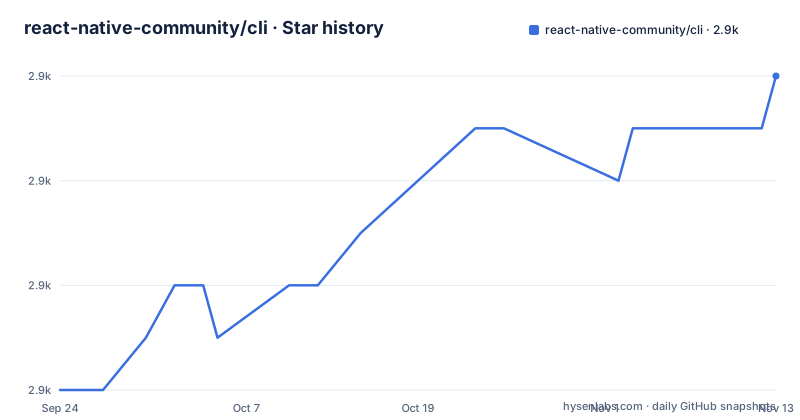
Star history
- react-native-community/cli2,942 ★ · +6
| Repository | 2026-09-24 | 2026-11-13 |
|---|---|---|
| react-native-community/cli | 2.9k | 2.9k |
6 Stars in the last 50 days, measured from the daily GitHub snapshot. Compare with other projects
Editorial analysis
Version 20 covers five framework releases and the table then skips two majors
The compatibility table is the most useful thing in this repository, and it does not read the way a version table usually does. The current major, 20, is mapped to five consecutive React Native releases, 0.81 through 0.85. The two majors below it are mapped to exactly one each: 19 to 0.80 and 18 to 0.79. And then the table goes back to 15, which is mapped to three releases, 0.76 through 0.78.
So the sequence of majors shown is 20, 19, 18 and then 15. There is no row for 16 or 17 at all, and no framework release between 0.78 and 0.79 appears either. The pattern suggests those two majors were short-lived and their framework coverage was folded into neighbours, but the table does not say so, and anyone planning an upgrade from a project on 16 or 17 has to work that out from the two rows around the gap.
The release cycle is independent, and updating it independently is discouraged
Two statements sit next to each other and pull in opposite directions. The first says the release cycle is independent of react-native, which is a scheduling fact: this project versions and ships on its own clock rather than in lockstep with the framework. The second is a warning that the package is designed to work with specific react-native versions, and that updating the CLI independently is not recommended because it may cause unexpected issues.
Both can be true, and the reconciliation is the table above. Independence is about who decides when to cut a release; the mapping is about which framework versions that release is tested against. A CLI major can therefore be published between framework releases and still only claim a fixed set of framework minors, which is exactly what the table records.
The practical reading for a user is narrow: install the CLI major that matches your framework, and treat the framework as the thing you upgrade on your own schedule.
Old majors live on their own branches, which is what the warning depends on
Each row in the table links somewhere different, and the destinations are the mechanism behind the warning. Version 20 links to the main branch, while 19, 18 and 15 each link to a branch named after that major. So a project still on React Native 0.80 can install CLI 19 from a branch that is maintained separately from main rather than being locked to whatever main now ships.
That is the usual maintenance-branch arrangement, and it means the warning about not updating independently is answerable rather than merely discouraging: there is somewhere to stay. What the table does not publish is how long those branches are kept, whether they receive fixes or only new versions are cut from them, or what the upgrade path is when a framework minor forces a CLI major.
One more detail sits at the bottom of the table. The link for previous versions points at a README pinned to a single commit rather than to a tag, so the archive of older compatibility tables is a frozen snapshot that will not change as history grows.
The installed binary is named rnc-cli, and there are two ways to run it
The package is scoped as @react-native-community/cli, but the binary it installs is called rnc-cli, which is not the name most people expect from a React Native tool. There are two documented ways to use it, and they belong to different moments.
For a new project, the tool is run straight from npm without installing anything locally.
npx @react-native-community/cli@latest init MyAppInside an existing project it is called as a local binary, where the example is the start command.
yarn rnc-cli startThe documentation then suggests hiding that behind a package script so the command you type is short.
{
  "scripts": {
    "start": "rnc-cli start"
  }
}
which is then invoked as `yarn start`. The fuller command reference lives in the docs folder of the repository rather than on this page.
Installing this repository's dependencies builds every workspace package
The repository is a monorepo with workspaces pointing at the packages directory and Lerna driving publication. Its scripts are worth reading because two of them have side effects that are easy to trigger by accident. The postinstall script runs a full build, so cloning the repository and installing its dependencies compiles every package rather than just fetching them.
The build itself has two stages. A prebuild hook runs the TypeScript build first, and the main build calls a script that assembles the output packages. Two cleaning scripts exist, one removing build directories and a second also removing the incremental build info files, and that second one is what publication uses. A watch script sits alongside for local development, and a link-packages script exists to wire the workspace packages together without publishing.
The practical note is that this repository is for working on the CLI, not for depending on it. Installing a package from it means a build step you did not ask for, and the published artifacts are what your project should consume instead.
Publishing reinstalls, then force-publishes every package
The publish scripts are two lines that repeat each other with one difference. Both start by running the full clean, then run a dependency install, then invoke Lerna publish with the force-publish flag. The second variant adds the next distribution tag, so the same sequence produces a normal release or a pre-release.
Two details are worth naming. The install step in the middle re-triggers postinstall, which means publishing the packages also rebuilds them from a fresh dependency tree rather than trusting whatever was already on disk. And the force-publish flag tells Lerna to publish every workspace package with a new version even when nothing in it changed, which is the behaviour a monorepo of many small packages usually wants so that their version numbers stay aligned.
Set against that, the release history is unhurried. The three most recent tags are 20.1.0 in January 2026, 20.1.1 later that month, and 20.2.0 in June. The last push to main is dated 2026-10-01, so the branch is a few months ahead of the newest tag.
The test toolchain is Jest 26 while the CLI targets framework 0.85
The development dependencies describe a tooling stack that has not moved in a while, and the gap is visible when set against the compatibility table. The test runner is Jest 26, with matching type packages, babel-jest, jest-circus and a snapshot serializer all in the same generation. Node types are on version 20 and the linter is on version 8 with the older configuration file format.
That is a test harness several majors behind the framework versions this CLI claims to support, which covers five React Native releases from 0.81 to 0.85. It is not a defect by itself, since the tests here exercise the command line layer rather than the framework, but it does mean the harness is older than the code it guards.
The rest of the repository is conventional for the ecosystem: Babel configuration, TypeScript configuration, Jest configuration with a mocks directory, a husky directory wired up by a prepare script, a Codeowners file, a changelog, a contributing guide, and an end to end suite in a directory whose name carries leading and trailing underscores, while the CI script passes a shorter name as its pattern.
Editorial conclusion
react-native-community CLI is the right dependency if you are building a React Native app and want the standard command line rather than a framework that bundles its own, and its compatibility table is honest enough to plan an upgrade around. Three things to check first. Read the table as a range rather than a version, because the CLI major you install decides which framework minors you can pair it with. Decide how you will pin, since the documentation advises against updating the CLI independently and the branches for older majors exist for that reason rather than for convenience. And note the tooling the repository itself runs: installing its dependencies triggers a full build of every workspace package, and publishing reinstalls before it publishes, so clone it rather than adding it as a dependency in your own project.
Frequently asked questions
What is React Native CLI?
It is the set of command line tools for building apps with React Native, shipped as the @react-native-community/cli npm package. The installed binary is named rnc-cli. A new project is created with an init command run through npx, and inside an existing project the same binary is invoked as a local command, often wrapped in a package script.
how to install react native community cli
For a new project the documentation runs it without a local install, using npx with the package name and the init command. Inside an existing project you call the local rnc-cli binary, for example through yarn rnc-cli start, or add a package script that calls rnc-cli start so you can type yarn start instead.
How do I check which version of @react-native-community/cli I have?
This repository does not document a version command on its front page. What it does publish is the compatibility table, which maps CLI majors to framework versions, and the tags, where the three most recent are 20.2.0, 20.1.1 and 20.1.0. The commands reference is in the docs folder of the repository.
Should I update react-native-community/cli on its own?
The documentation says not to, warning that the package is designed for specific react-native versions and that updating independently may cause unexpected issues. It also says the release cycle is independent of the framework, which is about scheduling rather than about compatibility. Older CLI majors are kept on separate branches so a project can stay where it is.
How does react-native-community CLI compare with Expo?
This repository does not make that comparison anywhere. It documents one path: npx with the init command for a new project, and the local rnc-cli binary inside an existing one, with configuration, commands, plugins and autolinking covered in its docs folder. The linked Community Template is the starting point it points to instead.
Official sources
Add this badge to your README
If you maintain this project, the badge below links readers to this analysis and shows its maintenance status from the daily GitHub snapshot. Paste the markdown into your README; add ?metric=license or ?metric=stars to the image URL for a different field.

[](https://hysenlabs.com/projects/react-native-community-cli)Star history chart for your README
[](https://hysenlabs.com/projects/react-native-community-cli)Was this useful?