The Bash cheat sheet that lists the dangerous flags side by side
A cheat sheet for bash commands.
At a glance
- What is it?
- This repository is a single Markdown file of bash commands, organised by task, and its unusual value is that it puts the alternatives next to each other: the long and short forms, the recursive and force variants, the destructive and the careful one. The permission tables are the most consulted part.
- Who is it for?
- Adopt this cheat sheet as a lookup reference for the bash commands you use rarely and cannot remember, since the value is in the pairs rather than the sequences, the long and the short form, the copy and the move, the force and the non-force. Do not adopt it as a learning resource for the shell, because it is a list of invocations with no explanation of what the underlying tools do.
- Can I use it commercially?
- Yes. MIT is a permissive licence: you can use, modify and sell software built on it, as long as you keep its copyright and licence notices.
- Is it still maintained?
- Yes. The repository last received commits 18 days ago.
- What is it written in?
- GitHub does not report a main language for this repository.
Answers come from the project's GitHub data, last synced on October 23, 2026, and from our analysis. They are not legal advice.
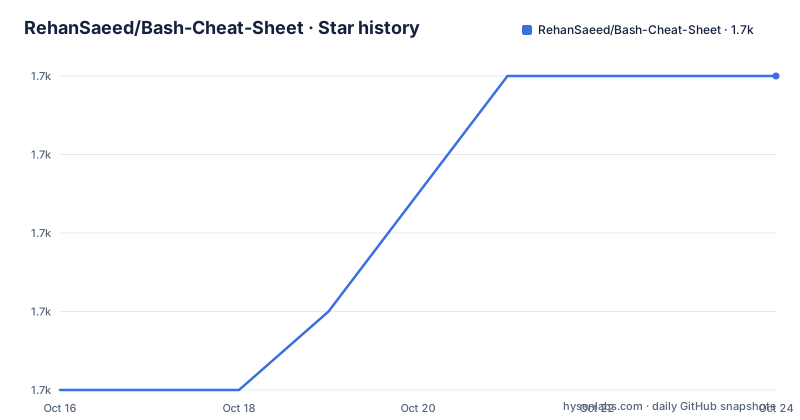
Star history
- RehanSaeed/Bash-Cheat-Sheet1,709 ★ · +4
| Repository | 2026-10-16 | 2026-10-23 |
|---|---|---|
| RehanSaeed/Bash-Cheat-Sheet | 1.7k | 1.7k |
4 Stars in the last 7 days, measured from the daily GitHub snapshot. Compare with other projects
Editorial analysis
The format is alternatives in one line
The style is consistent across the whole file. Each line is a command, then a comment saying what it does, and where a command has both a long and a short form, both are written with a pipe between them:
ls -a|--all               # List directories including hidden
ls -l -h|--human-readable # List directories in long form with human readable sizes
That is a small decision with a large effect. A cheat sheet that lists one spelling teaches you one spelling, and the one you forget to look up the next time. Listing both makes the sheet slightly longer but tells you that the choice exists, which is the information you were actually missing. The same convention appears on the destructive commands, where `rm -r|--recursive` and `rm -f|--force` are both shown, and it appears on the `mkdir -p|--parents` line and the `rsync` flags.
The permission tables are the reason to keep the file
Two tables cover file permissions, and they are the part of the document most likely to be worth printing. The first maps the numeric value to the read, write and execute bits, with the binary form alongside, so 7 is read, write and execute as 111, 6 is read and write as 110, down to 0 which is none. The second table gives the two default configurations that matter in practice: 6 for a user and 4 for group and others, which is the default file permissions, and 7 for the user and 5 for group and others, which is the default directory permissions. The note underneath explains the part that confuses people, that for a directory execute means you can enter it, which is why a directory needs the execute bit to be traversable even when its contents are not executable.
Redirection is shown in the order that actually matters
The section on standard output, standard error and standard input puts the redirections side by side, and one of the pairs is a classic trap:
echo "foo" > bar.txt       # Overwrite file with content
echo "foo" >> bar.txt      # Append to file with content

ls exists 1> stdout.txt    # Redirect the standard output to a file
ls noexist 2> stderror.txt # Redirect the standard error output to a file
ls 2>&1 > out.txt          # Redirect standard output and error to a file
ls > /dev/null             # Discard standard output and error
The `2>&1 > out.txt` line is worth pausing on, because the order of the two redirections decides what ends up in the file. The stderr descriptor is duplicated onto the current stdout, which at that moment is still the terminal, and only then is stdout sent to the file, so the error output goes to the screen rather than the file. Writing it the other way round, `> out.txt 2>&1`, sends both to the file. The cheat sheet shows the ordering without spelling out the consequence, so a reader who already knows why the order matters gets it, and a reader who does not will have to work it out.
History tricks in the first section
The document opens with command history, and the two entries there are the ones people forget. `!!` runs the last command, and `CTRL+r` searches the history, with the note to hit it multiple times to find multiple occurrences. Then there is the history expansion idiom that ties them together:
touch foo.sh
chmod +x !$   # !$ is the last argument of the last command i.e. foo.sh
That is two commands run as one, with the second one referring to the argument of the first. It is the kind of thing you either internalise or look up every single time, and having it in the first section means you see it. The `find` section at the end of the visible document follows the same pattern with `type`, `which` and `whereis` for locating a binary, and then `locate`, which is different in kind because it uses an index, is fast, and needs `updatedb` to refresh that index.
Directories, archives and the stack
The navigation section is the most complete part of the sheet. It covers `pwd` and the `ls` variants including the long form, human readable sizes and sorting by modification time, `stat` for a file and for a directory, and `tree` with the hidden and directories-only variants. The `cd` family is complete too, including `cd -` to return to the previous directory, and the `pushd` and `popd` pair for a directory stack. The creating and moving sections show `mkdir` with the parents flag and brace expansion for multiple directories, `mktemp` for a temporary file or directory, `cp` and `mv` for files, and `rsync` in four forms, with and without the archive flag, and in both directions between a local path and a remote host over ssh. The rsync entries are the subtle part, because the archive flag changes the behaviour of the copy rather than just its verbosity.
What the repository actually is
The repository is two files: a LICENSE and the README.md, with the MIT licence. There is no build system, no test suite, no script and no releases, and the primary language is not even determined because there is no code. The last push to the main branch was on 2026-10-05. That is worth stating plainly, because a repository that looks like software in a search result and turns out to be a document is a mild waste of time, and the reverse is also true: a single well-organised file that answers a question in ten seconds is a better artefact than a tool that needs installing. The topics attached to it are bash, shell, linux, unix, sh, tar and cheat-sheet, and the file is bilingual in practice since the original was written with some non-English sections.
Editorial conclusion
Adopt this cheat sheet as a lookup reference for the bash commands you use rarely and cannot remember, since the value is in the pairs rather than the sequences, the long and the short form, the copy and the move, the force and the non-force. Do not adopt it as a learning resource for the shell, because it is a list of invocations with no explanation of what the underlying tools do. Verify first that the commands are the ones you want on your system, since several entries in the finding section, such as locate, depend on an index being present, and note that the file is the only content in the repository, so there is no version history to consult if an entry changes.
Frequently asked questions
What does the Bash Cheat Sheet repository contain?
A single README.md file organised by task, with commands and a comment describing each one, plus tables for file permissions. The top level of the repository holds only the LICENSE and the README, with no code.
How does the sheet show long and short options?
With a pipe between them on the same line, for example `ls -a|--all` and `mkdir -p|--parents`, so both spellings are visible together with a comment explaining what the command does.
What do the file permission tables explain?
The first maps the numeric value to the read, write and execute bits with the binary form, from 7 as rwx down to 0 as none. The second gives the default file permissions of 6 for the user and 4 for group and others, and the default directory permissions of 7 and 5, with a note that execute on a directory means you can enter it.
What is the difference between the rsync entries in the sheet?
The archive flag changes the copy behaviour rather than just adding verbosity, and the sheet shows the compress and verbose flags in both forms, plus the two remote directions: copying a local directory to a remote host and copying a remote directory to a local one.
How does the sheet handle file searching?
It lists `type`, `which` and `whereis` to locate a binary, then `locate` for files, which uses an index rather than walking the tree, is fast, and needs `updatedb` to refresh that index.
Official sources
Add this badge to your README
If you maintain this project, the badge below links readers to this analysis and shows its maintenance status from the daily GitHub snapshot. Paste the markdown into your README; add ?metric=license or ?metric=stars to the image URL for a different field.

[](https://hysenlabs.com/projects/rehansaeed-bash-cheat-sheet)Star history chart for your README
[](https://hysenlabs.com/projects/rehansaeed-bash-cheat-sheet)Was this useful?