renv: a private package library for every R project
renv: Project environments for R.
At a glance
- What is it?
- renv gives each R project its own library, records the exact package versions a project depends on in a lockfile, and reinstalls those versions anywhere. The model is a project library plus a lockfile plus a restore verb, with a cache underneath so repeated restores are fast.
- Who is it for?
- Adopt renv if you work on more than one R project or share R code with other people, since the isolation and the lockfile are what make a colleague's run reproducible. Do not adopt it for a single throwaway script, where the setup is more ceremony than the problem warrants.
- Can I use it commercially?
- Yes. MIT is a permissive licence: you can use, modify and sell software built on it, as long as you keep its copyright and licence notices.
- Is it still maintained?
- Yes. The repository last received commits 11 days ago.
- What is it written in?
- Mainly R, according to GitHub's language statistics.
Answers come from the project's GitHub data, last synced on November 7, 2026, and from our analysis. They are not legal advice.
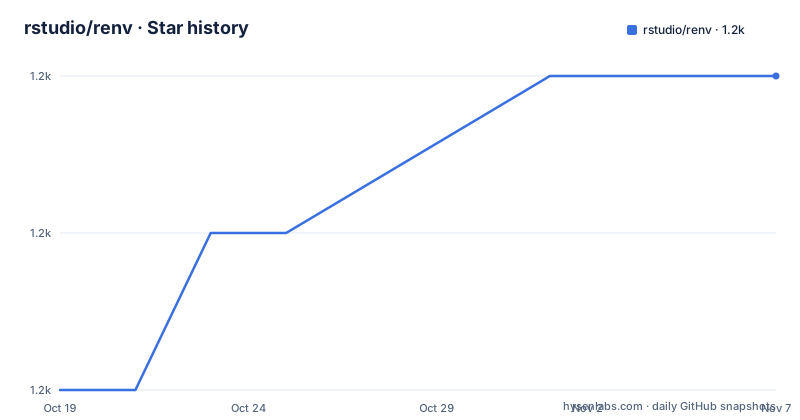
Star history
- rstudio/renv1,166 ★ · +2
| Repository | 2026-10-19 | 2026-11-07 |
|---|---|---|
| rstudio/renv | 1.2k | 1.2k |
2 Stars in the last 19 days, measured from the daily GitHub snapshot. Compare with other projects
Editorial analysis
Three properties and one private library
renv helps you create reproducible environments for your R projects, and the README states the goal in three words: make your R projects more isolated, portable, and reproducible. The package name is a mnemonic for that, and the footnote says it is pronounced R env.
The isolation is the mechanism everything else rests on. Installing a new or updated package for one project will not break your other projects, and vice versa, because renv gives each project its own private library. That is a different model from the one R uses by default, where all projects on a machine share one library and a package upgrade in one of them changes what another sees.
Portability follows from that separation. Because each project owns its packages, you can move a project to another computer, even across different platforms, and renv makes it easy to install the packages your project depends on.
Reproducibility is the third property and the one with the most moving parts. renv records the exact package versions you depend on, and ensures those exact versions are the ones that get installed wherever you go. The word exact is doing the work. Not a compatible version, not the latest, the exact one, which is the difference between a project that runs the same way in a year and one that runs the same way today.
The project is MIT licensed, the primary language is R, the home page is rstudio.github.io/renv, and the last push to the repository was on 2026-10-15. The recent releases are 1.3.1 from 2026-10-06, 1.3.0 from 2026-09-29, and 1.2.4 from 2026-08-03, and the lifecycle badge marks it stable. The package is on CRAN, and the development version is available from the r-universe repository.
The verbs, and the diagram that explains them
The README carries a diagram of the most important verbs and nouns of renv, and the alt text describes it precisely enough to be worth reading on its own.
Projects start with init(), which creates a project library using packages from the system library. snapshot() updates the lockfile using the packages installed in the project library, where restore() installs packages into the project library using the metadata from the lockfile, and status() compares the lockfile to the project library. You install and update packages from CRAN and GitHub using install() and update(), but because you will need to do this for multiple projects, renv uses cache to make this fast.
So there are three nouns and four verbs. The nouns are the project library, the lockfile, and the cache. The verbs are init, snapshot, restore, and status, with install and update layered on top of the normal R functions.
The workflow in the README spells out the sequence. You use renv::init() to initialize renv in a new or existing project, which sets up a project library containing all the packages you are currently using. The packages, and all the metadata needed to reinstall them, are recorded into a lockfile named renv.lock, and a .Rprofile ensures that the library is used every time you open that project.
As you continue working, you install and upgrade packages, either using install.packages() and update.packages() or renv::install() and renv::update(). After you have confirmed your code works as expected, you use renv::snapshot() to record the packages and their sources in the lockfile.
And later, when you need to share your code or run it on a new machine, your collaborator, or you, can call renv::restore() to reinstall the specific package versions recorded in the lockfile.
That ordering matters. The snapshot comes after you confirm the code works, which means the lockfile records a state you have actually tested, not the state you happened to be in when you first hit a bug.
Installing it, and the two sources
Installation is a single R call from CRAN:
``` r install.packages("renv")
And there is a development version from r-universe:
r install.packages("renv", repos = "https://rstudio.r-universe.dev") ```
That is the whole installation, and it is worth noting how different it is from a compiled toolchain. There is no binary, no system library, and no platform specific build, because renv is R code that installs into your R library like any other package.
The CRAN and r-universe split is a standard pattern in the R world, and it maps to the distinction the README draws between stable releases and the development version. The recent release history shows a 1.3.0 followed by a 1.3.1 within a week, and a 1.2.4 in August, so the package is actively maintained with a fairly quick patch cadence.
The README is also generated from README.Rmd, which is stated in a comment at the top of the file. That is a small thing that says a lot about the project, because it means the documentation you are reading is executable in the sense that the code blocks are evaluated rather than typed by hand.
The repository, and the examples that show the two entry points
The repository is a standard R package layout with a couple of extras. There is DESCRIPTION, NAMESPACE, NEWS.md, and the usual R/ directory, plus man/ for the documentation, tests/, and vignettes/ for the long-form guides. The _pkgdown.yml and pkgdown/ directory are for the documentation site, and there is a codecov.yml, a .covrignore for the coverage tool, and a .Rbuildignore.
Two of the top level entries are worth pausing on. There is renv.Rproj, which is an RStudio project file, and that is what makes renv feel native to an RStudio user: open the project and the environment is already active. And there is templates/, which is where the scaffolded files come from, so a new project created by init() gets its .Rprofile and lockfile from templates rather than from code that assembles them at runtime.
The examples/ directory has three files, and two of them are named for the entry points. examples-init.R is the init() flow, examples-record.R is the snapshot and restore flow, and examples/.renvignore is a configuration file for the examples themselves. The .renvignore file is a small but telling detail, because it means the example code knows how to exclude itself from the lockfile it demonstrates, which is exactly the problem a user hits when they try this for the first time on a repository that contains renv's own artefacts.
The vignette structure is what the README points newcomers at. If this is your first time using renv, it strongly recommends starting with the Introduction to renv vignette, which will help you understand the most important verbs and nouns of renv.
Where the cache fits, and what can go wrong
The cache is the reason restore() is fast, and it is the piece the diagram flags with a note. You install and update packages from CRAN and GitHub using install() and update(), but because you will need to do this for multiple projects, renv uses cache to make this fast.
The reasoning is straightforward. Without a cache, every project that depends on the same twenty packages downloads those twenty packages again, and a user with ten projects downloads them two hundred times. With a cache, the download happens once and the installation into each project library is a copy. The cache sits below the project libraries rather than inside them, which is what makes the isolation property hold while the download cost is paid once.
The failure mode to know about is the one the FAQ and the bug reporting guidance point at. If you believe you have found a bug, you are asked to file it with a reproducible example if possible, and there is a link to reprex, the tidyverse tool for producing minimal reproducible examples. That request is a hint about the most common problem class: a restore that fails because a package version in the lockfile is no longer obtainable from the recorded source. A lockfile records the package and its source, and a package that has been removed from CRAN, or a GitHub repository that has been renamed or made private, cannot be fetched. The lockfile is only as durable as the archives it points at, which is the limitation that any dependency pinning system shares.
Editorial conclusion
Adopt renv if you work on more than one R project or share R code with other people, since the isolation and the lockfile are what make a colleague's run reproducible. Do not adopt it for a single throwaway script, where the setup is more ceremony than the problem warrants. Verify first that your dependencies can be fetched from the sources the lockfile records, since a package that is no longer on CRAN is the usual reason a restore fails.
Frequently asked questions
What does renv do for an R project?
It gives each project its own private library so installing a package for one project will not break your other projects, makes the project portable between machines and platforms, and records the exact package versions you depend on so those are the versions installed wherever you go.
How do I install renv?
From CRAN with install.packages("renv"), or the development version with install.packages("renv", repos = "https://rstudio.r-universe.dev"). The package is marked stable on its lifecycle badge and the current version is 1.3.1.
What is the difference between renv's snapshot and restore?
Snapshot updates the lockfile using the packages installed in the project library, and restore installs packages into the project library using the metadata from the lockfile. Status compares the lockfile to the project library, and the workflow expects a snapshot only after you have confirmed your code works.
What files does renv create in a project?
A project library containing the packages you are using, a lockfile named renv.lock recording the packages and the metadata needed to reinstall them, and a .Rprofile that ensures the library is used every time you open that project.
Why does renv need a cache?
Because install() and update() have to be repeated for every project, and without a cache the same packages are downloaded again for each one. The cache sits below the project libraries so the download happens once while each project still keeps its own isolated library.
Official sources
Add this badge to your README
If you maintain this project, the badge below links readers to this analysis and shows its maintenance status from the daily GitHub snapshot. Paste the markdown into your README; add ?metric=license or ?metric=stars to the image URL for a different field.

[](https://hysenlabs.com/projects/rstudio-renv)Star history chart for your README
[](https://hysenlabs.com/projects/rstudio-renv)Was this useful?