setup-ruby: the GitHub Action that puts a prebuilt Ruby on the PATH in five seconds
An action to download a prebuilt Ruby and add it to the PATH in 5 seconds
At a glance
- What is it?
- The ruby/setup-ruby action downloads a prebuilt Ruby, JRuby or TruffleRuby and puts it on the PATH, covering everything from Ruby 1.9.3 to the current head builds across three operating systems, with optional bundler caching and a version syntax that reads .ruby-version, .tool-versions or mise.toml. Its most important piece of advice is to pin to the v1 tag rather than a commit, because a pinned commit freezes the available Ruby versions.
- Who is it for?
- setup-ruby fits any GitHub Actions workflow that needs a specific Ruby, and it is close to mandatory for a Ruby project with a version matrix, since it is the only practical way to run four MRI versions plus head plus two alternative runtimes in one CI run. It is the wrong tool outside GitHub Actions, since it is an action and not a Ruby installer, and the wrong tool if your build needs a Ruby configuration that is not in the published list.
- Can I use it commercially?
- Yes. MIT is a permissive licence: you can use, modify and sell software built on it, as long as you keep its copyright and licence notices.
- Is it still maintained?
- Yes. The repository last received commits 1 day ago.
- What is it written in?
- Mainly JavaScript, according to GitHub's language statistics.
Answers come from the project's GitHub data, last synced on November 7, 2026, and from our analysis. They are not legal advice.
Star history
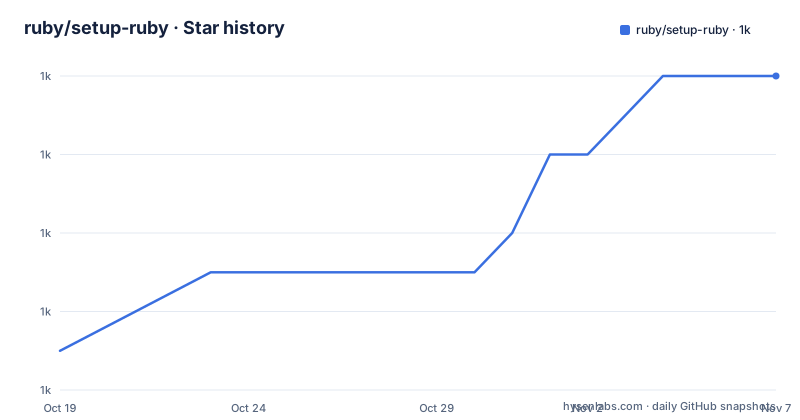
- ruby/setup-ruby1,010 ★ · +7
| Repository | 2026-10-19 | 2026-11-07 |
|---|---|---|
| ruby/setup-ruby | 1k | 1k |
7 Stars in the last 19 days, measured from the daily GitHub snapshot. Compare with other projects
Editorial analysis
What the action does and why the pinning advice comes first
setup-ruby is an action to download a prebuilt Ruby and add it to the PATH, and the README is unusually blunt about the speed. It is very efficient and takes about 5 seconds to download, extract and add the given Ruby to the PATH, and no extra packages need to be installed.
Five seconds is the number that matters for CI, and it is achieved by not building Ruby at all. The prebuilt releases are generated by ruby-builder on Linux and macOS and by RubyInstaller2 on Windows. The mingw, ucrt and mswin builds are generated by ruby-loco, and the head builds come from dedicated dev builders: ruby-dev-builder for ruby-head, jruby-dev-builder for jruby-head, and truffleruby-dev-builder for truffleruby-head and truffleruby+graalvm-head.
So the action is a download, an extract and a PATH entry, and the reason it can be that fast is that the hard work, compiling Ruby, was done ahead of time by other projects.
The advice at the top of the README is the part every user should read first. It is marked Important: prefer ruby/setup-ruby@v1. If you pin to a commit or release, only the Ruby versions available at the time of the commit will be available, and you will need to update it to use newer Ruby versions.
That is a real and non-obvious coupling. The action resolves a version string to a prebuilt artefact, and the set of available artefacts grows over time as the builders publish new ones. Pinning the action to a commit freezes your workflow against that moment's catalogue of Rubies. So the usual advice about pinning for supply chain safety, pin exactly, is inverted here, because the action's own documentation asks you not to.
The primary language is JavaScript, the licence is MIT, and the recent releases are v1.329.0 on 2026-10-12, v1.328.0 on 2026-10-09 and v1.327.0 on 2026-09-25. The repository is not archived, with the last push on 2026-10-12. The homepage points at the marketplace entry for the action and its JRuby and TruffleRuby variants.
The package.json shows a small footprint. The dependencies are the standard GitHub Actions toolchain packages, @actions/cache, @actions/core, @actions/exec, @actions/io and @actions/tool-cache, plus linux-os-info for detecting the runner's distribution and semver for version comparison. The build is ncc build index.js -o dist, so the action ships as a bundled single file in dist/, which is the standard pattern for a JavaScript action that has to run without an install step.
The version syntax, and the four ways to say which Ruby you want
The version resolution is the part of this action that has to be right, and the README gives a list of the accepted forms.
An engine and a version, like ruby-2.6.5 or truffleruby-19.3.0. A short version like '2.6', which automatically uses the latest release matching that version, for example 2.6.10. A version only like '2.6.5', which assumes MRI for the engine. An engine only like ruby or truffleruby, which uses the latest stable release of that implementation.
And then the file based forms, which are the ones most projects end up using. A .ruby-version is read from the project's .ruby-version file, a .tool-versions is read from the project's .tool-versions file, and a mise.toml is read from the project's mise.toml file. If the ruby-version input is not specified, .ruby-version is tried first, followed by .tool-versions, followed by mise.toml.
That fallback order is the useful detail, because it means a project that already declares its Ruby in any of the three common ways can add the action with no version at all and it will work. The single job example in the README says as much in a comment: ruby-version: '4.0' with the note that it is not needed with a .ruby-version, .tool-versions or mise.toml.
The working-directory input extends the same idea to a monorepo. It can be set to resolve .ruby-version, .tool-versions, mise.toml and Gemfile.lock if they are not at the root of the repository, and the README points at action.yml for the details.
The version catalogue itself is spread across several files in the repository, which is a good sign about how it is maintained. The list of available Ruby versions can be seen in ruby-builder-versions.json for Ubuntu and macOS, with a note that some combinations are not available and a link to the full list in the ruby-builder releases, and in windows-versions.json for Windows. There is also windows-toolchain-versions.json and versions-strings-for-builder.rb, which is the script that produces the version strings the builders consume.
The supported interpreter matrix is broad. For ruby, MRI, the versions are 1.9.3, 2.0.0, 2.1.9, 2.2, all versions from 2.3.0 until 4.1.0-preview1, head, debug, mingw, mswin and ucrt. For jruby, 9.1.17.0 through 10.1.2.0 and head. For truffleruby, 19.3.0 through 40.0.0 and head. And truffleruby+graalvm, 21.2.0 through 40.0.0 and head.
The long tail of old MRI versions from 1.9.3 is worth noting, because it means the action is useful for maintaining libraries that still support old rubies, which is the opposite of most CI tooling, which assumes a recent version.
The debug and asan builds, and the platform support matrix
Three of the supported version strings are not releases at all, and they are the reason this action is more than a convenience.
ruby-debug is the same as ruby-head but with assertions enabled, via -DRUBY_DEBUG=1. ruby-asan is the same as ruby-head but with AddressSanitizer enabled, which the README calls helpful for finding memory issues in native extensions. Native extensions are automatically compiled with AddressSanitizer when using ruby-asan. asan-release is similar to ruby-asan but built from the latest stable release tag.
So the action gives you a Ruby with an instrumented allocator and an instrumented compiler for native extensions, on demand, without maintaining your own build of either. For a project with C extensions, that is the difference between a memory bug that takes a week to find and one that takes an afternoon, and it is a capability that a plain language toolchain setup does not give you.
The restriction on the sanitizer builds is that ruby-asan is currently only available on ubuntu-24.04, and asan-release is likewise currently only available on ubuntu-24.04. So the debug tooling is tied to one runner image, which is worth knowing before you plan a matrix on it.
The Windows build variants are described separately. mingw is a MSYS2/MinGW build, head and ucrt are MSYS2/UCRT64 builds, and mswin is an MSVC/VS 2022 build.
The platform support table lists the GitHub-hosted runner images the action works on, with the note that runner images not listed are not supported yet, and that $OS-latest just aliases to one of these images. For Ubuntu there are ubuntu-22.04, ubuntu-24.04 and ubuntu-26.04, plus the arm variants of each, so ubuntu-22.04-arm, ubuntu-24.04-arm and ubuntu-26.04-arm. For macOS it is macos-14 and newer versions. For Windows it is windows-2022, windows-2025 and windows-11-arm.
The arm entries are the newest part of that list, and they matter because the arm64 runner images are the ones people are migrating to for cost reasons, and a Ruby action that does not support them is a blocker for that migration.
The Windows caveat is a separate and important limitation. Only release versions published by RubyInstaller are available on Windows, so Ruby 2.2 resolves to 2.2.6 on Windows and 2.2.10 on other platforms, and Ruby 2.3 on Windows only has builds for 2.3.0, 2.3.1 and 2.3.3. Preview and RC versions of Ruby might be available on Ubuntu and macOS but not on Windows, and the recommendation is to test against ruby-head rather than previews, since it provides more useful feedback for the Ruby core team and for upcoming changes.
And the security note is short and blunt: Ruby 2.4 and below, and the OpenSSL version it needs, 1.0.2, are both end-of-life, which means Ruby 2.4 and below is unmaintained and considered insecure. So the action can install those versions for compatibility testing, but you should not deploy on them.
The workflow patterns, and the bundler cache
The usage section gives three workflow patterns, and the middle one is the reason most projects adopt this action.
The single job case is the minimum:
name: My workflow
on: [push, pull_request]
jobs:
  test:
    runs-on: ubuntu-latest
    steps:
    - uses: actions/checkout@v6
    - uses: ruby/setup-ruby@v1
      with:
        ruby-version: '4.0' # Not needed with a .ruby-version, .tool-versions or mise.toml
        bundler-cache: true # runs 'bundle install' and caches installed gems automatically
    - run: bundle exec rake
The matrix of Ruby versions is the pattern that needs this action to exist:
name: My workflow
on: [push, pull_request]
jobs:
  test:
    strategy:
      fail-fast: false
      matrix:
        os: [ubuntu-latest, macos-latest]
        ruby: ['3.3', '3.4', '4.0', head, jruby, jruby-head, truffleruby, truffleruby-head]
    runs-on: ${{ matrix.os }}
    steps:
    - uses: actions/checkout@v6
    - uses: ruby/setup-ruby@v1
      with:
        ruby-version: ${{ matrix.ruby }}
        bundler-cache: true
    - run: bundle exec rake
Eight Ruby configurations across two operating systems, which is sixteen jobs, each needing a different Ruby in seconds. There is no other practical way to do that, and the comment about quotes around '3.0' in the source, with a link to a GitHub Actions runner issue, is a small window into the YAML parsing quirk that makes the quotes necessary.
The third pattern is a matrix of Gemfiles rather than Rubies, which is what you want when you are testing a library against different dependency sets rather than different interpreters:
name: My workflow
on: [push, pull_request]
jobs:
  test:
    strategy:
      fail-fast: false
      matrix:
        gemfile: [ rails7, rails8 ]
    runs-on: ubuntu-latest
    env: # $BUNDLE_GEMFILE must be set at the job level, so it is set for all steps
      BUNDLE_GEMFILE: ${{ github.workspace }}/gemfiles/${{ matrix.gemfile }}.gemfile
    steps:
    - uses: actions/checkout@v6
    - uses: ruby/setup-ruby@v1
      with:
        ruby-version: '4.0'
        bundler-cache: true
    - run: bundle exec rake
The env comment is worth reading, because it is the kind of thing that costs an hour. $BUNDLE_GEMFILE has to be set at the job level so it applies to all the steps, and the path is absolute, built from github.workspace.
The bundler-cache: true option is the other workhorse. It runs bundle install and caches the installed gems automatically, and the action uses the @actions/cache dependency to do it. The lock file is what determines the cache key, which is why the working-directory input also resolves Gemfile.lock, since a monorepo with several lock files needs to know which one defines the cache.
The RubyGems version is configurable too. By default the default RubyGems version that comes with each Ruby is used, but you can customise it by setting the rubygems input, and the README points at the action documentation for that.
The repository layout shows how the version data is maintained. There are new-versions.rb and versions-strings-for-builder.rb as the scripts that talk to the builders, generate-test-matrix.rb and generate-windows-versions.rb for the metadata, windows.js, ruby-builder.js, rubygems.js, bundler.js, common.js and index.js as the action logic, a gemfiles/ directory, a pre-commit hook, and a yarn.lock. The Rakefile and the scripts are the release machinery, and release.js is the release script.
Editorial conclusion
setup-ruby fits any GitHub Actions workflow that needs a specific Ruby, and it is close to mandatory for a Ruby project with a version matrix, since it is the only practical way to run four MRI versions plus head plus two alternative runtimes in one CI run. It is the wrong tool outside GitHub Actions, since it is an action and not a Ruby installer, and the wrong tool if your build needs a Ruby configuration that is not in the published list. Before adopting, pin to ruby/setup-ruby@v1 rather than a commit, because a pinned commit freezes the set of available Ruby versions, and check the supported runner images, since the action only works on the images the README lists.
Frequently asked questions
What does the setup-ruby GitHub Action do?
It downloads a prebuilt Ruby and adds it to the PATH, taking about 5 seconds to download, extract and add the given Ruby, with no extra packages needed to be installed. The prebuilt releases are generated by ruby-builder on Linux and macOS and by RubyInstaller2 on Windows.
How do I specify the Ruby version in setup-ruby?
With an engine and version like ruby-2.6.5, a short version like '2.6' that picks the latest matching release, a version only like '2.6.5' that assumes MRI, or an engine only like ruby. It also reads .ruby-version, .tool-versions or mise.toml from the project, in that order, if no ruby-version input is given.
Should I pin setup-ruby to a commit or a release?
No. The README marks it Important: prefer ruby/setup-ruby@v1, because if you pin to a commit or release only the Ruby versions available at that time will be available, and you will need to update the pin to use newer Ruby versions.
Which platforms and versions does setup-ruby support?
GitHub-hosted runner images for Ubuntu, macos-14 and newer, and Windows. For MRI it covers 1.9.3 through 4.1.0-preview1 plus head, debug, mingw, mswin and ucrt, with JRuby 9.1.17.0 to 10.1.2.0, TruffleRuby 19.3.0 to 40.0.0 and TruffleRuby plus GraalVM 21.2.0 to 40.0.0. The ruby-asan and asan-release builds are currently only available on ubuntu-24.04.
Official sources
Add this badge to your README
If you maintain this project, the badge below links readers to this analysis and shows its maintenance status from the daily GitHub snapshot. Paste the markdown into your README; add ?metric=license or ?metric=stars to the image URL for a different field.

[](https://hysenlabs.com/projects/ruby-setup-ruby)Star history chart for your README
[](https://hysenlabs.com/projects/ruby-setup-ruby)Was this useful?