Rubyzip for Ruby ZIP Archives: Creation, Recursion, and Constraints
Official Rubyzip repository
At a glance
- What is it?
- Rubyzip is a Ruby library for reading and writing ZIP archives, with APIs for file-based creation, streaming output, recursive directory collection, and in-memory buffers. It suits Ruby applications that need direct control over archive entries, although its README does not document rollback or a complete encryption workflow.
- Who is it for?
- Rubyzip is a sensible choice for Ruby applications that must create ZIP files through Ruby objects, streams, or memory buffers. It is less suitable when symlinks must be archived or when operators require documented rollback and a complete encryption setup.
- Can I use it commercially?
- Yes. BSD-2-Clause is a permissive licence: you can use, modify and sell software built on it, as long as you keep its copyright and licence notices.
- Is it still maintained?
- Yes. The repository last received commits 20 days ago.
- What is it written in?
- Mainly Ruby, according to GitHub's language statistics.
Answers come from the project's GitHub data, last synced on October 23, 2026, and from our analysis. They are not legal advice.
Star history
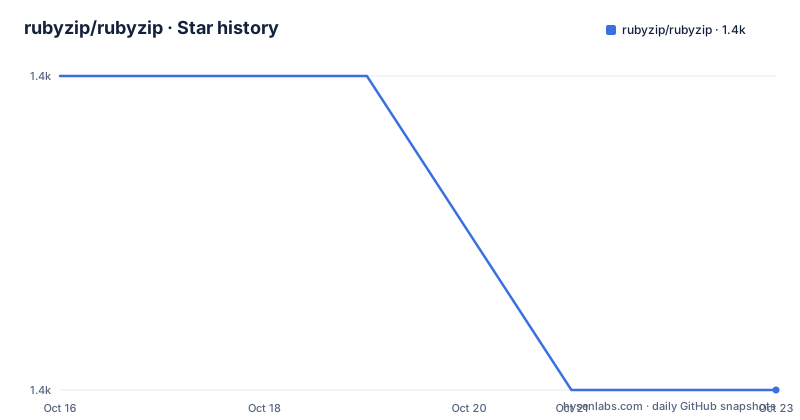
- rubyzip/rubyzip1,431 ★ · -1
| Repository | 2026-10-16 | 2026-10-23 |
|---|---|---|
| rubyzip/rubyzip | 1.4k | 1.4k |
-1 Stars in the last 7 days, measured from the daily GitHub snapshot. Compare with other projects
Editorial analysis
Rubyzip's ZIP Creation Scope
Rubyzip addresses a specific problem: Ruby applications need to create and read ZIP archives without shelling out to an external archiver. Its public surface is organized around ZIP archives, files, entries, input streams, and output streams. That makes it relevant to packaging jobs, document delivery, generated downloads, and any Ruby program that needs ZIP metadata rather than merely a command-line wrapper.
The library offers two documented creation paths. `Zip::File` represents an archive that can be opened, modified, and closed. `Zip::OutputStream` writes entries sequentially and provides direct control over the stream. An in-memory option, `Zip::OutputStream.write_buffer`, is also documented for generating an archive without first targeting a filesystem file.
The intended audience is therefore developers embedding archive behavior in Ruby code. The README does not present Rubyzip as a general backup system, an encrypted document platform, or an operating-system archive replacement. Topics include AES encryption, but the usage documentation does not show how to enable AES encryption or manage its password and security properties. That distinction matters when evaluating the repository from its topics alone.
Zip::File and OutputStream Data Flow
With `Zip::File.open`, the caller selects an archive path and supplies `create: true` for a new file. Inside the block, `zipfile.add` receives two strings: the name stored in the archive and the source path used to read the file. A separate `get_output_stream` call can create an entry and write arbitrary data directly to it. When the block closes, the archive object is no longer available to the caller.
`Zip::OutputStream` follows a stream-oriented model. The caller calls `put_next_entry` to select the next archive entry, then writes to the output stream. The README places an important constraint on custom `Zip::Entry` objects: after `put_next_entry`, the application must not make further calls on that entry. Fields such as `atime` therefore need to be set before the entry is submitted.
Rubyzip also exposes controls over ZIP extra fields. Archive-opening calls accept `suppress_extra_fields` as `true`, a symbol such as `:zip64`, or an array such as `[:ntfs, :zip64]`. This setting is not merely cosmetic. Some fields, including `:aes`, cannot be suppressed, while `:zip64` is suppressed only when doing so is safe. Applications that compare output across producers should account for that policy rather than assuming every extra field follows one rule.
Entry ordering has a separate global setting. Setting `::Zip.sort_entries` to `true` saves new or changed archive entries sorted by name. Enabling it does not reorder an existing archive merely by opening it, which preserves the distinction between reading an archive and rewriting its contents.
Installing Rubyzip and Creating a First Archive
Rubyzip is distributed through RubyGems. Version 3.x requires at least Ruby 3.0. Installing the gem directly is the shortest documented path:
gem install rubyzipA Bundler-managed application can declare the dependency in its `Gemfile`. For version 3.4 and later, the README permits either supported require name. Applications using an earlier release must keep `require: 'zip'` in the Gemfile declaration.
gem 'rubyzip', require: 'zip' # For versions before 3.4.
gem 'rubyzip'                 # For version 3.4 and after.
The first useful example writes three named files and one generated entry into `archive.zip`. `Zip::File.open` creates the file, `add` copies each source file under the requested archive name, and `get_output_stream` writes content that has no corresponding source file.
require 'rubygems'
require 'zip'

folder = "Users/me/Desktop/stuff_to_zip"
input_filenames = ['image.jpg', 'description.txt', 'stats.csv']

zipfile_name = "/Users/me/Desktop/archive.zip"

Zip::File.open(zipfile_name, create: true) do |zipfile|
  input_filenames.each do |filename|
    zipfile.add(filename, File.join(folder, filename))
  end
  zipfile.get_output_stream("myFile") { |f| f.write "myFile contains just this" }
end
The reader should see `archive.zip` created at the selected destination, with the three input filenames stored under those same names. The generated entry will be named `myFile` and contain the text passed to `write`. Paths used on disk need not match archive entry names, which allows an application to control the layout exposed to whoever extracts the ZIP.
Recursive Archives and the Symlink Boundary
For directory input, `Zip::File#add_recursive` collects the contents of a directory rather than adding the directory entry itself. It descends into subdirectories and accepts two documented controls. `prefix:` defaults to an empty string and determines the archive path under which the contents are nested. `max_depth:` defaults to `16`, placing an upper bound on directory traversal.
Zip::File.open('archive.zip', create: true) do |zipfile|
  zipfile.add_recursive('/path/to/directory')
end
This creates `archive.zip` containing files from the supplied directory. Adding `prefix:` or `max_depth:` changes the in-archive placement or traversal limit, but the README does not give a complete command-line-style invocation with those values.
The clearest limitation is symbolic links. `add_recursive` always skips them and emits a warning. It does not follow a symlink or store it as an archive entry. A deployment that treats links as essential directory contents will therefore need a different collection process or a different archiving tool. The README also includes a hand-written recursive implementation using `Dir.entries`, `File.directory?`, `zipfile.mkdir`, and `zipfile.add`. That is a real alternative to `add_recursive` for code needing explicit control over traversal and entry creation, but the maintainers present it as manual control rather than as a replacement for every symlink case.
Neither example specifies a global exception handler, retry policy, partial-archive cleanup, or rollback strategy. Those behaviors should not be inferred merely because archive opening occurs inside a Ruby block.
Streaming Compared with Manual Entry Construction
The library supports a streaming alternative when `Zip::File` is unnecessary. `Zip::OutputStream.open` accepts a destination, creates entries with `put_next_entry`, and accepts text through either `<<` or `write`. This design fits sequential generation because each entry can be written before the next one is declared.
require 'rubygems'
require 'zip'

Zip::OutputStream.open('archive.zip') do |zos|
  zos.put_next_entry('greeting.txt')
  zos << 'Hello, World!'

  entry = Zip::Entry.new(nil, 'parting.txt')
  entry.atime = Time.now
  zos.put_next_entry(entry)
  zos.write('TTFN')
end
The result contains `greeting.txt` and `parting.txt` with the written content. The second entry demonstrates the ordering constraint for custom metadata. Rubyzip must not be called on the `entry` after `put_next_entry`, so applications that need several metadata changes must finish those changes first.
Compared with `Zip::File`, the streaming interface requires less archive-level interaction when entries are naturally produced one after another. The README also states that `Zip::OutputStream.write_buffer` can generate an archive in memory, which avoids choosing a filesystem destination when the resulting bytes are needed by another layer. It does not provide an in-memory reading example, rollback instructions, or a documented cleanup process, so the exact failure behavior is not established by the README.
This makes stream output the more focused option for generated content. `Zip::File` is the clearer choice when the documented `add` and `get_output_stream` model matches the application. Both are Ruby APIs rather than command-line processes.
Rubyzip Releases, Security, and BSD-2-Clause
The repository is not archived, and its last push was on 2026-10-03. Recent listed releases are v3.7.0 on 2026-09-18, v3.6.0 on 2026-09-01, and v3.5.0 on 2026-08-18. Those dates and the non-archived status are the available maintenance signals; repository activity alone does not establish compatibility with a particular application.
Upgrades can require code changes. The 3.0 release modernized optional arguments to named parameters for `File`, `Entry`, `InputStream`, and `OutputStream`. The README directs adopters to the project's `Updating to version 3.x` wiki page for details. This is the main documented upgrade cost. The require declaration also differs by release: version 3.4 and later accept `zip` or `rubyzip`, while earlier versions require `zip`.
Rubyzip is licensed under BSD-2-Clause. The repository includes `LICENSE.md`, and its license identifier is identified in the project metadata. This article does not interpret the legal effect of that license. Code owners should review that file when incorporating or redistributing the library under their own policies.
Security reporting has a separate documented channel. The README asks people who believe they have found a security issue not to submit a public issue or pull request, but to email `[email protected]` with reproduction information. It also advises against versions earlier than 2.3 because of security issues. Version 3.x requires Ruby 3.0, so an older application may face a combined runtime and library migration rather than a simple gem update.
Editorial conclusion
Rubyzip is a sensible choice for Ruby applications that must create ZIP files through Ruby objects, streams, or memory buffers. It is less suitable when symlinks must be archived or when operators require documented rollback and a complete encryption setup. Before adoption, verify Ruby 3.0 support, the optional arguments affected by the 3.0 API migration, the exact extra fields emitted by your archive workflow, and whether the release used by the application matches the required require statement.
Frequently asked questions
How do I install Rubyzip for Ruby?
Install it with `gem install rubyzip`, or add `gem 'rubyzip'` to the Gemfile for version 3.4 and later. Version 3.x requires at least Ruby 3.0.
Can Rubyzip create a ZIP file from a directory recursively?
Yes. `Zip::File#add_recursive` adds the directory's contents, including files in subdirectories. It supports `prefix:` and `max_depth:`, but it always skips symbolic links with a warning.
What is the difference between Zip::File and Zip::OutputStream?
`Zip::File` provides archive-level operations such as `add`, `get_output_stream`, and `add_recursive`. `Zip::OutputStream` writes entries sequentially, and `Zip::OutputStream.write_buffer` can generate an archive in memory.
Official sources
Add this badge to your README
If you maintain this project, the badge below links readers to this analysis and shows its maintenance status from the daily GitHub snapshot. Paste the markdown into your README; add ?metric=license or ?metric=stars to the image URL for a different field.

[](https://hysenlabs.com/projects/rubyzip-rubyzip)Star history chart for your README
[](https://hysenlabs.com/projects/rubyzip-rubyzip)Was this useful?