mtools for MongoDB log analysis and test setup
A collection of scripts to set up MongoDB test environments and parse and visualize MongoDB log files.
At a glance
- What is it?
- mtools is a Python collection for filtering MongoDB logs, extracting log metadata, plotting query activity, and launching local replica-set or sharded test environments. It is useful for MongoDB developers, but several commands require separate dependencies and one transfer tool remains explicitly experimental.
- Who is it for?
- Developers who repeatedly inspect `mongod` or `mongos` logs or need disposable local MongoDB topologies should evaluate mtools, while teams seeking a supported production database-transfer system should exclude `mtransfer` from the initial evaluation.
- Can I use it commercially?
- Yes. Apache-2.0 is a permissive licence: you can use, modify and sell software built on it, as long as you keep its copyright and licence notices.
- Is it still maintained?
- Yes. The repository last received commits 1 day ago.
- What is it written in?
- Mainly Python, according to GitHub's language statistics.
Answers come from the project's GitHub data, last synced on October 23, 2026, and from our analysis. They are not legal advice.
Star history
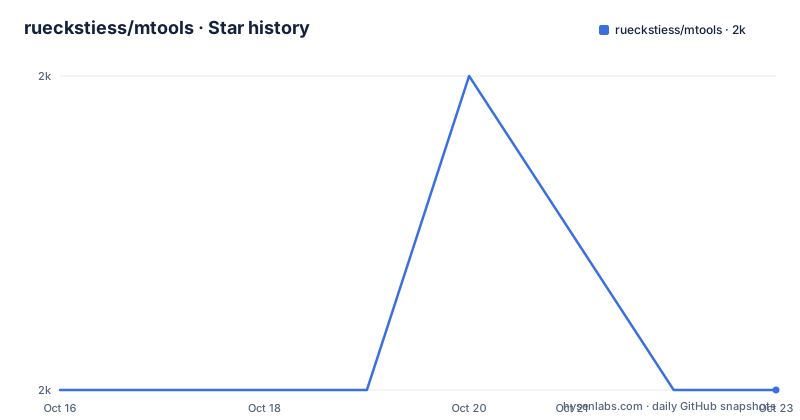
- rueckstiess/mtools1,952 ★ · +0
| Repository | 2026-10-16 | 2026-10-23 |
|---|---|---|
| rueckstiess/mtools | 2k | 2k |
0 Stars in the last 7 days, measured from the daily GitHub snapshot. Compare with other projects
Editorial analysis
Where mtools fits in a MongoDB debugging workflow
mtools addresses two recurring development tasks: understanding existing MongoDB logs and constructing a local environment in which to reproduce behavior. Its log tools target `mongod` and `mongos` files. `mlogfilter` can slice logs by time, merge multiple files, isolate slow queries, identify table scans, shorten lines, filter attributes, and convert output to JSON. That makes it useful when a plain text log is too large or too repetitive to inspect directly.
The second area is local environment setup. The README identifies `mlaunch` as a utility for quickly starting complex local MongoDB test configurations, including replica sets and sharded systems. This is aimed at developers who need a repeatable topology on one machine rather than a general provisioning service. The collection is therefore narrow in purpose despite containing several commands. It does not present itself as an application server, a cluster manager, or a general MongoDB administration console.
The package metadata describes mtools as suitable for logging, testing, and reproducing issues. That framing matters for adoption decisions. It is closest to a diagnostic workbench assembled around MongoDB's log files and local test process. A team looking only for a graph viewer may find `mplotqueries` sufficient, while a team that needs both replica-set setup and log analysis gets more value from the collection as a whole.
How mlogfilter, mloginfo, and mplotqueries divide the work
The three log commands operate at different stages of investigation. `mlogfilter` is the extraction and transformation layer. Its documented modes cover time slicing, file merging, slow-query filtering, table-scan detection, line shortening, attribute filtering, and JSON conversion. This separation means a large source log can first be reduced to the interval or event type relevant to an incident.
`mloginfo` summarizes a file rather than focusing on individual events. According to the README, it returns the log's start and end time, version, binary, and information about special sections such as restarts and connections. It also supports a distinct view and requires `numpy`. This command is the better starting point when the first question is what a log contains or whether several files represent a continuous operational period.
`mplotqueries` handles visualization and requires `matplotlib`. It supports several plot types, but the README excerpt does not state their exact names or accepted log fields. That omission matters if plots are central to your decision. You would need the tool's specific documentation to confirm whether it can represent the query dimensions used by your team.
Together, the commands suggest a workflow of inspect metadata, filter or merge evidence, then plot selected activity. The repository description and entry points confirm that each operation is a separate console program rather than one combined interface. Dependency boundaries are explicit in `pyproject.toml`: `mlogfilter` needs `python-dateutil`, `mloginfo` needs `numpy` and `python-dateutil`, and `mplotqueries` needs `numpy`, `matplotlib`, and `python-dateutil`.
mlaunch topology setup and process dependencies
`mlaunch` targets local test topologies that are tedious to assemble manually, particularly replica sets and sharded systems. Its package dependencies are `pymongo`, `psutil`, `packaging`, and `python-dateutil`. The first supports MongoDB interaction, while the repository metadata itself does not document the exact internal responsibility of each dependency. It would be inappropriate to infer more detailed process control behavior from their names alone.
The command is registered as a console entry point in `pyproject.toml`:
[project.scripts]
mlaunch = "mtools.mlaunch.mlaunch:main"
This registration confirms that installing the package exposes the `mlaunch` command through the `main` function in that module. It does not document topology syntax, shutdown behavior, data-directory defaults, or recovery after an interrupted launch. Those details are operationally significant for a process that creates several local database processes, and they are not present in the README excerpt.
`mlaunch` is a better fit when the required topology can run on a developer machine and temporary test data is acceptable. It is not the documented choice for managing long-lived environments across multiple hosts. The repository describes local setup only. A team expecting production orchestration, centralized configuration, or remote deployment should not treat this utility as evidence that mtools provides those capabilities.
Installing mtools and starting with documented commands
The README links to a separate installation tutorial but does not include its instructions here. The README directs users to the mtools installation page for more information, so there is no confirmed package-manager command, virtual-environment sequence, or first-run topology example that can be reproduced safely here. The package name is `mtools`, and the documented Python requirement in `pyproject.toml` is `>=3.9`.
The package has no mandatory runtime dependencies in its base metadata. Optional dependency groups correspond to the available tools:
all = [
  "numpy>=1.21.6",
  "matplotlib>=3.5.3,<4.0.0",
  "pymongo>=4.3.2,<5.0.0",
  "psutil>=5.9.3,<6.0.0",
  "packaging>=21.3",
  "python-dateutil>=2.8.2,<3.0.0",
]
For a first real use, begin with the installation page and select the dependency group that matches the command rather than installing unrelated components. The project exposes these console scripts:
[project.scripts]
mlogfilter = "mtools.mlogfilter.mlogfilter:main"
mloginfo = "mtools.mloginfo.mloginfo:main"
mplotqueries = "mtools.mplotqueries.mplotqueries:main"
mtransfer = "mtools.mtransfer.mtransfer:main"
The README does not provide enough command examples to state a confirmed invocation with a log path or configuration. The linked tool documentation must be consulted before creating a reproducible first workflow.
mtransfer's WiredTiger boundary and practical limitations
`mtransfer` is the component with the clearest adoption warning in the README. It is described as experimental and transfers databases between MongoDB instances by copying WiredTiger data files. Its optional dependencies are `pymongo`, `wiredtiger>=3.2.1`, and `python-dateutil`. This approach differs from database-level logical copying because the command is built around filesystem data files rather than a documented stream of document operations.
That boundary creates real constraints. Copying WiredTiger files does not resemble a general migration interface with documented guarantees for filtering collections, resolving schema differences, reporting conflicts, or retrying partial transfers. The repository excerpt does not document those behaviors. It also does not establish what consistency, locking, or downtime conditions apply.
The word "experimental" is sufficient reason not to make `mtransfer` the default choice for production migration. It may be relevant to controlled research or reproduction work, but an engineer would need its dedicated documentation and direct examination of its handling of source and destination state before trusting it with irreplaceable data.
Compatibility is another constraint across the suite. The README says the tools are tested with Python 3.8 through 3.11, although the current `pyproject.toml` requires Python `>=3.9`. It also states that only actively supported MongoDB server versions are tested, identifying MongoDB 4.4 or newer as the supported range as of September 2023. That compatibility statement may not cover newer server generations introduced after that date.
Maintenance signals, releases, and the Apache-2.0 license
The repository is not archived, and its last push was on 2026-10-16. That is a recent development signal, but it should be separated from release cadence. The listed releases are `v1.7.0` on 2022-02-24, `v1.7.1` on 2022-10-28, and `v1.7.2` on 2022-11-08.
That gap gives an adopter two different facts to consider. Changes may have landed on `develop` without a listed package release, but the excerpt does not identify what those changes are or whether they produce an installable release. Upgrade planning should therefore account for both repository activity and the older published package version.
The project uses the `Apache-2.0` license, and `LICENSE.md` is included in the package's declared license files. The license grants use of the software subject to its terms and includes an express disclaimer of warranty. The README separately warns that MongoDB, Inc. does not provide support for mtools through commercial support subscriptions or otherwise. That makes the community repository, not a MongoDB support agreement, the relevant source for project-specific support.
Upgrades can also change dependency pressure because optional libraries have declared version ranges. `matplotlib` is capped below version 4, while `pymongo` and `psutil` also have upper bounds. Such caps may reduce compatibility surprises, but they can conflict with packages already used elsewhere in a development environment.
mtools versus a custom Python log-processing script
A real alternative is a small custom Python script built around the standard library or a logging parser chosen by your team. If the requirement is limited to extracting timestamps, selecting a time range, or emitting JSON, a focused script can be easier to understand because it has one data path and a narrow dependency surface.
mtools takes a different approach by packaging several MongoDB-specific operations into independent commands. Its collection already covers metadata extraction, merging, event filters, visualizations, local topology creation, and an experimental file-copy transfer command. The base Python package declares no mandatory dependencies, while each command adds only its named optional group. That makes selective adoption possible, although visualization and environment launch still require substantial third-party packages.
A custom script may be the better choice when your logs need one exact transformation governed by an internal schema. mtools is more relevant when repeated manual log inspection and local topology setup are recurring costs. The comparison ultimately depends on required operations, not on code volume: a custom parser has fewer built-in capabilities, while mtools introduces a larger command-oriented toolset and compatibility questions around MongoDB, Python, NumPy, Matplotlib, and PyMongo.
Editorial conclusion
Developers who repeatedly inspect `mongod` or `mongos` logs or need disposable local MongoDB topologies should evaluate mtools, while teams seeking a supported production database-transfer system should exclude `mtransfer` from the initial evaluation. Before adoption, verify that the generated graphs meet your requirements, install only the optional dependencies needed by the commands in use, and confirm that your MongoDB server version and Python version are covered by the project's documented compatibility position.
Frequently asked questions
What is mtools used for?
mtools is a Python collection for parsing, filtering, and visualizing MongoDB `mongod` and `mongos` logs. It also includes `mlaunch` for local test environments and the experimental `mtransfer` command for copying databases through WiredTiger data files.
Does mtools require MongoDB to be installed separately?
The documentation does not explicitly state whether the mtools package installs a MongoDB server. It describes mtools as a collection of Python scripts for working with MongoDB logs and setting up local test environments.
Which mtools command can create a local replica set?
The README identifies `mlaunch` as the utility for quickly setting up local MongoDB test environments, including replica sets and sharded systems. Its exact configuration syntax is not included in the README excerpt.
Is mtransfer suitable for production database migration?
The README calls `mtransfer` experimental and describes it as copying WiredTiger data files between MongoDB instances. No production-support claim is documented.
Official sources
Add this badge to your README
If you maintain this project, the badge below links readers to this analysis and shows its maintenance status from the daily GitHub snapshot. Paste the markdown into your README; add ?metric=license or ?metric=stars to the image URL for a different field.

[](https://hysenlabs.com/projects/rueckstiess-mtools)Star history chart for your README
[](https://hysenlabs.com/projects/rueckstiess-mtools)Was this useful?