SC-FEGAN ships inference only, pins a TensorFlow 1.13 release candidate, and asks for a checkpoint directory that is not in the repository
GitHub describes it as SC-FEGAN : Face Editing Generative Adversarial Network with User's Sketch and Color (ICCV2019). The repository metadata lists Python as its primary language. The metadata lists the NOASSERTION license. This article stays within the project description and details documented in the GitHub repository README.
At a glance
- What is it?
- run-youngjoo/SC-FEGAN is the ICCV 2019 face editing network by Youngjoo Jo and Jongyoul Park, last pushed to master on 2024-05-20. The repository is a PyQt5 demo with a Google Drive checkpoint, no training code, and a licence story that does not agree with itself: the licence field says nothing, the README says CC BY-NC 4.0, and both say research use only.
- Who is it for?
- SC-FEGAN is a readable reference implementation if you want to understand one 2019 face editing network, and it is not a tool to build on. The interpreter it needs is from the TensorFlow 1 era, the checkpoint lives on a Google Drive link rather than in the repository, there is no training code to adapt, and the licence restricts use to educational and academic research.
- Can I use it commercially?
- Check first. The repository uses a licence we do not classify automatically, so read its LICENSE file before any commercial use.
- Is it still maintained?
- Probably not. The repository last received commits 29 months ago, on May 20, 2024.
- What is it written in?
- Mainly Python, according to GitHub's language statistics.
Answers come from the project's GitHub data, last synced on October 22, 2026, and from our analysis. They are not legal advice.
Star history
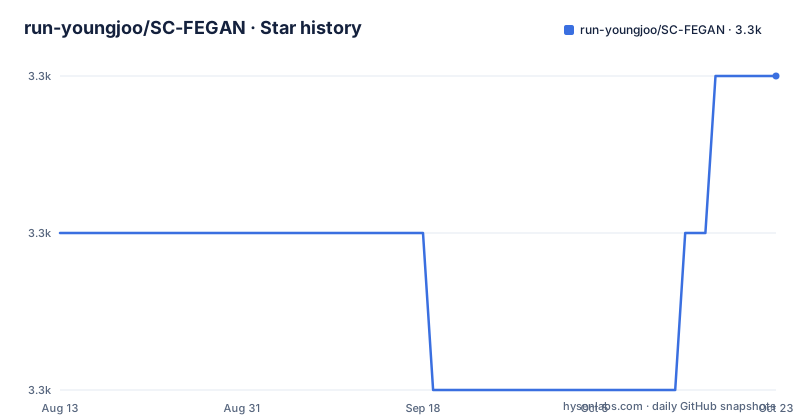
- run-youngjoo/SC-FEGAN3,330 ★ · +1
| Repository | 2026-08-13 | 2026-10-22 |
|---|---|---|
| run-youngjoo/SC-FEGAN | 3.3k | 3.3k |
1 Stars in the last 70 days, measured from the daily GitHub snapshot. Compare with other projects
Editorial analysis
requirements.txt pins a release candidate of TensorFlow 1.13
The dependency list is not a loose set of ranges. Every entry is pinned, and one of the pins is a release candidate:
absl-py==0.7.0
astor==0.7.1
gast==0.2.2
grpcio==1.18.0
h5py==2.9.0
Keras-Applications==1.0.7
Keras-Preprocessing==1.0.9
Markdown==3.0.1
mock==2.0.0
numpy==1.16.1
opencv-python==4.0.0.21
pbr==5.1.2
protobuf==3.6.1
PyQt5==5.12
PyQt5-sip==4.19.14
pyyaml>=4.2b1
six==1.12.0
tensorboard==1.12.2
tensorflow==1.13.0rc2
`tensorflow==1.13.0rc2` is the line that decides everything else. A release candidate is not a stable build, and TensorFlow 1.13 belongs to a series that was superseded years ago, so the interpreter it runs on is correspondingly old as well. `numpy==1.16.1`, `h5py==2.9.0` and `protobuf==3.6.1` come from the same period.
The one unpinned entry is `pyyaml>=4.2b1`, and the reason it matters is that `demo.yaml` is the only configuration surface in the project. Everything else is frozen; the file that decides which GPU the process uses is the one thing that can drift.
The README's own dependency list is much shorter, naming tensorflow, numpy, Python3, PyQt5, opencv-python and pyyaml, which is enough to install but not enough to reproduce.
Setup assumes a checkpoint directory outside the repository that nothing creates
The model is not in the repository. The first instruction is to download it from a Google Drive file id, and the next two commands are:
mv /${HOME}/SC-FEGAN.ckpt.* /${HOME}/ckpt/
python3 demo.py
Read the paths carefully. The checkpoint is assumed to be sitting directly in your home directory, and it is moved into `${HOME}/ckpt/`. That destination is not part of this repository. The top-level entries are .gitignore, LICENSE, README.md, demo.py, demo.yaml, imgs/, model.py, ops.py, requirements.txt, samples/, ui/ and utils/, and there is no ckpt directory among them. So the move either works because you happened to have that directory already, or it fails.
The repository is not archived and the last push to master is dated 2024-05-20, but there are no GitHub releases and no version marker anywhere in the tree, so there is nothing to compare that Drive file against. The archive is the only source of weights and the file is not in the tree beside them.
The development environment is stated in one line in the notes: Linux running Ubuntu 18.04.1.
Training code is listed as future work, so the repository is the demo only
The Next section of the README contains exactly one item: update training code.
That is the whole of it, and it is the most important line in the file. What is here is the inference path, not the training path. There is no data pipeline, no loss configuration, no dataset loader, and no way to retrain or fine-tune the network from what is in the tree.
The Python surface is correspondingly small. `demo.py` is the entry point the setup instructions run, `model.py` holds the network, `ops.py` the operations, with `ui/` and `utils/` as the supporting directories. Four files carry a model that the paper describes as an SN-patchGAN discriminator with a Unet-like generator using gated convolutional layers.
What the model does is narrower than the paper title suggests for a practical purpose. It does not synthesise a face from nothing. The README is explicit that only erased regions of the image are filled in by the network, which means you supply an existing face image, a sketch and colour strokes, and a mask, and the network fills inside that mask. The Example Results headings also cover edit earring and face restoration, including a variant using only sketch and colour.
The acknowledgement section credits the official DeepFillv1 inpainting code, which is where the inpainting half of this comes from.
The licence field says nothing, the README says CC BY-NC 4.0, and both restrict you to research
Three sources describe the licence and they do not line up.
The repository metadata field for licence records nothing, the NOASSERTION value that means GitHub's licence detector found nothing it could name. The README states a licence in its own section: CC 4.0 Attribution-NonCommercial International. And a LICENSE file is present at the root of the tree, which the README does not describe.
So there is a file, a stated licence, and an undetected metadata field. Without opening the LICENSE file you cannot tell whether it matches the CC BY-NC 4.0 the README names, and the metadata suggests the detector did not recognise it as a standard licence either way.
The non-commercial part is the term that matters. The README repeats it twice, once as the software being for educational and academic research purpose only, and again in the notes, where the provided model and sample code are described as being under a non-commercial creative commons licence.
Read together, that is a research code release rather than an unrestricted one: the weights and the code both carry the restriction, so a commercial product is out of scope on the repository's own terms regardless of what the CC label alone implies.
Save Img writes one fixed filename, so only the last result survives
The demo is a PyQt5 window with nine buttons, and the editing model is mask-limited throughout.
`Open Image` loads the face image. `Mask` draws the region to be filled on the left viewer. `Sketches` draws lines. `Color` draws coloured lines, and the first time you press it you have to pick a colour from the palette. `Palette` changes the current colour, after which you press `Color` again to apply it. `Undo` steps back. `Complete` runs the network and shows the result on the right viewer. `Arrange` arranges the editing works.
`Save Img` is where the file gets interesting: the result is saved as name.jpg, a fixed name rather than a chosen one. Nothing in the file describes incrementing it or prompting for a path, so saving a second edit overwrites the first.
The recommended workflow is ordered, and the order is not obvious from the button order. You draw the sketch first, referring to the original image. Then you draw the mask over the sketched region. Then you press `Arrange`. Only then do you draw colour inside the masked region, and finally press `Complete`.
The mask is what keeps the edit local. Only erased regions are filled in by the network, so the strokes outside the mask are not model input at all.
One GPU or the CPU, chosen by commenting out a number in demo.yaml
Compute selection is a text edit rather than a flag or an environment variable. The README says to select the number of GPUs by editing `demo.yaml`, and that multi-GPUs are not supported:
GPU_NUM: 1 (the number you want to use)
#GPU_NUM: (if you want to use only CPU, erase the number)
The mechanism is the second line. Forcing CPU-only means commenting out the number rather than setting it to zero, so the state of the file is decided by whether a `#` is present. There is no third option, no mixed precision setting, and no memory cap.
This is the only configuration file in the repository, and it is the one dependency that is not version-pinned. Everything in requirements.txt is frozen to an exact version, including the TensorFlow release candidate, while the file that decides whether the process uses one GPU or none stays open.
For a demo that loads a checkpoint and paints a GUI window, that is a reasonable surface. For anything you would run repeatedly, it is the piece to move into code.
Four Python files, five sample images, and a citation for a paper you should read
The tree is small enough to read in full: .gitignore, LICENSE, README.md, demo.py, demo.yaml, imgs/, model.py, ops.py, requirements.txt, samples/, ui/ and utils/.
`imgs/` and `samples/` are separate directories. The samples visible in the listing are five PNGs, numbered 00001, 00011, 00018, 00221 and 00225, which are the inputs the demo expects to find. Whether the GUI opens them by browse or by index is not stated.
The README closes with a BibTeX entry for the ICCV 2019 paper, by Youngjoo Jo and Jongyoul Park, published in October 2019, with an arXiv link at 1902.06838. The citation is the better half of the documentation: the README is 349 words and describes how to run a demo, while the paper describes what the network does.
The acknowledgements thank researchers at ETRI by name and credit the official DeepFillv1 code, which places this work in the lineage of learned inpainting rather than in generative face synthesis from scratch.
Editorial conclusion
SC-FEGAN is a readable reference implementation if you want to understand one 2019 face editing network, and it is not a tool to build on. The interpreter it needs is from the TensorFlow 1 era, the checkpoint lives on a Google Drive link rather than in the repository, there is no training code to adapt, and the licence restricts use to educational and academic research. Check those four things before anything else, because the README is candid about all of them and the licence text in particular is narrower than the word free might suggest.
Frequently asked questions
What does SC-FEGAN do to a face image?
You load an existing face image, sketch and colour the changes you want, and draw a mask. Only the erased regions inside that mask are filled in by the network, which uses an SN-patchGAN discriminator and a Unet-like generator with gated convolutional layers.
How do I run SC-FEGAN?
Download the model from the Google Drive link in the README, move the checkpoint into a ckpt directory in your home folder, and run `python3 demo.py`. A PyQt5 window opens with the editing tools.
What licence does SC-FEGAN use?
The README states CC 4.0 Attribution-NonCommercial International and says the software is for educational and academic research purpose only. The licence field in the repository settings records no value, and a LICENSE file is present in the root that the README does not describe.
Can SC-FEGAN use more than one GPU?
No. Multi-GPUs are not supported. The GPU count is set by editing demo.yaml, where GPU_NUM holds the number and commenting it out forces CPU only.
Is training code included with SC-FEGAN?
No. The only item under Next in the README is update training code, so the repository provides the inference demo and model only, not a path to retrain or fine-tune the network.
Official sources
Add this badge to your README
If you maintain this project, the badge below links readers to this analysis and shows its maintenance status from the daily GitHub snapshot. Paste the markdown into your README; add ?metric=license or ?metric=stars to the image URL for a different field.

[](https://hysenlabs.com/projects/run-youngjoo-sc-fegan)Star history chart for your README
[](https://hysenlabs.com/projects/run-youngjoo-sc-fegan)