AntSK: a .NET 9 knowledge base and agent platform built for offline use
An AI knowledge base/agent built with .Net 9, AntBlazor, Semantic Kernel, and Kernel Memory, supporting local offline AI large models. It can run offline without an internet connection. Supports Aspire for monitoring application data.
At a glance
- What is it?
- AntSK wraps Semantic Kernel and Kernel Memory in a Blazor Server console for C# teams that need retrieval, chat and plugins on their own hardware. Local inference runs through Ollama, LLamaFactory or GGUF weights, and the bundled compose file ships an older image tag than the newest one published.
- Who is it for?
- AntSK suits a C# team that needs a private knowledge base with built-in RBAC and no outbound network, and it does not suit anyone who wants visual workflow building, multi-hop graph retrieval or the deepest scanned-document parsing in the open tier.
- Can I use it commercially?
- Check first. The repository uses a licence we do not classify automatically, so read its LICENSE file before any commercial use.
- Is it still maintained?
- Yes. The repository last received commits 33 days ago.
- What is it written in?
- Mainly CSS, according to GitHub's language statistics.
Answers come from the project's GitHub data, last synced on October 22, 2026, and from our analysis. They are not legal advice.
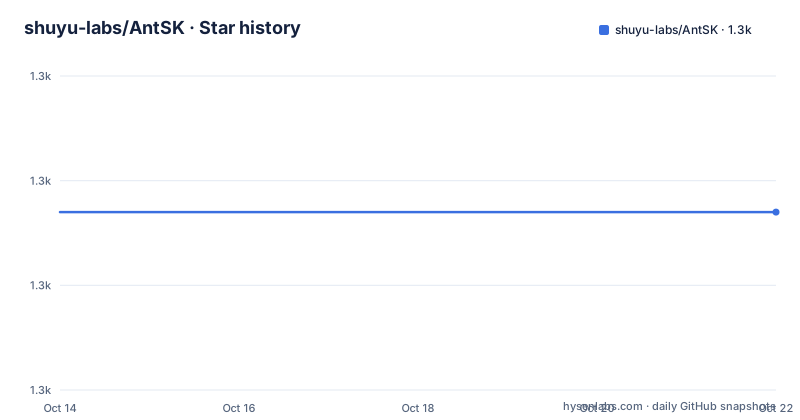
Star history
- shuyu-labs/AntSK1,327 ★ · +0
| Repository | 2026-10-14 | 2026-10-22 |
|---|---|---|
| shuyu-labs/AntSK | 1.3k | 1.3k |
0 Stars in the last 8 days, measured from the daily GitHub snapshot. Compare with other projects
Editorial analysis
Why a C# team would pick AntSK over Dify or RAGFlow
AntSK targets one narrow gap rather than the general LLM app platform market. Dify runs on Python and React, RAGFlow on Python and Vue, MaxKB on Python alone, and FastGPT on Node.js with React, while AntSK is built on .NET 9 with Blazor Server and ASP.NET Core, adding Semantic Kernel, Kernel Memory, SqlSugar ORM and Ant Design Blazor on top. For a shop that already ships ASP.NET applications in C#, that difference decides who writes the integration code. The project is also honest about the weak spots in its own comparison table: complex document parsing is rated medium with OCR configurable, against a strongest rating for RAGFlow, so a team whose archive is mostly scanned tables and faxes gets pointed elsewhere. Visual workflow orchestration, rated strongest for Dify, sits in the paid tier here, together with knowledge graph GraphRAG. Built-in RBAC and multi-tenancy are marked built-in for AntSK, enterprise-edition for Dify, and needing secondary development for RAGFlow. The stated audience is mid-to-large enterprises, Chinese government and state-owned buyers working under domestic stack procurement rules, and any industry where documents cannot leave the network.
Four layers between the Blazor Server UI and the vector store
The architecture diagram splits into four bands. At the top sit a Blazor front end and a Web API surface. Below it sit five services: chat, knowledge base, plugin, model and authentication. Then a domain layer holding Semantic Kernel, Kernel Memory, vector embedding and function calling. At the base sit a database, a vector database, file storage and an OCR service. Because the Web API is a first-class citizen rather than an afterthought, anything built in the interface can be published outward for other applications to call. The feature list pairs that OCR service with a local StableDiffusion model for text to image generation, which is how the last infrastructure node in the diagram gets used. Plugins enter through two separate doors: an open HTTP API plugin system for third-party services, and a .NET dll plugin system that loads compiled business code into the running host. One oddity in the language breakdown: GitHub puts CSS at the top for this repository, even though every build step in the Dockerfile is a .NET project.
Starting AntSK from the bundled compose file and its four services
There is no installer script. The top level of the repository holds a Dockerfile, a Dockerfile-py, docker-compose.yml, docker-compose.simple.yml and a src directory, and the FAQ claims a Docker start in one line without printing that command anywhere, so the compose file is the real entry point. It defines four services on a shared network named antsk. The first is a Postgres container pulled from a Hangzhou registry mirror at v0.5.0, with credentials that are placeholders:
  antskpg:
    image: registry.cn-hangzhou.aliyuncs.com/xuzeyu91/pg:v0.5.0
    container_name: antskpg
    restart: always
    ports: # 生产环境建议不要暴露
      - 5432:5432
    networks:
      - antsk
    environment:
      - POSTGRES_USER=username
      - POSTGRES_PASSWORD=password
      - POSTGRES_DB=antsk
The inline comment on the ports mapping says not to expose it in production, and the comment above the environment block warns that these values only take effect on the first run. Changing the user or the password later means deleting ./pg/data. The application service is where the version pin matters, and it also mounts the model directory twice, once for the runtime and once for the ModelScope cache that LLamaFactory reads:
  antsk:
    container_name: antsk
    image: registry.cn-hangzhou.aliyuncs.com/xuzeyu91/antsk:v0.6.4
    ports:
      - 5000:5000
    depends_on:
      - antskpg
    environment:
      - ASPNETCORE_URLS=http://*:5000
      - OTEL_EXPORTER_OTLP_ENDPOINT=http://aspire-dashboard:18889
      - OTEL_SERVICE_NAME=antsk
    volumes:
      - ./appsettings.json:/app/appsettings.json
      - /AntSK/model:/app/model
      - /AntSK/model:/root/.cache/modelscope/hub/AI-ModelScope
Telemetry flows to a fourth service, an Aspire dashboard container with anonymous access turned on and the OTLP primary API key set to antsk:
  aspire-dashboard:
    container_name: aspire-dashboard
    image: mcr.microsoft.com/dotnet/aspire-dashboard:8.0
    environment:
      - DOTNET_DASHBOARD_UNSECURED_ALLOW_ANONYMOUS=true
      - DASHBOARD_OTLP_PRIMARYAPIKEY=antsk
The Dockerfile states the rest of the contract: a .NET 9 SDK build stage publishes into a .NET 9 ASP.NET runtime image, native XML and TBB libraries are installed for the document pipeline, and the entry point is the AntSK assembly on port 5000.
FROM mcr.microsoft.com/dotnet/aspnet:9.0 AS base
WORKDIR /app
RUN apt update && apt install -y libpugixml-dev libtbb-dev
ENTRYPOINT ["dotnet", "AntSK.dll"]
Port 5000, open CORS, and the Login node to change first
The default posture is a developer workstation that happens to listen on every interface. The FAQ states plainly that no fixed weak password ships with the documentation: instead a strong password must be set in the Login node of appsettings.json or injected through environment variables before the first startup, and the startup log prints a prominent warning when a default is still in place. Seven remediation items are listed for production, and two of them are undercut by the compose file. CORS defaults to allowing any origin, and the application binds http://*:5000, so the instruction is to sit behind Nginx or Caddy instead of the public internet. At the same time, the Aspire dashboard in the shipped compose file enables unsecured transport and anonymous access, publishes host ports 18888 and 18889, and hardcodes the OTLP primary API key as the literal string antsk. Copying that file onto a reachable host exposes a monitoring dashboard behind a guessable key. The rest of the checklist is ordinary work: a separate SecretKey per API caller with least privilege granted through RBAC roles, periodic audit of login and conversation logs, and backups of the database and model directories.
SQLite and Disk vectors, and the Postgres box the compose file builds
The FAQ names SQLite plus a Disk vector store as the zero-configuration path, and that pairing needs no external service, which is why the application container can start on its own. The supported relational list is longer than the default: PostgreSQL, SQLite, MySQL, SQL Server, Oracle and the domestic Dameng database. Vector options cover PostgreSQL with pgvector, Qdrant, Redis, Disk, Memory and Azure AI Search, so the same code can point at a hosted index or a file on disk. That breadth is the substance behind the domestic stack procurement argument, where PostgreSQL with pgvector is often not an approved component and a domestic engine has to appear on the list at all. Watch the mismatch, though: the default is advertised as SQLite with Disk, yet the shipped compose file provisions Postgres for you, so the first run with that file is not the zero-configuration path. The database image is also the oldest artifact in the file at v0.5.0, and its credentials are frozen on first boot.
Chunk size and embedding dimensions decide retrieval quality
Import is not the interesting part, chunking is. Documents arrive as Word, PDF, Excel, TXT, Markdown, Json and PPT, and each import runs text extraction and structure parsing before building both a full-text index and a vector index. The tuning guidance gives 512 to 1024 characters per chunk for technical documentation, warning that smaller chunks break semantic integrity while larger ones add redundancy and token cost, and it recommends a BGE embedding model for Chinese content with vector dimensions set to 768 or 1024. A local bge-rerank model handles reordering, which matters more than the embedding choice once recall is adequate. Answers are assembled from retrieved passages with citations attached, and the FAQ claims that structure reduces hallucination without removing it. The deeper correction layer is not in the free version, since GraphRAG knowledge correction and traceability is described as a paid feature along with Text2Sql. If your questions need multi-hop reasoning across documents instead of lookup, the open build stops short, and no fallback is documented.
Ollama, GGUF weights, and two plugin doorways
Model choice splits into cloud and local halves. Named cloud providers are OpenAI, Azure OpenAI, iFlytek Spark and Alibaba Bailian with Lingji, and one-api can front other models. Locally the project drives three engines, Ollama, LLamaFactory and llama.cpp with GGUF weights, and the same offline story covers embedding and reranking through local BGE models. That is the mechanism behind the claim that the platform runs with no internet connection, and it explains why the compose file mounts the model directory into both the application path and the ModelScope hub cache. On top of the model layer sit an API plugin system that calls third-party HTTP services, a .NET dll plugin system for compiled business code, a builder for task-specific GPTs, and API publishing for exposing internal functions to other systems. If a local model needs PyTorch, the compose file points at an image with a p prefix on the version number instead, described as much larger because it carries the training stack. Fine-tuning is listed as planned work on LLamaFactory rather than shipped, so there is no training pipeline to run.
The pinned v0.6.4 image trails the 0.6.6 code
The compose file pins the application image to v0.6.4 while the newest release is 0.6.6, and the last push was on 2026-09-20, so the deployment most people copy runs an older build than the code on main. Anyone judging the platform from that file is looking at a previous build, and nothing in the repository moves the version forward for you. Pinning is defensible for reproducibility, and a poor fit if you want the current fixes, so treat the pinned version as a decision to revisit rather than a default to inherit. Read the LICENSE file rather than the summary: it holds custom terms that GitHub cannot classify, and the README grants free commercial use of the open version only if the logo and copyright notice are kept, with GraphRAG, Text2Sql, workflow orchestration, a refined interface and support sold as AntSK Pro.
Editorial conclusion
AntSK suits a C# team that needs a private knowledge base with built-in RBAC and no outbound network, and it does not suit anyone who wants visual workflow building, multi-hop graph retrieval or the deepest scanned-document parsing in the open tier. Before adopting, compare the image version pinned in docker-compose.yml against the build you need, set a real password in the Login node of appsettings.json, and decide whether the default Disk and SQLite storage will survive your corpus size and your concurrent query load.
Frequently asked questions
Does AntSK run without an internet connection?
Yes. Local inference goes through Ollama, LLamaFactory or llama.cpp with GGUF weights, and embedding and reranking can run on local BGE models, so retrieval and chat both stay inside the network. Cloud providers such as OpenAI and Azure OpenAI are optional rather than required.
What databases and vector stores does AntSK support?
Relational stores cover PostgreSQL, SQLite, MySQL, SQL Server, Oracle and Dameng, while vector options include PostgreSQL with pgvector, Qdrant, Redis, Disk, Memory and Azure AI Search. The default pairing is SQLite with Disk, which needs no external service to start.
What hardware does AntSK need to run?
The project states a minimum of 4 CPU cores, 8GB of memory and a 50GB SSD for a Docker start, recommends 8 cores with 16GB and an optional GPU, and asks for 16 cores, 32GB and an RTX 3080 or better in production.
Which AntSK capabilities are not in the free version?
GraphRAG knowledge correction and traceability, Text2Sql, visual workflow orchestration, a more polished interface and professional support are listed as AntSK Pro features. The knowledge base, chat applications, semantic and memory kernels, GPTs, API interfaces and local model support sit in the free version.
How do I change the default login password in AntSK?
The documentation ships no fixed weak password. Set a strong password in the Login node of appsettings.json or inject it through environment variables before the first startup, and the startup log prints a prominent warning if a default is still in use. Values such as admin or 123456 are called out as unacceptable.
Official sources
Add this badge to your README
If you maintain this project, the badge below links readers to this analysis and shows its maintenance status from the daily GitHub snapshot. Paste the markdown into your README; add ?metric=license or ?metric=stars to the image URL for a different field.

[](https://hysenlabs.com/projects/shuyu-labs-antsk)Star history chart for your README
[](https://hysenlabs.com/projects/shuyu-labs-antsk)Was this useful?