gorazor: a Go port of the Razor view engine, with code generation and context-aware escaping
Razor view engine for go
At a glance
- What is it?
- gorazor brings the Razor syntax from ASP.NET to Go by translating templates into Go source and letting the compiler do the work, which removes reflection from the hot path and gives you compile-time type checking on the view model. The design is unusual in one respect worth knowing before you adopt it: the escaping rules are chosen when the template is compiled rather than when it is rendered.
- Who is it for?
- Adopt gorazor if you want Razor syntax in a Go project and you are willing to run a code generation step in your build. Do not adopt it if your project needs a template engine that changes at runtime, or if your organisation will not accept the licence terms as they stand.
- Can I use it commercially?
- Check first. The repository uses a licence we do not classify automatically, so read its LICENSE file before any commercial use.
- Is it still maintained?
- Yes. The repository last received commits 62 days ago.
- What is it written in?
- Mainly Go, according to GitHub's language statistics.
Answers come from the project's GitHub data, last synced on November 7, 2026, and from our analysis. They are not legal advice.
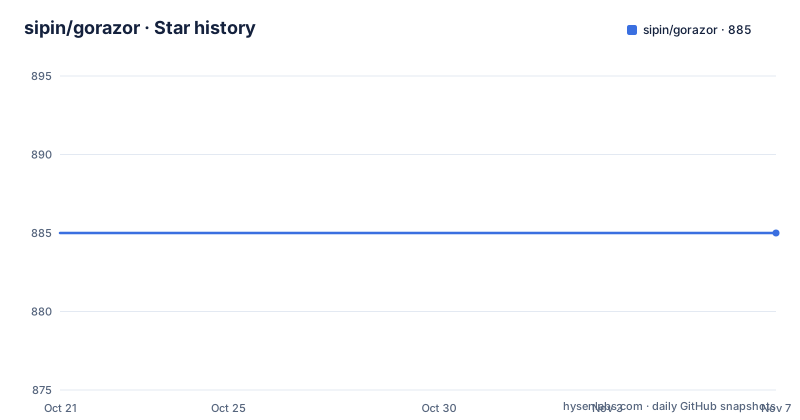
Star history
- sipin/gorazor885 ★ · +0
| Repository | 2026-10-21 | 2026-11-07 |
|---|---|---|
| sipin/gorazor | 885 | 885 |
0 Stars in the last 17 days, measured from the daily GitHub snapshot. Compare with other projects
Editorial analysis
The problem: templates that are either slow or a second language
Go's standard library has html/template, which is safe by default and reasonably fast, and there are faster alternatives such as quicktemplate, which work by generating Go code instead of interpreting templates at run time.
Both approaches have a cost. html/template pays for safety and flexibility with reflection at render time, and quicktemplate asks you to give up the readability of a template language. The middle ground, which is what gorazor occupies, is to keep a readable template syntax and still compile the templates.
gorazor is the Go port of the Razor view engine originated from ASP.NET in 2011, and it is a port in the literal sense: the syntax is the original Razor syntax, with the same quick reference the ASP.NET documentation offers, and the project links both the Razor syntax page and the original announcement.
The feature list in the project description is the pitch, and it is worth reading item by item. Templates are converted into Go code and then compiled with optimizations, which is the extremely fast claim. The syntax is concise with no delimiter like <?, <% or {{. Go code can be mixed into a view template, including a code block to import and call arbitrary Go modules and functions, so flow controls are just Go and there is no mini-language to learn. The approach is code generation, so there is no reflection overhead and Go compiler validation comes for free. The view model is strongly typed, and there is embedding of templates plus layout and section support.
The last point on that list is the one to weigh carefully, because it is a genuine constraint rather than a feature: the templates are compiled, so they cannot be edited at run time, and the build now depends on a code generation step.
The syntax: at-sign variables, real Go expressions
The template syntax is short, and the examples make it concrete.
A variable is written with an at sign, and it is inserted as a string:
<div>Hello @user.Name</div>The interesting part is that the expression after the at sign is Go, so a variable can be wrapped by arbitrary Go functions, and the inserted value is automatically escaped:
<div>Hello @strings.ToUpper(req.CurrentUser.Name)</div>That single feature is what distinguishes Razor from the alternatives. In html/template you get a pipeline of template functions and you learn their names. Here you get the language you already write, so a method call, a package function and a conditional are all just Go, and the template does not need a vocabulary of its own.
Escaping can be skipped deliberately with raw:
<div>@raw(user.Name)</div>The documentation is clear about the condition on that: only use raw when you are 100% sure what you are doing, and always be aware of XSS attacks. It is a named escape hatch rather than a default, which is the right way round, because the failure mode of forgetting it is the same as the failure mode of getting it wrong in any other system.
The other half of the syntax is the code block, which is used to import and call arbitrary Go modules and functions, and the flow controls are just Go. In a template that means an if or a range reads as Go, and the reader of the template does not need to know a second language to follow it.
Code generation, and what it costs your build
The code generation approach is what separates gorazor from an interpreter, and the documentation lists its two consequences plainly: no reflection overhead, and Go compiler validation for free.
The second one is the more valuable in practice. A view model that does not have the field the template refers to, or whose type does not match what the template does with it, is a compile error rather than a runtime failure. In a template engine that reflects at render time, that same mistake is a 500 on a page that nobody exercised before the deploy.
The cost is the build. The templates are not read at run time, so something has to read them and write Go source before the program is built, and the generated code has to be committed or produced in the build for every project that uses the library. The repository reflects that arrangement, with a main.go for the generator, a pkg/ directory, a runtime/ directory, and a tests/ directory holding the templates and the benchmarks.
The Makefile shows how the generated code is kept in step with the templates. There is a hello target that regenerates the documentation templates, an examples target that regenerates the example templates with the -prefix flag, and a bench target that regenerates the benchmark templates. The comment at the top says it all: a script to re-gen demo/test templates.
That is a workflow change, and it is the main thing to evaluate. A team that already runs go generate in its build loses nothing. A team that ships a single binary built by a plain go build now needs a code generation step, and the generated files have to be regenerated whenever a template changes, or the build will not fail but the output will be stale.
The library itself is small by design, and the project is explicit about the reason: both the compiler/generator and the runtime library have zero third-party dependencies, keeping your projects clean and secure. The go.mod has nothing in it but the module line and a go 1.12 directive, which is about as small as a dependency list gets.
The escaping table, where the design actually pays off
The most interesting part of the documentation is the section on context-aware escaping, and it is the part most likely to change how you write templates.
The escaping applied to a variable depends on where it appears in the document, and HTML escaping is only correct in element content and ordinary attributes, so gorazor picks the right escaper at compile time. The generated code calls it directly, with no runtime cost.
The table is worth reading as a whole. Element content and an ordinary attribute get HTML escaping. A URL attribute such as href, src or action gets scheme filtering plus HTML escaping. A URL path or fragment, as in /items/@id or #@frag, gets HTML escaping that preserves colons like doc:123. The query part of a URL attribute, after the question mark, gets percent-encoding plus HTML escaping. Inside a script element you get JavaScript escaping. An inline event handler such as onclick gets JavaScript escaping plus HTML escaping through JSAttrEscape, and an attribute written without quotes gets the above plus encoding.
That is a far more precise contract than a single escape-everything rule, and it is decided when the template is compiled, which means the decision is made by a compiler that can see the surrounding document rather than by a runtime function that guesses.
The trade is the same one as everywhere else in this project. You get correct-by-construction escaping for the common cases, and you get a rule that is complicated enough that you should read it rather than assume it, because the difference between a URL path and a URL query is a percent-encoding difference that only shows up on the page that used the query string.
Running it: install, process, and the prefix flag
The install is a normal Go tool install:
go install github.com/sipin/gorazor@latestThe documentation states that gorazor supports go 1.10 and above, and that for go versions below 1.10 you may use the gorazor classic version, which is published as the v1.0 release. go 1.12 and above are recommended for better compiler optimization, and the go.mod declares go 1.12.
The generator works on a folder or on a single file. Process a folder with gorazor template_folder output_folder, and process a file with gorazor template_file output_file. The quick start guide in docs/quickstart.md walks through building and running a first compiled template in under five minutes.
The -prefix parameter is the part that trips people up, and the examples show why. When you use layouts, you may need to set the -prefix parameter, and the comment in the example is explicit about what it means:
git clone https://github.com/sipin/gorazor/
cd gorazor
go build

# The -prefix parameter here tells gorazor the current folder is the base path for github.com/sipin/gorazor.
# So that, when importing "github.com/sipin/gorazor/examples/tpl/layout" in examples/tpl/home.gohtml,
# gorazor will know how to find the layout/helper files.
./gorazor -prefix github.com/sipin/gorazor ./examples/tpl ./examples/tpl
go run examples/main.go
In other words, the prefix tells the generator where the import path of your templates begins, so that a template that refers to a layout by import path can be found on disk. The examples directory gives examples using layouts and helpers, and the docs/ and tests/ directories hold the same kind of content for the documentation and the benchmarks.
The performance claim, and how to check it yourself
The project makes a specific comparison: gorazor is about 20X faster than html/template when using standard strings.Builder for template writing, and when using quicktemplate's ByteBuffer and unsafeStrToBytes method, its performance is comparable to quicktemplate, if not faster.
The benchmark is in the repository, and the command is:
$ cd tests && go test -bench='Benchmark(Razor|RazorQuick|Quick|HTML)Template' -benchmemThe published output is on Windows on amd64, and the numbers are the interesting part because of the allocation columns. The quicktemplate benchmark reports 35.6 ns per operation for the small case with 0 B/op and 0 allocs/op, and the html/template benchmark reports 712 ns per operation with 608 B/op and 21 allocs/op. The gorazor code generation case reports 49.8 ns per operation with 224 B/op and 3 allocs/op, and the variant using quicktemplate's buffer reports 19.9 ns per operation with no allocations at all.
The project is also careful about the methodology. The benchmark notes say that BenchmarkRazorQuickTemplate is manually modified to ensure exact output as quicktemplate for comparison, and that BenchmarkRazorQuickTemplateOriginal is gorazor's default code generation, which produces less white-space and is therefore faster. That is a candid disclosure of a benchmarking subtlety, and it is the reason you should run the benchmark on your own templates rather than trust the ratio.
The other cost the benchmarks do not capture is the generation step. A template engine that has to compile your templates at build time is buying render time with build time, and for a page that renders once per request that trade is obviously right, while for a template rendered in a hot loop it is worth measuring before you commit.
The comparison that matters most in practice is the allocation column, because the reason to generate code rather than interpret is usually to stop the garbage collector from being part of your latency profile.
Editorial conclusion
Adopt gorazor if you want Razor syntax in a Go project and you are willing to run a code generation step in your build. Do not adopt it if your project needs a template engine that changes at runtime, or if your organisation will not accept the licence terms as they stand. Before you start, read the escaping table, because the context-aware behaviour is the part most likely to differ from what you assume, and run the benchmark command in the repository so you can see the numbers on your own templates rather than taking the published comparison at face value.
Frequently asked questions
What is gorazor?
It is the Go port of the Razor view engine originated from ASP.NET in 2011. It keeps the original Razor syntax, lets you mix Go code into templates, and works by converting templates into Go code that is then compiled, which removes reflection overhead and gives you Go compiler validation for free.
How do I install and run gorazor?
Install it with go install github.com/sipin/gorazor@latest, then process a folder with gorazor template_folder output_folder or a single file with gorazor template_file output_file. The quick start guide in docs/quickstart.md walks through a first compiled template.
What does the -prefix parameter do in gorazor?
It tells gorazor the current folder is the base path for the module import path, so that when a template imports a layout or helper by import path, the generator can find those files on disk. It is needed when you use layouts.
How does gorazor handle escaping?
The escaping applied to a variable depends on where it appears, and the escaper is chosen at compile time: HTML escaping in element content and ordinary attributes, scheme filtering plus HTML escaping for URL attributes, percent-encoding plus HTML escaping in a URL query, JavaScript escaping inside script elements, and JavaScript plus HTML escaping for inline event handlers. The raw function skips escaping and the documentation warns about XSS.
Is gorazor still maintained, and under what licence?
The repository is not archived and the last push was on 2026-09-07, but the published releases are v1.2.2 and v1.2.1 from 2019-11-14 and the classic v1.0 from 2019-11-04. The licence is recorded as a custom one that GitHub cannot classify, with the badge pointing at the Anti 996 licence terms, so check those terms before using it commercially.
Official sources
Add this badge to your README
If you maintain this project, the badge below links readers to this analysis and shows its maintenance status from the daily GitHub snapshot. Paste the markdown into your README; add ?metric=license or ?metric=stars to the image URL for a different field.

[](https://hysenlabs.com/projects/sipin-gorazor)Star history chart for your README
[](https://hysenlabs.com/projects/sipin-gorazor)Was this useful?