smhmd: a portfolio that ships eight browser games on three rendering stacks
Software engineer. I design and build for the web.
At a glance
- What is it?
- The smhmd repository is the source of a personal portfolio site that doubles as a gallery of browser work, with projects built on React Three Fiber, PixiJS, the Web Audio API, XState and Rapier physics, deployed to Cloudflare Workers through React Router. It is MIT licensed TypeScript with a Cloudflare Vite plugin, a wrangler configuration and a Dockerfile that still speaks npm while the project has moved to pnpm.
- Who is it for?
- Adopt the smhmd repository as a reference if you are building browser-first interactive work and want to see how one developer wired three dimensional scenes, a 2D physics canvas, a state machine driven puzzle and Web Audio instruments into a single site, since the code is a working catalogue rather than a tutorial.
- Can I use it commercially?
- Yes. MIT is a permissive licence: you can use, modify and sell software built on it, as long as you keep its copyright and licence notices.
- Is it still maintained?
- Yes. The repository last received commits 14 days ago.
- What is it written in?
- Mainly TypeScript, according to GitHub's language statistics.
Answers come from the project's GitHub data, last synced on November 7, 2026, and from our analysis. They are not legal advice.
Star history
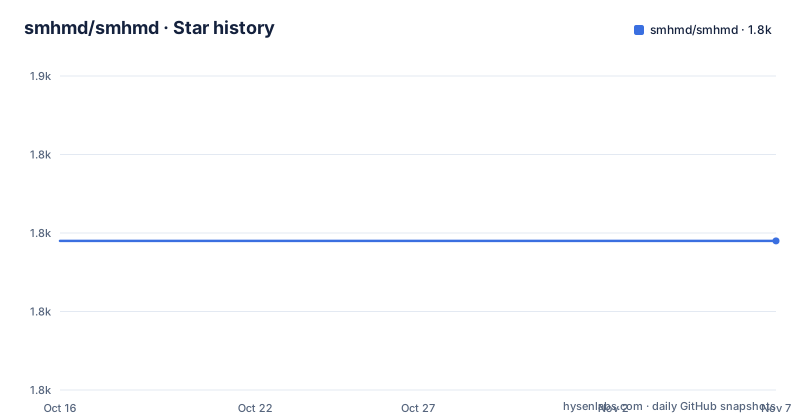
- smhmd/smhmd1,829 ★ · +0
| Repository | 2026-10-16 | 2026-11-07 |
|---|---|---|
| smhmd/smhmd | 1.8k | 1.8k |
0 Stars in the last 22 days, measured from the daily GitHub snapshot. Compare with other projects
Editorial analysis
A portfolio published as open source
The repository is a personal site, and the README says so in the first person. The project description is Software engineer, I design and build for the web, the site is named Simo after the author, and the README invites a visitor to try all the apps and says the hope is they get as much fun trying them as the author did building them.
The consequence is that the repository is not a library and not a framework. It is the source of a working site, and the interesting part for an engineer is that the site is a set of small interactive applications that each demonstrate a different technique, all sharing one build and one deployment.
The primary language is TypeScript, the licence is MIT with the file at the root, the default branch is `main`, and the last push was on 2026-10-17. The homepage is smhmd.dev, the site is described as made in Morocco, and there are no GitHub releases, which is what you would expect from a site whose source of truth is the deployed site rather than a published artefact.
The repository layout confirms the shape. There is `src/` for the application, `public/` for static assets, `assets/` for bundled media, `workers/` for the Cloudflare worker code, `vite.config.ts` and `react-router.config.ts` for the framework configuration, `wrangler.jsonc` for the deployment target, three separate tsconfig files for the client, the node side and the project as a whole, and a `pnpm-workspace.yaml` with a `pnpm-lock.yaml`.
The `package.json` is named `portfolio`, it is marked private, and it declares `sideEffects: false`, which is the hint that this is built for tree shaking with a bundler rather than published as a package.
Eight apps built on three different rendering stacks
The apps table is the substance of the repository, and the useful way to read it is as a survey of browser techniques rather than as a list of games.
The 3D side runs on React Three Fiber. About Me is a 3D avatar you can chat with, built with three.js and OVR lip-sync. Monument Valley is a meditative puzzle through impossible geometry using three.js, custom shaders and a graph pathfinder. 3D Dice Roll calls itself the best tabletop dice rolling experience and uses three.js with Rapier physics, which is the rigid body engine that `@react-three/rapier` binds into the React tree.
The 2D side runs on PixiJS. Spinning Tops is a battle game where the last one wins, built with PixiJS, Matter.js for the 2D physics and WebRTC for the multiplayer, with `trystero` in the dependencies as the WebRTC signalling helper and `match-sorter` in the list for the match flow.
The audio side runs on the Web Audio API. Keylimba is a kalimba you can play in any key, with custom effects and in-browser recording. Music Workstation, marked as beta, is a step sequencer laid out like an OP-1 Field with physics-driven controls.
And then the two that use state machines rather than a renderer. 2048 is described with XState and motion.dev, which is a different architecture from the rest: the game is a state machine and the animation is a library, with no canvas and no 3D. Magnetize turns torrent files into magnet links using a hand-written bencode parser and XState, which is the one project here with a practical utility rather than a toy, and the one where the hand-written parser is the interesting part.
That spread is what makes the repository worth reading for an engineer. `@react-three/fiber`, `@pixi/react`, `matter-js`, `xstate`, `rapier`, `three` and `motion` in one dependency list is a compact reference for how a single front end can hold a 3D scene, a 2D physics canvas, a physics-driven instrument and two state machine games at once, and the source of each app shows what each stack costs in bundle and in complexity.
React Router on Cloudflare Workers
The deployment target is the most consequential architectural decision in the repository, and it is visible in three places: the `wrangler.jsonc` configuration, the `workers/` directory, the `@cloudflare/vite-plugin` in the dev dependencies, and the `postinstall` hook.
The framework is React Router in its framework mode, with the `react-router build` command as the build step and `react-router dev --host` as the dev server. The Cloudflare plugin for Vite is what makes the build output deployable as a worker, and `wrangler deploy` is what ships it.
The `postinstall` script runs `pnpm cf-typegen`, and `cf-typegen` is `wrangler types`. That is a nice detail. The types for the Cloudflare runtime bindings are generated from the wrangler configuration, which means the type of the worker environment, the bindings and the context, is derived from the deployment config rather than maintained by hand. The `typecheck` script then runs `pnpm cf-typegen && react-router typegen && tsc -b`, so the generated types are produced first and the type check runs against them.
The `preview` script is `pnpm build && vite preview`, so the production build can be served locally through Vite's preview server rather than through wrangler, which is a faster loop for checking a change before it goes to the edge.
The `workers/` directory at the repository root is where the server side lives, and the `types.d.ts` file and the three tsconfig files, `tsconfig.json`, `tsconfig.client.json` and `tsconfig.node.json`, split the type checking across the browser code, the node side and the project references that tie them together.
The `lint` script is `eslint src` and the formatting setup is prettier with an `eslint.config.js` and a `prettier.config.js` in the tree, plus plugins for React, React Refresh and simple import sorting, which is a fairly complete lint setup for a single application repository.
The Dockerfile that still speaks npm
The `Dockerfile` in the repository is worth reading closely, because it does not match the rest of the project.
It is a four stage build on `node:24-alpine`. The first stage copies the source and runs `npm ci` to get the development dependencies. The second copies only `package.json` and `package-lock.json` and runs `npm ci --omit=dev` for the production dependency set. The third copies the source and the development `node_modules` from the first stage and runs `npm run build`. The final stage copies the production `node_modules` and the `build` directory and starts with `npm run start`.
The mismatch is that the project itself uses pnpm. The lockfile in the tree is `pnpm-lock.yaml`, there is a `pnpm-workspace.yaml`, the scripts call `pnpm build` and `pnpm cf-typegen`, and the `postinstall` hook is `pnpm cf-typegen`. The Dockerfile, meanwhile, expects `package-lock.json`, which the repository does not contain, and it runs `npm ci` rather than `pnpm install`.
Whether that image still builds is therefore not something this repository can answer, and the honest reading is that the Dockerfile was written for an earlier npm-based version of the project and was not updated when the package manager changed. There is a `.dockerignore` and a `Dockerfile` at the root, and a `deploy` script that goes to Cloudflare, so the container is a secondary path rather than the primary deployment.
For a reader trying to reproduce the setup, the practical advice is to ignore the Dockerfile and follow the scripts. The `dev` script starts the development server on a host address so a phone on the same network can reach it, which is the more useful thing to do when you are testing a WebGL app or a WebRTC multiplayer game on a real device.
What a portfolio repository is good for, and what it is not
It is worth being clear about what this repository is, because a personal site is a different kind of artefact from a library, and the evaluation criteria differ.
It is good for three things. It is a working reference for the libraries it uses, in a real application rather than in a documentation example. It is a readable demonstration of how far browser APIs have gone, since between the 2D canvas game, the WebGL scene, the physics-driven instrument and the WebRTC multiplayer you can see the whole range in one codebase. And it is a record of how a single developer arranged a build and deployment pipeline, from the framework mode build through the generated Cloudflare types to the wrangler deploy.
It is not good for two things. It is not a starting point for a product, because the package is private, there is no release history, the routes are the author's own pages, and the visual identity, the illustration of Simo and the layout are someone else's work that the MIT licence on the code does not cover. And it is not a maintained dependency, since there is no versioning, no changelog and no support commitment in the repository, only a stream of pushes to `main`.
The alternative approach, and the one to weigh against, is to read the library documentation for each stack. The difference in approach is that documentation shows you the API in isolation, while this repository shows the API in the context of a working application with the build wired up, which is a more useful thing when you are deciding whether a stack fits your problem.
One more detail deserves a note, because it is the kind of thing that ages. The `Music Workstation` entry is the only one marked beta, and `Magnetize` is the only one with a real world utility. A portfolio is a snapshot of what someone was interested in at a point in time, and the fastest way to read this one is as a set of experiments in the browser rather than as a product you would depend on.
Editorial conclusion
Adopt the smhmd repository as a reference if you are building browser-first interactive work and want to see how one developer wired three dimensional scenes, a 2D physics canvas, a state machine driven puzzle and Web Audio instruments into a single site, since the code is a working catalogue rather than a tutorial. Do not adopt it as a foundation for your own product, because it is a personal portfolio with a private package manifest and no release history, and the licence covers the code rather than the visual identity or the artwork. Verify three things first: that the Cloudflare account and wrangler configuration in the repository are yours to use before running `pnpm deploy`, that the Node 24 and pnpm versions match the lockfile, and that the `workers/` directory and `wrangler.jsonc` configuration are the parts that determine where your build ends up.
Frequently asked questions
What is the smhmd repository?
It is the source of a personal portfolio site, published at smhmd.dev, that doubles as a gallery of the author's interactive browser work. The README invites visitors to try all the apps, and the project description is a one line statement that the author designs and builds for the web.
Which browser technologies are used in the smhmd portfolio apps?
The apps use React Three Fiber with three.js and Rapier physics for the 3D ones, PixiJS with Matter.js and WebRTC for the 2D one, the Web Audio API for the kalimba and the music workstation, and XState with motion.dev for the 2048 and Magnetize projects.
How is the smhmd portfolio deployed?
Through Cloudflare Workers. The build is `react-router build`, the deploy script runs `pnpm build && wrangler deploy`, and the `postinstall` hook runs `pnpm cf-typegen`, which is `wrangler types`, so the worker runtime types are generated from the wrangler configuration before the type check runs.
Does the Dockerfile in the smhmd repository match the rest of the project?
Not exactly. The multi stage Dockerfile is built on node:24-alpine and runs `npm ci` and `npm run build`, while the project itself uses pnpm with a pnpm-lock.yaml and a pnpm-workspace.yaml, and no package-lock.json is present in the tree.
What is the licence and maintenance state of the smhmd portfolio?
The project is MIT licensed with the licence file at the root, the default branch is main, and the last push was on 2026-10-17. There are no GitHub releases, and the package manifest is marked private, so the repository is a site source tree rather than a published dependency.
Official sources
Add this badge to your README
If you maintain this project, the badge below links readers to this analysis and shows its maintenance status from the daily GitHub snapshot. Paste the markdown into your README; add ?metric=license or ?metric=stars to the image URL for a different field.

[](https://hysenlabs.com/projects/smhmd-smhmd)Star history chart for your README
[](https://hysenlabs.com/projects/smhmd-smhmd)Was this useful?