react-freeze for React and React Native rendering control
Prevent React component subtrees from rendering.
At a glance
- What is it?
- react-freeze is a TypeScript package that suspends rendering inside a `<Freeze>` boundary while retaining component state and native views. It is aimed at hidden screens and other subtrees that should not reconcile until they become visible again.
- Who is it for?
- Adopt react-freeze when a React or React Native interface has retained but hidden subtrees that still receive updates, and verify the React version, native integration, placeholder layout, and profiler compatibility first. It is a poor fit when the visible interface must update immediately, because frozen subtrees do not render until `freeze` becomes false.
- Can I use it commercially?
- Yes. MIT is a permissive licence: you can use, modify and sell software built on it, as long as you keep its copyright and licence notices.
- Is it still maintained?
- Yes. The repository last received commits 160 days ago.
- What is it written in?
- Mainly TypeScript, according to GitHub's language statistics.
Answers come from the project's GitHub data, last synced on November 7, 2026, and from our analysis. They are not legal advice.
Star history
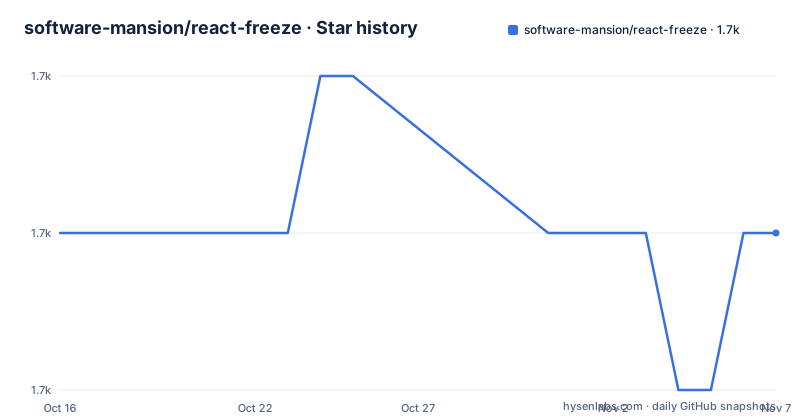
- software-mansion/react-freeze1,653 ★ · +0
| Repository | 2026-10-16 | 2026-11-07 |
|---|---|---|
| software-mansion/react-freeze | 1.7k | 1.7k |
0 Stars in the last 22 days, measured from the daily GitHub snapshot. Compare with other projects
Editorial analysis
What react-freeze changes in a retained component tree
react-freeze targets the gap between keeping a React subtree mounted and continuing to render it. The README describes this as useful for application areas that remain in memory but are not visible, especially screens beneath the active screen in a React Native navigation stack. Those screens may still receive state changes, yet their rendered output cannot be seen. The package suspends rendering for the selected subtree, reducing work such as reconciliation and sending view updates while the subtree is hidden.
The package does not solve general React scheduling or state management. It does not remove inactive screens from the navigation stack, discard their data, or make arbitrary application updates optional. Its API is centered on one boundary, `<Freeze>`, whose `freeze` boolean controls whether descendants are allowed to render. This makes the project appropriate when the application already knows which part of the tree is hidden. It is not a replacement for visibility tracking, navigation state, or a state store.
The Suspense-based Freeze boundary
According to the README, `react-freeze` uses the `Suspense` mechanism introduced in React 17 to suspend renders under a `<Freeze>` boundary. The important distinction is that freezing does not unmount the descendants. When the boundary is frozen, it renders a `placeholder` instead of its children, while retaining the underlying component state and corresponding DOM elements or platform-native views. The documented result is preservation of values such as scroll position, text entered into an input, and loaded images when the subtree returns to its unfrozen state.
State changes are still executed while a subtree is frozen. The difference occurs at render time: the updated component does not render until the boundary receives `freeze={false}`. The package therefore changes when visual output is produced, not whether application logic or state updates happen. This behavior makes the boundary useful for retained screens whose updates can wait, but it also creates a clear boundary condition. A subtree containing content that must react immediately should not be placed behind `Freeze={true}`.
The placeholder defaults to `null`. A custom placeholder is available when removing a frozen view would disturb the surrounding layout. The documentation advises freezing components that are not visible, so most applications should not need to decorate the hidden area.
Installing the package and freezing a first subtree
The direct package requires React 17 or higher, or React Native 0.64 or higher. The documented installation command is:
yarn add react-freezeAfter installation, import the single exported component and wrap the subtree that may be hidden. The README's example passes the visibility decision through a prop:
import { Freeze } from "react-freeze";

function SomeComponent({ shouldSuspendRendering }) {
  return (
    <Freeze freeze={shouldSuspendRendering}>
      <MyOtherComponent />
    </Freeze>
  );
}
In this example, `shouldSuspendRendering` controls the boundary. When it is true, `MyOtherComponent` is suspended from rendering and the boundary shows its placeholder. When it is false, the subtree renders again. The README does not document a separate setup command, configuration file, or environment variable for direct use.
React Navigation setup and the screens integration boundary
For React Navigation, the README gives a separate integration path based on `react-native-screens`. It requires React Native 0.64 or higher and React Navigation 5.x or 6.x. The documented upgrade command is:
yarn upgrade [email protected]For iOS, the documentation then directs the reader to install pods:
pod install --project-directory=iosThe application entry point must enable the screens library's freeze support:
import { enableFreeze } from "react-native-screens";

enableFreeze(true);
React Navigation 6 does not require the additional `enableScreens(true)` step described in the README. React Navigation 5 requires that call and the `detachInactiveScreens` option on the relevant navigators. The integration has an important limitation: only views more than one level below the stack hierarchy are frozen. The top screen and the second screen remain unfrozen because slide-to-go-back can reveal content below the top screen.
This means `react-freeze` does not freeze every inactive route in a stack. Applications that require a different navigation policy must account for that boundary rather than assuming that all hidden screens stop rendering.
Where Freeze is a poor fit
The first poor fit is a visible component whose output must reflect state changes immediately. Freezing postpones descendant rendering until the `freeze` prop changes, so it can temporarily show stale visual content if the boundary is selected incorrectly. The API is a deliberate suspension switch, not a throttling mechanism for every update.
The second constraint concerns layout. The default placeholder is `null`, and the README says that replacing a frozen view with `null` can break application layout. A placeholder can preserve space, but it does not make the frozen content visible. This trade-off is most relevant to navigation containers, overlays, and screens that affect surrounding geometry.
There is also a documented profiler issue. When React Native profiling is started with React Native Debugger while frozen components exist, the README reports an error reading `Error: Could not find ID for Fiber ...`. The documentation does not provide a configuration workaround. This makes profiling with that debugger a specific verification item rather than an assumed workflow.
Package scope, maintenance, and upgrade implications
The package metadata describes `react-freeze` as version `1.0.4`, with TypeScript source at `src/index.tsx`. It exposes `dist/index.js` for the main entry, `dist/index.modern.js` for the module entry, and `src/index.tsx` for React Native. The package requires Node `>=10` and declares React `>=17.0.0` as a peer dependency. Its package scripts include unit tests, linting, TypeScript checking, and a build through `microbundle-crl`.
The repository is not archived. Its last push was on 2026-06-01, while the listed recent release is `1.0.4` from 2024-02-28. Those dates provide the maintenance record documented by the repository, but the README does not document a release cadence, compatibility policy, or migration process. An adopter should therefore check whether the chosen React, React Native, and `react-native-screens` versions match the documented setup before changing an application dependency.
The license is MIT. That identifies the project's declared licensing model, but it does not by itself answer questions about compatibility with a particular application, native platform, or dependency graph. The README is also the source for the navigation integration constraints, so those details should be rechecked against the versions actually used.
Editorial conclusion
Adopt react-freeze when a React or React Native interface has retained but hidden subtrees that still receive updates, and verify the React version, native integration, placeholder layout, and profiler compatibility first. It is a poor fit when the visible interface must update immediately, because frozen subtrees do not render until `freeze` becomes false. For React Navigation, also confirm the supported `react-native-screens` behavior and the documented exception for the top two stack screens.
Frequently asked questions
What problem does react-freeze solve?
It suspends rendering inside selected React and React Native subtrees, especially hidden screens that remain mounted in a navigation stack. The package is intended to avoid unnecessary rendering work while retaining state and native views.
Does react-freeze unmount frozen components?
No. The README states that frozen components remain mounted, and their state and corresponding DOM elements or platform-native views are retained. When the boundary is unfrozen, values such as scroll position and text input state can remain unchanged.
What React version is required for react-freeze?
The README requires React 17 or higher, or React Native 0.64 or higher. The package metadata also declares a React peer dependency of `>=17.0.0`.
Can react-freeze be used with React Navigation?
Yes, through the documented `react-native-screens` integration. The setup requires React Native 0.64 or higher, React Navigation 5.x or 6.x, and the `react-native-screens` upgrade and `enableFreeze(true)` call described in the README.
What happens to state changes inside a frozen subtree?
The README says state changes continue to execute as usual. They do not trigger a render of the updated component until the subtree leaves the frozen state.
Official sources
Add this badge to your README
If you maintain this project, the badge below links readers to this analysis and shows its maintenance status from the daily GitHub snapshot. Paste the markdown into your README; add ?metric=license or ?metric=stars to the image URL for a different field.

[](https://hysenlabs.com/projects/software-mansion-react-freeze)Star history chart for your README
[](https://hysenlabs.com/projects/software-mansion-react-freeze)Was this useful?