laravel-package-tools replaces the boilerplate half of a Laravel service provider
Tools for creating Laravel packages
At a glance
- What is it?
- spatie/laravel-package-tools is an MIT licensed PHP package that gives Laravel package authors a PackageServiceProvider with a fluent API for registering config files, views, migrations, routes, assets and commands. It suits maintainers shipping public packages, and it is wrong for a small application internal class that needs no publishing at all.
- Who is it for?
- Adopt laravel-package-tools when you are publishing a Laravel package that ships config, views, migrations or routes and you want the registration and publishing behaviour to come from a maintained base class rather than from hand written provider code. Do not adopt it for an application internal class, and expect to accept its opinionated directory layout and its own publishing tag conventions, because those are the point of the package.
- Can I use it commercially?
- Yes. MIT is a permissive licence: you can use, modify and sell software built on it, as long as you keep its copyright and licence notices.
- Is it still maintained?
- Yes. The repository last received commits 3 days ago.
- What is it written in?
- Mainly PHP, according to GitHub's language statistics.
Answers come from the project's GitHub data, last synced on November 7, 2026, and from our analysis. They are not legal advice.
Star history
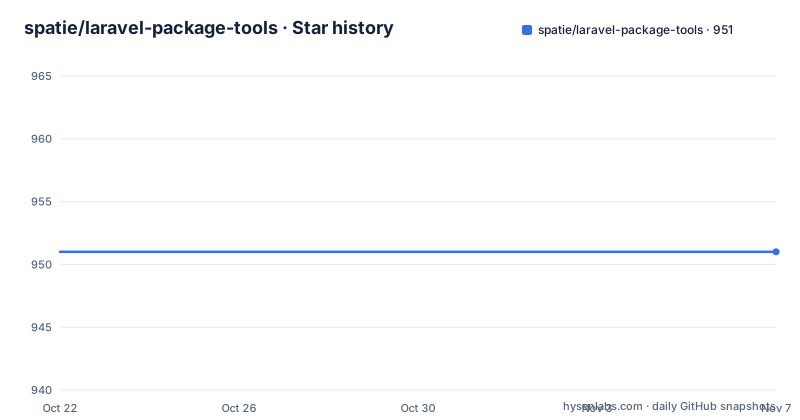
- spatie/laravel-package-tools951 ★ · +0
| Repository | 2026-10-22 | 2026-11-07 |
|---|---|---|
| spatie/laravel-package-tools | 951 | 951 |
0 Stars in the last 16 days, measured from the daily GitHub snapshot. Compare with other projects
Editorial analysis
What the PackageServiceProvider actually saves you
Writing a Laravel package means writing a service provider that registers config files, migrations, views, routes, translations and assets, and then wiring up a vendor:publish tag for each one so consumers can copy the files into their application. That wiring is repetitive, it is easy to get subtly wrong, and every package repeats it.
spatie/laravel-package-tools removes it. The package contains a PackageServiceProvider that you extend in your own package, and the README says plainly that it lets you easily register config files, migrations and more. Under the hood, as the README puts it, it does the necessary work to register the necessary things and make all sorts of files publishable.
The shape of the code is the interesting part. Instead of overriding a boot method and calling a dozen service container methods in the right order, you override a single configurePackage method and describe what your package contains:
use Spatie\LaravelPackageTools\PackageServiceProvider;
use Spatie\LaravelPackageTools\Package;

class YourPackageServiceProvider extends PackageServiceProvider
{
    public function configurePackage(Package $package) : void
    {
        $package->name('your-package-name');
    }
}
That is the whole minimum. The README is explicit that assigning the package name with a call to name() is mandatory, and the fluent chain then grows from there. The audience is package maintainers, not application developers: someone publishing a package that other people install with Composer and then run vendor:publish against.
The licence is MIT, the primary language is PHP, and the homepage points at a write-up on simplifying service providers in Laravel packages, which is a reasonable indicator of the problem the package was written to solve.
The directory layout the package expects
The README states that this package is opinionated on how you should structure your package, and it expects a structure based on the spatie package-skeleton repo, which the README also recommends as the starting point. The expected layout is given explicitly:
<package root>/src/                       Default location for PackageServiceProvider extended class
<package root>/src/Commands/              Commands (callable and console-only)
<package root>/src/Components/            Blade components
<package root>/src/Providers/             Other Service Providers
<package root>/config/                    Mergeable and publishable config files
<package root>/database/factories/        Database factories
<package root>/database/migrations/       Publishable stubs and loadable migrations
<package root>/resources/dist/            Publishable assets
<package root>/resources/js/pages/        Inertia views
<package root>/resources/lang/            International translations
<package root>/resources/views/           Views
<package root>/routes/                    Routes
There is one rule that will trip you up if you miss it. When you use paths in any Package method except discoversMigrations(), the path is relative to the location of your primary service provider, that is relative to <package root>/src. The example given is that <package root>/ConfigFiles would be specified as ../ConfigFiles. discoversMigrations() is the exception because migrations are resolved from the database directory instead.
This is the price of the convenience. If your package already has a different layout, either move to the convention or pass explicit relative paths, and expect the paths to be relative to src rather than to the package root, which is a different mental model from most Laravel configuration.
The fluent API covers the whole publishable surface
The example in the README shows how much fits into one chain. The methods visible there include hasConfigFile(), hasViews(), hasViewComponent(), hasViewComposer(), sharesDataWithAllViews(), hasTranslations(), hasAssets(), publishesServiceProvider(), hasRoute(), hasMigration() and hasCommand().
The full table of contents in the README goes further, and it is worth scanning because it shows the intended scope: Assets, Blade Components, Commands (callable and console), Config Files, Inertia Components, migrations, Routes, Publishable Service Providers, Translations, Views, View Composers, Views Global Shared Data, Creating and Install Command, and Lifecycle Hooks.
Two of those deserve a note. Views Global Shared Data is the sharesDataWithAllViews method, which is the standard way a package injects data into every view, and Lifecycle Hooks is the extension point for work that has to happen after the framework has booted, which a purely declarative configuration cannot express.
The Inertia Components entry tells you the package is not stuck in Blade only, since the directory structure includes resources/js/pages/ for Inertia views. That is a good sign for a package that has been shipping patch releases for a long time: the surface area is being extended rather than frozen.
One small naming rule is worth remembering because it changes every tag your consumers type. If your package name starts with laravel-, that prefix is omitted and the remainder of the name is used as a short name instead when publishing files and so on.
Publishing tags and what consumers actually type
The point of declaring assets is that a consumer can copy them into their app. The README shows the method and then the command a user of your package will run:
$package
    ->name('your-package-name')
->hasAssets();php artisan vendor:publish --tag=your-package-name-assetsSo the tag is derived from the package name plus the resource type. That is convenient for the consumer, one command per resource, and it is also a compatibility surface: the tag is part of your package's public contract, because people put it in deployment scripts and CI pipelines.
The same applies to config files and migrations, which the README describes as mergeable and publishable config files and publishable stubs and loadable migrations. The install command chain in the example shows the same vocabulary from the other direction:
->hasInstallCommand(function(InstallCommand $command) {
    $command
        ->publishConfigFile()
        ->publishAssets()
        ->publishMigrations()
        ->copyAndRegisterServiceProviderInApp()
        ->askToStarRepoOnGitHub();
});
That is the whole installation experience reduced to a single artisan command for the consumer: publish what is needed, optionally register the provider in the application, and finish. The copyAndRegisterServiceProviderInApp step is the one that saves the most typing, since a Laravel application that has a service provider commented out in bootstrap/providers.php will not use your package at all.
The alternative: a hand written provider, or just the skeleton
The honest alternative is to write the provider yourself. Every method on the Package chain corresponds to a service container call that you can write yourself: registering a config file is a mergeConfigFrom call, publishing is a publishes call with a tag and a group, views are a loadViewsFrom call, and so on. The difference in approach is that the base class owns the order of operations and the tag naming, while the hand written version owns the order and the tags, which is exactly the duplication the package was written to remove.
There is a second alternative worth taking seriously: use the package skeleton without this package at all. The README recommends the skeleton repo to get started, and a skeleton plus a hand written provider gives you a package with zero runtime dependency on a helper library. That is a legitimate choice for a package with a small surface, and it avoids the coupling that comes with depending on a base class that also changes.
The trade in both directions is the same. laravel-package-tools is opinionated, and opinionated means a package built on it will look like a Spatie package, with the same conventions, the same publishing style and the same expectations about where things live. That is exactly what you want if you are shipping a package for other people to use, and exactly what you do not want if your package has an unusual shape. The homepage article on simplifying service providers is a good place to judge the philosophy before you commit.
Maintenance, licence and the cost of the opinionation
The repository is not archived and the last push was on 2026-09-28. The release history shows steady patch work: 1.93.3 on 2026-09-28, 1.93.2 on 2026-08-26 and 1.93.1 on 2026-05-19. A version in the low nineties with releases spread over months rather than days is a mature package rather than a fast moving one, which is what you want from a base class other packages depend on.
The licence is MIT, with a LICENSE.md in the repository root, so the constraint is minimal for both the package authors and the companies shipping packages built on it.
The cost of the package is not the licence and it is not the dependency. It is the opinionation, and the fact that a PackageServiceProvider is a base class. Inheriting from a base class means your provider cannot extend anything else, and it means a change in how the base class registers a resource can change your package's behaviour on a version bump. The patch cadence suggests that risk is managed, but a major version bump in a base class is a migration event in a way that a stable function call is not.
The repository layout reflects a normal PHP package: src/ and tests/ directories, composer.json, a phpunit.xml.dist, a .php-cs-fixer.dist.php for style, an .editorconfig, a CHANGELOG.md and a .github directory for the workflows. There is a tests badge in the README, so the behaviour is covered by the test suite, which matters for a package whose entire value is doing the registration correctly on your behalf.
Editorial conclusion
Adopt laravel-package-tools when you are publishing a Laravel package that ships config, views, migrations or routes and you want the registration and publishing behaviour to come from a maintained base class rather than from hand written provider code. Do not adopt it for an application internal class, and expect to accept its opinionated directory layout and its own publishing tag conventions, because those are the point of the package. Before you start, read the Directory Structure section against your existing layout, and check whether the laravel- prefix handling in name() matches how you want your tags to read. The last push was on 2026-09-28, with version 1.93.3 published the same day.
Frequently asked questions
What does spatie/laravel-package-tools do?
It provides a PackageServiceProvider that a package can extend, plus a fluent Package object used in a configurePackage method to register config files, views, migrations, routes, translations, assets and commands, and to make those files publishable with vendor:publish tags.
How do I start a Laravel package with laravel-package-tools?
The README recommends starting from the spatie package-skeleton-laravel repo, then extending Spatie\LaravelPackageTools\PackageServiceProvider and overriding configurePackage. Calling name() on the Package object is mandatory, and every other method is a fluent call on the same object.
What directory structure does laravel-package-tools expect?
It expects src/ for the service provider, src/Commands, src/Components, src/Providers, config/, database/factories, database/migrations, resources/dist, resources/js/pages, resources/lang, resources/views and routes. Paths passed to Package methods are relative to src rather than the package root, except for discoversMigrations().
How do users publish a package's assets?
The consumer runs php artisan vendor:publish with the tag derived from the package name, for example php artisan vendor:publish --tag=your-package-name-assets. The install command can also publish config files, assets and migrations in one step.
What licence is spatie/laravel-package-tools under?
MIT. The repository contains a LICENSE.md file at the root, so packages built on it can be distributed without copyleft obligations.
Official sources
Add this badge to your README
If you maintain this project, the badge below links readers to this analysis and shows its maintenance status from the daily GitHub snapshot. Paste the markdown into your README; add ?metric=license or ?metric=stars to the image URL for a different field.

[](https://hysenlabs.com/projects/spatie-laravel-package-tools)Star history chart for your README
[](https://hysenlabs.com/projects/spatie-laravel-package-tools)Was this useful?