Stash for Kubernetes backup and recovery
🛅 Backup your Kubernetes Stateful Applications
At a glance
- What is it?
- Stash is a Kubernetes operator for backing up and restoring workload volumes, standalone PersistentVolumes, PersistentVolumeClaims, and databases. It combines restic with CSI volume snapshots and is most relevant to operators managing stateful applications in Kubernetes.
- Who is it for?
- Adopt Stash when Kubernetes is already the control plane and application-specific backup requirements can be represented through its operator, addons, hooks, or plugin mechanism. Do not treat it as a complete disaster recovery plan until object storage credentials, storage-driver support, restore procedures, custom licence terms, and CSI snapshot requirements have been verified.
- Can I use it commercially?
- Check first. The repository uses a licence we do not classify automatically, so read its LICENSE file before any commercial use.
- Is it still maintained?
- Yes. The repository last received commits 18 days ago.
- What is it written in?
- Mainly Go, according to GitHub's language statistics.
Answers come from the project's GitHub data, last synced on November 7, 2026, and from our analysis. They are not legal advice.
Star history
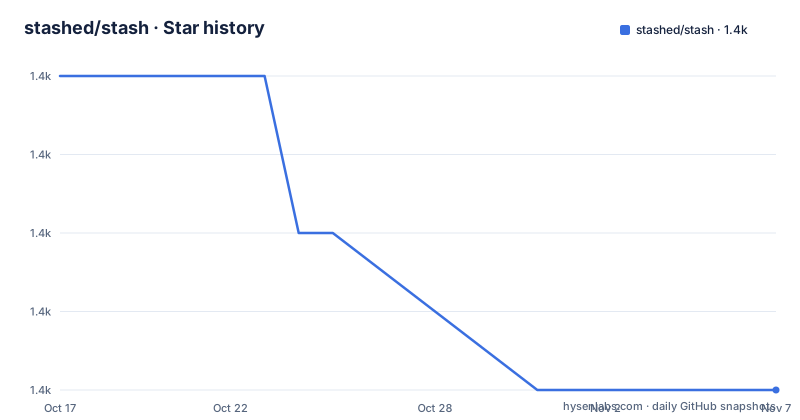
- stashed/stash1,423 ★ · -4
| Repository | 2026-10-17 | 2026-11-07 |
|---|---|---|
| stashed/stash | 1.4k | 1.4k |
-4 Stars in the last 21 days, measured from the daily GitHub snapshot. Compare with other projects
Editorial analysis
Stash's role in stateful Kubernetes clusters
Stash addresses a specific operational problem: Kubernetes workloads often contain data whose lifetime is longer than an individual pod, node, or deployment. The README identifies production Kubernetes environments as its target audience and lists disks and databases as examples. Stash can protect volumes mounted into supported workloads, standalone volumes represented by PersistentVolumeClaim or PersistentVolume objects, and databases. Supported workloads include Deployment, DaemonSet, StatefulSet, ReplicaSet, ReplicationController, and OpenShift DeploymentConfig.
This positioning makes Stash different from a command-line backup script copied into a container. Its unit of integration is Kubernetes, including cluster resources, operators, policies, storage objects, and workload-specific addons. That focus also narrows its applicability. Stash assumes Kubernetes is already present and its storage layer can expose persistent data. It is therefore not a general-purpose backup client for arbitrary servers, and it does not replace application-specific planning around consistency, recovery points, and recovery time.
restic, CSI snapshots, and Stash scheduling
Stash uses two backup mechanisms described in its documentation: restic and Kubernetes CSI Driver VolumeSnapshotter functionality. The restic path suits file-oriented backup and supports encryption, deduplication, retention policies, and transfer of changes since the previous backup. The README states that backed-up data is encrypted with AES-256 and that Stash sends only changes since the last backup. CSI integration instead creates Kubernetes VolumeSnapshot objects and is documented for Kubernetes v1.17.0 and later.
Backup execution can be scheduled through a cron expression or initiated as an instant backup using the Stash Kubernetes plugin. Operators can pause backups to prevent new backup operations, select files matching supplied patterns, and clean old snapshots according to restic retention policies. Hooks can run before and after backup or restore operations through `httpGet`, `httpPost`, `tcpSocket`, or `exec`.
The mechanism is declarative at the Kubernetes layer, but Stash is not simply a VolumeSnapshot wrapper. Application addons and hooks allow cluster operators to insert steps around a generic operation. The README does not document how database consistency is established for every supported database, so an adopter must verify those details in the relevant addon documentation rather than assuming every database backup is transactionally consistent.
Installing Stash through its documented entry points
The repository README links to https://stash.run for documentation but does not provide installation commands, installation manifests, Helm values, or a first-use YAML example. It therefore would be misleading to invent a `kubectl apply` command or claim a particular image registry from the README alone.
For a first real use, begin with the linked Stash documentation rather than building a backup definition from the repository page. Select an officially documented addon for the database or application, confirm which backup mechanism it expects, and locate its installation manifest. Then create a backup definition for one representative workload or PersistentVolumeClaim, choose either a cron schedule or an instant-backup invocation, and select an object storage destination. The repository includes a Makefile, Dockerfiles, `main.go`, and Go packages, but those files describe development inputs rather than a documented end-user installation path.
After installation, the first useful validation is a complete backup followed by a restore into an appropriate test environment. Inspect the Stash resources and logs, confirm that the expected snapshot or restic data exists, and verify that the restored workload can read its data. The README lists Prometheus metrics for backup, restore, and operator activity, which can support that verification, but it does not provide metric names or example queries.
Operational controls and security boundaries
Stash includes controls that are relevant to production cluster operation. RBAC, PSP, and Network Policy support are listed in the README, although the README does not explain which exact manifests or policy settings are created for a given installation. RBAC is especially important because the controller needs access to Kubernetes resources and backup-related storage operations. Operators should therefore review the installed permissions rather than assuming the presence of these features means a particular policy is enabled.
The platform also provides selective backup and restore, automatic cleanup, pause control, and hooks. These features address common administrative needs, but they also create configuration responsibilities. A broad file pattern can increase the amount of data handled by a job. A retention policy can remove old snapshots. A hook can invoke an HTTP endpoint, open a TCP connection, or execute a command inside a workload. The README does not specify retry, timeout, hook-failure, or partial-snapshot behavior, so those boundaries require checking in the version-specific documentation before an incident.
The repository's Go dependencies show Kubernetes v1.34.3 and CSI external snapshotter client v8.4.0. Those versions are useful when evaluating cluster compatibility, but they do not by themselves establish compatibility with every Kubernetes distribution or storage provider.
Community, enterprise, and custom licence boundaries
The project is open source at repository level, but its licensing is not a standard permissive licence identified by GitHub. The repository entry is `LICENSE.md`, and the repository metadata classifies it as a custom licence. The Makefile header identifies the AppsCode Community License 1.0.0 and includes the AppsCode licence URL. The README also separates Community Edition from Enterprise Edition, describing the latter as open core for production Enterprise workloads.
That split affects adoption review. The repository can be inspected and the Community Edition is described as free, but the exact rights, restrictions, and conditions attached to redistribution, modification, hosting, and commercial use must be read in `LICENSE.md`. This review should not be treated as legal advice. It is also important to distinguish repository availability from the availability of every enterprise feature.
The README's feature table marks the listed backup, restore, scheduling, retention, encryption, CSI, metrics, security, CLI, extension, and hook capabilities for both editions. It does not provide a complete feature matrix beyond that table, so buyers should not infer that all operational support or future functionality is included in the community build.
Maintenance signals and upgrade considerations
Stash is not archived, and the last push was on 2026-10-10. That is a recent maintenance signal based on repository activity, but it is not a guarantee of production suitability. The release history lists v0.42.0 on 2025-10-24, v0.41.0 on 2025-08-02, and v0.40.0 on 2025-06-26. These versions provide a visible release sequence, while the repository also has a custom versioning strategy in the Makefile that uses Git tags, branches, and commit metadata.
Upgrades require attention to Kubernetes API versions, CSI support, addon versions, object storage configuration, and any custom workload addons. The README does not document an upgrade procedure, rollback procedure, or compatibility matrix. It is also silent about migration between restic and CSI backup modes. Those omissions matter because a backup system can be easy to install while still being difficult to change safely after snapshots exist.
For an existing installation, compare the deployed Stash version with the addon and Kubernetes versions before changing the controller. Preserve access to the backup destination and validate restoration in a non-production namespace or equivalent environment. The absence of a documented rollback path in the README makes that validation more important rather than less.
How Stash differs from a direct Kubernetes snapshot approach
A direct Kubernetes snapshot workflow usually centers on CSI VolumeSnapshot resources and requires the cluster to have a compatible CSI driver and storage backend. Stash can use that same underlying mechanism, but it adds an operator-oriented layer with workload selection, schedules, retention, file patterns, restore coordination, metrics, and hooks.
The practical difference is scope. A direct CSI workflow can be sufficient when the requirement is volume-level snapshots and the operator already has all application coordination in place. Stash is more appropriate when the backup lifecycle must be expressed as part of Kubernetes operations across multiple workload kinds, standalone PVCs, and databases. Its addons and plugin model also create an extension point for application-specific behavior.
The cost of that broader layer is dependency and policy review. Stash must coordinate Kubernetes resources, backup jobs, storage, credentials, and possibly CSI drivers. A direct snapshot command may expose fewer moving parts, but it does not provide Stash's scheduling and retention model. Conversely, Stash should not be selected merely for its feature list if a required application lacks a documented addon or consistency mechanism.
Editorial conclusion
Adopt Stash when Kubernetes is already the control plane and application-specific backup requirements can be represented through its operator, addons, hooks, or plugin mechanism. Do not treat it as a complete disaster recovery plan until object storage credentials, storage-driver support, restore procedures, custom licence terms, and CSI snapshot requirements have been verified. The latest documented release is v0.42.0, while the repository's last push was on 2026-10-10.
Frequently asked questions
What does Stash back up in Kubernetes?
Stash can back up and restore volumes mounted into supported workloads, standalone PersistentVolumeClaim and PersistentVolume resources, and databases. Supported workloads include Deployment, DaemonSet, StatefulSet, ReplicaSet, ReplicationController, and OpenShift DeploymentConfig.
Does Stash use restic or Kubernetes CSI snapshots?
Stash uses either restic or Kubernetes CSI Driver VolumeSnapshotter functionality. The README documents restic features such as AES-256 encryption, deduplication, retention policies, and incremental changes, while CSI integration requires a compatible snapshot environment.
How do I install Stash?
The README does not include installation commands or manifests. It directs users to https://stash.run, where version-specific installation instructions and addon documentation should be located before creating the first backup.
Official sources
Add this badge to your README
If you maintain this project, the badge below links readers to this analysis and shows its maintenance status from the daily GitHub snapshot. Paste the markdown into your README; add ?metric=license or ?metric=stars to the image URL for a different field.

[](https://hysenlabs.com/projects/stashed-stash)Star history chart for your README
[](https://hysenlabs.com/projects/stashed-stash)Was this useful?