Instafeed.js: the author says it cannot get an Instagram token without a server
GitHub describes it as A simple Instagram JavaScript plugin for your website. The repository metadata lists JavaScript as its primary language. The metadata lists the MIT license. This article stays within the project description and details documented in the GitHub repository README.
At a glance
- What is it?
- Instafeed.js still ships as a package, with the sources, the built files, the docs and a browser test all committed. Its own front page explains that the public API it was built against now needs a server-side token step the library cannot supply, and points readers to a paid hosted service instead.
- Who is it for?
- Read this one as a maintained historical artifact rather than a dependency to reach for. The package installs cleanly, the entry points are declared for both module systems, and the build and test scripts are all present, but the author's own explanation on the front page is that the library cannot complete the job on its own because the token step moved server side.
- Can I use it commercially?
- Yes. MIT is a permissive licence: you can use, modify and sell software built on it, as long as you keep its copyright and licence notices.
- Is it still maintained?
- Probably not. The repository last received commits 14 months ago, on August 24, 2025.
- What is it written in?
- Mainly JavaScript, according to GitHub's language statistics.
Answers come from the project's GitHub data, last synced on October 22, 2026, and from our analysis. They are not legal advice.
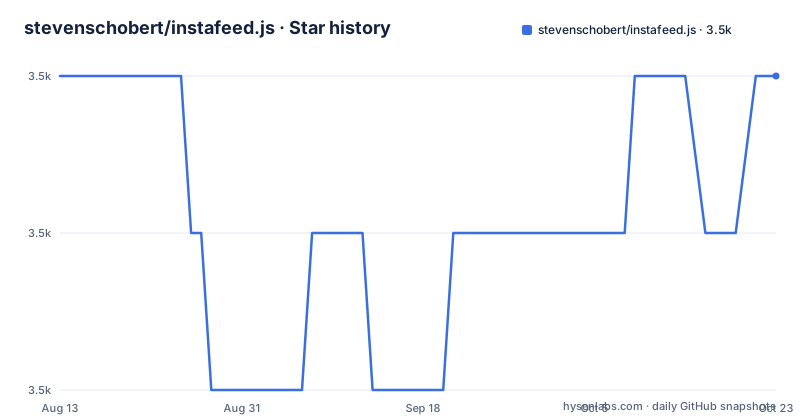
Star history
- stevenschobert/instafeed.js3,509 ★ · +0
| Repository | 2026-08-13 | 2026-10-22 |
|---|---|---|
| stevenschobert/instafeed.js | 3.5k | 3.5k |
0 Stars in the last 70 days, measured from the daily GitHub snapshot. Compare with other projects
Editorial analysis
The front page states the library cannot obtain a token by itself
The most important paragraph on the page is the one explaining why the project cannot finish what it started. Instafeed.js was originally written in 2012 as an easy way to add Instagram photos to a website, and the author credits the public API Instagram had at the time for making that possible. Then the turn: Facebook has made the process a lot more complex than it used to be, and the largest problem is that managing API tokens now requires a server-side component, which cannot be provided through Instafeed.js alone.
That is the author, not a reviewer, describing a dependency that moved. The library is a front-end renderer, and the part that authenticates now lives somewhere the front end cannot reach. Nothing on the page says the library is broken, and nothing says it still works either. It says the token cannot be handled from here alone, and it says that in the present tense under a heading about hosted alternatives rather than about bugs.
The same page recommends a paid service and names what it does not do
The remedy the page offers is not a patch or a configuration note. If you are looking for a turnkey solution that manages tokens for you, or you need more advanced features such as hashtag feeds, the recommendation is a third-party hosted service, described as paid with a free tier that works for smaller projects. The page names it and links it, and links it twice.
So the two things the library cannot do, managing tokens and serving hashtag feeds, are the two things the recommended alternative is being recommended for. What the page does not offer is a comparison, a cost, or a way to decide between the two. A reader who wants the front-end rendering and already has somewhere to keep a secret has a path; a reader who wanted one script tag on a static page is being pointed at a service that holds the credential for them.
Only the dist folder is published to npm
The manifest has a files field, and it names exactly one thing:
dist/*So the tarball that reaches a project contains the built files and nothing else. No source, no documentation folder, no tests, no scripts. The entry points are declared in three places and all three point into that folder: `main` is `./dist/instafeed.js`, `module` is `./dist/instafeed.es.js`, and an `exports` map splits the two, sending `import` to the ES module and `require` to the other build. The dual declaration is the part that matters for a modern setup, since a bundler reading `exports` and a runtime reading `main` end up at different files on purpose.
Everything that would let someone read the source of what they installed is in the repository and not in the package. A project that wants to audit the code, patch it, or read the docs from its dependency tree has to clone the repository instead.
npm test runs two lint passes and mocha, and never touches the browser test
Six scripts, and the one named test is a chain of three:
npm run lint-src && npm run lint-test && npm run unit-testThe two lint steps are jshint, not a modern linter: each one runs jshint with the jshint-stylish reporter, one over the source glob and one over the test glob. The third is mocha against the test directory. So the default verification path is lint the source, lint the tests, run the unit tests, in that order.
A fourth script builds the browser test but nothing in the test chain calls it. That step copies mocha's own css and js into a browser-test directory and then pipes a test file through browserify into a bundle. In other words the repository can produce a runnable browser test, and a contributor running the published test command never produces it. The browser-test directory is committed alongside the test directory, so the capability is present in the tree and absent from the entry point.
Every build prints the size of six output files
The build script is two node invocations joined together. The first runs a script under the repository's scripts directory to produce a minified build into dist. The second runs a size printer and hands it the source path followed by six output paths: the ES module and its minified form and source map, then the other build and its minified form and source map. So a build ends by printing what each artefact weighs.
The development dependencies are six packages: browserify, jshint, jshint-stylish, mocha, rollup and uglify-es. Browserify appears in the browser test step, jshint in the two lint steps, mocha in the unit tests. The two bundlers, rollup and uglify-es, are declared without appearing in any script name on this page; the minifying step is invoked indirectly through the repository's own build script, so what they are used for is decided by a file whose contents are not shown here.
Only one keyword is declared for the package, instagram.
Two tags four years apart, and the last push matches the newest one
The version in the manifest is 2.1.0, and that matches the newest tag, v2.1.0, dated 2025-08-24. The tag before it is v2.0.0 from 2021-05-31, and before that a release candidate, v2.0.0-rc3, from 2020-11-11. So the 2.0 line spent about six months between its third candidate and its final tag, and the two final tags are four years and three months apart.
The last push to the branch is dated 2025-08-24, the same day as the newest tag, and the repository is not archived. That is the whole of the maintenance picture available from the outside: a tag and a push on one date in August 2025, and nothing since. The page itself says nothing about maintenance, and its attention is spent on the API problem instead.
The distribution question and the maintenance question point in the same direction for anyone deciding whether to depend on this. The package is still installable and still declares both module systems, but nothing about either the page or the record suggests movement.
The source, the built files, the docs and the browser test are all committed
Fifteen entries sit at the top level, and the four directories that matter are all there. `src/` holds the source. `dist/` holds the built files the npm package publishes and the page tells you to download from. `docs/` holds the documentation the page points at as an alternative to the website. `test/` and `browser-test/` sit next to each other, one for the mocha suite and one for the bundled browser run.
The page's two download instructions are both relative paths into this tree. Distribution versions are in the dist folder, and documentation can be read in the docs folder or at instafeedjs.com. So both are reachable without leaving the repository, and neither is included in what npm delivers.
Around those sit the ordinary files: a changelog, a license, a package manifest and its lockfile, an ignore file for git and another for npm, a Travis configuration file, and a .github directory. The changelog is linked from the page as the place to see what changed recently.
Editorial conclusion
Read this one as a maintained historical artifact rather than a dependency to reach for. The package installs cleanly, the entry points are declared for both module systems, and the build and test scripts are all present, but the author's own explanation on the front page is that the library cannot complete the job on its own because the token step moved server side. That makes it a good fit for someone who already has a backend and wants the front-end rendering piece, and a poor fit for the case it was written for, adding photos to a static page in a few lines. Four things are worth checking before adopting it. The last push to the branch is dated 2025-08-24 and the newest tag is v2.1.0 from the same day, while the tag before it is v2.0.0 from 2021-05-31. The npm tarball publishes only the `dist` folder, so there is no source or documentation in the package. The npm test command runs two jshint passes and a mocha suite, and never builds or runs the browser test. And the page's own recommendation is a third-party paid service with a free tier, which is a decision about who holds the token. Nothing above was installed or run.
Frequently asked questions
How does InstaFeed work?
The page describes it only as a simple way to display your Instagram photos on your website, and it points to instafeedjs.com or the docs folder in the repository. It also says that managing API tokens now needs a server-side component the library cannot provide on its own.
Does Instafeed.js still work without a server?
Not on its own, by the author's account. Managing API tokens now requires a server-side component that cannot be provided through Instafeed.js alone, and the page points to a paid hosted service with a free tier for turnkey token management.
What does the Instafeed.js npm package contain?
Only the dist folder, because the files field is set to `dist/*`. The entry points are `./dist/instafeed.js` for require and `./dist/instafeed.es.js` for import, declared through main, module and an exports map.
How do you run the Instafeed.js tests?
`npm test` runs three steps in order: `npm run lint-src`, then `npm run lint-test`, then `npm run unit-test`. Linting is jshint with the jshint-stylish reporter and the unit tests are mocha against the test directory. Building the browser test is a separate script that nothing in that chain calls.
When was Instafeed.js last released?
v2.1.0 on 2025-08-24, after v2.0.0 on 2021-05-31 and v2.0.0-rc3 on 2020-11-11. The last push to the branch is dated 2025-08-24 as well, and the repository is not archived. The license is MIT.
Official sources
Add this badge to your README
If you maintain this project, the badge below links readers to this analysis and shows its maintenance status from the daily GitHub snapshot. Paste the markdown into your README; add ?metric=license or ?metric=stars to the image URL for a different field.

[](https://hysenlabs.com/projects/stevenschobert-instafeed-js)Star history chart for your README
[](https://hysenlabs.com/projects/stevenschobert-instafeed-js)