Elpy: Python IDE Features Inside Emacs
Emacs Python Development Environment
At a glance
- What is it?
- Elpy adds completion, navigation, evaluation, debugging, testing, and related Python tooling to Emacs by coordinating Emacs Lisp and Python components. Its editing model is broad, but the repository's maintainer notice and lack of GitHub releases require careful evaluation.
- Who is it for?
- Emacs users who want an integrated Python workflow should first check compatibility with their existing packages, Python interpreters, and virtualenv setup. Projects that require predictable release history, current issue handling, or a fully standalone language server should look elsewhere.
- Can I use it commercially?
- Yes, with conditions. GPL-3.0 is a copyleft licence: if you distribute software that includes it, you must release that software's source code under the same licence. Running it internally without distributing it does not trigger that obligation.
- Is it still maintained?
- Yes. The repository last received commits 100 days ago.
- What is it written in?
- Mainly Emacs Lisp, according to GitHub's language statistics.
Answers come from the project's GitHub data, last synced on October 23, 2026, and from our analysis. They are not legal advice.
Star history
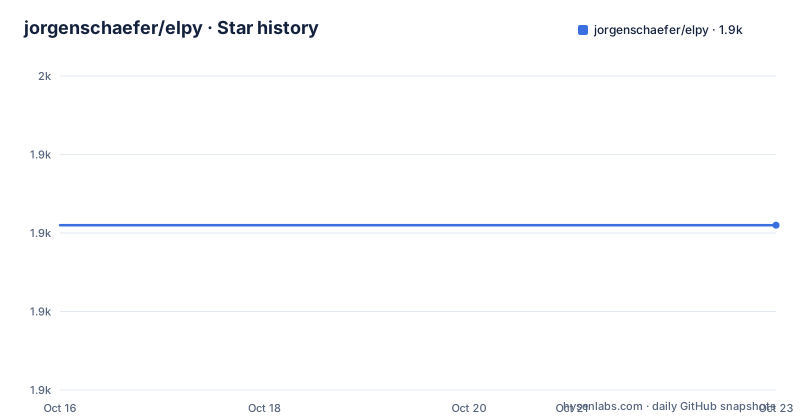
- jorgenschaefer/elpy1,931 ★ · +0
| Repository | 2026-10-16 | 2026-10-23 |
|---|---|---|
| jorgenschaefer/elpy | 1.9k | 1.9k |
0 Stars in the last 7 days, measured from the daily GitHub snapshot. Compare with other projects
Editorial analysis
Why Elpy Exists Inside Emacs
Elpy addresses the gap between a general-purpose text editor and a Python-specific development environment. It is intended for Python developers who already work in Emacs or are willing to configure Emacs as their primary editor. Rather than treating Python editing as a set of isolated conveniences, the package brings several IDE-style operations into one Emacs workflow.
The documented feature set includes code completion, code navigation, an interactive Python shell, virtualenv support, syntax checking, access to documentation, debugging, testing, profiling, snippet expansion, and code hinting. The quickstart narrows that list to the most visible behavior. According to the README, Elpy automatically provides completion, syntax error highlighting, and code hinting in the modeline for Python files after installation.
This makes Elpy relevant to users who want Python actions to remain inside Emacs rather than switching among an editor, terminal, debugger, profiler, and test runner. It also means adoption is closely tied to editor configuration. Elpy is not a standalone Python IDE in the usual executable sense. It is an Emacs package that combines Emacs Lisp packages with Python components, so its behavior depends on the Emacs setup, interpreter selection, and any surrounding packages.
The project presents itself as a Python IDE for Emacs, but that label should be read literally. It is a collection and configuration of editing, checking, shell, and development tools rather than a new Python interpreter or language server implemented entirely by itself.
Elpy's Emacs Lisp and Python Split
Based on the repository layout, Elpy has two visible implementation sides. The top-level Emacs Lisp files include `elpy.el`, `elpy-shell.el`, `elpy-rpc.el`, `elpy-profile.el`, `elpy-refactor.el`, and `elpy-django.el`. Additional Lisp packages and supporting material live under `elpy/`, `snippets/`, and `test/`. This structure places editor commands and Emacs integration in the main project rather than hiding the entire system behind a remote service.
The Python side is packaged as `elpy`. `setup.py` describes it as the "Backend for the elpy Emacs mode" and declares `python_requires=">=3.11"`. It supports Python 3.11, 3.12, and 3.13 in its classifiers. Its declared runtime dependencies are `flake8>=2.0` and `packaging`. The repository also contains separate files named `requirements-rpc.txt`, `requirements-rpc3.6.txt`, and `requirements-dev.txt`, although the README excerpt does not explain when those requirement sets should be selected.
That split has practical consequences. Emacs owns the buffers, key bindings, completion interface, navigation actions, and shell windows. Python code handles backend operations and calls the libraries listed in the package metadata. The file `elpy-rpc.el` indicates an RPC-related bridge, but the excerpt does not document its startup sequence or transport, so the exact communication lifecycle should be checked in the linked documentation or source before relying on remote execution details.
Elpy's supported Python floor is a concrete compatibility boundary. Although the project includes a file named for `requirements-rpc3.6`, the current package metadata declares that Python 3.11 or newer is required. An editor environment that exposes only an older interpreter would not satisfy `setup.py`.
Installing Elpy and Reaching the First Python Evaluation
The README identifies MELPA as the primary installation source and presents `use-package` as the most straightforward configuration. Add the following to the Emacs configuration that `use-package` already reads:
(use-package elpy
  :ensure t
  :init
  (elpy-enable))
`:ensure t` asks `use-package` to install the package if it is not present. `:init` runs `elpy-enable` before package loading, as documented by the configuration shape. The README does not give a separate command for installing the Python backend or for selecting a virtualenv, so this snippet should not be treated as a complete interpreter setup guide. `setup.py` establishes that a Python backend exists and requires Python 3.11 or later, while the README points to the Readthedocs installation section for other installation alternatives.
After installation, open a Python file. The documentation states that Elpy will automatically offer completion, highlight syntax errors, and show code hints in the modeline. A real first check is to place the point inside a Python expression and invoke the documentation command with `C-c C-d`. The README says that documentation for the item under the cursor appears in another buffer, which can be closed with `q`.
For execution, `C-c C-c` evaluates either the selected region or the current script. The shell opens beside the script. `C-RET` is the narrower action, evaluating the current statement, including the following nested lines. `C-c C-z` switches focus between the script and the interactive shell. These bindings provide a small acceptance check without configuring every advertised Elpy feature.
What the Quickstart Exposes, and What It Leaves Unstated
Elpy's quickstart covers evaluation, documentation lookup, and navigation between buffers, which makes the first workflow relatively compact. The shell is described as interactive and displayed beside the script rather than hidden behind a separate terminal window. Region evaluation allows a selected block to be sent to that shell, while statement evaluation is scoped to the current line and its nested continuation.
That convenience does not fully describe process semantics. The README excerpt does not state whether errors are raised in the shell, whether evaluation preserves shell state between commands, how file paths are resolved, or how the selected virtualenv is activated. Although virtualenv support appears in the feature list, no command is given for creating, selecting, or validating one. Anyone whose Python workflow depends on several environments should consult the dedicated Readthedocs concepts page before assuming that installation automatically chooses the intended interpreter.
The package supports documentation access for the object under the cursor, but the source of that documentation is not stated. Nor does the README explain how completion candidates are ranked or refreshed. These omissions matter less for a simple installation check than for a production editing setup, where parser compatibility, import paths, and virtualenv resolution determine whether the visible commands operate against the expected code.
The debugging, testing, and profiling features are listed and linked, but the README does not provide their commands. Their presence in the feature list confirms intended scope, not a documented workflow that can be reproduced from the quickstart alone. The linked Readthedocs documentation remains the authoritative place to verify prerequisites and command behavior for those features.
Maintenance Signals That Affect Adoption
The repository is not archived, and its last push was on 2026-07-15. That is a recent repository activity signal under the stated date. However, recency does not resolve the README's explicit maintainer notice. The current maintainer identifies themself as `@galaunay`, says they are unable to maintain Elpy for the moment, and asks for a new maintainer. They state that they may still review pull requests but cannot handle issues satisfactorily.
This creates two different maintenance signals that should not be collapsed into one. Code is being pushed to the repository, but the documented human support capacity is limited. There are also no GitHub releases, so users cannot infer a release cadence from that release list. `setup.py` still labels the package `Production/Stable`, and its version comes from `elpy.__version__`, but the excerpt does not show a published version number or a formal upgrade policy.
Upgrading therefore requires extra attention to repository state and package dependencies. A user should determine which version is installed through the configured package manager, inspect the corresponding `setup.py`, and verify that its Python floor remains compatible with local interpreters. The presence of older or specialized requirement files adds another reason to avoid assuming that every file at repository root belongs in one environment.
Elpy is licensed under `GPL-3.0`, and `setup.py` records the license as `GPL` with the `GNU General Public License v3 or later (GPLv3+)` classifier. That metadata identifies the project's licensing terms, but it does not by itself answer compatibility questions for a particular distribution or modified deployment.
Elpy Compared with Separate Python Editor Tooling
A real alternative is to use Python support already integrated into a separate editor and keep Emacs for text editing or other work. The difference is architectural. Elpy brings Python editing and execution into the same Emacs session, using Emacs Lisp for editor integration and a Python backend package. Separate editor tooling places the language environment, project indexing, terminal, and debugging experience in another application.
This alternative may fit users who already have a settled editor workflow and do not want Elpy to overlap with their Emacs Python configuration. It also avoids treating Elpy's package and backend dependencies as part of an Emacs setup. The trade-off is context switching. Elpy's quickstart explicitly keeps evaluation, shell navigation, source, and documentation inside Emacs, which can reduce movement between windows and applications when the rest of the work also happens there.
Elpy is not the right tool for a user who wants a self-contained IDE with no Emacs configuration work. It is also a questionable choice when issue response and release governance are primary selection criteria, given the explicit maintainer warning and absence of GitHub releases. Conversely, Emacs users who value key bindings, existing package composition, and an in-editor shell have a clear reason to evaluate it.
The comparison should be based on the actual project boundary: Elpy offers a Python development layer for Emacs by integrating multiple components. It does not replace Python itself, and the README does not claim that every Python editor feature is implemented in a standalone engine.
Editorial conclusion
Emacs users who want an integrated Python workflow should first check compatibility with their existing packages, Python interpreters, and virtualenv setup. Projects that require predictable release history, current issue handling, or a fully standalone language server should look elsewhere. For Elpy specifically, the first verification should be whether a minimal `use-package` configuration enables completion and evaluation in the intended Python environment without disrupting established Emacs Lisp configuration.
Frequently asked questions
How do I install Elpy in Emacs?
The README recommends MELPA and documents a `use-package` configuration with `:ensure t` and `elpy-enable`. It also links to Readthedocs for other installation methods.
Which Python versions does the Elpy backend support?
`setup.py` requires Python 3.11 or later and includes classifiers for Python 3.11, 3.12, and 3.13.
How do I evaluate Python code with Elpy?
The README documents `C-c C-c` for evaluating the selected region or current script and `C-RET` for evaluating the current statement. The interactive shell appears beside the script.
Official sources
Add this badge to your README
If you maintain this project, the badge below links readers to this analysis and shows its maintenance status from the daily GitHub snapshot. Paste the markdown into your README; add ?metric=license or ?metric=stars to the image URL for a different field.

[](https://hysenlabs.com/projects/jorgenschaefer-elpy)Star history chart for your README
[](https://hysenlabs.com/projects/jorgenschaefer-elpy)Was this useful?