pg_jsonschema, JSON Schema validation as a PostgreSQL constraint
PostgreSQL extension providing JSON Schema validation
At a glance
- What is it?
- pg_jsonschema is a Supabase-maintained PostgreSQL extension that validates json and jsonb values against a JSON Schema, either as a check constraint or as a function call, with a compiled schema type for repeated validation. It is a thin Rust wrapper around the jsonschema crate, built with pgrx, and it supports PostgreSQL 13 through 18.
- Who is it for?
- pg_jsonschema suits a PostgreSQL team that stores semi-structured jsonb and wants a schema enforced by the database rather than by application code, since a check constraint catches a bad write at the point it happens.
- Can I use it commercially?
- Yes. Apache-2.0 is a permissive licence: you can use, modify and sell software built on it, as long as you keep its copyright and licence notices.
- Is it still maintained?
- Yes. The repository last received commits 11 days ago.
- What is it written in?
- Mainly Rust, according to GitHub's language statistics.
Answers come from the project's GitHub data, last synced on November 7, 2026, and from our analysis. They are not legal advice.
Star history
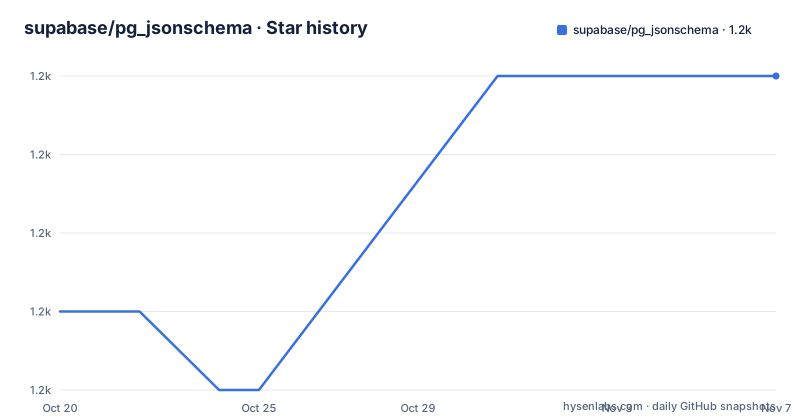
- supabase/pg_jsonschema1,207 ★ · +3
| Repository | 2026-10-20 | 2026-11-07 |
|---|---|---|
| supabase/pg_jsonschema | 1.2k | 1.2k |
3 Stars in the last 18 days, measured from the daily GitHub snapshot. Compare with other projects
Editorial analysis
Four functions, and a fifth way for the same schema
The extension exposes four SQL functions, and the README lists them with the emphasis on the second: json_matches_schema, jsonb_matches_schema with the jsonb in front, jsonschema_is_valid, and jsonschema_validation_errors.
The signatures show the shape of the API. json_matches_schema(schema json, instance json) returns bool, and jsonb_matches_schema(schema json, instance jsonb) returns bool. The schema is always json and the instance matches the type being checked, which is why there are two variants of the matcher rather than one polymorphic one. jsonschema_is_valid(schema json) returns bool and validates whether a schema is valid, which is the check you run against a schema you did not write. And jsonschema_validation_errors(schema json, instance json) returns text[], an array of the errors rather than a boolean.
The error array is what makes the extension useful beyond a constraint, because a check constraint only tells you that something was wrong while the error function tells you what.
select jsonschema_validation_errors('{"maxLength": 4}', '"123456789"');
-- Result:
--   ERROR: "123456789" is longer than 4 characters
Then there is the compiled schema type, and this is the part with a real performance story. For repeated validation against the same schema, cast it to jsonschema once. The validator is compiled and cached per callsite, avoiding recompilation on every row. The compiled variants are json_matches_compiled_schema, jsonb_matches_compiled_schema, jsonschema_validation_errors_compiled and jsonb_validation_errors_compiled, each taking a schema of type jsonschema.
That distinction only matters if you validate the same schema many times, which is exactly the case a check constraint on a hot table is. A check constraint that re-parses and re-compiles a schema for every insert is a schema compiler in your insert path.
The extension is licensed Apache-2.0, the default branch is master, the last push was on 2026-10-01, and the release tags are v0.3.4 from 2026-02-11, v0.3.3 from 2024-10-16 and v0.3.1 from 2024-04-11.
Using it as a check constraint
The functions can be used to constrain json and jsonb columns to conform to a schema, and the README's example is a table with a metadata column whose constraint is the schema check itself.
create extension pg_jsonschema;

create table customer(
    id serial primary key,
    metadata json,

    check (
        json_matches_schema(
            '{
                "type": "object",
                "properties": {
                    "tags": {
                        "type": "array",
                        "items": {
                            "type": "string",
                            "maxLength": 16
                        }
                    }
                }
            }',
            metadata
        )
    )
);
The two examples that follow are the point of the whole thing. A valid payload inserts:
insert into customer(metadata)
values ('{"tags": ["vip", "darkmode-ui"]}');
-- Result:
--   INSERT 0 1
And an invalid one is rejected by the database itself:
insert into customer(metadata)
values ('{"tags": [1, 3]}');
-- Result:
--   ERROR:  new row for relation "customer" violates check constraint "customer_metadata_check"
--   DETAIL:  Failing row contains (2, {"tags": [1, 3]}).
The invalid payload has numbers where the schema says strings, and the write is refused at the storage layer. That is the value proposition of putting the schema in the database rather than in the application: a write that arrives from a migration script, a psql session or a service that skipped the application layer is still checked.
The cost is that the schema is a literal inside a constraint expression, which makes it awkward to change and hard to reuse across tables, and it is where the compiled schema type earns its place, since a compiled value can be bound once and used in the constraint.
The README also notes that the extension is a very thin wrapper around the jsonschema Rust crate, and points at that crate's documentation for full details on which drafts of the JSON Schema specification are supported. That is an important pointer, because the draft coverage is the jsonschema crate's, not this extension's, and it changes with the crate version.
Building it, and the PostgreSQL versions it targets
The extension is written in Rust, which is why the primary language of the repository is Rust rather than SQL, and it is built with pgrx, the framework for writing PostgreSQL extensions in Rust.
The requirements are short. You need pgrx, and then the whole build is one command:
cargo pgrx runwhich drops into a psql prompt, and the README shows the extension being created and a first query:
psql (13.6)
Type "help" for help.

pg_jsonschema=# create extension pg_jsonschema;
CREATE EXTENSION

pg_jsonschema=# select json_matches_schema('{"type": "object"}', '{}');
 json_matches_schema
---------------------
 t
(1 row)
The Cargo.toml shows the version matrix as cargo features, one per PostgreSQL major, with pg16 as the default and pg13 through pg18 all available, plus a pg_test feature. The dependencies are pgrx 0.19.2, serde and serde_json, the jsonschema crate at 0.58.0 with the arbitrary-precision and jsonb features and default features off, and lru 0.16 with default features off, which is the cache behind the compiled schema behaviour.
The edition is 2024 and the library is built as a cdylib, which is the pgrx convention. The release profile is tuned with fat LTO, a single codegen unit and opt-level 3, and the dev profile uses thin LTO. Both keep panic set to unwind rather than abort, which is a deliberate difference from a typical binary release.
To try it without building anything, the README points at a compose file, so that spinning up Postgres with the extension installed in a docker container is a docker-compose up away. The database is then available at postgresql://postgres:password@localhost:5407/app, and the compose file in the repository matches that, with a healthcheck using pg_isready and a one second interval.
The pg_jsonschema.control file at the root is the extension control file, and the README notes a detail about it that saves a maintenance step. It uses @CARGO_VERSION@ which is substituted by pgrx at build time from Cargo.toml, so it doesn't need manual updates.
Releasing, and the alternatives that came before
The release process is automated with a single command that takes a version:
./scripts/release.sh 0.4.0And the README describes what that orchestrates end to end, which is unusual documentation for a project this size. It verifies that the tag and GitHub release do not already exist. It updates versions in Cargo.toml, META.json and Cargo.lock, creates a release/<version> branch, commits, pushes, and waits for the pull request to be merged into master. It verifies all file versions match before tagging. It creates and pushes the v<version> tag, which triggers the CI workflows, release.yml for the GitHub release and the .deb artifacts, and pgxn-release.yml for PGXN. And it polls GitHub until the release is published and prints the release URL.
The script is also idempotent. It is safe to re-run if interrupted, because it detects what has already been completed, whether the branch exists, the tag exists or the release exists, and picks up where it left off. For a release process that spans a version bump, a pull request, a merge, a tag and two CI workflows, that is the difference between a release process that works at 3am and one that does not.
The individual scripts can also be run independently, and the table gives their purposes: check-version.sh checks that Cargo.toml and META.json match the given version, update-version.sh updates the version files, creates a release branch and waits for the merge, with a --files-only flag that updates the version files without any git operations, and push-tag.sh creates and pushes the git tag then monitors for the GitHub release, with a --dry-run flag that validates the versions without creating a tag.
The Prior Art section names three earlier attempts at the same idea. postgres-json-schema is a JSON Schema Postgres extension written in PL/pgSQL, is_jsonb_valid is one written in C, and pgx_json_schema is one written with pgrx plus jsonschema, which is essentially the same stack this project uses. The list is a useful orientation for anyone who wants to know what has been tried and where the differences lie, and it is also the honest way to describe this project, which is a maintained version of the pgrx and jsonschema approach rather than a from-scratch invention.
Editorial conclusion
pg_jsonschema suits a PostgreSQL team that stores semi-structured jsonb and wants a schema enforced by the database rather than by application code, since a check constraint catches a bad write at the point it happens. It is the wrong choice if you need the full JSON Schema specification, because the extension is a very thin wrapper and the draft support is whatever the underlying Rust crate implements, and it is the wrong choice if your validation logic needs to be conditional, because the constraint is evaluated per row against a schema literal. Before adopting it, check which JSON Schema drafts the jsonschema crate supports for your version, and if you validate the same schema on every row, use the compiled jsonschema cast rather than the plain function.
Frequently asked questions
What does pg_jsonschema do?
It is a PostgreSQL extension adding support for JSON Schema validation on json and jsonb data types, exposing json_matches_schema, jsonb_matches_schema, jsonschema_is_valid and jsonschema_validation_errors, so a json column can be constrained to conform to a schema.
Which PostgreSQL versions does pg_jsonschema support?
The Cargo features cover pg13 through pg18, with pg16 as the default, and the extension requires pgrx. The build command is cargo pgrx run, which drops into a psql prompt.
What is the compiled jsonschema type for?
For repeated validation against the same schema you cast it to jsonschema once. The validator is compiled and cached per callsite, avoiding recompilation on every row, with json_matches_compiled_schema, jsonb_matches_compiled_schema and the compiled error functions taking a schema of that type.
How do I see why validation failed?
Use jsonschema_validation_errors(schema json, instance json), which returns text[] rather than a boolean, so you get the list of errors. The README example selects jsonschema_validation_errors('{"maxLength": 4}', '"123456789"') and gets the error that the value is longer than 4 characters.
How do I try pg_jsonschema without building it?
Use docker-compose up, which spins up Postgres with the extension installed in a container, and the database is available at postgresql://postgres:password@localhost:5407/app. The repository's own docker-compose.yaml builds the database image with a pg_isready healthcheck.
Official sources
Add this badge to your README
If you maintain this project, the badge below links readers to this analysis and shows its maintenance status from the daily GitHub snapshot. Paste the markdown into your README; add ?metric=license or ?metric=stars to the image URL for a different field.

[](https://hysenlabs.com/projects/supabase-pg-jsonschema)Star history chart for your README
[](https://hysenlabs.com/projects/supabase-pg-jsonschema)Was this useful?