aframe-watcher: Inspector edits written back into your HTML
👀 Companion server for A-Frame Inspector to sync changes back to HTML files.
At a glance
- What is it?
- A small companion server for the A-Frame Inspector that takes changes made in the browser and writes them into your HTML files in place, after a confirmation in the terminal. The limitation is stated in two lines of the README and it is the one thing you have to know before you install it.
- Who is it for?
- aframe-watcher fits a developer building an A-Frame scene who keeps tweaking transforms and attributes in the Inspector and is tired of transcribing the results into markup by hand, because it closes a loop that otherwise runs through three windows. Two things to know before you rely on it.
- Can I use it commercially?
- Yes. MIT is a permissive licence: you can use, modify and sell software built on it, as long as you keep its copyright and licence notices.
- Is it still maintained?
- Probably not. The repository last received commits 47 months ago, on December 9, 2022.
- What is it written in?
- Mainly JavaScript, according to GitHub's language statistics.
Answers come from the project's GitHub data, last synced on October 22, 2026, and from our analysis. They are not legal advice.
Star history
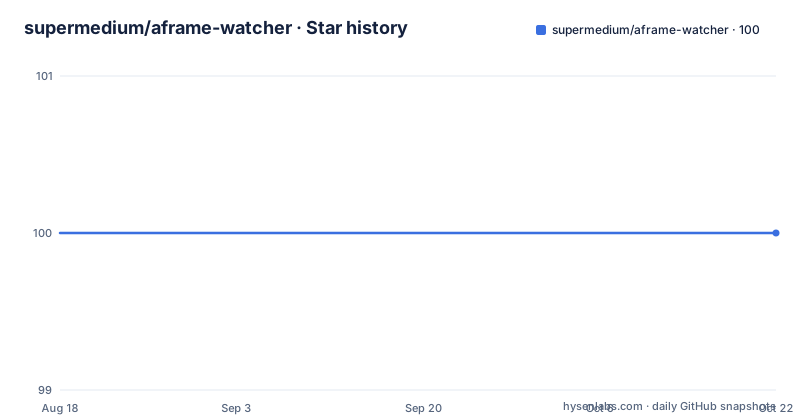
- supermedium/aframe-watcher100 ★ · +0
| Repository | 2026-08-18 | 2026-10-22 |
|---|---|---|
| supermedium/aframe-watcher | 100 | 100 |
0 Stars in the last 65 days, measured from the daily GitHub snapshot. Compare with other projects
Editorial analysis
Three windows become one loop
The problem this project names is a workflow rather than a bug: switching back and forth between your text editor, the A-Frame Inspector, and refreshing the browser. In a plain A-Frame page you edit attributes in the Inspector to see what they do, then have to remember the numbers and type them into the file, then reload to confirm. aframe-watcher closes that loop by running a small server alongside your project. Changes made in the Inspector are sent to it, and it writes them back into the HTML files. The Inspector has built-in support for this with a save button aimed at the Watcher, so no custom Inspector build is required. The important qualification is in the same sentence as the feature: your entities need to have defined IDs, which is covered further down.
Install it globally, run it where the HTML lives
Installation is one npm command, and it is global because the tool is meant to be run in whichever project you are working on:
npm install -g aframe-watcherThen you launch it from the project directory that contains the HTML files:
aframe-watcherIf you would rather be explicit about what it watches, you can pass the files yourself, and globs work:
aframe-watcher foo.html templates/*.htmlThe command name comes from the package manifest rather than from anything you type: the bin entry maps aframe-watcher to the index.js file, so the global install is what puts that name on your path. Running with no arguments therefore means every HTML file in the current directory, which is the convenient default and also the one to be careful with, since a project with generated templates in it will have more files rewritten than you expect.
Only entities with an ID are handled
The scope section is short and load-bearing. Currently the watcher handles only entity updates that have defined IDs, which is why the README tells you to make sure your entities have them. The markup it expects looks like this:
<a-entity id="updateMe"></a-entity>An entity without an id is not skipped with a warning, it is simply not something the watcher can write back, so the Inspector edit appears to do nothing. That is the failure mode to expect: change a property in the Inspector, hit save, confirm in the terminal, and find that one entity updated while its neighbour did not. The fix is on the markup side, adding identifiers, which is a small change if you wrote the scene with them and a chore across an existing scene if you did not.
Saving is two actions, and the second one is in your terminal
The flow has a deliberate pause in it. You make the changes in the Inspector and hit save, and then you accept the changes from the command line; only after that does the watcher modify your HTML files in place. That ordering matters for anyone who has lost work to a tool that rewrites files without asking, and it is also what the terminal prompt dependencies in the package manifest are for, a prompt library and a confirmation prompt, which is how the watcher asks before touching disk. Because the acceptance step is interactive, the same model does not work unattended, which is worth knowing if you were planning to drive scene edits from a script or from continuous integration.
The Inspector version is whatever script tag you load
You open the Inspector on an A-Frame scene with ctrl + alt + i, and the README notes this currently works with the master or 0.9.0 version of the Inspector. The page includes the Inspector itself, so the version is your choice and is visible in the script tag:
<a-scene inspector="url: https://cdn.jsdelivr.net/gh/aframevr/aframe-inspector@master/dist/aframe-inspector.min.js">That tag points at master on a CDN, which means the build your tooling talks to can change without anything in your project changing. If you want a fixed target, pinning the version in the URL is the thing to change, since the README's own note that it works with 0.9.0 is a statement about a moving branch. The scene element also carries the attribute that tells the page where the Inspector lives, so the watcher depends on the scene being set up this way rather than on a separately loaded script.
One implementation file, two watch scripts
The package is small and the manifest says so. The main entry is index.js, and it holds both the command line behaviour and the server. The runtime dependencies describe the shape: Express and the body parser and CORS make up the HTTP side that receives changes from the Inspector, glob matches the file arguments so shell style patterns work, and lodash with lodash.uniq handles the working lists. Two scripts cover development. The start script runs nodemon against index.js with the test HTML files as arguments, so the server restarts as you edit it, and the test script runs Mocha in watch mode with NODE_ENV=test against the files in tests/. That watch mode on the tests is the detail that makes the project pleasant to work on, since a change to the rewriter is verified without a manual run.
Test libraries are runtime dependencies here
One packaging detail is worth noticing before you depend on this. Chai and Mocha are listed among the dependencies rather than among development dependencies, so a production install of the package pulls a test framework in with it. The package is private in the sense that nobody is depending on it as a library, it is distributed as a command, which is why that distinction never mattered here. The rest of the manifest is ordinary: version 1.4.0, MIT licensed, authored by Kevin Ngo, with keywords covering the A-Frame, WebVR and WebXR ecosystems. The repository also carries a Jekyll style configuration file at the root, which is how the documentation page is built, matching the homepage the manifest points at. The default branch is master, the repository is not archived, and the last recorded push is 9 December 2022.
Editorial conclusion
aframe-watcher fits a developer building an A-Frame scene who keeps tweaking transforms and attributes in the Inspector and is tired of transcribing the results into markup by hand, because it closes a loop that otherwise runs through three windows. Two things to know before you rely on it. Only entities with defined IDs are handled, so the scene has to be written with identifiers from the start rather than discovered afterwards. And saving is not immediate: the change appears in the terminal as a confirmation, and only after you accept it are the files rewritten in place, which is a deliberate guard rather than a surprise. The package itself is small, one implementation file with a glob based file list, version 1.4.0, MIT licensed, and the last commit on master is 9 December 2022 with no published releases.
Frequently asked questions
What does aframe-watcher do?
It is a companion watch server for the A-Frame Inspector that receives changes made in the Inspector and saves them back into your HTML files. Once it is running you can stop copying values out of the Inspector and into your editor by hand.
How do I install and run aframe-watcher?
Run npm install -g aframe-watcher, then run aframe-watcher in the directory containing your HTML files, or pass the files explicitly, for example aframe-watcher foo.html templates/*.html. After saving from the Inspector you accept the change in the terminal, and only then are the files rewritten in place.
Why does aframe-watcher ignore my entity changes?
Because it currently only handles entity updates that have defined IDs. Your markup needs an identifier such as <a-entity id="updateMe"></a-entity>, otherwise the edit is saved without that entity being written back.
Which version of the A-Frame Inspector does aframe-watcher work with?
The README says the Inspector opens with ctrl + alt + i on an A-Frame scene and currently works with the master or 0.9.0 version of the Inspector. The page loads it through an inspector attribute on the scene pointing at a CDN script tag.
How is aframe-watcher developed and tested?
The manifest defines a start script running nodemon on index.js against the test HTML files, and a test script running Mocha in watch mode with NODE_ENV=test over the files in tests/. The implementation is a single index.js and the licence is MIT at version 1.4.0.
Official sources
Add this badge to your README
If you maintain this project, the badge below links readers to this analysis and shows its maintenance status from the daily GitHub snapshot. Paste the markdown into your README; add ?metric=license or ?metric=stars to the image URL for a different field.

[](https://hysenlabs.com/projects/supermedium-aframe-watcher)Star history chart for your README
[](https://hysenlabs.com/projects/supermedium-aframe-watcher)