SKPhotoBrowser: the compatibility table stops at 6.1.0, the releases reached 7.1.1, and the samples predate them both
Simple PhotoBrowser/Viewer inspired by facebook, twitter photo browsers written by swift
At a glance
- What is it?
- A Swift photo browser distributed through CocoaPods, Carthage and Swift Package Manager, whose version-to-Swift table has not been extended past 6.1.0, whose options are static properties on a shared class, and whose repository carries a package.json and a yarn.lock for a contributors bot. The feature list and the options section even spell the delete flag two different ways.
- Who is it for?
- SKPhotoBrowser is a reasonable pick if you want a Facebook style image viewer you can drop into an iOS app and do not need per instance configuration, and a poor fit if you need two browsers on screen with different toolbars, or if your Swift toolchain moved past what the samples are written in. Check four things first.
- Can I use it commercially?
- Yes. MIT is a permissive licence: you can use, modify and sell software built on it, as long as you keep its copyright and licence notices.
- Is it still maintained?
- Yes. The repository last received commits 126 days ago.
- What is it written in?
- Mainly Swift, according to GitHub's language statistics.
Answers come from the project's GitHub data, last synced on November 15, 2026, and from our analysis. They are not legal advice.
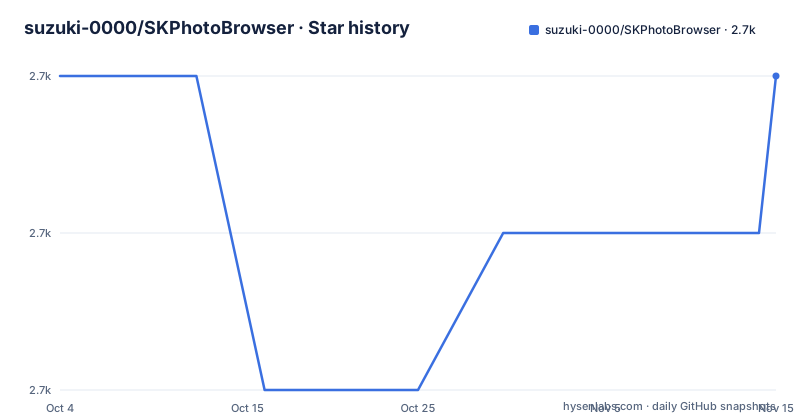
Star history
- suzuki-0000/SKPhotoBrowser2,736 ★ · +0
| Repository | 2026-10-04 | 2026-11-15 |
|---|---|---|
| suzuki-0000/SKPhotoBrowser | 2.7k | 2.7k |
0 Stars in the last 42 days, measured from the daily GitHub snapshot. Compare with other projects
Editorial analysis
The Swift compatibility table stops at 6.1.0 while the releases reached 7.1.1
The requirements block states iOS 9.0 or above, Swift 2.0 or above and ARC, then a table titled Version vs Swift version maps the toolchain to a library version. Swift 5.0 needs SKPhotoBrowser 6.1.0 or newer, 4.2 needs 6.0.0 or newer, 4.1 needs 5.0.0 or newer, 3.2 needs 4.0.0 or newer, 2.3 is covered by the 2.0.4 through 3.1.4 range, and 2.2 by 2.0.3 or older. The newest release is 7.1.1. So the guidance a reader is given stops eight minor versions short of what exists, and the Swift 5.0 row, the only one that covers any currently useful toolchain, points at a version from a different era. Nobody reading the requirements section learns which release to take for a modern Swift project; the release list is the only usable guide, and it is three entries long.
Two releases three days apart in February 2026, after four and a half quiet years
The release history has a shape worth noticing. Version 7.0.0 is dated 2021-07-20. The next two entries, 7.1.0 and 7.1.1, are dated 2026-02-13 and 2026-02-16, three days apart. Between them sits a gap of about four and a half years with no published release at all, and then a burst. The repository itself is not archived and the last push on master is dated 2026-07-13, so the tree kept moving through the quiet period; what was missing was a release. That combination is the reason the documentation drifted: nothing forces a version table to be revisited when releases are the only trigger, and 7.1.x shipped without extending the table past 6.1.0. If you are pinning a version, pin from the release list and check the compatibility yourself, because the page telling you which version to use was written for a different generation of the library.
The usage samples are written in an older Swift than the table calls current
The customization samples assign colors through functions with empty parentheses, SKPhotoBrowserOptions.backgroundColor = UIColor.whiteColor() and textAndIconColor = UIColor.blackColor(), which are the pre-Swift-3 spellings, and the zoom-from-a-cell example uses the old delegate signature didSelectItemAtIndexPath with an NSIndexPath and reads an exampleImageView property off the cell. Toolbar text is set with a font named Futura at size 16.0. These are exactly the names a Swift 3 migration rewrote, and the version table itself says anything Swift 3.2 or newer should use SKPhotoBrowser 4.0.0 or up. So the code samples in the README demonstrate an API surface from before the migration that the same document tells you is obsolete for any modern toolchain. Copying them into a current project produces a wall of compile errors that has nothing to do with the library itself, and there is no updated sample in the tree to fall back on beyond the example project directory.
Every option is a static property, so two browsers cannot differ
The customisation sections all assign to class level properties rather than to an instance: SKPhotoBrowserOptions.displayToolbar, displayCounterLabel, displayBackAndForwardButton, displayAction, the two scroll indicator flags, displayStatusbar, imagePaddingX, imagePaddingY, protectScreenshot, and on the toolbar side textShadowColor and font. SKToolbarOptions is configured the same way. Whatever the mechanism under the type declaration, the documented usage is a global setting for the process. That has a direct consequence for anyone building a real screen: two photo browsers presented at once, or one browser configured differently after another was shown, share one set of values, so per instance theming is not something these options express. The padding comments also describe a total rather than a side: setting imagePaddingX to 50 is annotated as 25 pixels of padding on the left and 25 on the right, which is worth knowing before you copy a value expecting 50 on one edge.
The delete flag is spelled two ways and the toolbar list stops mid-property
The features list describes delete photo support, credited to a contributor, and says setting displayDelete=true shows a delete icon in the status bar, with the deleted indexes coming back through a delegate function named didDeleted. The Close And Delete Buttons section, further down, uses a different name for what appears to be the same switch: displayDeleteButton, next to swapCloseAndDeleteButtons and closeAndDeleteButtonPadding. Two names for one flag in one document means at least one sample is wrong, and the only way to find out which is to read the type declaration. The toolbar list has its own problem: it ends on displayHorizontalScrollIndicator followed by a line that begins displayVerticalScrollInd and stops, so the last option in that block has no name, no value and no comment. Two of the customization samples in this README are incomplete as printed.
protectScreenshot hides the image after the capture, and only on a device
The screenshot protection section offers one option, protectScreenshot, and annotates it with the comment that the image will be hidden after taking a screenshot. Read precisely, that is a reaction rather than a block: the capture happens and the view blanks afterwards, which is a different guarantee from preventing the frame from reaching the system image store. The section also states plainly that it works only on the device and not on the simulator, so anyone testing a screen that relies on it in a simulator will see no effect and may conclude the option is broken. There is no further documentation about how the hiding is triggered, whether it applies to every screen or only the presented one, or how it interacts with screen recording, which is a different path from a screenshot on the same devices.
A Swift library that ships a package.json and a yarn.lock for a contributors bot
The top level listing has package.json and yarn.lock in it, and the manifest has exactly one entry: a devDependencies block pinning all-contributors-cli at a caret range from the six series. That is the entire Node side of the repository, in a project written in Swift with an Xcode project directory, a Package.swift file, a podspec and a SwiftLint configuration. So a Node toolchain is part of the checkout for anyone who clones it, used for the contributors list that the README's acknowledgements style implies. The same listing also carries a .travis.yml next to a .github directory, a .swift-version file and a Screenshots directory, which is a configuration spread across three generations of tooling. None of it is wrong, and none of it is load bearing for the library, but it is what a first time clone looks like before a single line of Swift is compiled.
Three install paths, one http badge, one empty link, and a table of empty cells
Installation is offered three ways. CocoaPods asks for two lines in the Podfile, Carthage asks for one line in the Cartfile, and Swift Package Manager gets a sentence with no example at all, telling you to use the repository URL in Xcode.
pod 'SKPhotoBrowser'
use_frameworks!github "suzuki-0000/SKPhotoBrowser"The SPM path is the one with no version guidance while the other two pin nothing either. Two smaller artifacts sit in the same file. The badge row links to CocoaDocs over plain http, while the other four badges use https, and one badge in that row has an empty href target. The sample table near the top has a header row for a table view sample, a button tap sample and a gif sample, and its single body row contains three empty cells, so the three samples the README points at resolve to nothing. The share feature also needs a key that the README spells incorrectly in its own sample string.
Editorial conclusion
SKPhotoBrowser is a reasonable pick if you want a Facebook style image viewer you can drop into an iOS app and do not need per instance configuration, and a poor fit if you need two browsers on screen with different toolbars, or if your Swift toolchain moved past what the samples are written in. Check four things first. The Swift version table ends at SKPhotoBrowser 6.1.0 while the newest release is 7.1.1, so pick your version from the release list rather than the table. The code samples use UIColor.whiteColor() and didSelectItemAtIndexPath style names from before Swift 3, which tells you how old the documentation is even where the library itself still builds. The delete flag is called displayDelete in one place and displayDeleteButton in another. And the share feature needs an Info.plist key with the usage string the README spells galery.
Frequently asked questions
Which SKPhotoBrowser version should I use for my Swift version?
The table in the README maps Swift 5.0 to SKPhotoBrowser 6.1.0 or newer, 4.2 to 6.0.0 or newer, 4.1 to 5.0.0 or newer, 3.2 to 4.0.0 or newer, 2.3 to the 2.0.4 through 3.1.4 range, and 2.2 to 2.0.3 or older. The newest release is 7.1.1, which the table does not cover.
How do I install SKPhotoBrowser?
Three documented paths: CocoaPods with pod 'SKPhotoBrowser' and use_frameworks! in the Podfile, Carthage with github "suzuki-0000/SKPhotoBrowser" in the Cartfile, and Swift Package Manager by using the repository URL in Xcode, which is the only one without a code sample.
Does SKPhotoBrowser need an Info.plist key?
The share feature saves images into the gallery, so NSPhotoLibraryAddUsageDescription has to be added to Info.plist with an explanatory string. The sample text supplied in the README reads Used to save images into your galery, with the word spelled that way.
Does SKPhotoBrowser stop screenshots of an image?
There is a protectScreenshot option, described in the README as hiding the image after a screenshot is taken, and the section notes it works only on a device and not on the simulator. No further detail is given about screen recording or which screens it affects.
How are SKPhotoBrowser options set?
As static properties on SKPhotoBrowserOptions and SKToolbarOptions, for example displayToolbar, displayCounterLabel, displayAction, imagePaddingX, imagePaddingY and protectScreenshot, plus font and textShadowColor on SKToolbarOptions. Padding values are documented as totals, so 50 on imagePaddingX is annotated as 25 on each side.
How does SKPhotoBrowser report deleted photos?
The feature list credits delete photo support to a contributor and says setting displayDelete true shows a delete icon in the status bar, with deleted indexes obtained from the delegate function didDeleted. The options section uses a different name, displayDeleteButton, for what appears to be the same switch.
Official sources
Add this badge to your README
If you maintain this project, the badge below links readers to this analysis and shows its maintenance status from the daily GitHub snapshot. Paste the markdown into your README; add ?metric=license or ?metric=stars to the image URL for a different field.

[](https://hysenlabs.com/projects/suzuki-0000-skphotobrowser)Star history chart for your README
[](https://hysenlabs.com/projects/suzuki-0000-skphotobrowser)Was this useful?