swagger.io Documentation Site Architecture and Local Development
The content of swagger.io
At a glance
- What is it?
- swagger-api/swagger.io-docs is the Astro repository behind the Swagger Open Source Documentation published at https://swagger.io/docs/. It is intended for documentation contributors rather than teams looking for a deployable Swagger Editor service.
- Who is it for?
- Adopt this repository if you need to contribute changes to the Swagger Open Source Documentation or reproduce its Astro site locally. Do not treat it as a standalone Swagger Editor deployment, because the repository packages documentation content and a site build rather than an application for authoring APIs.
- Can I use it commercially?
- Not without permission. GitHub finds no licence file in the repository, and without a licence all rights are reserved by default: you may read the code but not reuse it. Check the README, or ask the authors, before using it.
- Is it still maintained?
- Yes. The repository last received commits 52 days ago.
- What is it written in?
- Mainly Astro, according to GitHub's language statistics.
Answers come from the project's GitHub data, last synced on November 7, 2026, and from our analysis. They are not legal advice.
Star history
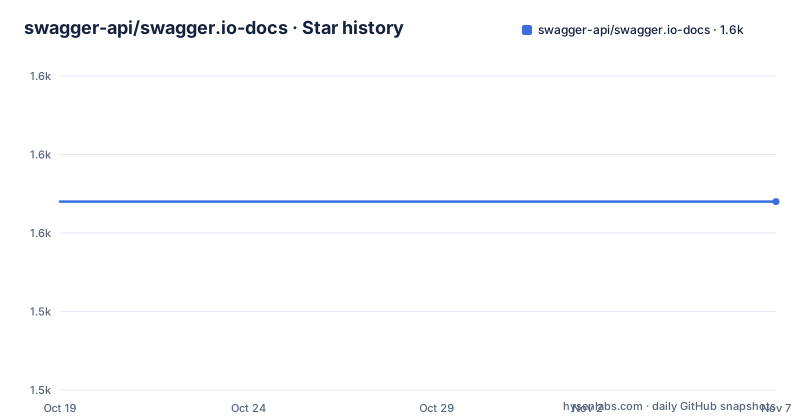
- swagger-api/swagger.io-docs1,554 ★ · +0
| Repository | 2026-10-19 | 2026-11-07 |
|---|---|---|
| swagger-api/swagger.io-docs | 1.6k | 1.6k |
0 Stars in the last 19 days, measured from the daily GitHub snapshot. Compare with other projects
Editorial analysis
What swagger.io-docs contains
swagger-api/swagger.io-docs holds the source content and Astro implementation for the Swagger Open Source Documentation published at https://swagger.io/docs/. The intended users are contributors who need to correct, extend, or maintain that documentation. The README describes the subject as an open-source suite for API development and the OpenAPI Specification, but this repository is not that entire suite.
The distinction matters when evaluating adoption. A developer who only wants to read Swagger documentation can use the published site. A developer who wants to edit the site should work from this repository. Someone searching for a local Swagger Editor application is looking for a different deliverable. Although `swagger-editor` appears in `package.json`, the documented workflow in this repository is for running and building the documentation site.
The repository is not archived, and its last push was on 2026-09-16. GitHub releases are not documented for this project, so contributors should not expect release artifacts or upgrade notes from that channel. The available upgrade unit is the source tree and its package configuration.
Astro pages, Markdown content, and site assets
The repository uses Astro, with `package.json` declaring the project as an ES module through `"type": "module"`. Its visible structure separates the implementation into `src/`, public assets under `public/`, configuration files, and processing scripts under `scripts/`. That layout points to a static-site structure in which authored content and Astro components are assembled during a build rather than served by a long-running application server.
The dependencies provide more detail about the implementation. `@astrojs/starlight` and `@astrojs/markdown-remark` support the documentation layer, `@astrojs/sitemap` handles sitemap generation, and Tailwind is integrated through `@astrojs/starlight-tailwind` and `@tailwindcss/vite`. The site also depends on `marked` for Markdown processing and `sharp` for image handling. These packages describe the documentation presentation layer, not an API-description validator or code generator.
There is also a `process-content` script that runs `node ./src/imports/import-content.js`. The README does not document which content sources that script consumes, how failures are reported, or whether it is required for an ordinary local documentation change. Contributors should inspect that file before assuming it belongs in every workflow.
For production output, the repository adds a separate redirect-copy step after `astro build`. This means redirect management is part of the documented production build path rather than an incidental detail of Astro.
Cloning and running the documentation locally
The README lists Node.js version 14 or later and either npm or Yarn as prerequisites. Its installation sequence contains a directory-name mismatch: it clones `swagger.io-docs` but then changes into `swagger.io`. That command should be checked against the actual clone directory before it is used, because the two names are not interchangeable.
Clone the repository with the command printed in the README:
git clone https://github.com/swagger-api/swagger.io-docs.gitThe next documented line is shown separately, but it assumes a directory named `swagger.io`, while the repository is named `swagger.io-docs`:
cd swagger.ioIf the clone created `swagger.io-docs`, the directory name used in `cd` needs to match that local folder. The repository files do not explain the mismatch.
Install the dependencies with either package manager. The README presents both supported commands:
npm install
# or
yarn install
Use one rather than both. `package-lock.json` is present in the repository, which makes the npm path directly traceable to a committed lockfile. The README also documents Yarn as an option, but no Yarn lockfile is listed in the repository entries.
Start the Astro development server after installation:
npm run dev
# or
yarn dev
Both scripts resolve to `astro dev`. The README states that the site is available at `http://localhost:4321`. That address is where a contributor should look for the rendered documentation after the process starts.
Building, previewing, and maintaining the site
The production build is documented as follows:
npm run build
# or
yarn build
The npm script is not limited to `astro build`. It runs `astro build && node ./scripts/copy-redirects.js`, so a successful production build also processes the repository's redirect file. The README states that built files are written to `dist`. Any contributor expecting a different output directory should verify the Astro configuration before changing scripts.
A local preview command is declared in `package.json`, even though the README's local workflow does not demonstrate it:
npm run previewThis resolves to `astro preview`. The README does not state which address or lifecycle guarantees apply to preview mode, so its behavior should be confirmed from the command output rather than assumed.
Maintenance involves the source dependency cost implied by a Node.js site: upstream package changes can affect `npm install` and builds, while content changes can require site-level validation. The repository is not archived and was pushed on 2026-09-16, but it has no documented GitHub releases. That makes source history and pull requests more relevant as maintenance references than versioned release notes. The repository license is unknown in the README information, so redistribution or derivative use cannot be assessed from it.
Where the local workflow breaks down
The clearest limitation is the clone-directory mismatch in the README. A contributor who follows both printed lines literally can fail at `cd swagger.io` even though cloning succeeded. This is a documentation defect, not evidence that the Astro project is broken, but it adds avoidable friction to first use.
Another limitation is scope. The repository is the source for a documentation site, not a packaged command-line validator, API generator, or hosted Swagger Editor. Installing it will not by itself create a general-purpose local environment for designing and testing an API. The presence of `swagger-editor` in dependencies may cause confusion, but the README does not document an end-user workflow for launching that dependency as a standalone service.
The `process-content` command is another boundary. Its existence is confirmed by `package.json`, but its imports, inputs, expected output, and failure cases are not documented. A contributor whose change depends on imported content needs to read `src/imports/import-content.js` and trace the related files under `src/` before assuming that running `npm run build` is sufficient.
For rollback, the README describes branch creation and pull requests but does not document a site rollback procedure. It also gives no release or deployment trigger beyond stating that the content is published at https://swagger.io/docs/. Deployment ownership and promotion from a pull request cannot be confirmed from this repository.
Reading the published site versus contributing to its source
There are two distinct ways to consume this project. Reading at https://swagger.io/docs/ uses the published result. Cloning `swagger-api/swagger.io-docs`, installing dependencies, and running `astro dev` uses the source build for editing and verification. The first path avoids local setup; the second is required when the change must be made in Git and reviewed through a pull request.
That difference is the practical alternative available from the README. A documentation consumer does not need to adopt this repository. A contributor does need it because the README assigns fork, branch, commit, push, and pull request steps to the repository workflow.
For API authors seeking to create an OpenAPI document, the README does not show how to use this site as an authoring tool. It points general support questions to the Community Forums and identifies the repository's role as Swagger Open Source Documentation. Any adoption decision should therefore preserve that boundary: use the site for Swagger documentation, and inspect the relevant Swagger tooling repository for API authoring or validation.
Editorial conclusion
Adopt this repository if you need to contribute changes to the Swagger Open Source Documentation or reproduce its Astro site locally. Do not treat it as a standalone Swagger Editor deployment, because the repository packages documentation content and a site build rather than an application for authoring APIs. Before changing it, verify the Node.js version, dependency installation, content location under src/, and whether your proposed edit belongs in this repository or in another Swagger project.
Frequently asked questions
What is swagger-api/swagger.io-docs used for?
It contains the source for the Swagger Open Source Documentation published at https://swagger.io/docs/. The README identifies it as an Astro-based documentation repository for contributors.
How do I run swagger.io-docs locally?
Install Node.js version 14 or later, install npm or Yarn dependencies, and run `npm run dev` or `yarn dev`. The README states that the development server appears at `http://localhost:4321`.
Where does the swagger.io documentation build output go?
The README states that `npm run build` or `yarn build` writes the production files to `dist`. The npm build also runs `node ./scripts/copy-redirects.js` after `astro build`.
Official sources
Add this badge to your README
If you maintain this project, the badge below links readers to this analysis and shows its maintenance status from the daily GitHub snapshot. Paste the markdown into your README; add ?metric=license or ?metric=stars to the image URL for a different field.

[](https://hysenlabs.com/projects/swagger-api-swagger-io-docs)Star history chart for your README
[](https://hysenlabs.com/projects/swagger-api-swagger-io-docs)Was this useful?