synalinks-skills, teaching coding agents to use the Synalinks framework
Coding Agents skills for Synalinks OSS
At a glance
- What is it?
- The SynaLinks/synalinks-skills repository ships a single Agent Skill whose job is to stop language models from writing plausible-looking but broken Synalinks code by mixing in Keras, LangChain and DSPy syntax. It installs with one npx command and the same skill file works across seventy-plus agents.
- Who is it for?
- synalinks-skills suits a team using Synalinks with a coding agent that has no framework-specific training, and who wants the guidance installed as part of the project rather than left to a prompt. It does not suit a project that has already documented its conventions somewhere the agent reliably reads.
- Can I use it commercially?
- Yes. Apache-2.0 is a permissive licence: you can use, modify and sell software built on it, as long as you keep its copyright and licence notices.
- Is it still maintained?
- Yes. The repository last received commits 40 days ago.
- What is it written in?
- Mainly Python, according to GitHub's language statistics.
Answers come from the project's GitHub data, last synced on November 7, 2026, and from our analysis. They are not legal advice.
Star history
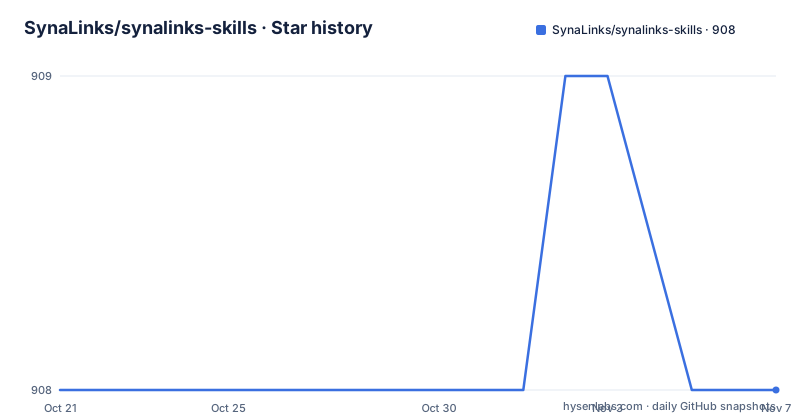
- SynaLinks/synalinks-skills908 ★ · +0
| Repository | 2026-10-21 | 2026-11-07 |
|---|---|---|
| SynaLinks/synalinks-skills | 908 | 908 |
0 Stars in the last 17 days, measured from the daily GitHub snapshot. Compare with other projects
Editorial analysis
One skill file, read by every agent that supports the format
The repository contains skills for coding agents that read the open Agent Skills format, a plain SKILL.md file. The README names Claude Code, Codex, OpenCode and pi among the agents that read it, and explains that the format started at Anthropic and is now an open standard, so one skill works in every agent that supports it, unmodified.
The Synalinks repository ships a single skill, named synalinks, that covers the whole framework. The agent auto-activates it based on its SKILL.md description field, which means there is nothing to select manually once the skill is installed.
The reason the skill exists is stated plainly in the README. Synalinks is Keras-inspired, and without guidance language models tend to mix Keras, LangChain and DSPy syntax, producing plausible-looking but broken code. The skills constrain the agent to idiomatic Synalinks usage.
That is a narrow and specific problem, and the fix matches it. This is not a general prompt collection or a style guide. It is one file whose content exists to stop a particular, predictable failure mode of large language models working with this particular framework.
The project is Apache-2.0 licensed with a LICENSE file at the root, the primary language of the repository is Python, the CI workflow badge sits at the top of the README, and the last push to the repository was on 2026-09-28. There are no GitHub releases, since the deliverable is the skill content rather than a binary.
A table of contents where every entry runs something
The SKILL.md is described as a scannable overview organised into one section per slice of the framework, and each section points to a runnable script, its captured run log, and a deep-dive reference document.
The sections are the framework's own structure. Core covers DataModel, Field, Input, the JSON operators for addition, and, or, xor and not, the synalinks.ops module, configuration, the LanguageModel and EmbeddingModel basics, and DecisionModel. Programs covers the Program class and the four building APIs, functional, sequential, subclassing and mixed, multi-input and output graphs, the build and call lifecycle, saving and loading, summary, get_module, plot_program and custom serialization.
The rest follows the same pattern. Modules covers Generator, ChainOfThought, SelfCritique, Identity, PythonSynthesis and SequentialPlanSynthesis, plus custom modules via subclassing. Control flow covers Decision, MultiDecision, Branch, parallel branches, self-consistency, XOR input and output guards, And and Or modules, and branch merging. Decision models covers DecisionModel with fields as questions, the decision_model argument, min_confidence and threshold abstention, and tuning thresholds with KerasTuner.
Then Agents with FunctionCallingAgent, RLM, DeepAgent, tool definitions, MCP integration through MultiServerMCPClient, subagents and trajectories. Knowledge with KnowledgeBase on DuckDB, EmbedKnowledge, UpdateKnowledge, RetrieveKnowledge, RAG and KAG, hybrid search, and entity and relation graphs. Training with compile, fit, evaluate and predict, callbacks, ProgramCheckpoint and the training workflow. Rewards with ExactMatch, CosineSimilarity, LMAsJudge, ProgramAsJudge, RubricsAsJudge and its presets for Faithfulness, Toxicity and TaskCompletion, AgentAsJudge, DeepAgentAsJudge, RLMAsJudge, ComposableReward, BatchReward and F1Score, plus custom rewards, metrics and masking.
Optimizers covers RandomFewShot, OMEGA, Dominated Novelty Search, mutation and crossover, and quality-diversity tuning. Providers covers the provider prefixes for openai, anthropic, groq, openrouter, cohere, deepseek, together_ai, bedrock, doubleword and hosted_vllm, local OpenAI-compatible servers such as LMStudio, vLLM and ollama, and OpenAI-compatible setups such as OpenRouter embeddings through api_base. Datasets covers the built-in gsm8k, hotpotqa and arcagi datasets, custom iterable datasets, and the visualization helpers.
The skill folder holds three things: the SKILL.md with its frontmatter and the scannable guide, a scripts/ directory of runnable examples where each docstring states its Usage and Run log, and a references/ directory with the deep-dive documents and the captured run logs.
The run logs are the interesting part. A skill that only says what the API looks like teaches the model what the documentation says, while a skill that includes the captured output of running the example gives the model a working reference for what correct execution looks like.
Install it where you write the code
The recommended install path is the official skills CLI, invoked with npx skills. It clones the repository, discovers the synalinks skill and wires it into your agent's skills directory, with no manual cloning, copying or zipping. It needs Node.js, which ships with npx, and nothing else.
The CLI detects the agents installed on your machine, so the same command works whether you use Claude Code, Codex, OpenCode, pi or another supported agent.
Since synalinks is a skill for the synalinks Python library, the natural place to install it is the project where you use synalinks, so the agent gets idiomatic Synalinks guidance exactly where you write Synalinks code. Project scope is also the CLI default, so the command is run from your project root:
npx skills add SynaLinks/synalinks-skills --skill synalinksEach agent then reads the skill from its own directory inside the project, for example <repo>/.claude/skills/ for Claude Code. The README asks you to commit the generated skills-lock.json so that teammates and CI resolve the same skill content, which is the difference between a skill that is the same on every machine and one that drifts.
For a setup where the guidance should apply everywhere, there is a global flag:
npx skills add SynaLinks/synalinks-skills --skill synalinks --globalThat installs into the agent's user-level skills directory, ~/.claude/skills/ for Claude Code. By default the CLI symlinks the skill, and passing --copy copies the files instead, which matters on systems where a symlink into a repository will not survive an update of the checkout.
Two more commands round out the workflow. To see what is in the repository without installing anything:
npx skills add SynaLinks/synalinks-skills --listAnd running npx skills add SynaLinks/synalinks-skills with no flags at all opens an interactive picker.
Seventy agents, one identical skill
The skills CLI supports more than seventy agents, and you can target one or all of them with the -a or --agent flag:
npx skills add SynaLinks/synalinks-skills --skill synalinks -a claude-code   # Claude Code
npx skills add SynaLinks/synalinks-skills --skill synalinks -a codex         # Codex
npx skills add SynaLinks/synalinks-skills --skill synalinks -a opencode      # OpenCode
npx skills add SynaLinks/synalinks-skills --skill synalinks -a pi            # pi
npx skills add SynaLinks/synalinks-skills --all                              # everything, all agents
Passing an unknown name prints the full list of valid agent slugs, which currently includes cursor, gemini-cli, github-copilot, windsurf, zed, crush, goose, junie and roo, among others.
The README is explicit that the skill content is identical in every case: one SKILL.md, and no per-agent variants to maintain. That is the point of the format. A team that uses two agents, or that changes agents, keeps one file.
Claude.ai on the web and Claude Desktop are handled separately, because those uploads expect a single .skill archive, which is a zip of the skill folder with SKILL.md at the root. The README gives the clone-and-build steps for that.
To check the installation, npx skills list shows what is installed, and in Claude Code the /skills slash command should show the synalinks skill. Agents then auto-activate it for the task at hand based on the description field, so nothing has to be selected manually.
Where a skill is not the right instrument
There are two situations where adding this repository is the wrong move.
The first is a project that already constrains its agent. If your repository has its own rules file, an architecture note, or a prompt that every agent already reads, then a skill that teaches the same framework conventions is redundant, and a second source of truth about how to write Synalinks code is a liability rather than an asset. Two documents disagreeing about the same API is worse than one.
The second is a project where nobody is using a coding agent at all. The entire value of this repository is the description field and the auto-activation behaviour of agents that read SKILL.md. Install it in a team that writes Synalinks by hand and it does nothing.
There is also a limit worth stating about the content itself. The skill covers the framework as the framework's own authors describe it, and the framework moves. The run logs captured in references/ are the evidence of a particular version working, and a skill that points at behaviour that has since changed is worse than no skill, because the agent will follow it confidently. The README does not describe how the run logs are regenerated, so how quickly they go stale is not something the documentation tells you.
What the skill does well is the narrow thing it was built for. If your failure mode is a model that writes a Keras-style compile call against a Synalinks Program, one file with a description field and twelve sections of runnable examples is a better answer than a paragraph in your contributing guide.
Editorial conclusion
synalinks-skills suits a team using Synalinks with a coding agent that has no framework-specific training, and who wants the guidance installed as part of the project rather than left to a prompt. It does not suit a project that has already documented its conventions somewhere the agent reliably reads. Before you add it, install it at project scope so the guidance lands next to the code, commit the generated skills-lock.json so CI and teammates resolve the same content, and check that the agent in your workflow honours the SKILL.md description field, since auto-activation depends on it.
Frequently asked questions
What is synalinks-skills and what problem does it solve?
It is a repository of Agent Skills for coding agents that teaches them to use the Synalinks framework correctly. Synalinks is Keras-inspired, and without guidance language models tend to mix Keras, LangChain and DSPy syntax and produce plausible-looking but broken code, so the skill constrains the agent to idiomatic Synalinks usage.
How do I install the synalinks skill?
Run npx skills add SynaLinks/synalinks-skills --skill synalinks from your project root, which installs it into the current project, for example into <repo>/.claude/skills/ for Claude Code. Add --global to install into the agent's user-level skills directory, and commit the generated skills-lock.json so teammates and CI resolve the same content.
Does the same skill work in different coding agents?
Yes. The skill content is identical in every case, one SKILL.md with no per-agent variants, and the skills CLI supports more than seventy agents with the -a or --agent flag. Valid slugs include claude-code, codex, opencode, pi, cursor, gemini-cli, github-copilot, windsurf, zed, crush, goose, junie and roo.
What does the synalinks SKILL.md contain?
A scannable overview organised into one section per slice of the framework, covering Core, Programs, Modules, Control flow, Decision models, Agents, Knowledge, Training, Rewards, Optimizers, Providers and Datasets. Each section points to a runnable example script in scripts/ and a deep-dive reference document in references/, alongside the captured run logs.
How do I check that the skill is installed?
Run npx skills list to see the installed skills. In Claude Code the /skills slash command should show the synalinks skill, and agents auto-activate it based on the description field in SKILL.md, so there is nothing to select manually.
Official sources
Add this badge to your README
If you maintain this project, the badge below links readers to this analysis and shows its maintenance status from the daily GitHub snapshot. Paste the markdown into your README; add ?metric=license or ?metric=stars to the image URL for a different field.

[](https://hysenlabs.com/projects/synalinks-synalinks-skills)Star history chart for your README
[](https://hysenlabs.com/projects/synalinks-synalinks-skills)Was this useful?