lamp is one script, needs root, installs interactively, and serves Apache from a different repository on each distribution family
Install LAMP (Linux + Apache + MariaDB + PHP) for AlmaLinux/RockyLinux/CentOS/Debian/Ubuntu
At a glance
- What is it?
- teddysun/lamp installs Apache, MariaDB and PHP across Enterprise Linux, Debian and Ubuntu from a single bash script that you answer with numbers at a prompt. What the documentation is unusually clear about is the supply chain: on RPM systems Apache comes from a repository the script's own author runs, on Debian it comes from the official one, and the upgrade and uninstall recipes are globs.
- Who is it for?
- lamp fits someone provisioning a fresh VPS who wants the same three services on either distribution family and is happy to answer a menu at a root prompt. The decision to make first is where Apache comes from, because the two families do not agree and the RPM path points at a repository the project maintains.
- Can I use it commercially?
- Yes, with conditions. GPL-3.0 is a copyleft licence: if you distribute software that includes it, you must release that software's source code under the same licence. Running it internally without distributing it does not trigger that obligation.
- Is it still maintained?
- Yes. The repository last received commits 177 days ago.
- What is it written in?
- Mainly Shell, according to GitHub's language statistics.
Answers come from the project's GitHub data, last synced on November 14, 2026, and from our analysis. They are not legal advice.
Star history
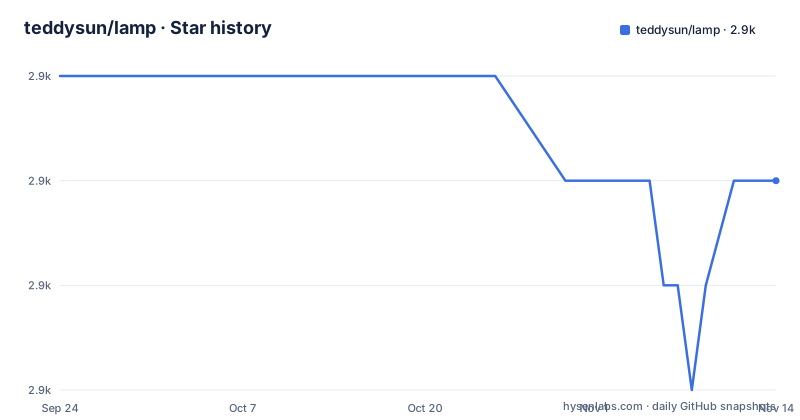
- teddysun/lamp2,916 ★ · -1
| Repository | 2026-09-24 | 2026-11-14 |
|---|---|---|
| teddysun/lamp | 2.9k | 2.9k |
-1 Stars in the last 51 days, measured from the daily GitHub snapshot. Compare with other projects
Editorial analysis
Apache comes from a personal repository on RPM systems and the official one on Debian
The supported software table has four columns and the third and fourth disagree about where Apache comes from. On RPM systems the package source for Apache 2.4 is a repository run by the script's own author, hosted on a directory path under the same domain as the project's homepage. On Debian and Ubuntu it is listed as the official repository. The other two components are consistent: MariaDB, at versions 10.11, 11.4 and 11.8, comes from MariaDB's own repository on both families, and PHP, at seven versions from 7.4 through 8.5, comes from the Remi repository on RPM systems and from the Sury repository on Debian. So a single script installs the same three services from three upstream package sources plus one private mirror, and the private one is only in the RPM path.
The entire project is one script, a conf directory and two files
The top level of the repository holds four entries: the licence, the README, a directory called conf, and the script itself. That is the whole thing. There is no test suite, no continuous integration configuration, no changelog, no issue templates and no documentation site beyond the homepage domain. Installation is therefore also the only procedure in the file, and the Enterprise Linux version reads:
# Install dependencies
dnf -y install wget git

# Clone repository
git clone https://github.com/teddysun/lamp.git
cd lamp

# Make scripts executable and run
chmod 755 *.sh
./lamp.sh
The Debian recipe is identical apart from the package manager used for the first line. Two things are never stated. Nothing says where the lamp command is placed so that it is on your path afterwards, even though a whole section of the file documents twelve subcommands for it. And nothing describes what the conf directory contains or when it is applied.
Root is a hard requirement and the installer is interactive
The requirements table is short and one of its rows settles the deployment question. Five gibibytes of disk and 512 mebibytes of memory are the stated minimums, an internet connection is required, a correct system repository is assumed, and the user must be root. Combined with the description, that defines the shape of the tool. The description says you can install the three services on a smaller-memory VPS and that you just need to input numbers to choose what you want to install before installation. So the installer is a menu, not a set of flags, and there is no documented way to feed it answers from a script or an answer file. Nothing else in the file offers a silent mode, which means the tool as documented does not fit a configuration-management run.
Two release lines share one date and the newest is nearly two years old
The three most recent releases use a date-based version with a sequence suffix, and two of them share a date. One is numbered with a suffix of one and titled as the RHEL series; the other has a suffix of two and is titled as the Debian series. Both were published on the same day in December 2024. The one before them is a bare date from June 2023. So the project versions per distribution family rather than as a single stream, and the numbering encodes which family an artefact belongs to. The gap since is the notable part: the newest release is dated 2024-12-15, while the last recorded push to the default branch is 2026-05-21. That is roughly ten months of commits after the last tag, so anyone pinning to a release is pinning to something well behind the branch.
The upgrade recipes use globs and the two families document the version differently
The upgrade section gives per-component commands for each family, and the shapes are not equivalent. On RPM systems each of the three services is updated with a package manager update call using a wildcard: httpd without a wildcard, then MariaDB with a trailing asterisk, then php with a trailing asterisk. On Debian the equivalents use an only-upgrade flag, with apache2 plain, mariadb with an asterisk, and PHP assembled from a shell variable set to 8.4 followed by a wildcard. A wildcard in an update or remove call matches anything sharing that prefix, so the scope of both commands is wider than the service named above it. The major-version upgrade is stranger still: on RPM systems it is a module stream switch with the version written into the command as a literal, while on Debian the version is a variable you set before the command runs.
Uninstall removes packages and nothing else
There is a full uninstall section and it is three commands per family, one per service. Nothing in it touches anything the installation created outside a package. The web root is a directory under a data path rather than the distribution default, the database files live in the standard data location, the virtual host configuration directories are named in the defaults table, and the command reference offers three subcommands for creating, listing and deleting databases and their users. None of that has a documented removal path, and there is no uninstall subcommand among the twelve the command table lists, so the gap cannot be closed with the tool itself. If you script this, the cleanup is yours to write.
The web root is a data path, not the distribution default
The defaults tables are the most operationally useful part of the file, and one row is worth noting before anything is installed. The web root is the same on both families and it is not the path either distribution ships: it sits under a data directory, not the usual Apache document root. Apache's main configuration differs in both name and depth between the families, as does the sites directory, which is a drop-in directory on one side and a configuration subdirectory on the other. MariaDB's data location is identical while its configuration file sits in different places. PHP is the messiest: the Enterprise Linux rows are flat paths for the pool configuration and the main ini file, while the Debian rows interpolate a version variable into the path, and a note under the tables tells you to substitute your own version.
Twelve subcommands, none of which install or remove the stack
The command reference groups twelve subcommands into three shapes. Five are lifecycle: start, stop, restart, status and version, each applied to all services at once. Three manage Apache virtual hosts: add, list and delete. Four manage MariaDB: create a database and user, list databases, delete a database and user, and update a user's password. What the table does not contain is any command that installs, upgrades or removes a package, and none that edits an existing virtual host once created. The lifecycle commands are also documented per service in a separate table rather than through the single wrapper, using the platform's service manager with the start, stop, status and restart verbs, and those rows use a placeholder for the PHP version on Debian.
Editorial conclusion
lamp fits someone provisioning a fresh VPS who wants the same three services on either distribution family and is happy to answer a menu at a root prompt. The decision to make first is where Apache comes from, because the two families do not agree and the RPM path points at a repository the project maintains. Read the uninstall section before installing: it removes packages only, leaving your web root, database files, virtual hosts and any database users you created. And if you need configuration management, note there is no documented non-interactive mode and no command to remove the stack.
Frequently asked questions
How do I install LAMP on a Linux system?
The README gives one recipe per family. Install wget and git with dnf on Enterprise Linux or apt-get on Debian and Ubuntu, clone the repository, change into the lamp directory, run chmod 755 *.sh, then run ./lamp.sh and answer the menu. The minimums given are 5 GiB of disk, 512 MiB of memory, an internet connection and a root user.
What does LAMP mean in Linux?
In this project L stands for Linux, A for Apache, M for MariaDB and P for PHP. The script installs those three services, and the supported versions are Apache 2.4, MariaDB 10.11, 11.4 and 11.8, and PHP from 7.4 through 8.5.
Where does lamp get Apache from?
Different places depending on the family. On RPM systems the table lists a repository run by the project's author, hosted under the same domain as the homepage, while on Debian and Ubuntu it lists the official repository. MariaDB comes from MariaDB's own repository on both, and PHP from Remi on RPM systems and Sury on Debian.
Can lamp be installed without a person answering prompts?
Not as documented. The README says you just need to input numbers to choose what you want to install before installation, and it lists root as a requirement, with no flags, silent mode or answer file described anywhere in the file.
Does removing lamp delete its data?
The uninstall section only shows package removal commands per service, one per family. Nothing covers the web root under the data path, the database files, the virtual host directories, or the databases and users that the database subcommands create. There is also no uninstall subcommand in the command table.
Official sources
Add this badge to your README
If you maintain this project, the badge below links readers to this analysis and shows its maintenance status from the daily GitHub snapshot. Paste the markdown into your README; add ?metric=license or ?metric=stars to the image URL for a different field.

[](https://hysenlabs.com/projects/teddysun-lamp)Star history chart for your README
[](https://hysenlabs.com/projects/teddysun-lamp)Was this useful?