TestNG's twelve modules, its signing key, and the bugs it hands to your build tool
TestNG testing framework
At a glance
- What is it?
- TestNG is a Java test framework published to Maven Central, and its repository shows twelve modules wrapped by Maven, Gradle and two IDEs, with published jars verified against a single GPG key that a consumer has to trust by hand.
- Who is it for?
- TestNG suits teams whose Java suites already run through Surefire or Gradle and who want one framework behind both, but its README will not carry you through a first run: no dependency snippet, no runner flags, no documented command.
- Can I use it commercially?
- Yes. Apache-2.0 is a permissive licence: you can use, modify and sell software built on it, as long as you keep its copyright and licence notices.
- Is it still maintained?
- Yes. The repository received new commits within the last day.
- What is it written in?
- Mainly Java, according to GitHub's language statistics.
Answers come from the project's GitHub data, last synced on October 23, 2026, and from our analysis. They are not legal advice.
Star history
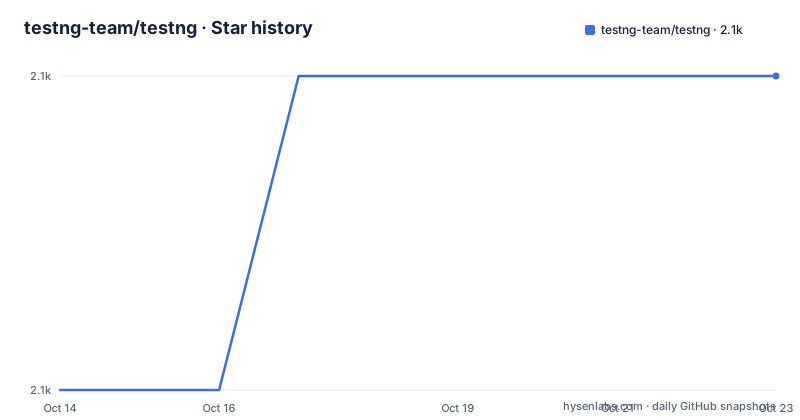
- testng-team/testng2,062 ★ · +1
| Repository | 2026-10-14 | 2026-10-23 |
|---|---|---|
| testng-team/testng | 2.1k | 2.1k |
1 Stars in the last 9 days, measured from the daily GitHub snapshot. Compare with other projects
Editorial analysis
Twelve testng- modules behind one Maven Central artifact
TestNG reaches most teams as a jar pulled by a build tool rather than a program started by hand: it is published to Maven Central under the coordinates `org.testng:testng`. The repository layout says more about how it is assembled than the README does. Next to the aggregate `testng/` directory sit twelve modules whose names all carry a testng- prefix. `testng-core/`, `testng-api/`, `testng-core-api/` and `testng-runner-api/` carry the framework and the interfaces other tools compile against, while `testng-collections/` and `testng-reflection-utils/` hold smaller helpers. `testng-cli/` and `testng-jcommander/` are a command line front end with its own argument parser, and `testng-yaml/` is the YAML module. `testng-bom/` exists so every piece can be held at one version, and `testng-test-kit/` plus `testng-test-osgi/` cover testing the framework itself and loading it under OSGi. An ordinary unit test needs a fraction of that. Nothing in the README names which modules to depend on, so read it off the tree and pin `testng-bom/` first, because a transitive bump that moves the core without the CLI fails in ways that point at your suite rather than at the build.
JDK 21 to build, Java 11 to run, and nothing in between
The requirements split into two floors that never meet. Running the library needs Java 11 or higher, and the compiled bytecode targets Java 11, so a team pinned to an older long term support JDK can still consume the jar. Producing it needs JDK 21 or higher, with contributors pointed at `.github/CONTRIBUTING.md` for the details. Anyone filing a bug from a Java 11 build is therefore reporting from a runtime the project no longer compiles on. The build itself is Gradle: `gradlew` and `gradlew.bat` are the only entry points at the root, `build.gradle.kts` and `settings.gradle.kts` hold the script logic, and `build-logic/` plus `build-logic-commons/` carry conventions applied to the modules and to the build itself. `gradle.properties` sits beside them. Nothing visible in the tree states a pinned Gradle version or a toolchain target, so JDK 21 is the only build requirement a reader can confirm from the repository.
Verifying the jar with the project's single signing key
The README carries no dependency snippet for Maven or Gradle, so the documented starting point is the project site, testng.org, or the separate documentation repository at testng-team/testng-team.github.io. What the repository does spell out in full is how to confirm that a jar in your local cache came from the project. Pull the signing key into your own keyring first.
gpg --keyserver keyserver.ubuntu.com --recv-keys 0F13D5631D6AF36DThen open that key and raise its trust level, because verification fails on an untrusted keyring rather than on a bad signature.
gpg --edit-key 0F13D5631D6AF36D
gpg> trust
5 = I trust ultimately
Download the `.asc` file that sits beside the artifact and verify it. The README writes the path with a placeholder rather than pinning a version.
gpg --verify testng-<versionGoesHere>.jar.asc testng-<versionGoesHere>.jarRead the result for the key id, not for the name. The sample output shows the RSA key `0F13D5631D6AF36D`, created on 2016-12-01 and never expiring. The same transcript also shows a slip worth knowing: `gpg> exit` returns an invalid command, and the documented session moves on to `gpg> quit`.
A bug in the runner is filed on the runner's tracker
TestNG's triage instructions assume you have already decided whether the framework or the tool wrapped around it is at fault. Reporters are asked to reproduce the problem in a shell window first, at `https://testng.org/doc/documentation-main.html#running-testng`. If it does not happen there, the README sends the report elsewhere: Surefire's JIRA for Maven, the Gradle issue tracker, the Eclipse plugin's issue page, and the JetBrains YouTrack board for IntelliJ. That redirection is an honest statement of where a failure lives. A suite that passes in the shell yet fails under Surefire is telling you the runner assembled the classpath or the JVM differently, and a patch to TestNG would not have caught it. The cost lands on whoever does the debugging: four trackers, four version numbers to quote in the report, and nowhere in one place a description of how the four tools differ. Help also lives outside the repository, on the testng-users Google group and the StackOverflow tag, where the README asks you to cross-link the other site before filing.
Three agent instruction files sit at the root of the tree
Beyond the usual repository files, this root carries `AGENTS.md`, `CLAUDE.md` and `GEMINI.md`, plus a `.cursor/` directory, so guidance written for three separate coding assistants sits beside the build scripts. Next to those sit `.vale.ini` and `.vale/`, which configure a prose linter rather than a compiler, and `rewrite.yml`, another documentation file rather than source. A `docs/` directory keeps documentation sources in the repository itself, `scripts/` and `bin/` hold maintenance helpers, and `.editorconfig` and `.mailmap` normalise formatting and authorship across a contributor set wide enough to have needed a mailmap. The README sends documentation work to a separate repository, testng-team/testng-team.github.io, and points readers to testng.org for the published site. Documentation therefore lives in three places: a `docs/` tree here, a repository of its own, and the live site. Which copy wins when they drift apart is not stated, and nothing in the README says how the three are kept in step.
Badges and issue links still resolve to cbeust
Two details in the README contradict the repository it now sits in. One badge image still requests the project's terms from a path under the cbeust organisation, and the link for Eclipse plugin bugs goes to `https://github.com/cbeust/testng-eclipse/issues`, also under that name, while the project itself lives under testng-team. The notes links show the same drift: older entries such as `https://groups.google.com/forum/#!topic/testng-users/a81uaZvtEZI` use the retired forum form, while the top of the list uses `https://groups.google.com/g/testng-users/c/KLK7I7jagTQ`. Read the list downwards and 7.10.0 is the last version indexed under the newer form, yet the newest published build on record is 7.10.2, which says the list is maintained by hand rather than generated. The signing section lags in the same way: its sample verification output is a signature made in 2023, earlier than the 7.10.2 build from 2024-04-28. Treat that transcript as the shape of the output, not as what a current artifact prints. The repository is not archived, its last push was on 2026-10-06, and the code is published under Apache-2.0.
Two ways to run a suite, and who owns the classpath
TestNG can execute a suite through someone else's runtime or through its own, and the choice is about ownership. Mediated by Surefire or Gradle, the build tool compiles the classes, assembles the classpath, forks a JVM, collects results and writes reports in a shape its ecosystem already understands. Driven directly, the `testng-cli/` and `testng-jcommander/` modules supply the front end and its argument parsing, which is what you want inside a container, on a remote agent, or in a script on a machine with no build tool installed. The tree also carries `testng-yaml/`, a second way to describe a suite beside whatever the runner supplies. The price is duplication, because the same suite ends up described in a build file for one path and on a command line for the other, and nothing in the repository reconciles the two. Pick one path, write down which one CI uses, and treat the other as something to add only after reading the site.
Editorial conclusion
TestNG suits teams whose Java suites already run through Surefire or Gradle and who want one framework behind both, but its README will not carry you through a first run: no dependency snippet, no runner flags, no documented command. Before adopting, work out which of the twelve modules you actually need, confirm you can build on JDK 21 even when production runs Java 11, verify a downloaded jar with `gpg --verify`, and decide which of the four trackers the next failure belongs to before you write the report.
Frequently asked questions
What Java version does TestNG need, and can I build it on the same JDK?
Running TestNG needs Java 11 or higher, because the library is compiled to Java 11 bytecode, while building it from source needs JDK 21 or higher. A contributor on a Java 11 JDK can consume the jar but cannot compile the project.
How do I verify a TestNG jar downloaded from Maven Central?
Import the signing key from keyserver.ubuntu.com, mark it as trusted inside gpg, download the .asc file from the Maven Central path, and run gpg --verify against the jar. Check the output for the key id 0F13D5631D6AF36D rather than for the name.
Where should I report a TestNG failure that only happens in Maven or Gradle?
Reproduce it in a shell window first. If it does not happen there, the README sends the report to the runner's own tracker: Surefire's JIRA for Maven, the Gradle tracker, the Eclipse plugin's issue page, or JetBrains YouTrack for IntelliJ.
Does the TestNG README show how to add the library to a build?
It does not. There is no dependency snippet in it, only a pointer to testng.org and to a separate documentation repository, plus the Maven Central path used for signature verification.
Official sources
Add this badge to your README
If you maintain this project, the badge below links readers to this analysis and shows its maintenance status from the daily GitHub snapshot. Paste the markdown into your README; add ?metric=license or ?metric=stars to the image URL for a different field.

[](https://hysenlabs.com/projects/testng-team-testng)Star history chart for your README
[](https://hysenlabs.com/projects/testng-team-testng)Was this useful?